
LEXIN LX-G2P
Uživatelská příručka k Bluetooth sluchátkům s motocyklovou helmou LEXIN G2P
Model: LX-G2P | Brand: LEXIN
Konec produktuview
The LEXIN G2P Motorcycle Helmet Bluetooth Headset is designed to enhance communication and entertainment for riders. Featuring cutting-edge Bluetooth 5.1 connectivity, it supports group intercom communication for up to 6 riders with a range of up to 1000m (0.62 miles) for private conversations between any two riders. It offers versatile connectivity, allowing connection to two Bluetooth devices simultaneously for music streaming, FM radio, universal pairing with other headset brands, GPS navigation, and voice assistant integration (Siri, Google) for hands-free control. The system includes 40mm Mylar HD speakers and two integrated microphones (button mic for full-face helmets, boom mic for open-face helmets) with advanced CVC & DSP noise reduction for clear audio even at high speeds. The G2P boasts an IP67 waterproof and dustproof rating, an 800mAh battery providing up to 25 hours of music playback or 20 hours of talk time, and interchangeable shells for customization.

Image: Two LEXIN G2P Bluetooth headsets, showcasing the main unit design.
Co je v krabici
The LEXIN G2P package includes all necessary components for installation and operation:
- Main Unit (G2P Bluetooth Headset)
- HD Speaker with Boom and Button Microphones
- USB-C kabel pro nabíjení
- Podložky pod reproduktory
- Boom držák mikrofonu
- Interchangeable Pattern Shells (6 metallic-like options)
- Montážní konzola
- 3M páskový držák
- Uživatelská příručka (tento dokument)
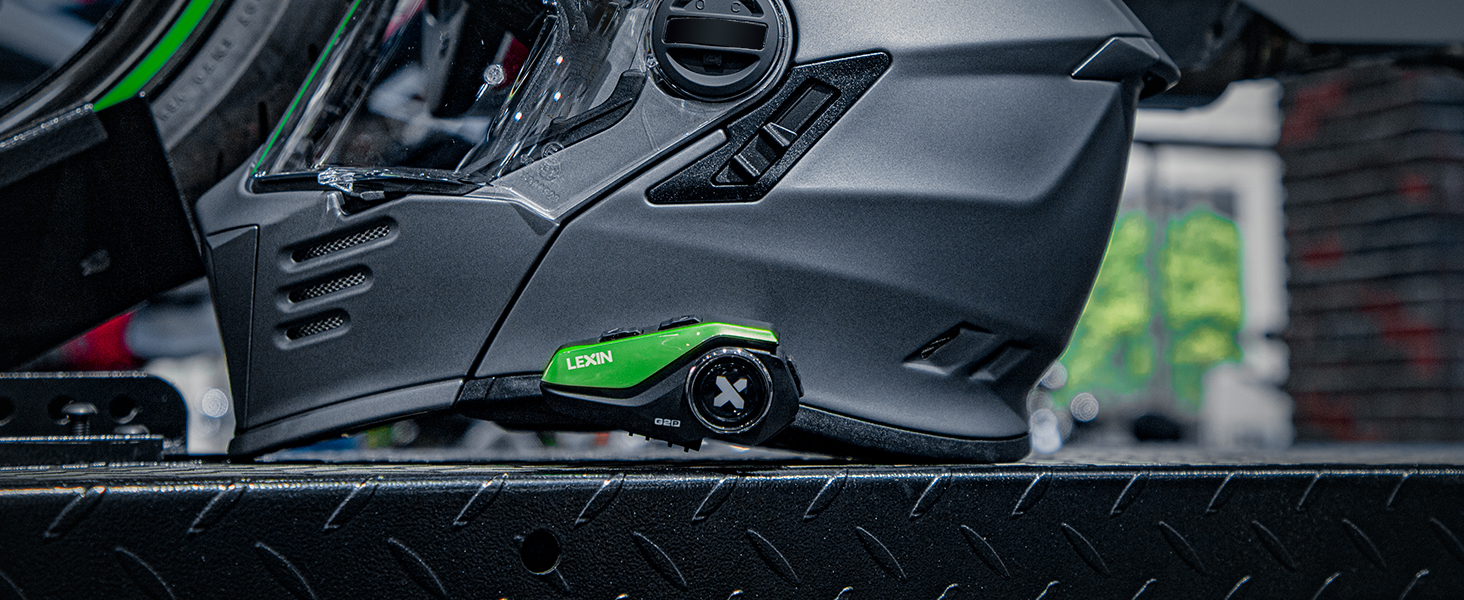
Image: Visual representation of all items included in the LEXIN G2P package, including the main unit, speakers, microphones, cables, mounting accessories, and interchangeable shells.
Nastavení a instalace
Follow these steps to install your LEXIN G2P headset onto your helmet:
- Vyberte způsob montáže: Select either the clamp mounting bracket or the 3M adhesive tape bracket based on your helmet type and preference.
- Připevněte montážní držák: Securely attach the chosen bracket to the side of your helmet. Ensure the surface is clean and dry if using the adhesive.
- Instalace reproduktorů: Place the 40mm HD speakers inside the helmet's ear pockets. Use the provided speaker pads for a comfortable and secure fit. Route the speaker wires neatly under the helmet padding.
- Instalace mikrofonu:
- For full-face helmets, use the button microphone and position it near your mouth.
- For open-face helmets, use the boom microphone and attach it to the boom microphone holder, positioning it close to your mouth.
- Montáž hlavní jednotky: Slide the LEXIN G2P main unit onto the installed mounting bracket until it clicks securely into place.
- Připojit dráty: Plug the speaker and microphone wires into the corresponding ports on the main unit.
- Customize Shell: If desired, attach one of the interchangeable metallic-like shells to the main unit to match your helmet's style.
Image: Detailed visual guide showing the step-by-step installation process of the LEXIN G2P headset onto a motorcycle helmet, including mounting the unit, installing speakers, and positioning the microphone.
Video: Official LEXIN G2P Motorcycle Bluetooth Headset overview, demonstrating key features and installation aspects. This video provides a visual guide to the product's design and functionality.
Návod k obsluze
Zapnutí/vypnutí
- Zapnutí: Press and hold the main button (marked with 'X') for approximately 3 seconds until you hear a power-on tone.
- Vypnout: Press and hold the main button for approximately 5 seconds until you hear a power-off tone.
Párování pomocí Bluetooth
The G2P can connect to two Bluetooth devices simultaneously (e.g., smartphone and GPS).
- With the headset off, press and hold the main button for about 7 seconds until the LED flashes red and blue, indicating pairing mode.
- On your smartphone or GPS device, enable Bluetooth and search for "LEXIN G2P".
- Select "LEXIN G2P" to pair. Once connected, the LED will flash blue slowly.
- To pair a second device, repeat the process.

Image: Illustration of the universal pairing capability of the LEXIN G2P, showing two helmets connected, indicating compatibility with various motorcycle intercoms.
Interkomová komunikace
The G2P supports group intercom for up to 6 riders, with private talk between any two riders up to 1000m (0.62 miles).
- Zahájení interkomu: Short press the intercom button (usually a dedicated button or a specific combination, refer to the included quick guide for exact button mapping).
- Konec interkomu: Short press the intercom button again.
- Párování skupiny: Follow the specific instructions in your detailed user manual for multi-unit pairing for group intercom functionality.

Image: Diagram illustrating the multi-pair capability of the G2P Bluetooth headset, allowing up to 6 riders to communicate in a group over a distance of 1000 meters (0.62 miles).

Image: Two motorcyclists riding, with a Bluetooth icon indicating seamless communication between their headsets.
Přehrávání hudby
- Přehrát/pozastavit: Krátce stiskněte hlavní tlačítko.
- Další skladba: Press the 'Forward' button.
- Předchozí skladba: Press the 'Backward' button.
- Zvýšení/Snížení hlasitosti: Use the volume control buttons on the unit.

Image: The LEXIN G2P unit positioned between two smartphones, one displaying a map for GPS navigation and the other showing a music player, illustrating its dual connectivity for audio and navigation.
FM rádio
- Zapnutí/vypnutí FM: Press and hold the FM button (refer to quick guide for exact button).
- Skenovací stanice: Short press the 'Forward' or 'Backward' button to scan for the next/previous station.

Image: A motorcyclist riding, with an overlay indicating the built-in FM radio feature of the LEXIN G2P headset, allowing users to enjoy their favorite channels while riding.
Voice Assistant (Siri/Google)
- Aktivovat Voice Assistant: Short press the voice assistant button (refer to quick guide for exact button). This allows for hands-free calls and control.

Image: A helmet with the LEXIN G2P unit, showing a voice assistant icon and a smartphone, indicating one-click activation for hands-free calls, music, and GPS control.
Údržba
- Čištění: Jednotku otřete měkkým, damp tkanina. Nepoužívejte agresivní chemikálie nebo abrazivní čisticí prostředky.
- Skladování: Pokud sluchátka nepoužíváte, skladujte je na chladném a suchém místě. Nevystavujte je extrémním teplotám.
- Péče o baterie: To prolong battery life, charge the unit regularly, even if not used frequently. Avoid fully discharging the battery for extended periods.
- Voděodolnost: While IP67 waterproof, avoid prolonged submersion. Ensure the USB-C port cover is securely closed before exposure to water or dust.

Image: The LEXIN G2P unit partially submerged in water, demonstrating its IP67 waterproof rating and ability to maintain normal conversation even in rainy conditions.
Odstraňování problémů
| Problém | Možná příčina | Řešení |
|---|---|---|
| Žádná síla | Low battery or unit is off. | Charge the unit fully. Press and hold the main button to power on. |
| Nelze spárovat Bluetooth | Jednotka není v režimu párování; Bluetooth zařízení je vypnuté; příliš mnoho spárovaných zařízení. | Ensure unit is in pairing mode (flashing red/blue). Check device Bluetooth. Clear previous pairings if necessary. |
| Intercom Disconnects | Mimo dosah; rušení. | Move closer to the other intercom unit. Avoid areas with high electromagnetic interference. |
| Špatná kvalita zvuku / šum | Microphone not positioned correctly; speakers misaligned; high wind noise. | Adjust microphone closer to mouth. Reposition speakers for optimal sound. Ensure helmet visor is closed at high speeds. CVC & DSP noise reduction is active. |
| Tlačítka nereagují | Unit frozen; low battery. | Perform a soft reset (refer to manual for specific reset procedure, usually holding power button for longer duration). Charge the unit. |

Image: Visual representation of the CVC & DSP noise cancellation technology, showing how it reduces ambient noise for clearer audio, with illustrations of boom and button mics and 40mm powerful speakers.
Specifikace
| Funkce | Detail |
|---|---|
| Název modelu | LX-G2P |
| Technologie připojení | Bezdrátové připojení (Bluetooth 5.1) |
| Kontrola hluku | Aktivní potlačení hluku (CVC a DSP) |
| Rozsah interkomu | Up to 1000m (0.62 miles) for 2 riders, supports up to 6 riders |
| Kapacita baterie | 800 XNUMX mAh |
| Doba přehrávání hudby | Až 25 hodin |
| Doba hovoru | Až 20 hodin |
| Pohotovostní doba | Over a week (168 hours) |
| Doba nabíjení | 2.5 hodiny |
| Úroveň odolnosti proti vodě | IP67 vodotěsný a prachotěsný |
| Reproduktory | 40mm mylarové HD reproduktory |
| Mikrofony | 2 integrated (Button Mic for full-face, Boom Mic for open-face) |
| Typ ovládání | Manual (Gloves-Friendly Button) |
| Zahrnuté komponenty | Hi-fi speaker/2 mics/2 mounting brackets |
| Materiál | Plast |

Image: An illustration highlighting the 800mAh battery of the LEXIN G2P, showing its charging time (2 hours), working time (20-25 hours), and standby time (168 hours), emphasizing long battery life for extended rides.
Záruka a podpora
LEXIN products are designed for durability and performance. For specific warranty details and support, please refer to the warranty card included in your product packaging or visit the official LEXIN website. You can also contact LEXIN customer service for assistance with any product-related inquiries or technical support.
Další zdroje a informace o produktech naleznete na Obchod LEXIN na Amazonu.
Ask a question about this manual
Ask about setup, troubleshooting, compatibility, parts, safety, or missing instructions. Manuals+ will review the question and use this page’s manual context to help answer it.