
Zavedení
This manual provides comprehensive instructions for the YOSUN universal replacement remote control, designed for various LG Smart TV models. This remote features advanced functionalities including pointer control, voice commands, and dedicated shortcut buttons for popular streaming services. Please read this manual carefully to ensure proper setup and operation.

Nastavení
1. Instalace baterie
The remote control requires two AAA batteries (not included). To install, open the battery compartment cover on the back of the remote. Insert the batteries, ensuring the correct polarity (+ and -) as indicated inside the compartment. Close the cover securely.
2. Spárování dálkového ovladače
The remote control must be paired with your LG Smart TV to enable pointer and voice functions. There are two primary methods for pairing:

- První metoda:
- Zapněte si chytrou televizi LG.
- Approximately 20 seconds after the TV is on, point the remote control towards the TV screen.
- Stiskněte tlačítko Kolo (OK) button (located in the center of the directional pad) until a pairing completion message appears on your TV screen.
- Second Method (Reset and Pair):
- Stiskněte a podržte Domov tlačítko a Zadní button simultaneously for 10 seconds to reset the remote control.
- After resetting, press the Kolo (OK) button. A message indicating successful pairing should appear on your TV screen.
Návod k obsluze
1. Pointer Function
The pointer function allows for intuitive navigation by moving the remote control. A cursor will appear on your TV screen, which you can control by moving the remote in the air.

- To activate the pointer, simply move the remote control.
- To select an item, point the cursor at it and press the Kolo (OK) tlačítko.
- The pointer can be used for clicking and scrolling through menus and content.
2. Hlasové ovládání
The remote control supports voice commands, allowing you to control your TV and search for content using your voice.
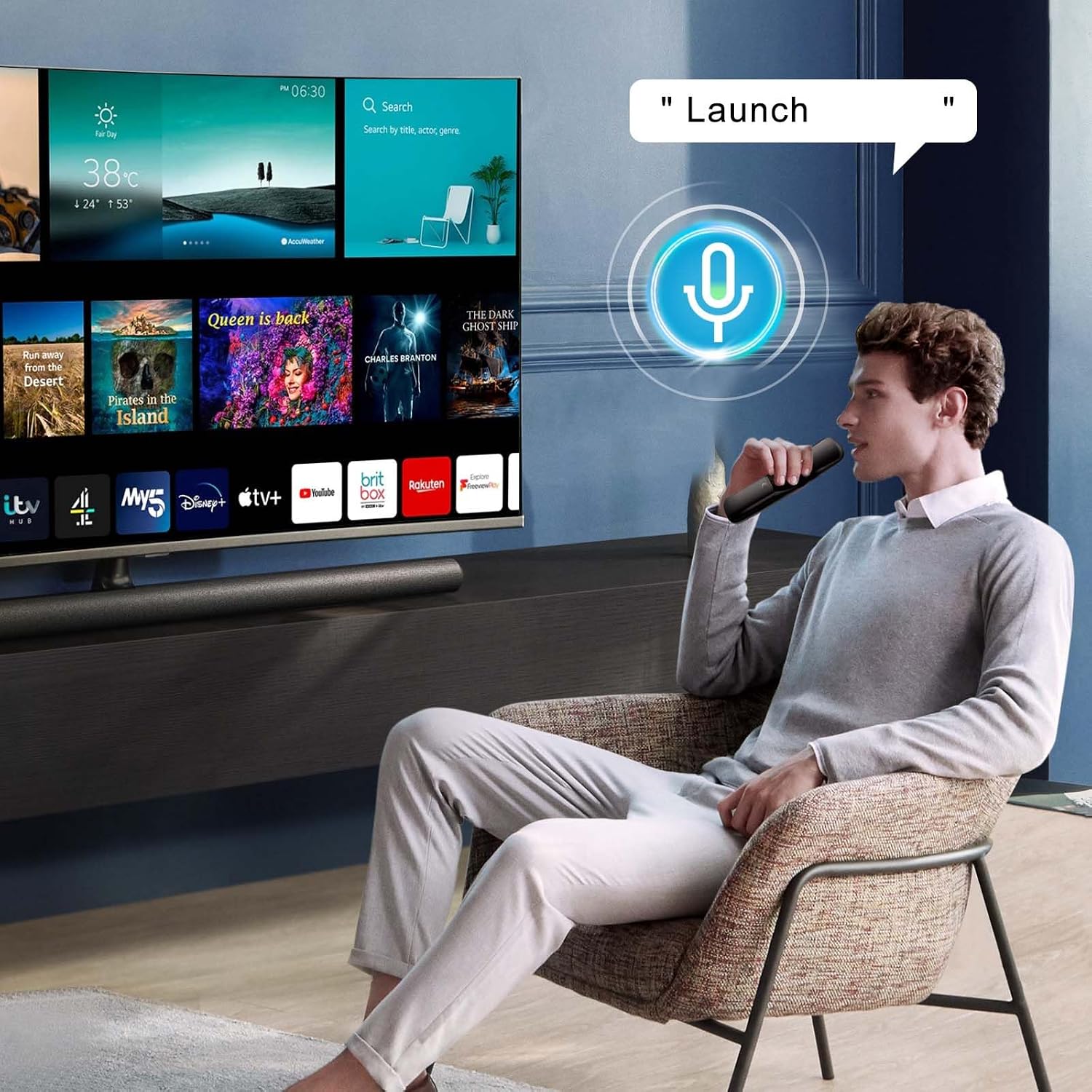
- Stiskněte a podržte Mikrofon button (usually located below the directional pad).
- While holding the button, speak your command clearly into the remote. Examples include "Launch Netflix," "Play music," or "Search movies."
- Release the button when you have finished speaking. The TV will process your command.
3. Tlačítka zkratek
The remote includes dedicated shortcut buttons for quick access to popular streaming services and voice assistants.

- Press the corresponding button to launch Netflix, Prime Video, Disney+, or Rakuten TV.
- Use the Google Assistant or Alexa buttons to activate their respective voice assistant features.
4. General Button Functions
Familiarize yourself with the functions of the various buttons on your remote control:

- Vypínač: Zapíná nebo vypíná televizor.
- Numerická klávesnice (0-9): Direct channel input or numerical selection.
- PRŮVODCE: Checks saved channels or launches the TV guide.
- QUICK ACCESS (0): Displays the quick access edit screen.
- MÍZA: Configures Secondary Audio Program.
- Zvýšení/Snížení hlasitosti: Nastavuje úroveň hlasitosti.
- Ztlumit: Selects to turn off the sound from the TV.
- Přístupnost: Vstoupí do nabídky Usnadnění.
- Recommended Content: Checks recommended content (availability may vary by region).
- Hlasové rozpoznávání: Push and hold while speaking to use voice recognition.
- Domov: Zobrazí nabídku Home.
- Nedávné aplikace: Launches the last used application.
- Vstup: Vybere vstupní zdroj.
- Hlavní panel: Enters the Home Dashboard.
- Zadní: Moves to the previous step or closes the menu.
- Rychlé nastavení: Vstup do nabídky Rychlá nastavení.
- Všechna nastavení: Enters the All Settings menu.
- Shortcut Buttons (Netflix, Prime Video, Rakuten TV, Disney+, Google, Alexa): Launches the indicated application or voice assistant. (Some models may not support all shortcuts.)
Kompatibilita
This YOSUN universal replacement remote control is compatible with a wide range of LG Smart TVs, including UHD, OLED, QNED, and NanoCell Evo 4K/8K models. Specific compatible remote models include MR21GA, MR22GA, MR23GA, and AKB76039901.
It is also compatible with numerous LG TV series and models, such as:
- OLED Series: OLED65CS6LA, OLED97G29LA, OLED55CS6LA, OLED83C24LA, OLED77C24LA, OLED65C24LA, OLED55C24LA, OLED48C24LA, OLED42C24LA, OLED77C26LD, OLED65C26LD, OLED55C26LD, OLED55B26LA, OLED65B26LA, OLED77B26LA, OLED83G26LA, OLED77G26LA, OLED65G26LA, OLED55G26LA, OLED65A26LA, OLED55A26LA, OLED48A26LA, OLED48C26LB
- QNED Series: 86QNED866QA, 75QNED866QA, 65QNED866QA, 55QNED866QA, 86QNED816QA, 75QNED816QA, 65QNED816QA, 55QNED816QA, 50QNED816QA
- NanoCell Series: 86NANO766QA, 75NANO766QA, 70NANO766QA
- Other Series: 55LX1Q6LA, 48LX1Q6LA, 42LX1Q6LA, 65ART90E6QA
For optimal performance, ensure your TV model is listed or falls within the compatible series.
Údržba
1. Čištění
K čištění dálkového ovladače použijte měkký, suchý hadřík. V případě odolných nečistot jej lehce setřete.ampOtřete hadřík vodou nebo jemným neabrazivním čisticím prostředkem. Nepoužívejte agresivní chemikálie, rozpouštědla nebo abrazivní materiály, protože by mohly poškodit povrch dálkového ovladače nebo jeho vnitřní součásti.
2. Péče o baterie
- Vyměňte baterie, když dálkový ovladač začne reagovat pomalu nebo nekonzistentně.
- Nekombinujte staré a nové baterie ani různé typy baterií.
- Remove batteries if the remote control will not be used for an extended period to prevent leakage and potential damage.
- Použité baterie zlikvidujte v souladu s místními předpisy.
Odstraňování problémů
- Dálkové ovládání nereaguje:
- Zkontrolujte, zda jsou baterie správně vloženy a zda jsou dostatečně nabité. V případě potřeby je vyměňte.
- Ujistěte se, že mezi dálkovým ovladačem a infračerveným přijímačem televizoru nejsou žádné překážky.
- Try re-pairing the remote control using the instructions in the Setup section.
- Pointer Not Working:
- Ujistěte se, že je dálkový ovladač správně spárován s televizorem.
- Move the remote to activate the pointer. If it still doesn't appear, try re-pairing.
- Zkontrolujte případné rušení od jiných elektronických zařízení.
- Hlasové ovládání nefunguje:
- Confirm the remote is paired. Voice control requires a successful pairing.
- Během mluvení se ujistěte, že stisknete a podržíte tlačítko mikrofonu.
- Mluvte zřetelně a přiměřenou hlasitostí.
- Zkontrolujte síťové připojení televizoru, protože hlasové příkazy často vyžadují přístup k internetu.
- Shortcut Buttons Not Launching Apps:
- Ujistěte se, že je váš televizor připojen k internetu.
- Verify that the apps are installed and updated on your LG Smart TV.
- Some older TV models or specific regions may not support all shortcut functions.
Specifikace
| Funkce | Popis |
|---|---|
| Značka | YOSUN |
| Kompatibilní modely dálkových ovladačů | MR21GA, MR22GA, MR23GA, AKB76039901 |
| Speciální funkce | Voice Control, Pointer Function, Hotkeys for Streaming Services |
| Barva | Černý |
| Maximální počet podporovaných zařízení | 1 |
| Kompatibilní zařízení | LG Smart TV (UHD, OLED, QNED, NanoCell Evo 4K/8K series) |
| Technologie připojení | Infračervený |
| Number of Shortcut Buttons | 6 (Netflix, Prime Video, Disney+, Rakuten Tv, Google Assist, Alexa) |
| Typ ovladače | Ovládání tlačítkem |
| Maximální dosah | 10 metrů |
| Typ baterie | 2 x AAA (nejsou součástí balení) |
Záruka a podpora
Information regarding product warranty and customer support is not available in this manual. Please refer to the product packaging or contact the retailer for details on warranty coverage and support options.