
1. Úvod
Thank you for choosing the Modecom MC-899 Wired Gaming Mouse. This manual provides essential information to help you set up, operate, and maintain your new mouse. Please read these instructions carefully before using the product and retain them for future reference.
2. Bezpečnostní informace
- Do not expose the mouse to liquids or excessive moisture.
- Vyhněte se extrémním teplotám.
- Nepokoušejte se myš rozebírat ani opravovat sami. Ztratíte tak záruku.
- Udržujte zařízení mimo dosah silných magnetických polí.
- K čištění používejte měkký, suchý hadřík.
3. Obsah balení
Please check the package contents. If any items are missing or damaged, contact your retailer.
- Modecom MC-899 Wired Gaming Mouse
- Uživatelská příručka (tento dokument)
4. Konec produktuview
The Modecom MC-899 is a wired optical gaming mouse designed for comfortable and precise control. It features a multicolored backlit design and an ambidextrous form factor.
Komponenty produktu
The mouse typically includes:
- Levé tlačítko
- Tlačítko pravého tlačítka
- Rolovací kolečko (funguje také jako prostřední tlačítko myši)
- Optical Sensor (located on the underside)
- USB kabel
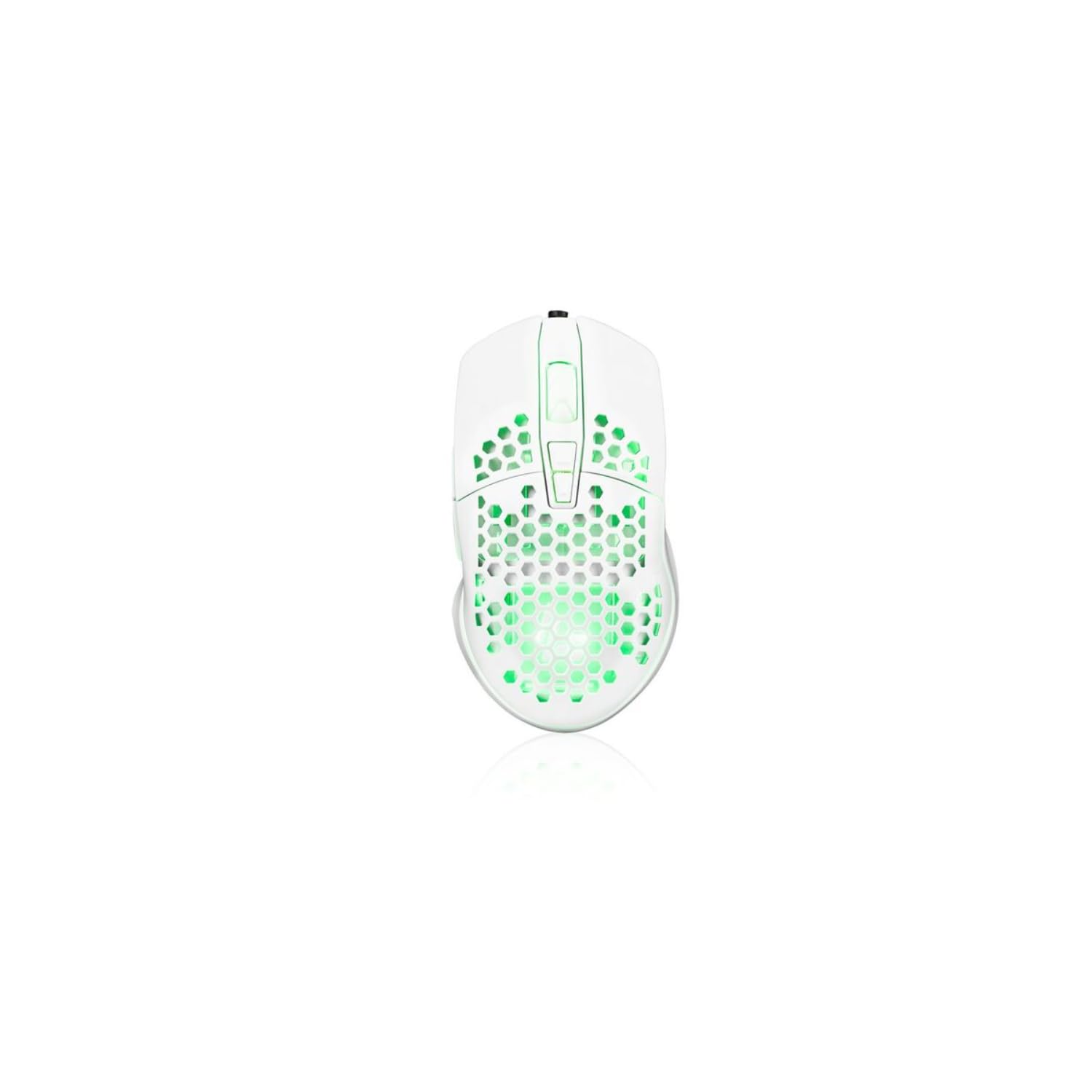
Image showing the Modecom MC-899 wired gaming mouse, featuring its ergonomic design and multicolored finish.
5. Nastavení
Připojení myši
The Modecom MC-899 is a plug-and-play device, requiring no special driver installation for basic functionality.
- Vyhledejte volný USB port na vašem počítači (PC nebo notebooku).
- Plug the USB connector of the Modecom MC-899 mouse into the USB port.
- Your operating system should automatically detect and install the necessary drivers. The mouse will be ready for use within a few seconds.
6. Ovládání myši
Základní funkce
- Levé kliknutí: Primary action, used for selecting items, opening files, and confirming actions.
- Klikněte pravým tlačítkem myši: Opens context menus, providing additional options for selected items.
- Rolovací kolečko: Používá se k procházení dokumentů a web pages vertically. Pressing the scroll wheel typically acts as a middle click, which can open links in new tabs or enable auto-scrolling.
Podsvícení
The Modecom MC-899 features integrated backlighting. This lighting is typically active when the mouse is connected and powered, enhancing its aesthetic appeal, especially in gaming environments.
7. Údržba
Čištění
- Před čištěním odpojte myš od počítače.
- Použijte měkký hadřík, který nepouští vlákna dampvodou nebo jemným čisticím roztokem.
- Do not spray cleaners directly onto the mouse.
- Zabraňte vniknutí vlhkosti do jakýchkoli otvorů.
- Clean the optical sensor area gently with a cotton swab if dust accumulation affects performance.
Skladování
- Pokud myš delší dobu nepoužíváte, skladujte ji na chladném a suchém místě.
- Avoid placing heavy objects on the mouse or its cable.
8. Řešení problémů
If you encounter issues with your Modecom MC-899 mouse, please refer to the following common problems and solutions:
| Problém | Možné řešení |
|---|---|
| Myš nereaguje. |
|
| Pohyb kurzoru je nepravidelný nebo trhaný. |
|
| Tlačítka nefungují. |
|
9. Specifikace
Technické specifikace
| Značka: | Modecom |
| Číslo modelu: | S9135943 (MC-899) |
| Technologie připojení: | Kabelové (USB) |
| Technologie detekce pohybu: | Optický |
| Počet tlačítek: | 3 |
| Orientace rukou: | Obouruký |
| Doporučené použití: | Hraní, kancelář |
| Kompatibilní zařízení: | Osobní počítač, notebook |
| Barva: | Vícebarevný |
| Délka kabelu: | 2.2 metrů |
| Vlastnosti: | Podsvícený |
| Rozměry: | 5.5 x 13.5 x 19 cm |
10. Záruka a podpora
Modecom products are designed and manufactured to the highest quality standards. For information regarding warranty terms and conditions, please refer to the warranty card included with your product or visit the official Modecom website. For technical support or service inquiries, please contact your local retailer or Modecom customer service.