
1. Konec produktuview
The THINKCAR THINKSCAN 641 is a wireless OBD2 diagnostic tool designed for comprehensive vehicle system analysis. It provides diagnostic functions for Engine, Transmission, ABS, and SRS Airbag systems, along with full OBD2 modes and 10 essential maintenance reset services. The device features a touchscreen interface and connects wirelessly via Bluetooth to the vehicle's OBD-II port.
1.1 Obsah balení
- THINKCAR THINKSCAN 641 OBD2 Scanner (x1)
- Bluetooth Connector (x1)
- Manuál k produktu (x1)
1.2 Součásti zařízení
Familiarize yourself with the main components of your THINKSCAN 641 device:

Image: THINKCAR THINKSCAN 641 device layout with labeled buttons and ports.
- 4.8palcová dotyková obrazovka: Main display for navigation and data viewIng.
- Tlačítko napájení/zámku obrazovky: Stisknutím a podržením po dobu 3 sekund zapnete nebo vypnete.
- Potvrdit tlačítko: Used to select options or confirm actions.
- Up, Down, Left, Right Toggle Key: For navigating menus and options.
- Návratový klíč: To go back to the previous screen or menu.
- Slot na kartu TF: Pro rozšiřitelné úložiště.
- Nabíjecí port: Pro připojení nabíjecího kabelu.
- Rozhraní OBD: Port for the Bluetooth connector.
2. Nastavení
2.1 Počáteční připojení
To begin using your THINKSCAN 641, follow these steps to establish a connection with your vehicle:
- Vyhledejte port OBD-II vašeho vozidla, který se obvykle nachází pod palubní deskou na straně řidiče.
- Plug the included Bluetooth 5.0 VCI Dongle into the vehicle's OBD-II port.
- Turn on the vehicle's ignition (engine off, key on).
- Power on the THINKSCAN 641 handheld unit by pressing and holding the Power/Screen Lock Button for 3 seconds.
- The device will automatically attempt to connect via Bluetooth. A stable connection should be established within 3 seconds.
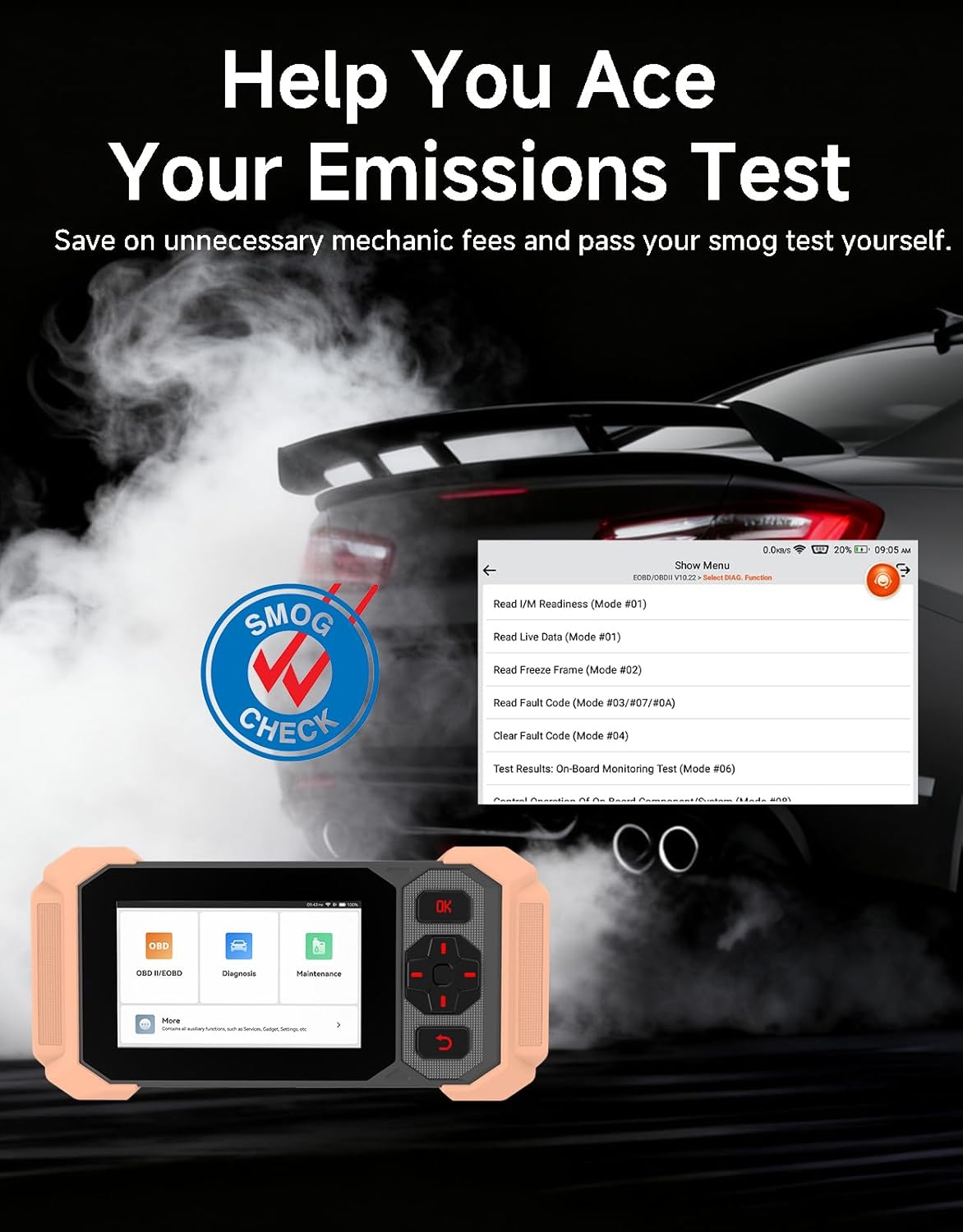
Image: Bluetooth VCI Dongle connected to the vehicle's OBD-II port.
2.2 Automatic Vehicle Identification (AutoVIN)
The THINKSCAN 641 supports AutoVIN functionality, which automatically identifies your vehicle's information upon connection. If AutoVIN fails for your specific vehicle model, you can manually enter the vehicle information to proceed with diagnostics.
2.3 Aktualizace softwaru
The device supports lifetime free software updates via Wi-Fi. Ensure your device is connected to a stable Wi-Fi network to download and install the latest software versions, which include new vehicle models and improved functionalities.

Image: Lifetime Free Update icon.
2.4 Instructional Video: How to Use
Video: This video demonstrates the basic steps for connecting and using the THINKCAR THINKSCAN 641 diagnostic tool, including menu navigation and initiating a scan.
3. Návod k obsluze
3.1 4-Diagnostika systému
The THINKSCAN 641 provides in-depth diagnostics for four core vehicle systems:
- Systém motoru: Čte a maže chybové kódy motoru, views live data, and performs various engine-related tests.
- Protiblokovací brzdový systém (ABS): Diagnoses ABS issues, reads and clears ABS fault codes, and performs ABS bleeding.
- Doplňkový zádržný systém (SRS/Airbag): Detects and clears airbag system fault codes, and performs SRS resets.
- Převodový systém: Analyzes transmission performance, reads and clears transmission fault codes.

Obrázek: Overview of 4-System Diagnostic capabilities.
3.2 Plné režimy OBD2
The device supports all 10 OBD2 test modes, offering comprehensive diagnostic capabilities:
- Číst kódy: Zobrazuje diagnostické chybové kódy (DTC).
- Vymazat kódy: Vymaže kódy DTC a resetuje monitory.
- Živá data: Shows real-time data stream from vehicle sensors.
- Freeze Frame: Stores a snapshot of vehicle operating conditions when an emission-related fault occurs.
- Připravenost I/M: Kontroluje stav monitorů souvisejících s emisemi.
- Test senzoru O2: Načte výsledky testů monitoru senzoru O2.
- Test palubního monitoru: Načítá výsledky pro komponenty a systémy hnacího ústrojí související s emisemi.
- Test systému EVAP: Zahájí test systému regulace emisí způsobených odpařováním.
- Informace o vozidle: Získá identifikační číslo vozidla (VIN), kalibrační ID a ověřovací číslo kalibrace (CVN).
- Vyhledávání DTC: Provides detailed explanations for diagnostic trouble codes.

Image: Full OBD2 Modes functions display.
3.3 10 Maintenance Reset Functions
The THINKSCAN 641 includes 10 specialized maintenance and reset functions:
- Krvácení z ABS: Bleeds air from the brake system.
- Reset airbagu (SRS): Resets the airbag system after repairs.
- Párování baterií: Zaregistruje novou baterii do řídicí jednotky vozidla.
- Resetování brzdových destiček: Obnoví životnost brzdových destiček po výměně.
- Regenerace DPF: Zahájí proces regenerace filtru pevných částic.
- Elektronické přizpůsobení škrticí klapky: Znovu naučí polohu škrticí klapky.
- Kódování vstřikovačů: Kóduje nová čísla vstřikovačů do řídicí jednotky motoru (ECU).
- Reset servisu oleje: Resetuje kontrolku údržby oleje po výměně oleje.
- Reset úhlu řízení: Resetuje snímač úhlu řízení.
- Resetování TPMS: Resetuje systém sledování tlaku v pneumatikách.

Image: 10 Maintenance Reset Functions.
3.4 Grafické znázornění živých dat
The device allows for real-time graphing of multiple sensor readings simultaneously, aiding in the diagnosis of intermittent issues and performance analysis.

Image: Live Data Stream icon.
3.5 Kompatibilita s vozidly
The THINKSCAN 641 is compatible with all OBDII-compliant vehicles manufactured in 1996 or later, covering over 118 automotive brands. It also supports the CAN FD protocol and FCA AutoAuth certification. Note that access to FCA AutoAuth requires a separate purchase and is currently supported for Renault, Nissan, and Chrysler brands.

Image: Wide compatibility with various car brands and regions.
4. Údržba
4.1 Routine Maintenance Resets
Utilize the 10 maintenance reset functions to perform routine service tasks and clear corresponding indicator lights after repairs. This includes tasks such as oil service resets, brake pad replacements, and battery registrations.
4.2 Aktualizace softwaru
Regularly check for and install software updates via Wi-Fi to ensure your device has the latest vehicle coverage and diagnostic capabilities. Updates are provided free for life.
5. Řešení problémů
5.1 Vymazání chybových kódů
When a fault code is detected, it is crucial to diagnose and fix the underlying issue before clearing the code. Clearing codes without addressing the root cause will likely result in the fault code reappearing.
Image: Reminder to fix vehicle faults before clearing codes.
5.2 AutoVIN Failure
If the AutoVIN feature does not automatically identify your vehicle, proceed by manually entering the vehicle's information (make, model, year) to continue with the diagnostic process.
5.3 Navigace v uživatelském rozhraní
While the device is designed for ease of use, some advanced functions may require familiarity with diagnostic procedures. Refer to the built-in DTC Lookup Library for code definitions and consult the online customer service for further assistance if needed.
6. Specifikace
| Funkce | Specifikace |
|---|---|
| Značka | MYSLETE AUTOM |
| Číslo modelu | THINKSCAN 641 |
| Zdroj napájení | Napájení z baterie |
| Operační systém | Android 8.1 |
| Velikost obrazovky | 4.3 palce |
| Jazyk | Angličtina (podporuje 23 jazyků) |
| Automotive Fit Type | Univerzální střih |
| Hmotnost položky | 0.9 libry |
| Konektivita | Bluetooth 5.0 (bezdrátové) |
| Aktualizace | Lifetime Free Updates via Wi-Fi |
| Podporované protokoly | OBDII, CAN FD, FCA AutoAuth (separate purchase for specific brands) |
7. Záruka a podpora
7.1 Záruka výrobce
The THINKCAR THINKSCAN 641 comes with a 3-year manufacturer's warranty, ensuring coverage for potential defects or malfunctions.
7.2 Technická podpora
Lifetime free technical support is provided for the THINKSCAN 641. For assistance, you can access the built-in online customer service feature directly from the device. This allows for direct communication with professional support staff to resolve any queries or issues.

Image: Timely Online Feedback and Support.