
Twisted Minds TM32 FHD 240Hz VA
Uživatelská příručka k hernímu monitoru Twisted Minds 32 FHD 240Hz VA
Model: TM32 FHD 240Hz VA
Zavedení
Thank you for choosing the Twisted Minds 32 FHD 240Hz VA Gaming Monitor. This manual provides essential information for setting up, operating, maintaining, and troubleshooting your new monitor. Please read this manual thoroughly before use to ensure proper operation and to maximize your viewzkušenosti.
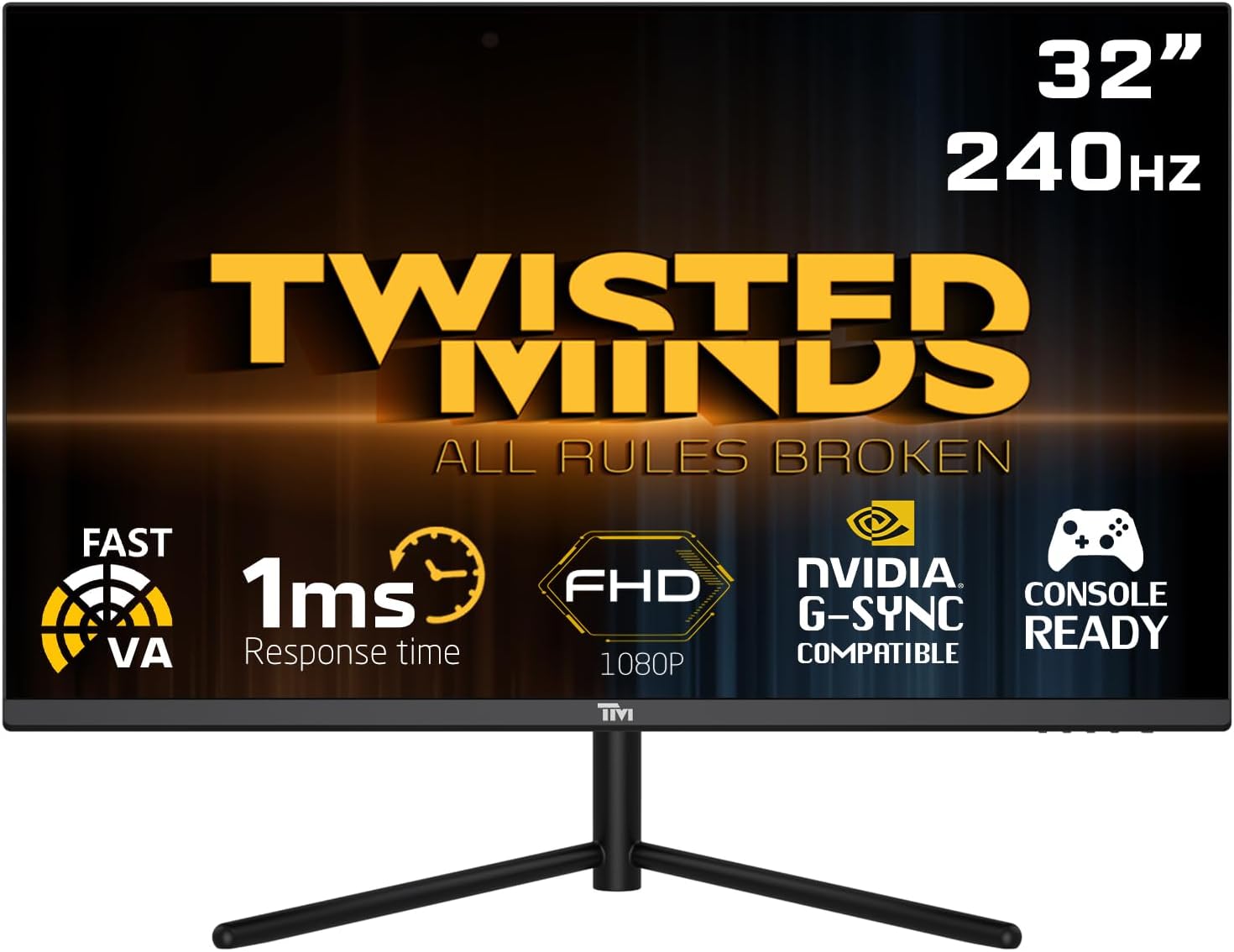
Přední view of the Twisted Minds 32-inch Gaming Monitor, highlighting its 32-inch display, 240Hz refresh rate, 1ms MPRT response time, FHD 1080p resolution, NVIDIA G-SYNC compatibility, and console readiness.
Průvodce nastavením
1. Vybalení a obsah balení
Opatrně vyjměte všechny součásti z obalu. Ujistěte se, že jsou přítomny všechny níže uvedené položky:
- Twisted Minds 32-inch Gaming Monitor
- Stojan na monitor (základna a krk)
- Napájecí adaptér a kabel
- HDMI kabel
- Kabel DisplayPort
- Uživatelská příručka (tento dokument)
2. Sestavení stojanu
- Položte monitor displejem dolů na měkký, čistý povrch, abyste zabránili poškrábání.
- Připevněte krk stojanu k zadní straně monitoru a zarovnejte montážní otvory. Zajistěte jej šrouby, jsou-li součástí dodávky.
- Connect the stand base to the stand neck and tighten the thumb screw or screws from the bottom of the base.
3. Připojení monitoru
Monitor podporuje více možností vstupu. Vyberte vhodný kabel pro vaše zařízení.

Zadní view of the monitor displaying its various input/output ports, including DC power, HDMI 2.1 (x2), DisplayPort 1.4 (x2), and Audio Out, along with menu buttons and a quick release base.
- Připojení napájení: Připojte napájecí adaptér ke vstupnímu portu stejnosměrného proudu monitoru a poté zapojte napájecí kabel do zásuvky ve zdi.
- Připojení videa:
- For PC: Connect one end of the DisplayPort cable to your computer's graphics card and the other end to a DisplayPort 1.4 input on the monitor.
- For PC/Console: Connect one end of the HDMI cable to your computer's graphics card or game console and the other end to an HDMI 2.1 input on the monitor.
- Zvukový výstup: If desired, connect external speakers or headphones to the Audio Out port on the monitor.
4. Počáteční zapnutí
After all connections are made, press the power button on the monitor. The power indicator light will illuminate, and the display will turn on. If no signal is detected, ensure your source device is powered on and correctly configured.
Návod k obsluze
1. Základní obsluha
- Zapnutí/vypnutí: Stisknutím tlačítka napájení umístěného na monitoru jej zapnete nebo vypnete.
- Výběr vstupu: Use the OSD (On-Screen Display) menu buttons to navigate and select the desired input source (HDMI 1, HDMI 2, DP 1, DP 2).
2. Nabídka na obrazovce (OSD).
The OSD menu allows you to adjust various display settings. Use the menu buttons (typically located on the back or bottom of the monitor) to navigate.
- Jas/kontrast: Upravte celkový jas a kontrast displeje.
- Nastavení barev: Upravte teplotu barev, gamu a jednotlivé úrovně RGB.
- Režim obrazu: Select from preset modes (e.g., Standard, Game, Movie, Text) optimized for different content.
- Response Time/Overdrive: Adjust the pixel response time for reduced ghosting in fast-paced content. This monitor features a 1ms MPRT response time for smooth visuals.
- Obnovovací frekvence: The monitor supports up to 240Hz refresh rate. Ensure your graphics card settings are configured to utilize this high refresh rate for optimal gaming performance.
- HDR (vysoký dynamický rozsah): Enable or disable HDR for enhanced contrast and color depth with compatible content.
- FreeSync/G-SYNC Compatibility: This monitor is compatible with adaptive sync technologies. Enable this feature in the OSD and your graphics card control panel for tear-free gaming.

Illustration demonstrating the 1ms quick response time of the monitor, showing a fast-paced gaming scene with reduced motion blur and low input lag.

Ukázka obrázkůasing the monitor's frameless design, ideal for multi-monitor setups, with a wide 178-degree viewúhel.

A user engaged in gaming on the Twisted Minds monitor, emphasizing the immersive experience provided by the 1920x1080 resolution, 300 nits brightness, 4000:1 contrast ratio, and 240Hz refresh rate.
3. Ergonomické úpravy
Stojan monitoru umožňuje nastavení náklonu pro optimalizaci viewing angle and reduce strain.

Diagram illustrating the ergonomic tilt adjustment range of the monitor stand (-5 to 15 degrees) for optimal viewing comfort, and highlighting VESA wall-mount compatibility (100x100mm).
- Náklon: Gently tilt the monitor screen forward or backward to find your preferred viewing angle. The tilt range is typically -5° to 15°.
- Držák VESA: For alternative mounting solutions, the monitor is VESA compatible (100x100mm). Remove the stand and attach a compatible VESA mount (sold separately).
Údržba
Správná péče a údržba prodlouží životnost vašeho monitoru.
- Čištění obrazovky: Jemně otřete obrazovku měkkým hadříkem, který nepouští vlákna. V případě odolných skvrn dampHadřík lehce navlhčete vodou nebo čističem obrazovek bez amoniaku a alkoholu. Nikdy nestříkejte tekutinu přímo na obrazovku.
- Čištění Casing: K otření monitoru použijte měkký, suchý hadřík casing. Nepoužívejte abrazivní čisticí prostředky nebo rozpouštědla.
- Větrání: Ujistěte se, že ventilační otvory na monitoru nejsou zablokované. Neumisťujte monitor do uzavřeného prostoru bez dostatečného proudění vzduchu.
- Vypnutí, když se nepoužívá: Pokud monitor delší dobu nepoužíváte, vypněte jej, abyste ušetřili energii a prodloužili jeho životnost.
Odstraňování problémů
Pokud se s monitorem setkáte s problémy, podívejte se na následující běžné problémy a jejich řešení.
| Problém | Možná příčina | Řešení |
|---|---|---|
| Na obrazovce není žádný obraz | Monitor není zapnutý; Vybrán nesprávný vstup; Uvolněný video kabel. | Ensure power cable is connected and monitor is on. Select correct input source. Check video cable connections. |
| Obraz je rozmazaný nebo zkreslený | Nesprávné rozlišení; Problém s ovladačem grafické karty. | Set display resolution to 1920x1080. Update graphics card drivers. |
| Z reproduktorů/sluchátek není slyšet žádný zvuk | Zvukový kabel není připojen; Hlasitost je příliš nízká; Na počítači je vybrán nesprávný zvukový výstup. | Ensure audio cable is connected to the monitor's audio out port. Adjust volume. Select monitor as audio output device in PC settings. |
| Blikání obrazovky | Neshoda obnovovací frekvence; Vadný kabel. | Ensure refresh rate is set correctly (e.g., 240Hz). Try a different video cable. |
| Tlačítka nereagují | Zámek OSD je povolen. | Refer to OSD menu section for unlocking button functions (if applicable). Power cycle the monitor. |
Pokud problém přetrvává i po vyzkoušení těchto řešení, kontaktujte zákaznickou podporu.
Specifikace
Detailed technical specifications for the Twisted Minds 32 FHD 240Hz VA Gaming Monitor.
| Funkce | Specifikace |
|---|---|
| Značka | Twisted Minds |
| Číslo modelu | TM32 FHD 240Hz VA |
| Velikost displeje | 32 palce |
| Rozlišení obrazovky | 1920 × 1080 (FHD 1080p) |
| Obnovovací frekvence | 240 Hz |
| Doba odezvy | 1 ms MPRT |
| Typ panelu | VA |
| Poměr stran | 16:9 |
| Jas | 300 nitů |
| Kontrastní poměr | 4000:1 |
| Barevný gamut | 77.29 % NTSC |
| Konektivita | 2 x HDMI 2.1, 2 x DisplayPort 1.4, Audio Out |
| Kompatibilita VESA | 100 x 100 mm |
| Rozměry produktu | 10 x 63 x 44 cm |
| Hmotnost položky | 8.8 kg |
| Barva | Černý |
Záruka a podpora
Informace o záruce
Twisted Minds products are manufactured to the highest quality standards. This monitor comes with a standard manufacturer's warranty. Please refer to the warranty card included in your package or visit the official Twisted Minds webPodrobné záruční podmínky platné pro váš region naleznete na webových stránkách.
Zákaznická podpora
If you require technical assistance or have questions regarding your monitor, please contact Twisted Minds customer support. Have your model number (TM32 FHD 240Hz VA) and purchase information ready when contacting support.
For the most up-to-date contact information, please visit the official Twisted Minds webweb nebo stránku podpory prodejce, u kterého jste produkt zakoupili.
Ask a question about this manual
Ask about setup, troubleshooting, compatibility, parts, safety, or missing instructions. Manuals+ will review the question and use this page’s manual context to help answer it.