
Zavedení
Děkuji za nákupasing the Emerson EPD-1001 Portable 10-inch DVD Player. This manual provides essential information for setting up, operating, and maintaining your device. Please read these instructions carefully before use to ensure proper functionality and to maximize your viewzkušenosti.
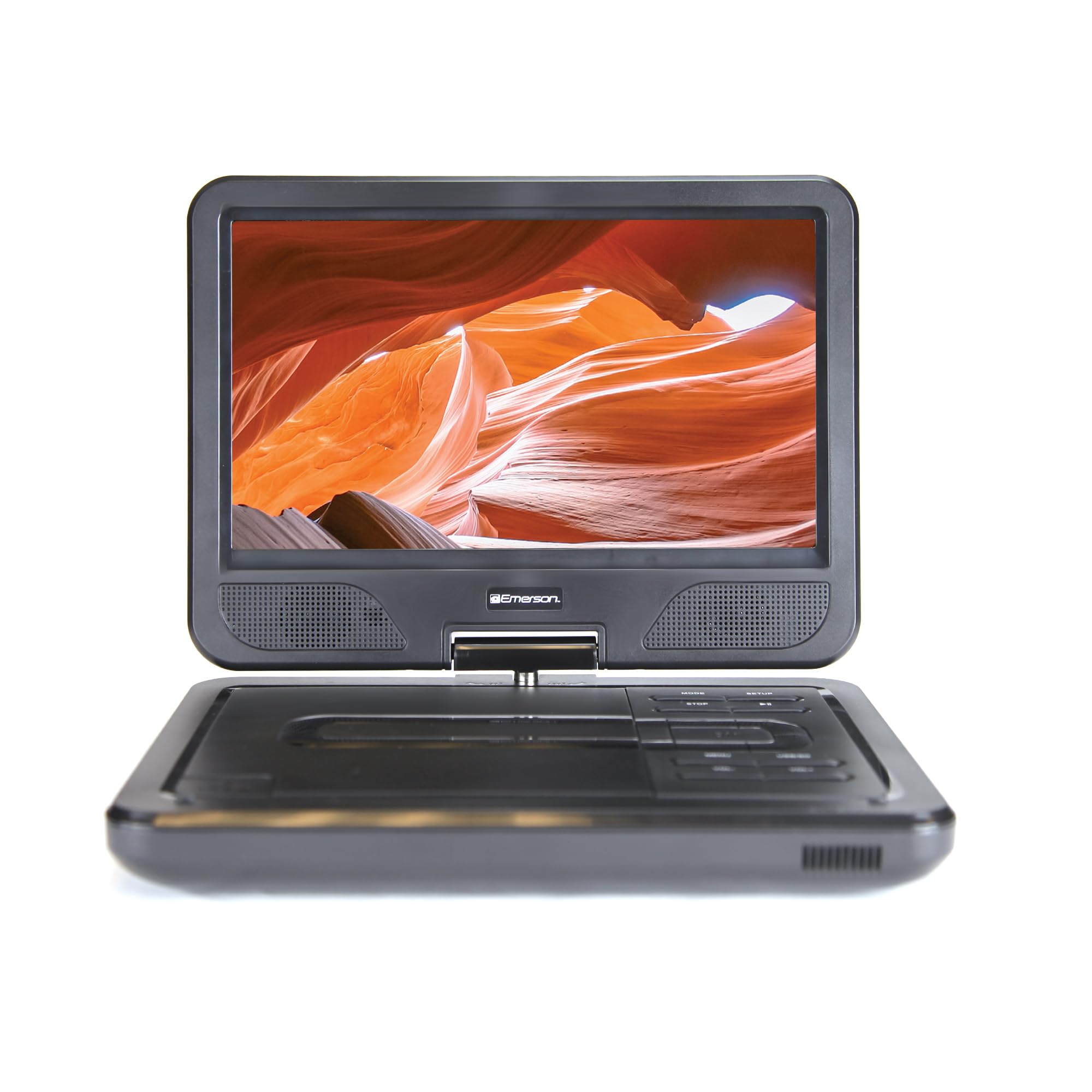
Image: The Emerson EPD-1001 Portable 10-inch DVD Player shown with its screen open, displaying a vibrant image.
Co je v krabici
Ověřte, zda jsou v balení přítomny všechny položky:
- Emerson EPD-1001 Portable 10-inch DVD Player
- Dálkové ovládání
- Napájecí adaptér
- DC Car Cord
- AV kabel
- Uživatelská příručka (tento dokument)
- Záruční list

Image: The Emerson EPD-1001 Portable 10-inch DVD Player displayed alongside its remote control.
Vlastnosti produktu
- 10-inch Swivel Screen: The large 10-inch screen swivels 180 degrees, allowing for flexible viewing úhly.
- Vestavěný reproduktor: Integrated speaker provides clear audio for an immersive experience.
- Dobíjecí baterie: Enjoy portable viewing with the built-in rechargeable battery, offering hours of playback.
- Dálkové ovládání: Navigate menus and control playback effortlessly with the included remote.
- Kompaktní design: Lightweight and compact for easy transport during travel.
- Multi-Format Compatibility: Supports a wide range of DVD formats, as well as media from USB flash drives and SD cards.
Video: A 360-degree product overview of the Emerson EPD-1001 Portable DVD Player, showcasinjeho design a vlastnosti z různých úhlů.
Nastavení
- Rozbalení: Opatrně vyjměte všechny součásti z obalu. Uschovejte si obal pro budoucí skladování nebo přepravu.
- Nabíjení baterie: Before first use, fully charge the internal rechargeable battery. Connect the AC power adapter to the DC IN 9-12V port on the DVD player and plug it into a standard wall outlet. The charging indicator light will illuminate. A full charge typically takes several hours.
- Car Power (Optional): For in-car use, connect the DC car cord to the DC IN 9-12V port and plug the other end into your vehicle's 12V accessory socket.
- Připojení externího displeje (volitelné): To connect to an external display (e.g., TV), use the provided AV cable. Connect the AV OUT port on the DVD player to the corresponding AV IN ports on your television.

Image: A hand plugging a 12V car adapter into a vehicle's power outlet, demonstrating how to power the DVD player on the go.
Návod k obsluze
Zapnutí/vypnutí
- Pro zapnutí stiskněte a podržte MOC tlačítko, dokud se obrazovka nerozsvítí.
- Chcete-li přístroj vypnout, stiskněte a podržte tlačítko MOC tlačítko znovu, dokud se obrazovka nevypne.
Inserting and Playing a DVD
- Open the disc cover by gently lifting the OTEVŘENO západka.
- Place a DVD disc onto the spindle with the label side facing up. Gently press the center of the disc to secure it.
- Zavřete kryt disku.
- Přehrávač automaticky rozpozná disk a spustí přehrávání. Pokud ne, stiskněte tlačítko PLAY/PAUSE tlačítko.
Using the Swivel Screen
Obrazovku lze otočit až o 180 stupňů. Jemně natočte obrazovku do požadovaného úhlu. viewing angle. You can also fold the screen flat against the base for a tablet-like viewzkušenosti.

Image: A woman using the Emerson EPD-1001 Portable DVD Player, demonstrating the swivel screen feature for comfortable viewIng.
Přehrávání médií (USB/SD karta)
- Vložte USB flash disk do USB portu nebo SD kartu do SD KARTA slot.
- Použijte MODE button on the player or remote to select the appropriate input (USB or SD).
- Procházení médií filepomocí tlačítek se šipkami a stiskněte ENTER hrát.

Image: A hand inserting a USB flash drive into the side port of the portable DVD player, illustrating media playback from external storage.
Pomocí dálkového ovládání
Point the remote control directly at the infrared sensor on the DVD player. The remote allows access to functions such as Play, Pause, Stop, Fast Forward, Rewind, Chapter Skip, Volume Control, Menu Navigation, and Input Selection.
Zvukový výstup
- Vestavěné reproduktory: Audio will play automatically through the integrated speakers. Adjust volume using the VOL+ a VOL- tlačítka.
- Sluchátkový jack: Pro soukromý poslech zapojte standardní 3.5mm sluchátka do SLUCHÁTKA jack. This will mute the built-in speakers.
Údržba
- Čištění: Use a soft, dry cloth to clean the exterior of the DVD player. For the screen, use a soft, lint-free cloth specifically designed for electronics screens. Do not use liquid cleaners or abrasive materials.
- Péče o disky: Handle discs by their edges. Keep discs clean and free of scratches. Use a soft, lint-free cloth to wipe discs from the center outwards if cleaning is necessary.
- Péče o baterie: To prolong battery life, avoid fully discharging the battery frequently. If storing the device for an extended period, charge the battery to approximately 50% and store in a cool, dry place. Recharge every few months to prevent deep discharge.
- Skladování: Store the DVD player in a cool, dry environment away from direct sunlight, extreme temperatures, and excessive dust.
Odstraňování problémů
| Problém | Možná příčina | Řešení |
|---|---|---|
| Přehrávač se nezapne. | Baterie je vybitá nebo není připojen napájecí adaptér. | Připojte napájecí adaptér a nechte baterii nabít. Ujistěte se, že je stisknuté a podržené tlačítko napájení. |
| Žádný obraz na obrazovce. | Disc is dirty/scratched, incorrect input selected, or screen is folded incorrectly. | Clean the disc. Ensure the screen is properly opened and swiveled. If connected to an external display, verify AV cable connections and TV input selection. |
| Žádný zvuk. | Volume is too low, headphones are connected, or disc has no audio track. | Increase the volume. Disconnect headphones if using built-in speakers. Check disc for audio content. |
| Disk se nepřehrává nebo přeskakuje. | Disk je znečištěný, poškrábaný nebo není v kompatibilním formátu. | Clean the disc thoroughly. Try a different disc. Ensure the disc format is supported by the player. |
| Dálkové ovládání nefunguje. | Batteries are dead or remote is not pointed at sensor. | Replace remote control batteries. Ensure direct line of sight to the player's IR sensor. |
Specifikace
| Funkce | Detail |
|---|---|
| Značka | Emerson |
| Číslo modelu | EPD-1001 |
| Velikost obrazovky | 10 palce |
| Typ zobrazení | LCD |
| Nativní rozlišení | 1280x720 |
| Technologie připojení | USB |
| Kompatibilní zařízení | Mobile Phone, Television (via AV out) |
| Typ média | DVD, CD, MP3, USB, SD Card |
| Rozměry položky (D x Š x V) | 10 cm D x 1.8 cm Š x 7.35 cm V |
| Hmotnost položky | 2.2 libry |
| Barva | Černý |
| Možnosti napájení | Built-in rechargeable battery, AC adapter, 12V car adapter |

Image: A diagram illustrating the dimensions (length, width, height) and weight of the Emerson EPD-1001 Portable DVD Player.
Záruka a podpora
The Emerson EPD-1001 Portable 10-inch DVD Player comes with a warranty covering 1 Year for Parts a 90 Days for Labor od data nákupu.
For technical support, warranty claims, or service inquiries, please contact the manufacturer, Naxa Electronics, Inc. Refer to the warranty card included in your product packaging for specific contact details and procedures.
Uschovejte si prosím doklad o koupi pro ověření záruky.