
Sharp 4TC55FS1UR
Sharp Roku TV 55" Class (54.5" Diag.) OLED 4K Ultra HD with HDR10 User Manual
Model: 4TC55FS1UR
Zavedení
This manual provides essential information for the setup, operation, and maintenance of your Sharp Roku TV 55" Class (54.5" Diag.) OLED 4K Ultra HD with HDR10. Please read this manual thoroughly before using your television to ensure proper and safe operation.
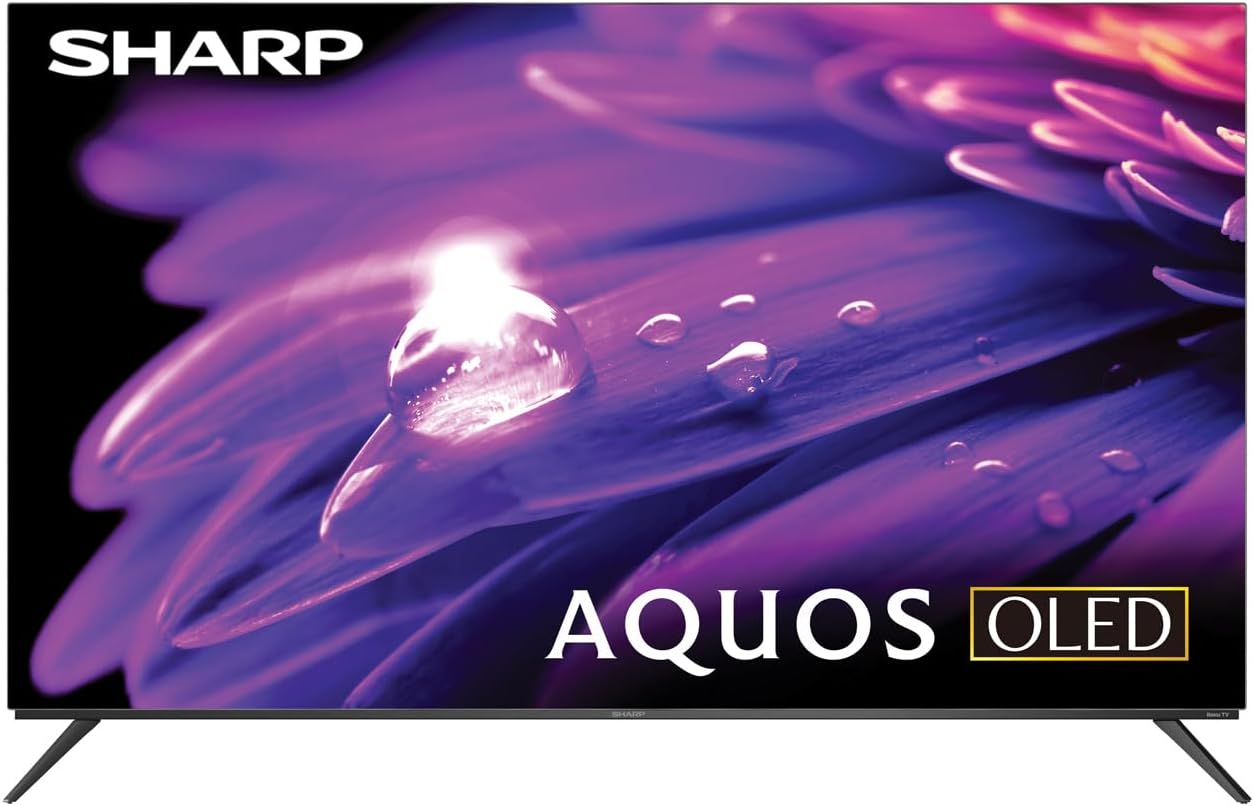
Obrázek 1: Přední strana view of the Sharp AQUOS OLED TV, showcasinjeho elegantní design a zářivý displej.
Nastavení
1. Rozbalení a kontrola
Carefully remove the television and all accessories from the packaging. Inspect for any signs of damage. Retain the packaging for future transport or service needs.
2. Instalace na stojan nebo montáž na zeď
Instalace stojanu: Place the TV screen-down on a soft, flat surface. Attach the included stands to the designated slots on the bottom of the TV using the provided screws. Ensure they are securely fastened.
Montáž na stěnu: This television supports VESA 200x300 mounting. Use a compatible wall mount kit (sold separately) and follow the instructions provided with the wall mount. Ensure the wall can support the weight of the television (approximately 38.5 pounds / 17.5 kg) and the mount.

Obrázek 2: Boční profíkfile of the television, demonstrating its slim design suitable for wall mounting.
3. Připojení zařízení
Connect your external devices to the appropriate ports on the back of the television. The Sharp Roku TV features multiple connectivity options:
- HDMI porty (4): For connecting Blu-ray players, game consoles, cable/satellite boxes, etc. One HDMI port supports eARC for enhanced audio return channel functionality.
- USB porty (2): Pro připojení paměťových zařízení USB.
- Anténní/kabelový vstup: Pro připojení antény pro bezdrátové vysílání nebo kabelovou televizi.
- AV vstup: Pro připojení starších zařízení pomocí kompozitních video a stereo audio kabelů.
- Ethernet (LAN): Pro kabelové připojení k internetu.
- Digitální audio výstup: Pro připojení k externím audio systémům.

Figure 3: Rear panel of the television, illustrating the arrangement of HDMI, USB, Antenna, AV, and Ethernet ports.
4. Počáteční zapnutí a nastavení Roku
Plug the power cord into an electrical outlet. The TV will power on and guide you through the initial Roku setup process. This includes connecting to your Wi-Fi network (or using Ethernet), signing in to or creating a Roku account, and scanning for channels if an antenna is connected. Follow the on-screen prompts for a quick guided setup.
Návod k obsluze
1. Navigace v rozhraní Roku TV
The Sharp Roku TV features a simple home screen that centralizes your streaming favorites, inputs, and free live TV. Use the Roku remote to navigate through menus and select options. The directional pad and 'OK' button are used for selection, while the 'Home' button returns you to the main screen.

Figure 4: The Roku TV home screen, showing easy access to streaming channels and input selections.
2. Streaming and Content Access
Access a wide selection of streaming services and free live TV channels through The Roku Channel. You can add or remove channels from the Roku Channel Store. Organize and sort your home screen for a personalized experience.
3. Picture and Audio Enhancements
- Dolby Vision IQ & HDR10/HLG: The TV supports Dolby Vision IQ, HDR10, and HLG for enhanced picture performance with compatible content. Dolby Vision IQ intelligently adjusts picture settings based on ambient light conditions.
- Dolby Atmos: The integrated 30W (15W+15W) speaker system with Dolby Atmos delivers immersive sound with clarity and depth.
- Variabilní obnovovací frekvence (VRR): For optimized gaming, the TV features Variable Refresh Rate (VRR) with low latency, providing smoother gameplay.
4. Kompatibilita s hlasovým asistentem
The Sharp Roku TV works with popular voice assistants, allowing you to control your TV using voice commands through compatible devices (sold separately).
Údržba
1. Čištění televizoru
Obrazovku jemně otřete měkkým hadříkem, který nepouští vlákna. V případě odolných skvrn ji lehce otřete.ampen the cloth with water or a screen-specific cleaning solution. Do not spray liquid directly onto the screen. For the TV casinPoužijte měkký, suchý hadřík. Nepoužívejte abrazivní čisticí prostředky ani rozpouštědla.
2. Aktualizace softwaru
The Roku TV automatically receives software updates, ensuring you always have the newest channels and latest features. Ensure your TV is connected to the internet for these updates to download and install.
Odstraňování problémů
If you encounter issues with your Sharp Roku TV, refer to the following common troubleshooting steps:
- Bez napájení: Ujistěte se, že je napájecí kabel bezpečně zapojený do televizoru i do funkční elektrické zásuvky. Zkuste jinou zásuvku.
- Žádný obraz/zvuk: Verify that the correct input source is selected. Check all cable connections to external devices. For no sound, check TV volume and external audio system volume.
- Problémy s připojením k síti: Restartujte router a modem. Na televizoru přejděte na Nastavení > Síť > Zkontrolovat připojení to diagnose. Try connecting via Ethernet if using Wi-Fi.
- Dálkové ovládání nereaguje: Vyměňte baterie v dálkovém ovladači. Ujistěte se, že mezi dálkovým ovladačem a infračerveným senzorem televizoru nejsou žádné překážky.
- Problémy s kvalitou obrazu: Upravte nastavení obrazu (jas, kontrast, barvy) v nabídce televizoru. Ujistěte se, že jste viewpřehrávání obsahu v rozlišení 4K pro optimální rozlišení.
For more detailed troubleshooting or persistent issues, visit the official Sharp support webweb nebo stránku podpory Roku.
Specifikace
| Funkce | Popis |
|---|---|
| Číslo modelu | 4TC55FS1UR |
| Velikost obrazovky (úhlopříčka) | 55" Class (54.5" Diag.) |
| Technologie displeje | OLED |
| Rezoluce | 4K Ultra HD (3840 × 2160p) |
| Obnovovací frekvence | 120Hz (Native), 60Hz (Roku TV interface) |
| Podpora HDR | Dolby Vision IQ, HDR10, HLG |
| Zvukový výstup | 30W (15W+15W) Speaker System, Dolby Atmos, Dolby Digital Audio |
| Konektivita | 4 HDMI (1 eARC), 2 USB, Wi-Fi, Ethernet, AV In, Antenna In |
| Speciální funkce | Roku Streaming Built-In, Variable Refresh Rate (VRR), Low Latency, Voice Assistant Compatible |
| Rozměry výrobku (Š x H x V) | 48.27 cm x 11.57 cm x 30.43 cm (se stojanem) |
| Hmotnost položky | 38.5 libry (17.5 kg) |
| Standardní držák VESA | 200x300 |

Figure 5: Dimensional diagram of the television, including width and height measurements.
Záruka a podpora
For warranty information and detailed support, please refer to the documentation included with your purchase or visit the official Sharp website. You can also find additional resources and FAQs on the Roku support webmísto.
Ask a question about this manual
Ask about setup, troubleshooting, compatibility, parts, safety, or missing instructions. Manuals+ will review the question and use this page’s manual context to help answer it.