
1. Konec produktuview
The DAYBETTER Smart WiFi LED Strip Lights (Model DC50722020W-WAUS0) provide versatile and customizable lighting for indoor spaces. These 100ft LED strips offer 16 million colors, multiple scene modes, and can be controlled via a dedicated smartphone app, voice commands through Alexa or Google Assistant, or an included remote control. Designed for easy installation, they enhance the ambiance of bedrooms, kitchens, stairs, dining rooms, ceilings, and large party areas.
Klíčové vlastnosti:
- Chytré ovládání APP: Control via WiFi and Bluetooth with the Daybetter APP, offering 16 million colors and various scene modes.
- Hlasové ovládání: Compatible with Alexa Echo and Google Assistant for hands-free operation.
- Synchronizace hudby: Aktivujte hudební režim pro synchronizaci změn světla se zvukem.
- Časovač a rozvrh: Program automatic on/off times and countdown timers.
- Snadná instalace: Self-adhesive backing allows for simple mounting on clean, dry surfaces. Cuttable design for custom lengths.
2. Nastavení a instalace
Follow these steps for proper installation of your DAYBETTER Smart WiFi LED Strip Lights:
- Rozbalte komponenty: Carefully remove all items from the packaging. Ensure you have the LED strip lights, power adapter, and remote control.
- Připravte povrch: Choose a clean, dry, and smooth surface for installation. Wipe down the area to remove any dust or debris.
- Změření a řezání (volitelné): If a shorter length is desired, cut the LED strip along the designated cut marks (usually indicated by a copper line or scissor icon). Do not cut elsewhere, as this may damage the strip.
- Připojte napájecí adaptér: Connect the LED strip to the power adapter. Ensure the connection is secure.
- Aplikace LED pásku: Peel off the adhesive backing from the LED strip. Carefully press the strip onto the prepared surface, ensuring firm contact along its entire length. For corners, gently bend the strip or use corner connectors (if included and desired for a cleaner look).
- Připojit: Zapojte napájecí adaptér do standardní elektrické zásuvky.
- Počáteční test: Use the remote control or the Daybetter app to turn on the lights and test various colors and modes.
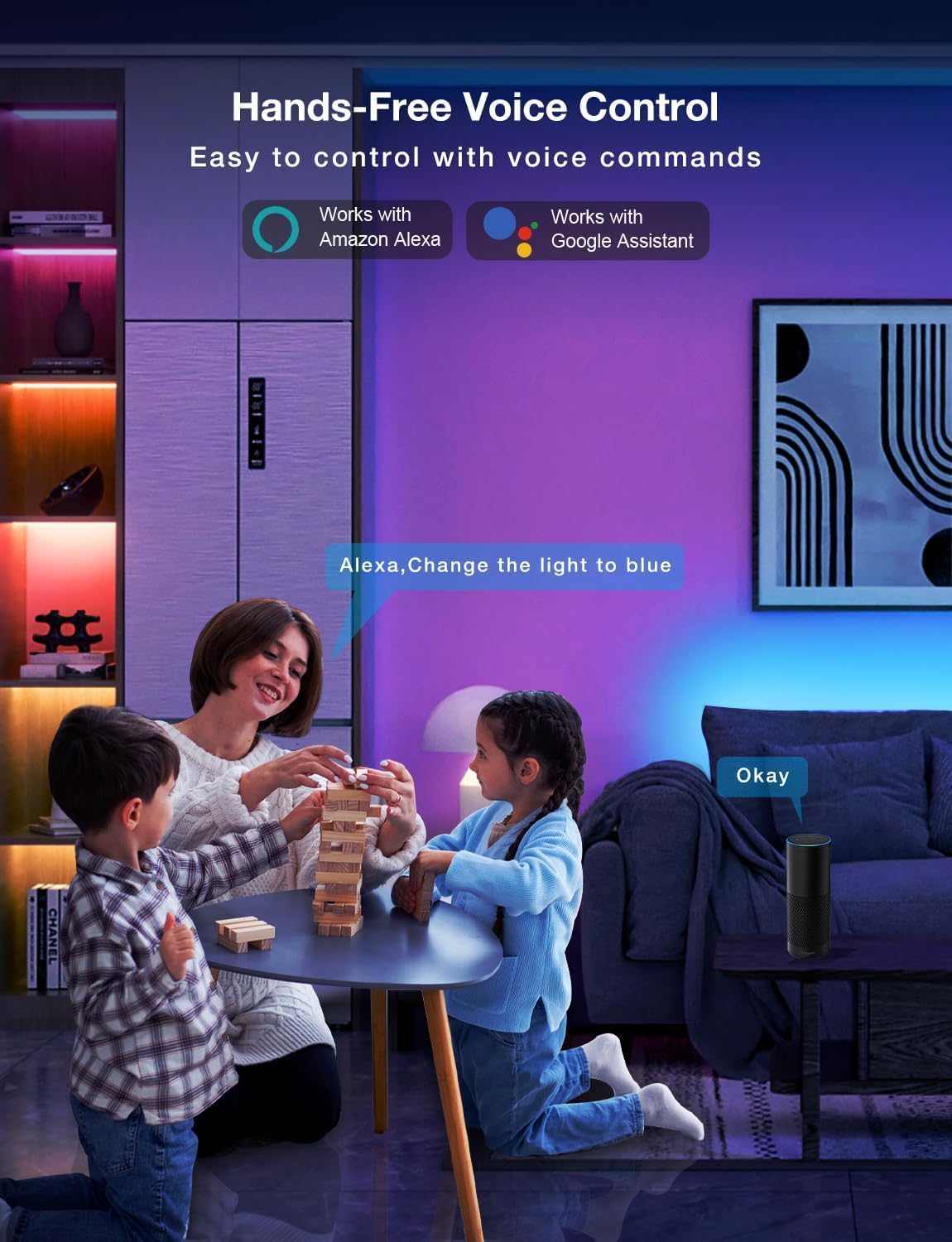
Image: Demonstrating the flexible LED strip and its adhesive backing for easy installation.

Obrázek: Overview of the three easy setup methods: Voice Control, Daybetter App Control, and IR Remote Control.
Video: A user demonstrating the installation process and various color changes of the LED strip lights in a home setting.
3. Návod k obsluze
Your DAYBETTER LED Strip Lights offer multiple control options:
3.1. Daybetter App Control (WiFi & Bluetooth)
- Stáhnout aplikaci: Hledat "Daybetter" in your smartphone's app store (iOS or Android) and install the application.
- Registrace/Přihlášení: Vytvořte si účet nebo se přihlaste, pokud jej již máte.
- Přidat zařízení: Follow the in-app instructions to add your LED strip lights. This typically involves ensuring the lights are powered on and your phone's Bluetooth is enabled for initial pairing.
- Vlastnosti ovládání:
- Výběr barvy: Vyberte si z 16 milionů barev pomocí barevného kola.
- Nastavení jasu: Adjust the light intensity from 0-100%.
- Scénické režimy: Select from pre-set dynamic lighting effects (e.g., Party, Valentine Day, Halloween, Christmas).
- Synchronizace hudby: Aktivujte hudební režim pro synchronizaci změn světla se zvukem.
- Časovač a rozvrh: Set specific times for lights to turn on/off or create countdown timers.

Image: The Daybetter app interface showing color selection and brightness control.
3.2. Hlasové ovládání (Alexa a Google Assistant)
- Připojení k chytrému asistentovi: Ensure your Daybetter app is linked to your Amazon Alexa or Google Assistant account. Follow the instructions provided by your smart assistant app to enable the Daybetter skill/service.
- Hlasové příkazy: Použijte příkazy jako například:
- "Alexa/Hey Google, turn on [Light Name]."
- "Alexa/Hey Google, turn off [Light Name]."
- "Alexa/Hey Google, set [Light Name] to blue."
- "Alexa/Hey Google, dim [Light Name] to 50%."

Image: Voice control in action, showing a user interacting with a smart assistant to control the LED lights.
3.3. Dálkové ovládání
The included IR remote control allows for basic functions:
- Zapnutí/vypnutí: Dedicated buttons for turning the lights on and off.
- Výběr barvy: Buttons for common colors (Red, Green, Blue, White, etc.).
- Nastavení jasu: Zvyšte nebo snižte jas.
- Dynamické režimy: Select from various pre-programmed modes like Jump, Fade, etc.
- Music Modes: Activate music-reactive modes.

Image: The included IR remote control for direct light adjustments.
4. Údržba
Pro zajištění dlouhé životnosti a optimálního výkonu vašich LED páskových světel:
- Čištění: Gently wipe the LED strips with a soft, dry cloth to remove dust. Avoid using harsh chemicals or abrasive cleaners.
- Péče o lepidlo: If the adhesive begins to lose its stickiness, ensure the surface is clean and dry. For re-application, consider using additional adhesive clips or double-sided tape designed for light strips.
- Napájení: Ensure the power adapter is not covered or placed in an area with poor ventilation to prevent overheating.
- Voděodolnost: These lights are rated IP20 and are není vodotěsný. Avoid exposure to water or high humidity environments.
5. Řešení problémů
Pokud narazíte na problémy s LED páskovými světly, podívejte se na následující běžná řešení:
| Problém | Možná příčina | Řešení |
|---|---|---|
| Světla se nerozsvítí. | Loose connection, power outage, faulty adapter. | Check all connections (strip to adapter, adapter to outlet). Ensure the power outlet is functional. Try a different outlet. |
| Dálkové ovládání nefunguje. | Vybitá baterie, dálkový ovladač není namířen na přijímač, překážka. | Replace remote battery. Ensure direct line of sight to the IR receiver on the controller. Remove any obstructions. |
| Nefunguje ovládání aplikace. | WiFi/Bluetooth issue, incorrect pairing, app glitch. | Ensure your phone's WiFi/Bluetooth is on and connected. Restart the app. Re-pair the device in the Daybetter app. Check your home WiFi network. |
| Světla jsou slabá nebo blikají. | Insufficient power, damaged strip, incorrect brightness setting. | Check power connections. Adjust brightness via app or remote. If only a section is affected, that section may be damaged. |
| Lepidlo nelepí. | Surface not clean/dry, surface texture, old adhesive. | Clean and dry the surface thoroughly. For textured surfaces, use mounting clips or stronger double-sided tape. |
6. Specifikace produktu
| Funkce | Detail |
|---|---|
| Značka | DAYBETTER |
| Číslo modelu | DC50722020W-WAUS0 |
| Délka položky | 100 Feet (2 Rolls of 50ft) |
| Světlá barva | Vícebarevné (RGB) |
| Typ světelného zdroje | LED |
| Vnitřní/venkovní použití | Pouze uvnitř |
| Úroveň odolnosti proti vodě | Není voděodolný (IP20) |
| Zdroj napájení | Elektrický kabel |
| svtage | 12 voltů |
| Wattage | 4.5 wattů |
| Kontrolní metoda | App, Voice, Remote |
| Technologie připojení | Bluetooth, WiFi |
| Kompatibilita Smart Home | Alexa, Google Assistant |
| Typ materiálu | Plast |
| Zahrnuté komponenty | LED Lights, Power Adapter, Remote Control |
7. Záruka a podpora
Záruka výrobce: Tento produkt je dodáván s 2letou zárukou výrobce.
Zásady vrácení: Eligible for refund/replacement within 30 days of purchase.
For further assistance or technical support, please refer to the contact information provided in your product packaging or visit the official DAYBETTER webmísto.