
1. Úvod
Děkuji za nákupasing the AGPTEK G02PL 64GB Clip MP3 Player. This portable music player is designed for convenience and durability, especially for sports and outdoor activities. It features a clip-on design, FM radio, and a sweatproof silicone case. This manual provides detailed instructions on how to set up, operate, and maintain your device.
2. Konec produktuview
2.1 Obsah balení
- AGPTEK G02PL 64GB Clip MP3 Player
- Sweatproof Silicone Case
- USB nabíjecí kabel
- Uživatelská příručka
- Note: Earphones are not included in the package.

Image: Contents of the AGPTEK G02PL package, including the MP3 player, silicone case, USB cable, and user manual.
2.2 Vlastnosti zařízení
- Připínací design: Easily attachable for sports and outdoor activities.
- Sweatproof Silicone Case: Provides protection during workouts.
- 64GB interní paměť: Ample storage for your music library.
- FM rádio: Listen to your favorite radio stations (requires wired earphones).
- Režim náhodného přehrávání: Quick switch for randomized playback.
- Kompaktní a lehký: Weighs only 0.49 oz (14g), dimensions: 1.97 x 1.43 x 0.61 inches.
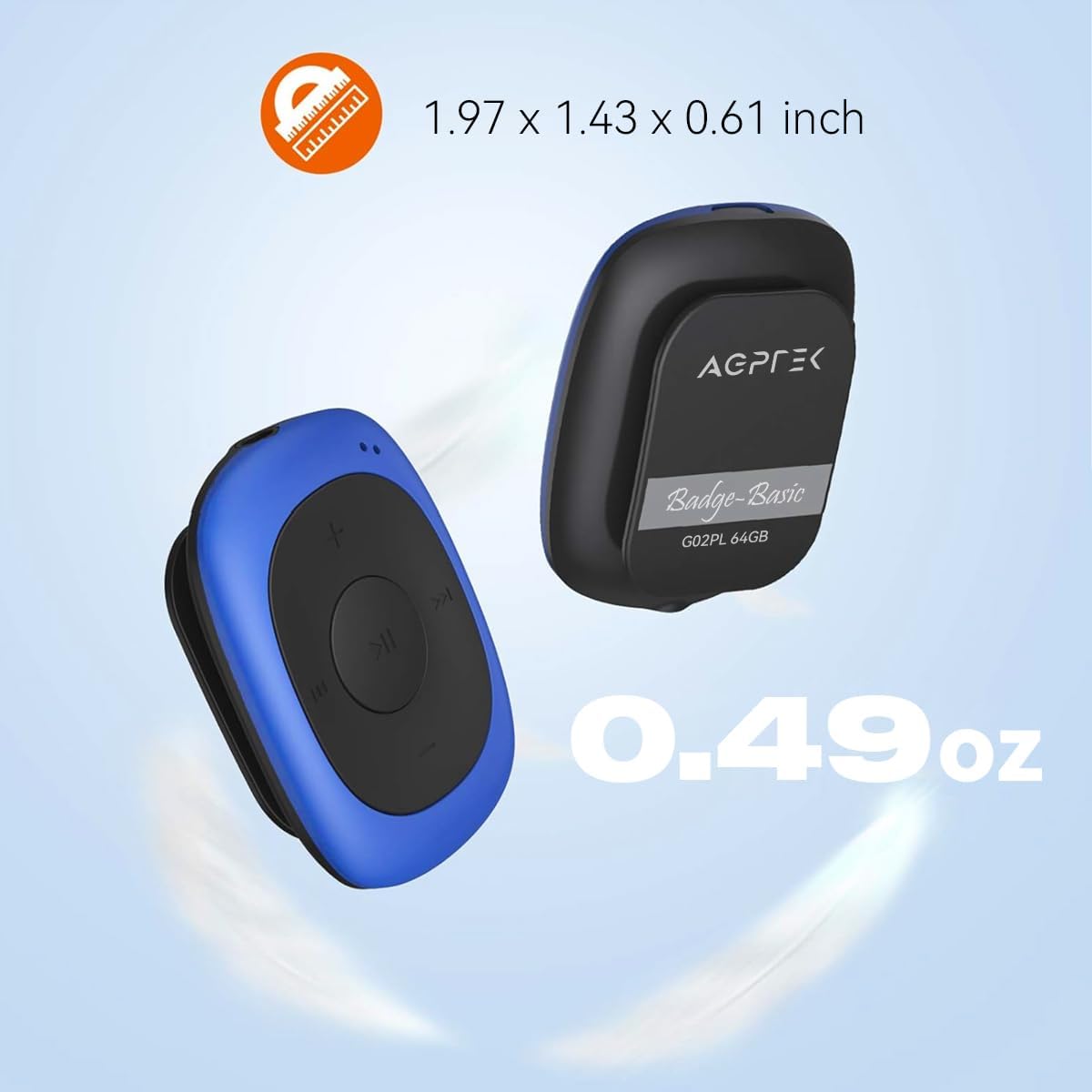
Image: Illustrates the compact size (1.97 x 1.43 x 0.61 inches) and light weight (0.49 oz) of the AGPTEK G02PL MP3 player.

Image: Shows the AGPTEK G02PL MP3 player inside its sweatproof silicone case, highlighting the portable clip feature.
3. Nastavení
3.1 Nabíjení zařízení
Before first use, fully charge the MP3 player. Use the included USB cable to connect the device to a computer's USB port or a compatible USB wall charger (not included).
- Plné nabití trvá přibližně 2.5 hodin.
- The built-in 160mAh rechargeable battery provides up to 10 hours of audio playback at medium volume. Battery life may be shorter when using FM radio.

Image: Depicts the AGPTEK G02PL MP3 player connected to a USB cable for charging, illustrating the internal components.
3.2 Přenos hudby Files
To transfer music to your AGPTEK G02PL MP3 player:
- Připojte MP3 přehrávač k počítači pomocí dodaného kabelu USB.
- Zařízení se v počítači zobrazí jako vyměnitelná disková jednotka.
- Přetáhněte požadovanou hudbu files (MP3, WMA, WAV formats supported) into the device's storage folder.
- Note: The player does not directly support iTunes music. Convert iTunes files to MP3 format before transferring.
- Před odpojením kabelu USB bezpečně vyjměte zařízení z počítače.

Image: Highlights the 64GB large memory capacity of the AGPTEK G02PL MP3 player.
4. Návod k obsluze
4.1 Základní přehrávání hudby
- Zapnutí/vypnutí: Locate the power switch (usually a slider or long press of the play button) and slide it to turn on the device.
- Přehrát/pozastavit: Stiskněte centrální tlačítko Přehrát/Pozastavit.
- Další / předchozí skladba: Use the forward (⏭) and backward (⏮) buttons to skip tracks.
- Nastavení hlasitosti: Pomocí tlačítek „+“ a „-“ můžete zvýšit nebo snížit hlasitost.
4.2 Funkce FM rádia
Chcete-li použít funkci rádia FM:
- Connect Wired Earphones: Wired earphones must be connected to the MP3 player as they act as the antenna for the FM radio.
- Přepnout do režimu FM: Use the dedicated FM / Music switch slider to select FM mode.
- Nalaďte si stanice: The device supports FM Frequency Range: 88MHz-108MHz. Use the track skip buttons to search for stations or initiate a quick search function if available.

Image: Shows the AGPTEK G02PL MP3 player connected to wired earphones, emphasizing the requirement for FM radio functionality. Icons for News, Sports, Music, and Weather are displayed.
4.3 Shuffle and Repeat Modes
The player features a dedicated slider for repeat and shuffle modes. Slide it to activate or deactivate shuffle playback for your music.
5. Údržba
- Keep the device dry. Avoid exposure to extreme temperatures.
- Zařízení čistěte měkkým, suchým hadříkem. Nepoužívejte agresivní chemikálie ani abrazivní čisticí prostředky.
- Ensure the silicone case is properly fitted to maintain its sweatproof properties.
- Pokud zařízení nepoužíváte, uložte jej na bezpečném místě, aby nedošlo k poškození.
6. Řešení problémů
6.1 Zařízení se nezapíná
- Ensure the battery is charged. Connect the device to a power source and charge for at least 30 minutes.
- Zkontrolujte polohu vypínače.
6.2 Nelze přenést Files
- Verify the USB cable is securely connected to both the player and the computer.
- Zkuste jiný port USB na počítači.
- Zajistěte hudbu files are in a supported format (MP3, WMA, WAV).
- Restart your computer and the MP3 player.
6.3 Žádný zvuk
- Check if earphones are properly connected.
- Adjust the volume level using the '+' button.
- Zajistěte hudbu file is not corrupted. Try playing a different track.
6.4 FM Radio Not Working
- Confirm that wired earphones are plugged in, as they serve as the antenna.
- Ensure you are in an area with good FM signal reception.
- Switch to FM mode using the dedicated slider.
7. Specifikace
| Funkce | Detail |
|---|---|
| Značka | AGPTEK |
| Název modelu | AGPTEK 64GB Clip MP3 Player With FM Shuffle (G02PL) |
| Kapacita paměti | 64 GB |
| Technologie připojení | USB |
| Speciální funkce | FM rádio |
| Podporované hudební formáty | MP3, WMA, WAV |
| Frekvenční rozsah FM | 88MHz-108MHz |
| Životnost baterie | Up to 10 hours (audio playback at medium volume) |
| Doba nabíjení | Přibl. 2.5 hodin |
| Rozměry | 1.97 x 1.43 x 0.61 palce |
| Hmotnost | 0.49 unce |
| Kompatibilní zařízení | Přenosný počítač, osobní počítač |
8. Záruka a podpora
For product support, warranty information, or further assistance, please refer to the contact details provided on the AGPTEK official website or the documentation included with your purchase. Keep your purchase receipt for warranty claims.


