
Zavedení
This manual provides comprehensive instructions for the assembly, operation, and maintenance of your Treocho 47-inch White Computer Desk (Model OD2101-WH-E-LO). Please read this manual thoroughly before assembly and use to ensure proper function and safety.
Vlastnosti produktu
- Integrovaný napájecí rozbočovač: Features a built-in socket with two standard power outlets and two USB charging ports for convenient device charging.
- Odolná konstrukce: Crafted from premium MDF material with heavy-duty metal legs for enhanced stability and longevity.
- Moderní estetika: Combines a clean white wood top with a sleek metal frame, offering a contemporary and elegant design suitable for various decor styles.
- Ample Workspace: Provides a large surface area suitable for computers, monitors, printers, writing, studying, and other home office activities.
- Řešení úložiště: Includes two integrated drawers for organizing office supplies, makeup, or other essentials, helping to maintain a tidy workspace.
- Zjednodušená montáž: Designed for easy setup with numbered parts, clear illustrated instructions, and all necessary assembly tools included.
Rozměry produktu
Refer to the image below for detailed dimensions of the Treocho 47-inch White Computer Desk.

Image: Treocho 47-inch White Computer Desk with detailed dimensions.
Pokyny k instalaci a montáži
The Treocho Computer Desk is designed for straightforward assembly. Please follow the included illustrated instructions carefully.
- Rozbalte komponenty: Carefully remove all parts from the packaging. Verify that all numbered parts and hardware are present according to the parts list in the instruction manual.
- Připravte pracovní prostor: Assemble the desk on a clean, flat, and soft surface to prevent scratches.
- Postupujte podle ilustrovaných kroků: Refer to the detailed, step-by-step illustrated instructions provided in the package. Each step is clearly outlined to guide you through the assembly process.
- Poskytované nástroje: All necessary assembly tools are included in the package.
- Doporučená montáž: It is recommended that two people assemble the desk for ease and safety.
- Zabezpečená připojení: Ensure all screws and fasteners are tightened securely before using the desk. Do not overtighten.
For visual guidance, the desk features a hidden compartment for power outlets, as shown in the image below.

Image: Hidden power outlet and USB ports for cable management.
Návod k obsluze
Používání integrovaných zásuvek a USB portů
The desk includes a built-in power strip with two standard AC outlets and two USB ports, located in a hidden compartment at the back of the desktop.
- Accessing the Power Hub: Gently lift the hinged panel at the rear of the desktop to reveal the power outlets and USB ports.
- Připojovací zařízení: Plug your devices into the available AC outlets or USB ports for charging.
- Správa kabelů: Utilize the hidden compartment to manage cables and keep your desktop clutter-free. Close the panel once devices are connected and cables are routed.
Utilizing the Drawers
The desk features two smooth-gliding drawers for organized storage.
- Otevírání/zavírání: Gently pull or push the drawers to open and close them. The ball-bearing or roller glide mechanism ensures smooth operation.
- Kapacita úložiště: Use the drawers to store office supplies, documents, personal items, or makeup, keeping your workspace tidy and efficient.
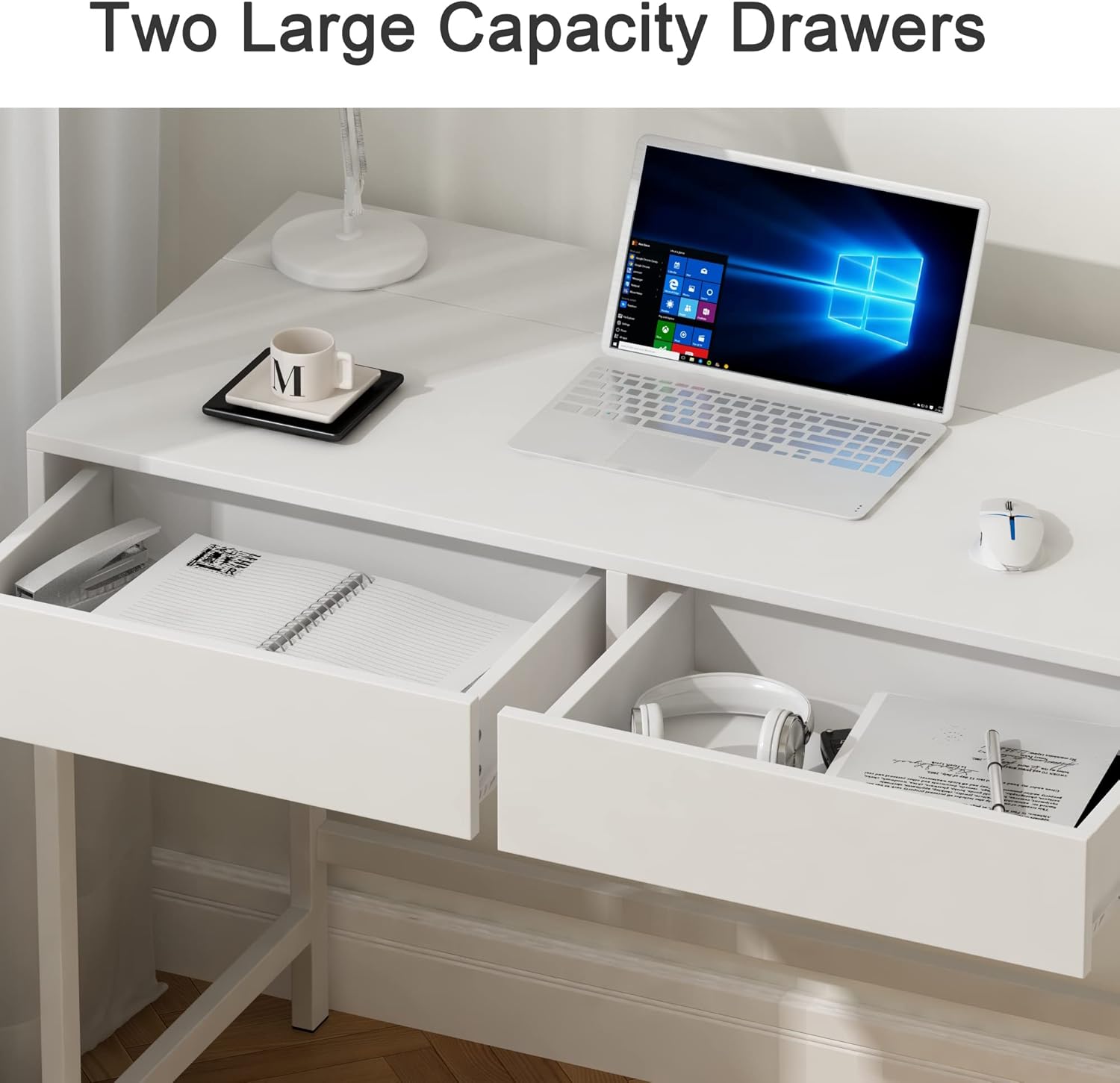
Image: Spacious drawers for organized storage.
Údržba
- Čištění: Otřete povrch stolu měkkým hadříkemamp hadříkem. Nepoužívejte agresivní chemikálie nebo abrazivní čisticí prostředky, které by mohly poškodit povrchovou úpravu.
- Zvládání úniků: In case of spills, wipe them immediately to prevent staining or damage to the engineered wood.
- Kontrola hardwaru: Pravidelně kontrolujte všechny šrouby a upevňovací prvky, zda jsou pevně utažené. V případě potřeby je dotáhněte.
- Péče o elektro: Ensure the power outlets and USB ports are kept dry and free from dust. Do not expose them to liquids.
Odstraňování problémů
This section addresses common issues you might encounter with your Treocho Computer Desk. If you experience problems not listed here, please contact customer support.
- Uvolněná připojení: If the desk feels wobbly, check all assembly points and tighten any loose screws.
- Zásuvky se neposouvají hladce: Ensure the drawer glides are clean and free of obstructions. A small amount of silicone lubricant can be applied to the glides if needed.
- Nefunkční elektrické zásuvky: Verify that the main power cord is securely plugged into a functional wall outlet. Check if the power strip itself has a reset button or fuse that needs attention.
Specifikace
| Značka | Treocho |
| Číslo modelu | OD2101-WH-E-LO |
| Rozměry produktu | 18.9"H x 47.2"Š x 29.7"V |
| Hmotnost položky | 49.3 libry |
| Barva | Bílý |
| Typ horního materiálu | Umělé dřevo |
| Základní materiál | Kov |
| Počet zásuvek | 2 |
| Elektrické funkce | 2 síťové zásuvky, 2 USB porty |
| Požadovaná montáž | Ano |
| Doporučení lidé pro montáž | 2 |
Bezpečnostní informace
Please adhere to the following safety guidelines to prevent injury or damage:
- Stůl vždy sestavte podle přiloženého návodu.
- Ensure the desk is stable and placed on a level surface to prevent tipping.
- Be cautious when using the electrical components. Do not overload the outlets.
- Follow all safety guidelines for electrical appliances connected to the desk's power hub.
- Keep liquids away from electrical outlets and connections.
Záruka a podpora
Your Treocho Computer Desk comes with a 30-day easy return policy. For any questions, concerns, or support needs, please contact customer support through your purchase platform.