
OSALO OS 991ES PLUS II
OSALO Vědecká kalkulačka OS 991ES PLUS II Uživatelská příručka
Model: OS 991ES PLUS II
Zavedení
This manual provides detailed instructions for the proper use and maintenance of your OSALO Scientific Calculator OS 991ES PLUS II. This calculator is designed for efficient and accurate calculations, featuring 417 essential functions and a textbook-like written display. It is suitable for students and professionals across various academic disciplines.

Obrázek: Přední strana view of the OSALO Scientific Calculator OS 991ES PLUS II, displaying a complex integral calculation.
Parts of the Calculator
Familiarize yourself with the various components and keys of your calculator for optimal use.

Image: Diagram illustrating the key components of the OSALO Scientific Calculator, including the solar panel, extra large display, control keys, SHIFT key, Mode key, Power on/off, function keys, Delete key, and Last answer key.
- Solární panel: Provides power in well-lit environments.
- Extra velký displej: Shows calculations and results in a clear, textbook-like format.
- Ovládací klávesy: Navigační a výběrová tlačítka.
- Klávesa SHIFT: Accesses secondary functions printed above keys.
- ALPHA Key: Accesses alpha characters and variables.
- MODE/SETUP Key: Changes calculator modes and settings.
- Tlačítko ZAPNUTO: Zapne kalkulačku.
- Funkční klávesy: Dedicated keys for mathematical operations (e.g., sin, cos, tan, log, ln, square root, power).
- DEL Key: Deletes the last entered character.
- Klíč AC: Clears all calculations and resets the display.
- ANS Key: Recalls the last answer.
Nastavení
Instalace baterie a zdroj napájení
The OSALO Scientific Calculator OS 991ES PLUS II operates on both solar power and a single LR44 battery (included). The solar panel provides power in sufficient light, while the battery ensures operation in low-light conditions or when solar power is insufficient.
- Ujistěte se, že je kalkulačka vypnutá.
- Vyhledejte přihrádku na baterie na zadní straně kalkulačky.
- Open the battery cover using a small screwdriver if necessary.
- Insert the LR44 battery, ensuring the correct polarity (+/-).
- Pevně zavřete kryt baterie.
The calculator will automatically switch between solar and battery power as needed. For optimal performance, use the calculator in a well-lit environment.
Návod k obsluze
This section details the various functions and modes of your OSALO Scientific Calculator.
Zapnutí/vypnutí
- Zapnutí: Stiskněte tlačítko ON klíč.
- Vypnutí: Stiskněte POSUN pak AC (VYPNUTO).
Basic Calculations (COMP Mode)
The default mode for general arithmetic operations. To enter COMP mode, press MODE/SETUP and select 1:COMP.
- Sčítání, odčítání, násobení, dělení: Enter numbers and operators as you would write them. Press = pro výsledek.
- zlomky: Použijte ab/c key to input fractions. To convert between fractions and decimals, press S<=>D.
- Síly a kořeny: Použití x², x³, x^, √, ³√ klíče.
Textbook-Like Written Display
The calculator features a natural input and output display, mimicking how expressions appear in textbooks. This enhances readability and simplifies complex equation entry.

Image: The calculator's display showing mathematical expressions in a natural, textbook-like format, including fractions and square roots.
Nastavení kontrastu
Adjust the screen contrast to relieve visual fatigue and ensure clear visibility in various lighting conditions.
- Stiskněte POSUN pak MODE/SETUP pro vstup do nabídky SETUP.
- Navigate to "Contrast" (usually option 8 or 9).
- Use the left and right arrow keys to adjust the display contrast.
- Stiskněte AC pro opuštění nabídky nastavení.
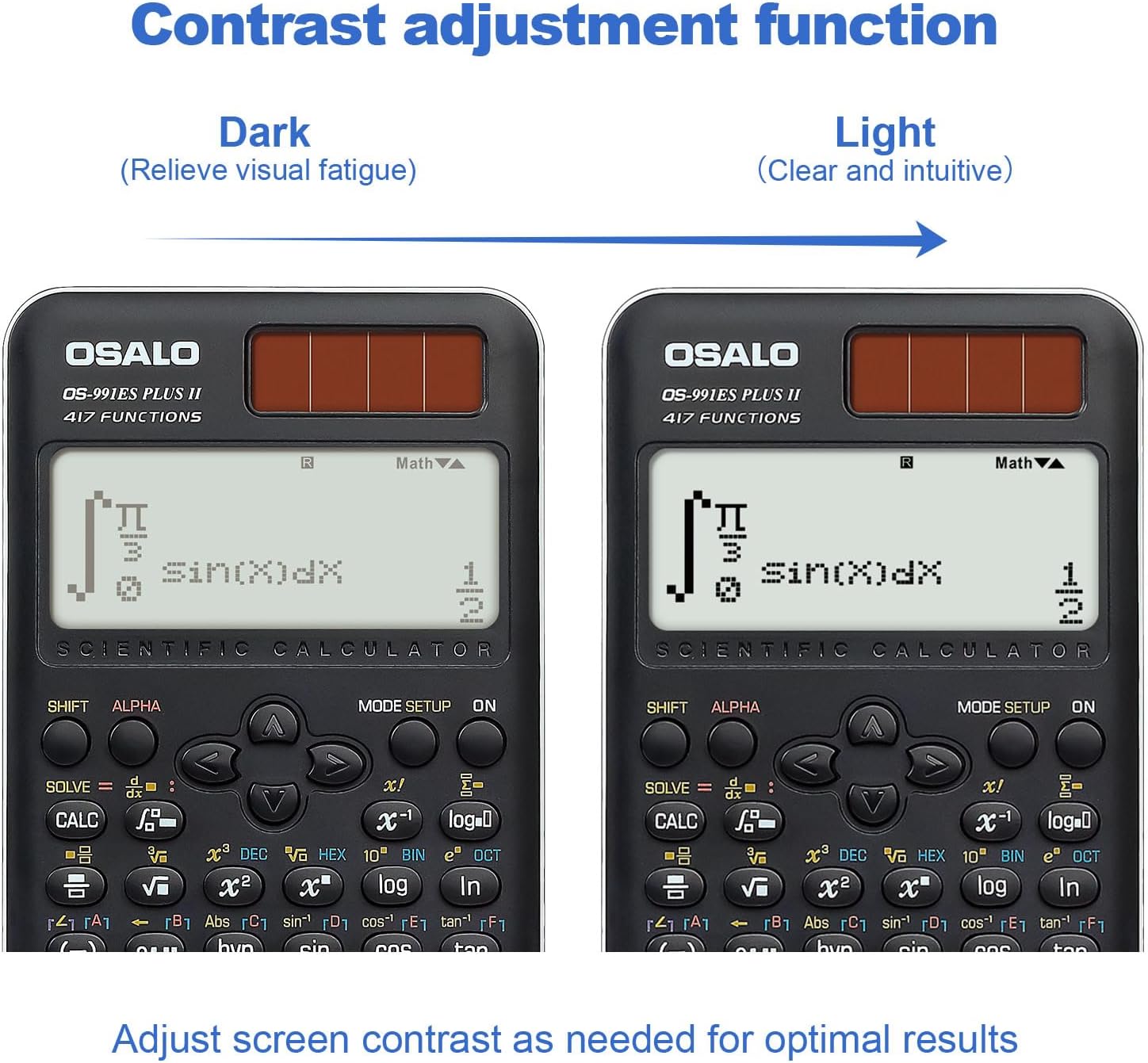
Obrázek: Dva views of the calculator display, demonstrating the contrast adjustment function from dark (to relieve visual fatigue) to light (clear and intuitive).
Advanced Functions and Modes (417 Functions)
The calculator offers 8 primary calculation modes and 417 functions to handle a wide range of mathematical problems.

Image: The calculator alongside a list of its 8 calculation modes: COMP (General calculations), CMPLX (Complex numbers), STAT (Statistics), BASE-N, Equation solution, Matrix Calculations, TABLE, and VECTOR.
- COMP (Obecné výpočty): Standard arithmetic, fractions, powers, roots, logarithms, trigonometric functions.
- CMPLX (výpočty komplexních čísel): Perform operations with complex numbers. Press MODE/SETUP and select 2:CMPLX.
- STAT (Statistics): Calculate mean, standard deviation, regression analysis. Press MODE/SETUP and select 3:STAT.
- BASE-N: Convert and calculate in different number bases (binary, octal, decimal, hexadecimal). Press MODE/SETUP and select 4:BASE-N.
- Equation Solving: Solve linear equations, quadratic equations, and cubic equations. Press MODE/SETUP and select 5:EQN.
- Matrix Operations: Perform matrix addition, subtraction, multiplication, determinants, and transpositions. Press MODE/SETUP and select 6:MATRIX.
- TABULKA: Generate a table of values for a given function. Press MODE/SETUP and select 7:TABLE.
- VEKTOR: Perform vector calculations. Press MODE/SETUP and select 8:VECTOR.
- Trigonometry: Sine, Cosine, Tangent, and their inverses. Ensure correct angle unit (Degrees, Radians, Gradians) is set via POSUN MODE/SETUP (DRG).
- Integration and Differentiation: Use the dedicated integral (∫dx) and differential (d/dx) keys for calculus operations.
- Function Analysis: Advanced functions for analyzing mathematical expressions.
Smart History and Quick Recall
The calculator stores previous calculations, allowing for quick retrieval, reuse, or editing of formulas. Use the ▲ a ▼ arrow keys to scroll through calculation history.
Údržba
- Čištění: Kalkulačku otřete měkkým, suchým hadříkem. Nepoužívejte abrazivní čisticí prostředky ani rozpouštědla.
- Skladování: Kalkulačku skladujte na chladném a suchém místě mimo dosah přímého slunečního záření a extrémních teplot.
- Výměna baterie: If the display becomes dim or the calculator functions erratically, replace the LR44 battery.
- Vyhněte se kapkám: Protect the calculator from impacts and drops, which can damage internal components or the display.
Odstraňování problémů
| Problém | Možná příčina | Řešení |
|---|---|---|
| Kalkulačka se nezapne. | Insufficient light for solar power, dead battery, or internal issue. | Move to a brighter area. Replace the LR44 battery. If problem persists, contact support. |
| Displej je tmavý nebo nečitelný. | Low battery, insufficient light, or contrast setting. | Replace battery. Ensure adequate lighting. Adjust display contrast (see Operating Instructions). |
| Nesprávné výsledky výpočtu. | Incorrect mode selected, syntax error, or input error. | Verify the correct mode (e.g., COMP, STAT). Check your input for syntax errors. Refer to the specific function section in this manual. |
| Klávesy nereagují. | Dust/debris under keys, or internal malfunction. | Jemně očistěte okolí kláves. Pokud problém přetrvává, kontaktujte podporu. |
Specifikace
- Model: OS 991ES PLUS II
- Funkce: 417
- Zobrazit: 2-line, 10+2 digits, Textbook-Like Written Display
- Zdroj napájení: Solar and Battery (1 x LR44 included)
- Rozměry: 6.4 x 3.15 x 0.1 palce (164 x 80 x 17 mm)
- Hmotnost položky: 5.3 unce (145 g)
- Barva: Černý
- Typ kalkulačky: Inženýrské/vědecké
- ASIN: B0CJJ15LVC
- Výrobce: OSALO
- Země původu: Čína

Image: Diagram showing the dimensions (length, width, thickness) and net weight of the OSALO Scientific Calculator.
Záruka a podpora
OSALO products are manufactured to high-quality standards. For warranty information or technical support, please refer to the warranty card included with your product or visit the official OSALO webwebu. Uschovejte si účtenku jako doklad o koupi.
Pro další pomoc můžete kontaktovat prodejce přímo prostřednictvím platformy, kde byl produkt zakoupen.
Ask a question about this manual
Ask about setup, troubleshooting, compatibility, parts, safety, or missing instructions. Manuals+ will review the question and use this page’s manual context to help answer it.