
1. Úvod
This manual provides comprehensive instructions for the installation, operation, and maintenance of your Alpine iLX-W670 Digital Multimedia Receiver bundled with the PAC RPK4-HD1101 Radio Replacement Kit. This bundle is specifically designed for 2003-2007 Honda Accord vehicles, ensuring seamless integration and enhanced in-car entertainment.
The Alpine iLX-W670 is a 7-inch mech-less receiver featuring Apple CarPlay and Android Auto compatibility, advanced sound tuning options, and a user-friendly interface. The PAC RPK4-HD1101 kit facilitates the installation of the aftermarket radio while retaining essential vehicle features such as climate control and steering wheel controls.
2. Bezpečnostní informace
WARNING: Improper installation or use can lead to serious injury or damage. Always consult a qualified professional for installation if you are unsure.
- Před instalací a provozem si pečlivě přečtěte všechny pokyny.
- Před zahájením jakýchkoli elektrických prací odpojte záporný pól baterie vozidla.
- Ujistěte se, že veškeré vedení je řádně izolováno a zajištěno, aby se zabránilo zkratu.
- Neobsluhujte jednotku způsobem, který by vás rozptyloval od řízení. Vždy upřednostňujte bezpečnost silničního provozu.
- Nevystavujte jednotku nadměrné vlhkosti nebo extrémním teplotám.
- Use only specified parts and accessories.
3. Obsah balení
Ověřte, zda jsou v balení přítomny všechny níže uvedené komponenty:
- Alpine iLX-W670 Digital Multimedia Receiver
- PAC RPK4-HD1101 Radio Replacement Kit (includes dash kit, interface module, and wiring harnesses)
- Montážní materiál a šrouby
- User Manuals for both Alpine iLX-W670 and PAC RPK4-HD1101

Image: The complete bundle including the Alpine iLX-W670 head unit and the various components of the PAC RPK4-HD1101 installation kit, such as the dash bezel, mounting brackets, and wiring harnesses.
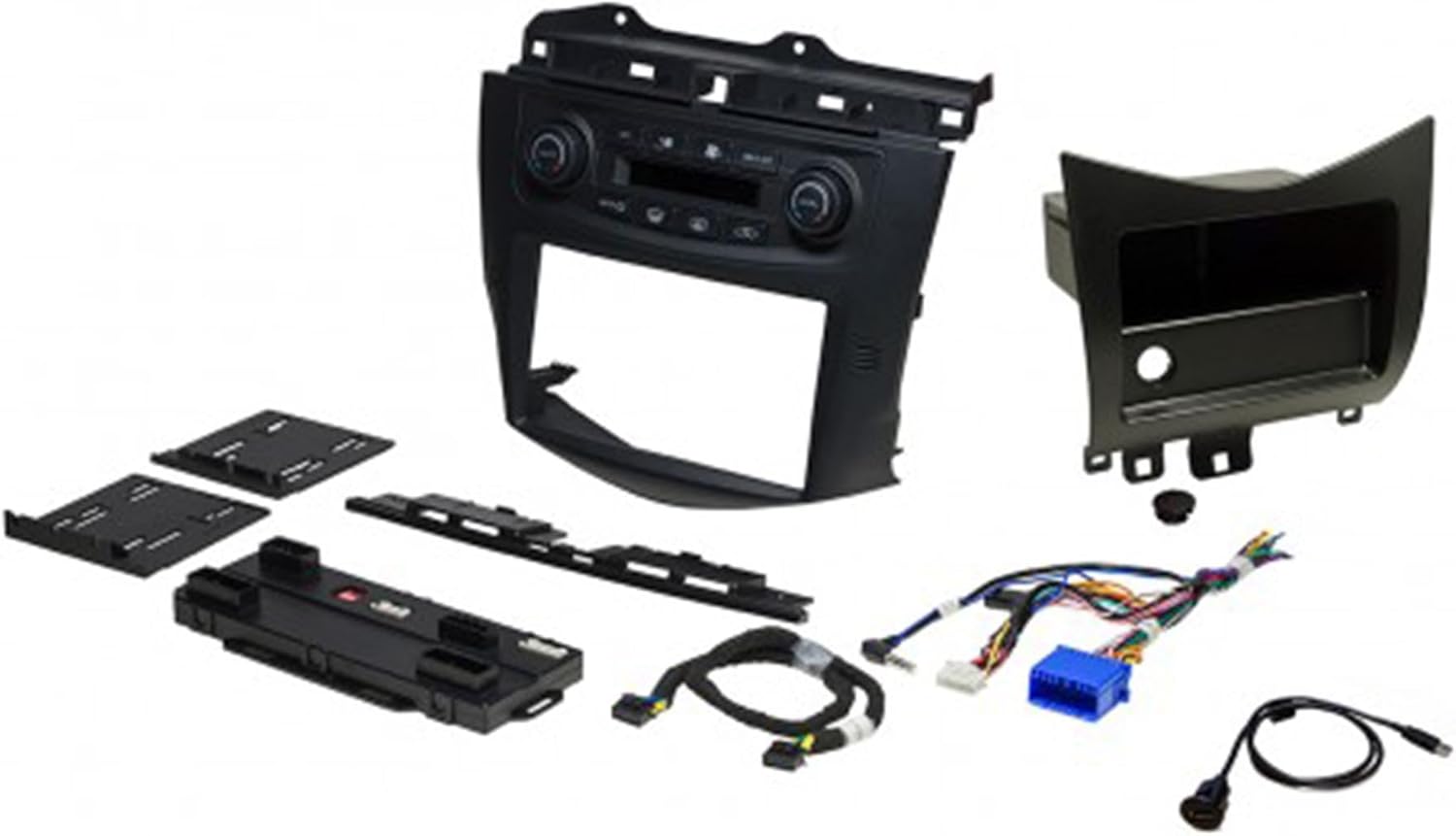
Obrázek: Podrobný view of the PAC RPK4-HD1101 kit components, including the factory-matched radio mounting dash kit, electronic interface module, and plug-n-play harnesses.
4. Nastavení a instalace
Installation of this product bundle requires technical knowledge and should ideally be performed by a qualified installer. Refer to the detailed installation guides provided with both the Alpine iLX-W670 and PAC RPK4-HD1101 for specific wiring diagrams and vehicle disassembly instructions.
4.1. Kroky před instalací
- Odpojit baterii: Před zahájením jakýchkoli elektrických prací vždy odpojte záporný pól baterie vašeho vozidla.
- Odstranění továrního rádia: Carefully remove the existing factory radio and associated trim panels from your Honda Accord (2003-2007 model years).
- Identifikace zapojení: Familiarize yourself with the vehicle's wiring harness and the provided PAC RPK4-HD1101 harnesses.
4.2. PAC RPK4-HD1101 Kit Assembly
The PAC RPK4-HD1101 kit is designed to integrate the new Alpine receiver seamlessly while retaining factory features.
- Assemble the factory-matched radio mounting dash kit according to the PAC instructions. This kit accommodates both single and double-DIN radios.
- Connect the electronic interface module and plug-n-play harnesses. These are crucial for retaining climate control and steering wheel controls.
- Ensure correct selection of single zone or dual zone control knob button insets if applicable to your vehicle.
- Configure for left or right-hand drive as necessary.
4.3. Alpine iLX-W670 Integration
- Mount the Alpine iLX-W670 receiver into the assembled PAC dash kit.
- Connect the Alpine receiver's wiring harness to the PAC RPK4-HD1101 harnesses. Ensure all connections are secure.
- Connect the antenna adapter (if required).
- Route any necessary cables for USB, microphone, or external video inputs.
4.4. Po instalaci
- Test funkčnosti: Before reassembling the dash, reconnect the battery and test all functions of the Alpine receiver, including audio, touchscreen response, Apple CarPlay/Android Auto, Bluetooth, and especially the retained climate and steering wheel controls. Verify exterior temperature display retention.
- Zabezpečená jednotka: Once confirmed, carefully reassemble the dash panels, ensuring no wires are pinched.
- Počáteční nastavení: Follow the on-screen prompts for initial setup of the Alpine iLX-W670, including language, time, and radio region settings.
5. Návod k obsluze
5.1. Alpine iLX-W670 Digital Multimedia Receiver
The iLX-W670 features a responsive 7-inch touchscreen display for intuitive control.
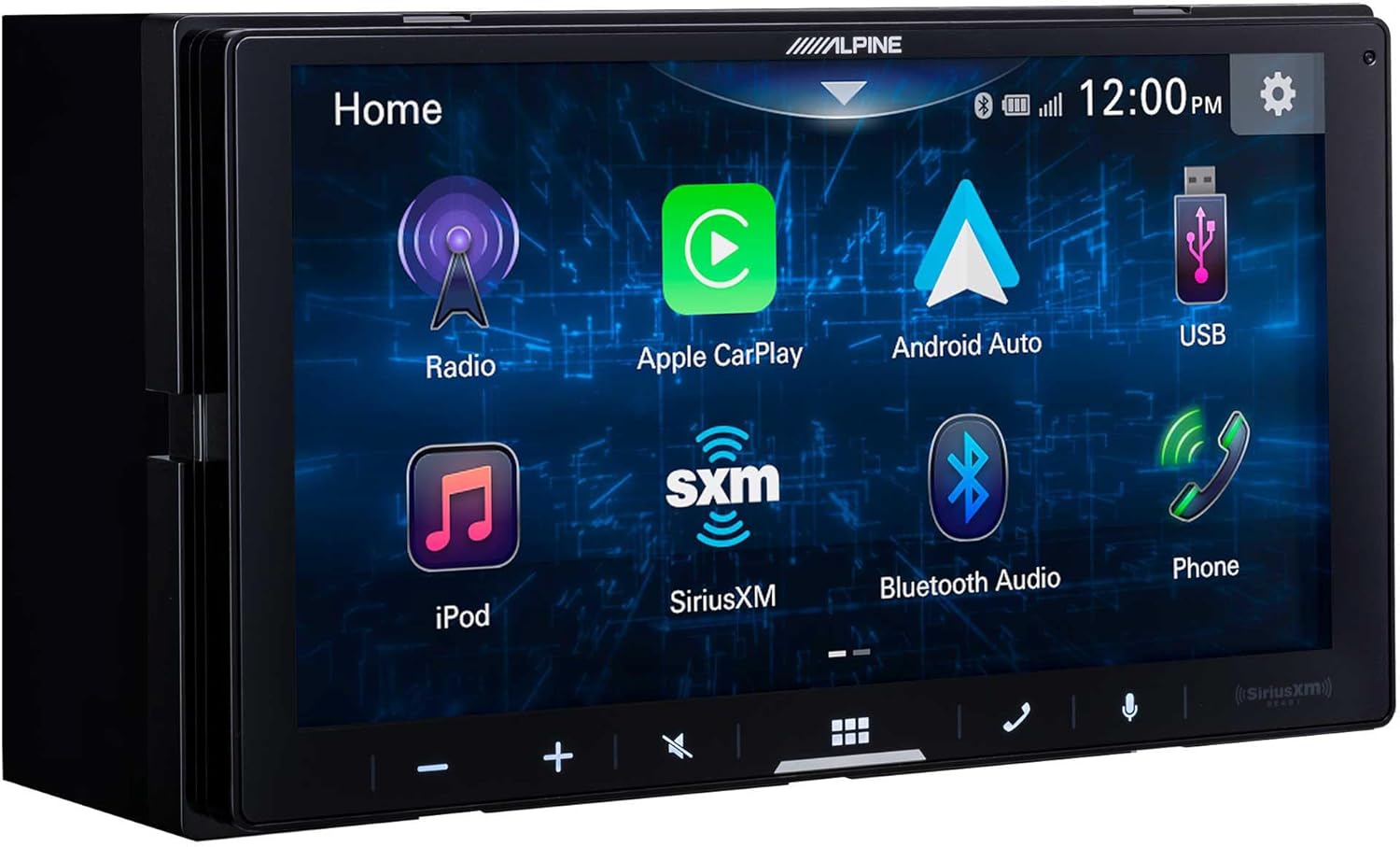
Image: The home screen of the Alpine iLX-W670, displaying icons for Radio, Apple CarPlay, Android Auto, USB, iPod, SiriusXM, Bluetooth Audio, and Phone.
5.1.1. Home Screen and Navigation
- Přizpůsobitelná domovská obrazovka: Arrange icons for frequently used functions for quick access.
- Navigace: Tap icons to access different sources (Radio, USB, Bluetooth) or features (Apple CarPlay, Android Auto, Phone).
5.1.2. Smartphone Integration (Wired)
- Apple CarPlay: Connect your iPhone via USB to access navigation, music, messages, and more through the receiver's display.
- Android Auto: Connect your Android phone via USB to use Google Maps, Spotify, and other compatible apps.
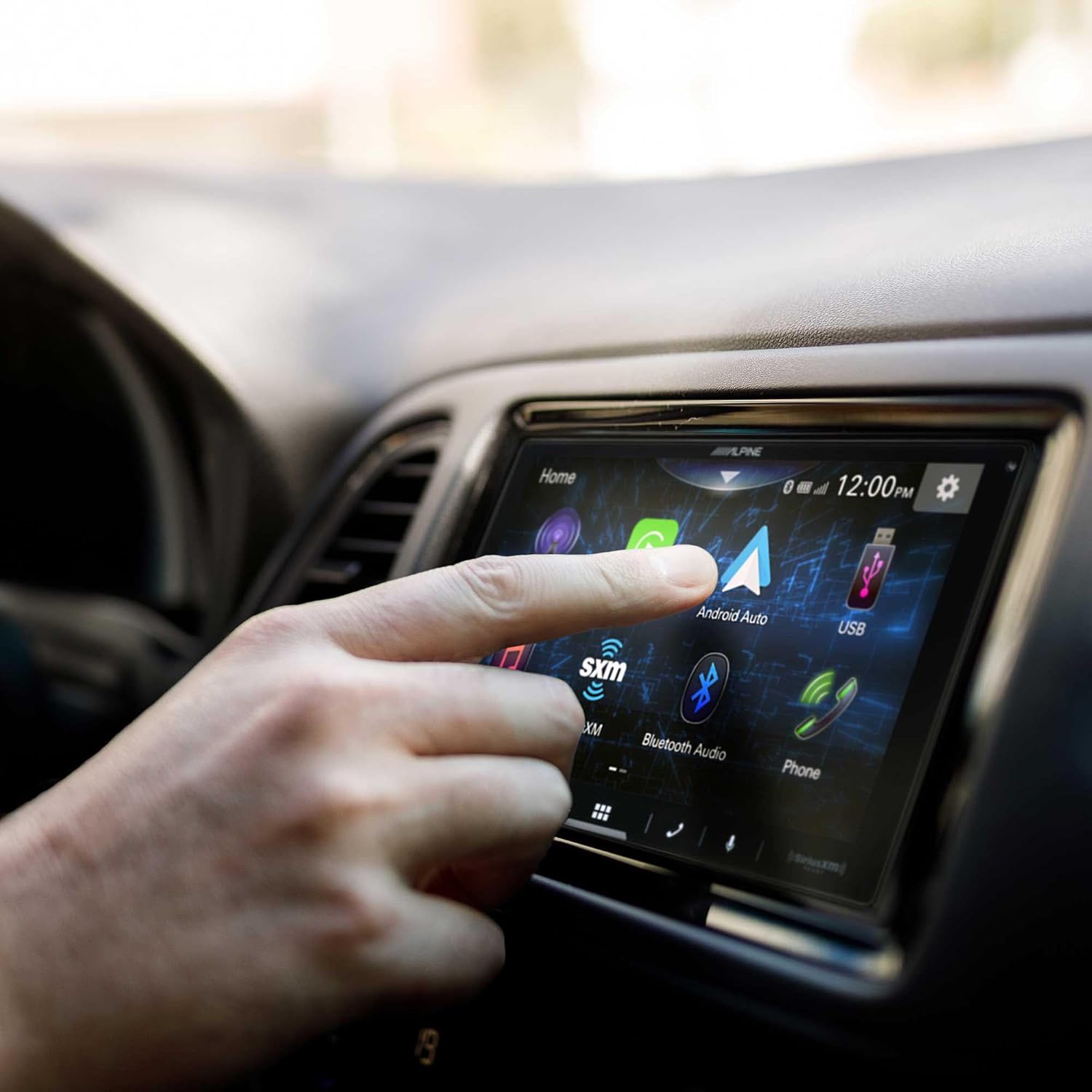
Image: A user's hand tapping the Android Auto icon on the Alpine iLX-W670's touchscreen display, indicating activation of the Android Auto feature.
5.1.3. Audio Features and Sound Tuning
- Nabídka zesílení zvuku: Access enhanced controls for Bass Boost, Mid-Bass Boost, and Subwoofer adjustments.
- 13pásmový grafický ekvalizér: Jemně dolaďte frekvenční odezvu zvuku podle svých preferencí.
- 6-Channel Time Correction: Adjust the sound timing for optimal stagIng.
- Crossovery: Configure high-pass and low-pass filters for front speakers, rear speakers, and subwoofer.
- Lighting Link Control: If connected to compatible Alpine PrismaLink subwoofer enclosures, control their lighting directly from the screen.

Image: The Sound Boost menu on the Alpine iLX-W670 display, showing options for Bass Boost, Mid-Bass Boost, Subwoofer level, Phase adjustment, and Lighting Link control.
5.1.4. Další funkce
- Bluetooth handsfree: Spárujte telefon pro handsfree volání a streamování hudby.
- Připraveno pro SiriusXM: Requires a SiriusXM Connect Vehicle Tuner and subscription (sold separately).

Image: A user's hand tapping the SiriusXM icon on the Alpine iLX-W670's touchscreen, indicating selection of the satellite radio source.
5.2. PAC RPK4-HD1101 Kit Functionality
The PAC kit ensures that critical vehicle functions are maintained after installing the aftermarket receiver.
- Climate Control Retention: The kit integrates with your vehicle's climate control system, allowing you to operate it directly from the new dash panel.
- Zachování ovládání na volantu: Your factory steering wheel audio controls (volume, track, mode) will continue to function with the Alpine iLX-W670.
- Exterior Temperature Display: The vehicle's exterior temperature display in the instrument cluster is retained.
- USB Outlet: The replacement lower pocket includes a USB outlet for convenient charging or data connection.
6. Údržba
- Čištění obrazovky: Dotykovou obrazovku jemně otřete měkkým hadříkem, který nepouští vlákna. V případě odolných šmouh dampHadřík lehce otřete vodou nebo čističem obrazovky. Vyhněte se abrazivním materiálům nebo agresivním chemikáliím.
- Generální úklid: Keep the unit and surrounding dash area free of dust and debris. Use a soft, dry cloth.
- Aktualizace softwaru: Pravidelně kontrolujte Alpine website for firmware updates for the iLX-W670 to ensure optimal performance and access to new features.
- Kontrola kabelů: Occasionally inspect all visible cables and connections for wear or damage.
7. Řešení problémů
If you encounter issues, refer to the table below for common problems and solutions. For more complex issues, consult a professional installer or contact customer support.
| Problém | Možná příčina | Řešení |
|---|---|---|
| Jednotka není napájena. | Blown fuse, loose power connection, vehicle battery disconnected. | Check vehicle fuses and unit's fuse. Verify all power connections are secure. Ensure battery is connected. |
| Žádný zvuk. | Volume too low, mute activated, speaker wires disconnected, incorrect audio source. | Zvyšte hlasitost. Zkontrolujte, zda je zapnuté ztlumení. Ověřte připojení reproduktorů. Vyberte správný zdroj zvuku. |
| Apple CarPlay/Android Auto se nepřipojuje. | Faulty USB cable, phone not compatible, software glitch. | Use a high-quality, certified USB cable. Ensure phone OS is up to date. Restart phone and unit. |
| Ovládání na volantu nefunguje. | PAC RPK4-HD1101 module not properly connected or configured. | Re-check PAC kit wiring and configuration settings as per its manual. |
| Climate controls not working via new dash panel. | PAC RPK4-HD1101 module not properly connected or configured. | Re-check PAC kit wiring and configuration settings as per its manual. |
8. Specifikace
8.1. Alpine iLX-W670 Digital Multimedia Receiver
- Zobrazit: 7palcová kapacitní dotyková obrazovka
- Podvozek: Mech-Less (no CD/DVD mechanism)
- Integrace smartphonu: Apple CarPlay (Wired), Android Auto (Wired)
- Audio vlastnosti: 13-Band Graphic EQ, 6-Channel Time Correction, Crossovers, Sound Boost Menu
- Konektivita: Bluetooth Hands-Free, USB Input, SiriusXM-Ready
- Osvětlení: 5-Color Key Illumination
8.2. PAC RPK4-HD1101 Radio Replacement Kit
- Kompatibilita: 2003-2007 Honda Accord (with/without factory navigation, single/dual zone climate control)
- Radio Accommodation: Single or Double-DIN
- Zachované vlastnosti: Climate Control, Steering Wheel Controls, Exterior Temperature Display
- Další vlastnosti: Replacement lower pocket with USB outlet
8.3. Bundle Specifications
- Číslo modelu položky: AlpineBDL230912-18
- Hmotnost položky: Přibližně 10 libry
- Rozměry balení: Přibližně 19 x 15 x 9 palce
9. Informace o záruce
This product bundle is covered by a 1-letá záruka výrobce from Alpine. Please retain your proof of purchase for warranty claims. The warranty covers defects in materials and workmanship under normal use. It does not cover damage caused by improper installation, accident, misuse, abuse, neglect, or unauthorized modification.
For detailed warranty terms and conditions, please refer to the warranty documentation included with your Alpine iLX-W670 receiver or visit the official Alpine webmísto.
10. Zákaznická podpora
Pokud potřebujete další pomoc nebo máte otázky, které nejsou v této příručce uvedeny, kontaktujte prosím:
- Zákaznická podpora Alpine: Navštivte oficiální Alpine webweb (www.alpine-usa.com/support) for FAQs, troubleshooting, and contact information.
- PAC Audio Support: For issues specifically related to the PAC RPK4-HD1101 kit, visit the PAC Audio webweb (pac-audio.com/support).
- Autorizovaný dealer: Contact the dealer from whom you purchased the product for installation support or service.