
Zavedení
Thank you for choosing CLEYVER Earbuds Pro. This user manual provides essential information for the proper setup, operation, maintenance, and troubleshooting of your new wireless headphones. Please read this manual thoroughly before using the product to ensure optimal performance and longevity.
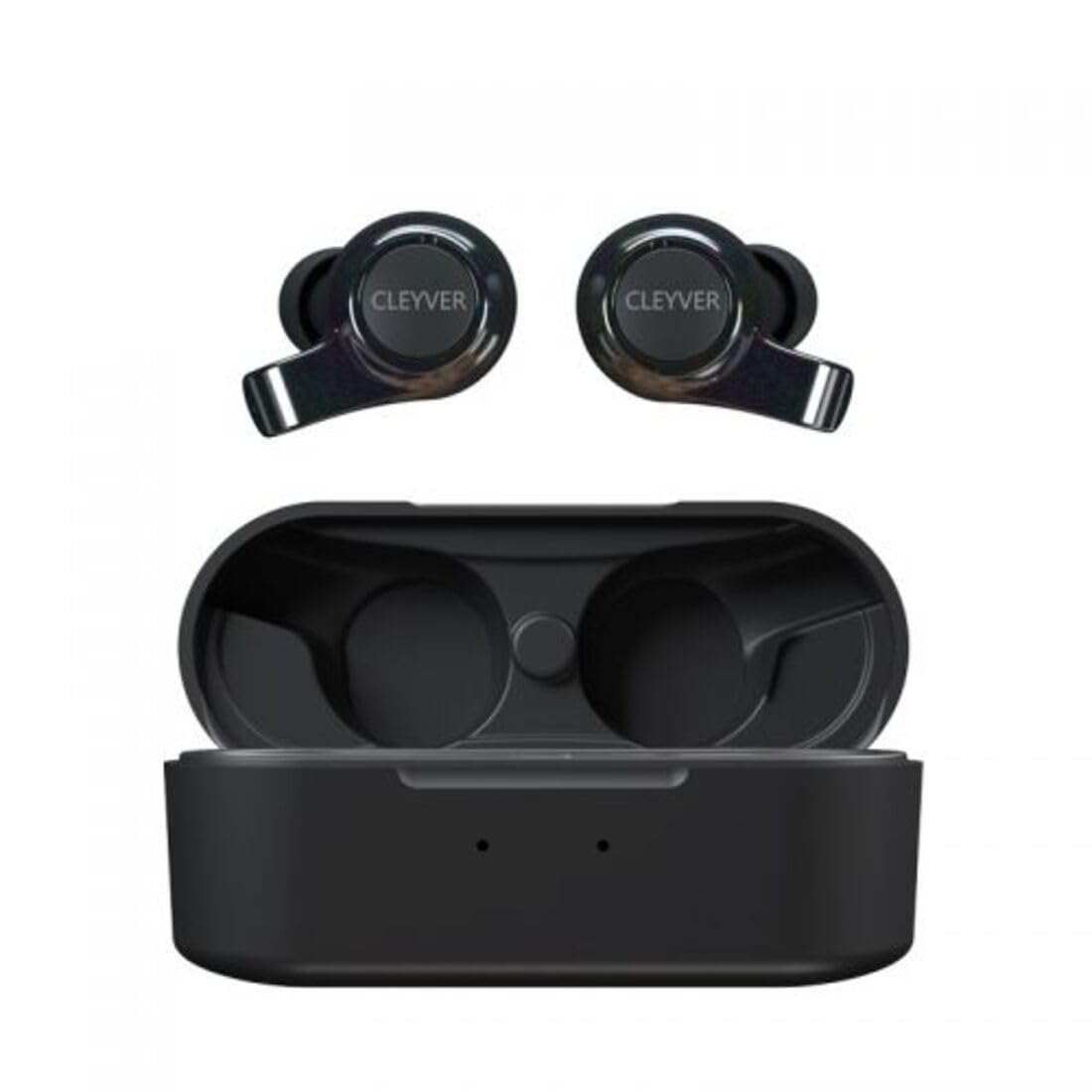
Image: The CLEYVER Earbuds Pro displayed with the CLEYVER brand logo.
Obsah balení
Ujistěte se, že máte v balení všechny položky:
- CLEYVER Earbuds Pro (Left and Right)
- Bezdrátové nabíjecí pouzdro
- Nabíjecí kabel USB-C
- Eartips (Small, Medium, Large sizes)
- Uživatelská příručka (tento dokument)

Image: The CLEYVER Earbuds Pro and their accompanying charging case.
Konec produktuview
The CLEYVER Earbuds Pro are designed for a superior audio experience with advanced features. Each earbud is equipped with a dual microphone system for clear calls and Environmental Noise Cancellation (ENC) technology. The earbuds feature a hybrid Touch & Push-button control system for easy management of calls and media playback.
The compact charging case provides extended battery life and supports both wired (USB-C) and wireless charging.

Image: The CLEYVER Earbuds Pro securely placed within their charging case.
Nastavení
1. Nabíjení sluchátek a pouzdra
Před prvním použitím sluchátka a nabíjecí pouzdro plně nabijte.
- Kabelové nabíjení: Připojte dodaný kabel USB-C k nabíjecímu portu na pouzdře a ke zdroji napájení.
- Bezdrátové nabíjení: Umístěte nabíjecí pouzdro na kompatibilní bezdrátovou nabíjecí podložku.
The charging case has a 500 mAh battery, providing up to 40 hours of listening time or 7 hours of talk time. A quick 10-minute charge can provide up to 2 hours of autonomy.

Image: Visual representation highlighting the 40 hours of playtime for the CLEYVER Earbuds Pro.
2. Párování s vaším zařízením
- Otevřete víko nabíjecího pouzdra. Sluchátka se automaticky přepnou do režimu párování.
- Na svém zařízení (chytrém telefonu, tabletu atd.) povolte Bluetooth.
- Hledat available Bluetooth devices and select "CLEYVER Earbuds Pro" from the list.
- Po připojení se přehraje potvrzovací zvuk a sluchátka budou připravena k použití.
The earbuds feature instant pairing when the case lid is opened, simplifying the connection process.

Image: A smartphone screen displaying the CLEYVER Earbuds Pro as a connected Bluetooth device, illustrating the simple setup process.
3. Nošení sluchátek do uší
Choose the eartip size (S, M, L) that provides the most comfortable and secure fit for optimal sound quality and noise isolation. Gently insert the earbuds into your ears and twist slightly to secure them.

Image: A person demonstrating how to properly insert a CLEYVER Earbud Pro into their ear.
Ovládání sluchátek
Touch & Push-Button Controls
The CLEYVER Earbuds Pro feature a hybrid control system combining touch gestures with a physical push-button for precise command execution. Specific functions for playback, call management, and mode switching are detailed in the quick start guide included in the package.
Zvukové režimy
- Environmentální potlačení hluku (ENC): This technology actively reduces ambient noise, providing clearer audio during calls and an immersive listening experience.
- Režim průhlednosti: Allows you to hear your surroundings without removing the earbuds. You can choose between full or partial noise isolation to stay aware of your environment.

Image: A person wearing CLEYVER Earbuds Pro, with an overlay indicating 'Transparency Mode' and a phone screen showing options for different sound modes.
Herní režim
Activate Gaming Mode for reduced audio latency, ensuring synchronized sound with on-screen action during gaming sessions.

Image: The CLEYVER Earbuds Pro positioned beside a smartphone screen showing a dynamic racing game, illustrating the 'Gaming Mode' feature.
Funkce volání
Benefit from HD audio and a dual microphone system per earbud, designed to deliver crystal-clear voice quality during calls while minimizing background noise.
Mono or Stereo Use
The earbuds can be used individually (mono mode) or together (stereo mode) according to your preference and situation.
Údržba
Čištění
Pravidelně čistěte sluchátka a nabíjecí pouzdro, abyste zachovali optimální výkon a hygienu.
- K otření sluchátek a pouzdra použijte měkký, suchý hadřík, který nepouští vlákna.
- For eartips, remove them from the earbuds and clean with a damp hadříkem a poté jej před opětovným nasazením důkladně osušte.
- Vyhněte se používání abrazivních materiálů, rozpouštědel nebo agresivních chemikálií.
Skladování
Pokud sluchátka nepoužíváte, uložte je do nabíjecího pouzdra, abyste je chránili před prachem, poškozením a udrželi je nabité.
Voděodolnost
The CLEYVER Earbuds Pro are IPX5 certified, meaning they are protected against low-pressure water jets from any direction. This makes them suitable for workouts and light rain, but they are not designed for submersion in water.
Odstraňování problémů
If you encounter issues with your CLEYVER Earbuds Pro, refer to the following common solutions:
| Problém | Možné řešení |
|---|---|
| Sluchátka se nespárují | Ujistěte se, že jsou sluchátka nabitá. Vypněte a zapněte Bluetooth na zařízení. Vložte sluchátka zpět do pouzdra, zavřete je a znovu je otevřete, abyste znovu přešli do režimu párování. |
| Žádný zvuk z jednoho sluchátka | Check battery level of both earbuds. Re-pair the earbuds with your device. Ensure both earbuds are properly seated in the charging case for connection. |
| Nabíjecí pouzdro se nenabíjí | Verify the USB-C cable is securely connected to both the case and power source. If using wireless charging, ensure the case is correctly positioned on the charging pad. |
| Špatná kvalita zvuku | Ensure earbuds are clean and eartips are correctly sized and sealed in your ear. Move closer to your connected device to avoid interference. |
Specifikace
| Funkce | Detail |
|---|---|
| Značka | Cleyver |
| Název modelu | ODEWPRO |
| Barva | Černý |
| Form Factor | Do ucha |
| Technologie připojení | Bezdrátové připojení (Bluetooth 5.2) |
| Dosah Bluetooth | Až 30 metrů |
| Mikrofony | 2 per earbud (with ENC Technology) |
| Kontrola hluku | Environmental Noise Cancellation (ENC), Transparency Mode |
| Voděodolnost | IPX5 Standard (splash resistant) |
| Hrací doba sluchátek | Až 40 hodin (s nabíjecím pouzdrem) |
| Earbud Talk Time | Až 7 hodin |
| Pohotovostní doba | Až 200 hodin |
| Nabíjecí pouzdro Baterie | 500 XNUMX mAh |
| Typ nabíjení | USB-C (wired) or Wireless Charging |
| Zahrnuté komponenty | User Manual, USB-C Cable, Wireless Charging Case, Eartips |
Záruka a podpora
Informace o záruce
The CLEYVER Earbuds Pro come with a 2-letá záruka from the date of purchase. This warranty covers manufacturing defects and ensures your product functions as intended under normal use. Please retain your proof of purchase for warranty claims.
Zákaznická podpora
For further assistance, technical support, or warranty inquiries, please visit the official Cleyver website or contact their customer service through the details provided on your purchase receipt or packaging.