
iTouch TP4R01-G02
Uživatelská příručka k chytrým hodinkám iTouch Sport 4
Model: TP4R01-G02
Zavedení
Welcome to the iTouch Sport 4 Smartwatch user manual. This guide provides detailed instructions on how to set up, operate, maintain, and troubleshoot your new smartwatch. The iTouch Sport 4 is designed to enhance your fitness journey and keep you connected with its advanced health tracking features, extensive sports modes, and smart notifications.

The iTouch Sport 4 Smartwatch, featuring a vibrant display showing activity metrics.
Průvodce nastavením
1. Vybalení a počáteční nabití
Your iTouch Sport 4 Smartwatch package includes:
- Chytré hodinky iTouch Sport 4
- USB nabíjecí kabel
Before first use, fully charge your smartwatch. Connect the USB charging cable to the charging pins on the back of the watch and plug the USB end into a power adapter (not included) or a computer USB port. A full charge typically takes 1-2 hours.
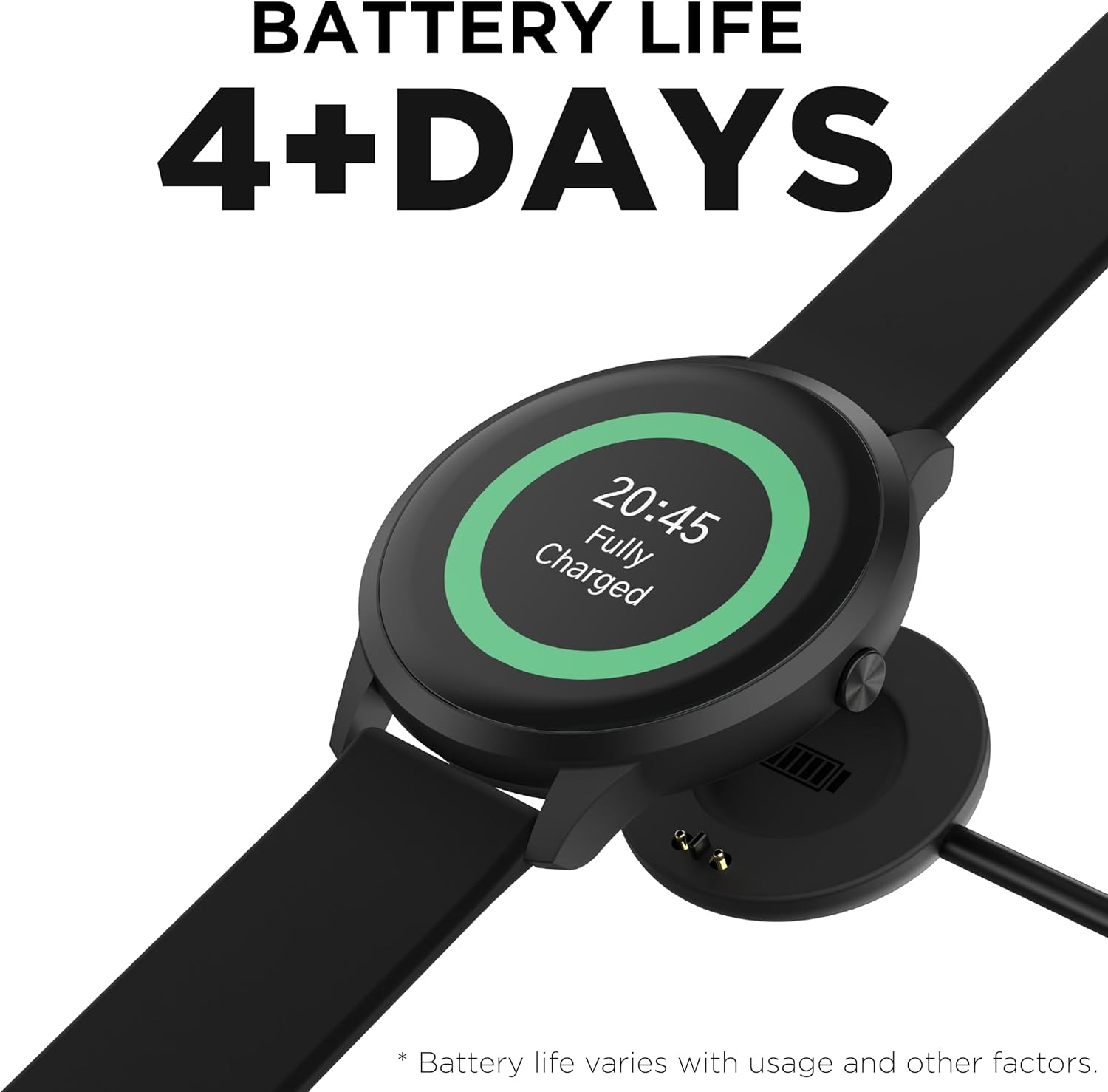
The smartwatch connected to its magnetic USB charging cable.
2. Instalace a párování aplikace
To unlock the full potential of your iTouch Sport 4, download the Nositelná zařízení iTOUCH app from the Apple App Store (for iOS 13 or higher) or Google Play Store (for Android 10 or higher).
- Ujistěte se, že je na vašem smartphonu povoleno Bluetooth.
- Open the iTOUCH Wearables app and follow the on-screen instructions to create an account or log in.
- V aplikaci vyberte možnost „Přidat zařízení“ nebo „Spárovat nové zařízení“.
- Choose 'iTouch Sport 4' from the list of available devices.
- Potvrďte požadavek na párování na telefonu i na chytrých hodinkách.

The iTOUCH Wearables app on a smartphone, demonstrating its interface for tracking steps, miles, calories, and sleep, alongside the smartwatch.
Ovládání chytrých hodinek
Základní navigace
The iTouch Sport 4 features a responsive touchscreen and a navigational button on the side. Swipe left/right or up/down to navigate through menus and features. Press the side button to return to the home screen or wake the device.
Přizpůsobení ciferníků
Personalize your smartwatch by choosing from a wide variety of watch faces. You can select built-in faces directly on the watch or explore the extensive library within the iTOUCH Wearables app.

A collection of iTouch Sport 4 Smartwatches in different colors, highlighting the variety of available watch faces.

A selection of watch faces, demonstrating the customization options for the iTouch Sport 4.

Examples of custom watch faces, including one with a photo background, available on the iTouch Sport 4.
Oznámení
Receive call, text, and app notifications directly on your wrist. Configure which notifications you want to receive through the iTOUCH Wearables app settings.

The iTOUCH Wearables app showing notification settings, allowing users to enable or disable alerts from various applications on their smartwatch.

Smartwatches displaying message notifications, showing how alerts appear on the device screen.
Funkce sledování stavu
The iTouch Sport 4 is equipped with comprehensive health monitoring capabilities:
- Monitor srdečního tepu: Poskytuje sledování tepové frekvence 24 hodin denně, 7 dní v týdnu.
- Monitor krevního kyslíku: Měří hladinu kyslíku v krvi.
- Monitor spánku: Tracks sleep patterns, including deep, light, and awake times.
- krokoměr: Automatically tracks steps and distance.
- Sledovač kalorií: Estimates calories burned throughout the day.
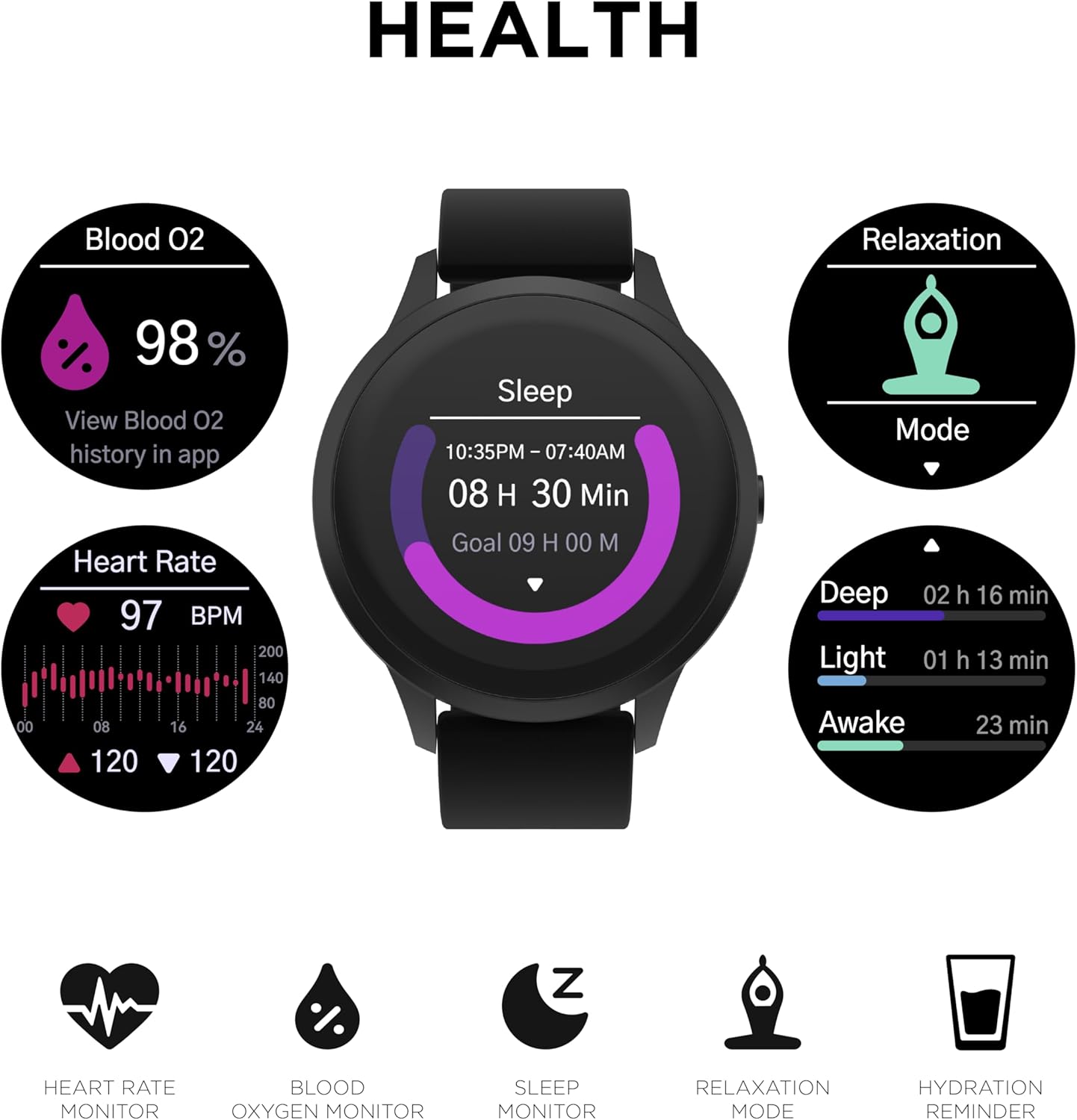
The smartwatch displaying various health metrics: Blood Oxygen (98%), Heart Rate (97 BPM with a graph), and Sleep tracking (8 hours 30 minutes, broken down into Deep, Light, and Awake stages).

The iTouch Sport 4 Smartwatch tracking sleep, showing the duration and different sleep stages.

The smartwatch showing real-time heart rate data with a graphical representation.
Tréninkové režimy
Activate Sports Mode to choose from over 100 different sports and workout options. The watch collects data tailored to your exercise, providing real-time stats and 13 workout metrics points. Your workout history is accessible on the watch and in the iTOUCH Wearables app.
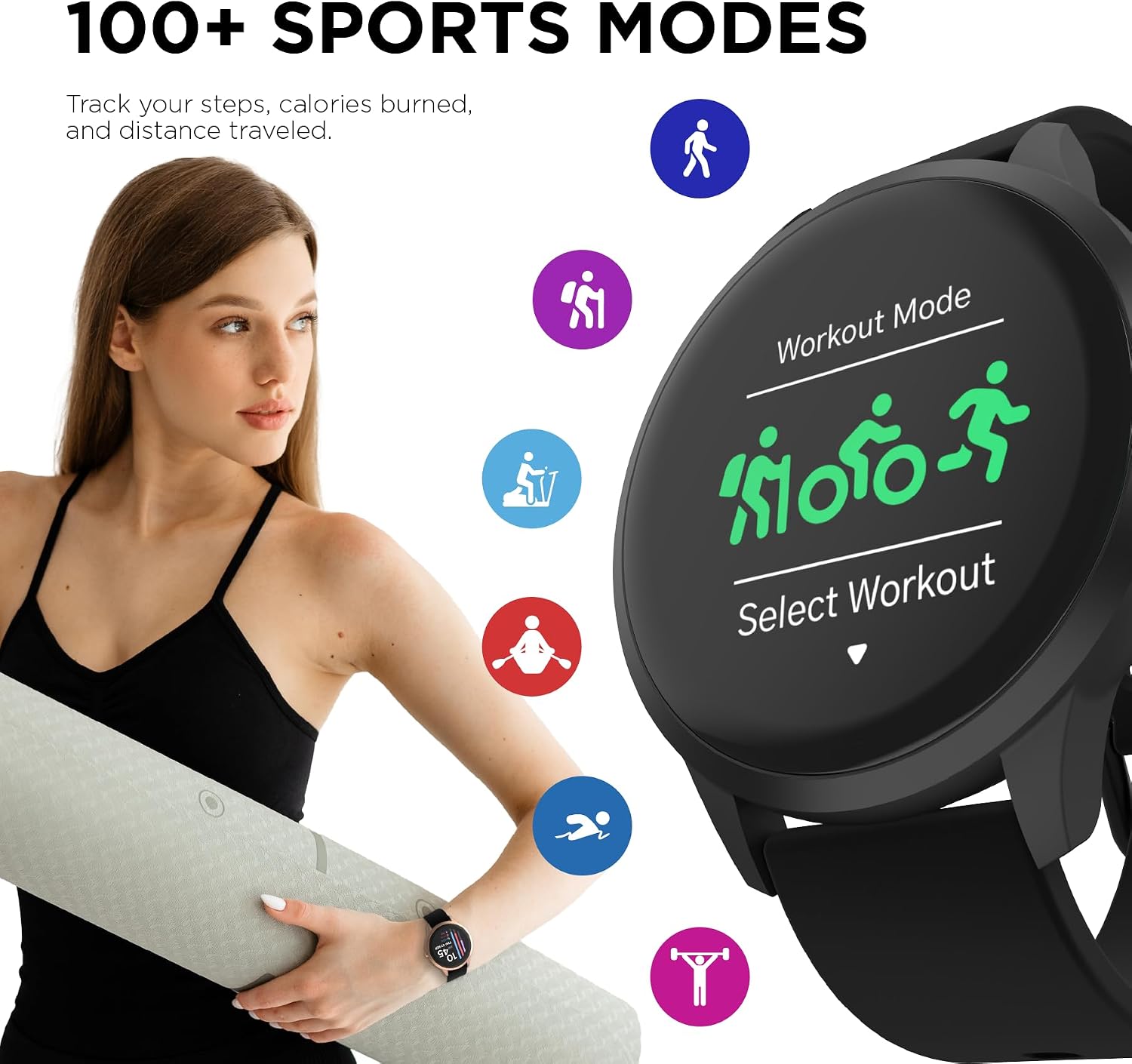
The iTouch Sport 4 Smartwatch displaying its 'Workout Mode' selection screen, with icons for various activities like running, cycling, and hiking.

The iTouch Sport 4 Smartwatch being worn during an outdoor activity, with icons representing different sports modes.
Další funkce
The iTouch Sport 4 includes several useful features:
- Relaxační režim: Provede vás dechovými cvičeními.
- Dálkové ovládání fotoaparátu: Ovládejte fotoaparát telefonu na dálku.
- Hudební dálkový ovladač: Ovládejte přehrávání hudby na telefonu.
- Informace o počasí: Získejte aktuální informace o počasí v reálném čase.
- Stopky a budík: Základní nástroje pro měření času.
- Hydration & Sedentary Reminders: Prompts to drink water and move throughout the day.

The iTouch Sport 4 Smartwatch displaying hydration and stretch reminders, encouraging users to stay active and hydrated.
Video o produktu
Oficiální video s produktemasing the features and design of the iTouch Sport 4 Smartwatch.
Údržba
Čištění chytrých hodinek
To keep your iTouch Sport 4 in optimal condition, regularly clean the watch and band with a soft, damp tkanina. Vyhněte se používání agresivních chemikálií nebo abrazivních materiálů.
Voděodolnost
The iTouch Sport 4 is IP68-rated water resistant, meaning it can withstand submersion in water up to 1.5 meters for up to 30 minutes. It is suitable for everyday use, including hand washing and light rain. However, it is not recommended for swimming, showering, or prolonged submersion.

The iTouch Sport 4 Smartwatch demonstrating its water resistance with droplets on the screen.
Životnost baterie
The iTouch Sport 4 offers up to 7 days of battery life on a single charge, depending on usage. To maximize battery life, reduce screen brightness, limit notifications, and disable features you don't frequently use.
Odstraňování problémů
| Problém | Možné řešení |
|---|---|
| Hodinky se nezapínají/nenabíjejí | Ensure the charging pins are clean and properly aligned with the watch. Try a different USB port or power adapter. Allow the watch to charge for at least 30 minutes before attempting to turn it on. |
| Nelze spárovat se smartphonem | Ensure Bluetooth is on and the iTOUCH Wearables app is open. Restart both your phone and the smartwatch. Forget the device in your phone's Bluetooth settings and try pairing again. Ensure your phone's OS meets the compatibility requirements (iOS 13+ or Android 10+). |
| Nepřesné údaje o zdraví | Ensure the watch is worn snugly on your wrist, not too tight or too loose. Clean the sensor on the back of the watch. Readings can be affected by movement, skin tone, and environmental factors. Consult a medical professional for accurate health measurements. |
| Oznámení se nezobrazují | Check notification settings in the iTOUCH Wearables app and your phone's system settings. Ensure the app has necessary permissions. Keep the app running in the background. |
Specifikace
- Název modelu: iTOUCH Sport 4 Smartwatch
- Číslo modelu: TP4R01-G02
- Značka: dotýkám se
- Velikost obrazovky: 48 milimetrů (1.28 palce)
- Zobrazit: Živý barevný displej
- Hmotnost: 100 gramů (3.53 unce)
- Voděodolnost: IP68 Rated (up to 1.5 meters for 30 minutes)
- Konektivita: Bluetooth
- Operační systém: Wear OS
- Baterie: 1 nestandardní baterie (lithium-iontová)
- Životnost baterie: Až 7 dní (liší se podle používání)
- Kompatibilita: iOS 13+ a Android 10+
- Speciální vlastnosti: Heart Rate Monitor, Blood Oxygen Monitor, Sleep Monitor, Pedometer, Calorie Tracker, 100+ Sports Modes, Customizable Watch Faces, Notifications, Camera/Music Remote, Weather, Stopwatch, Alarm, Hydration/Sedentary Reminders.
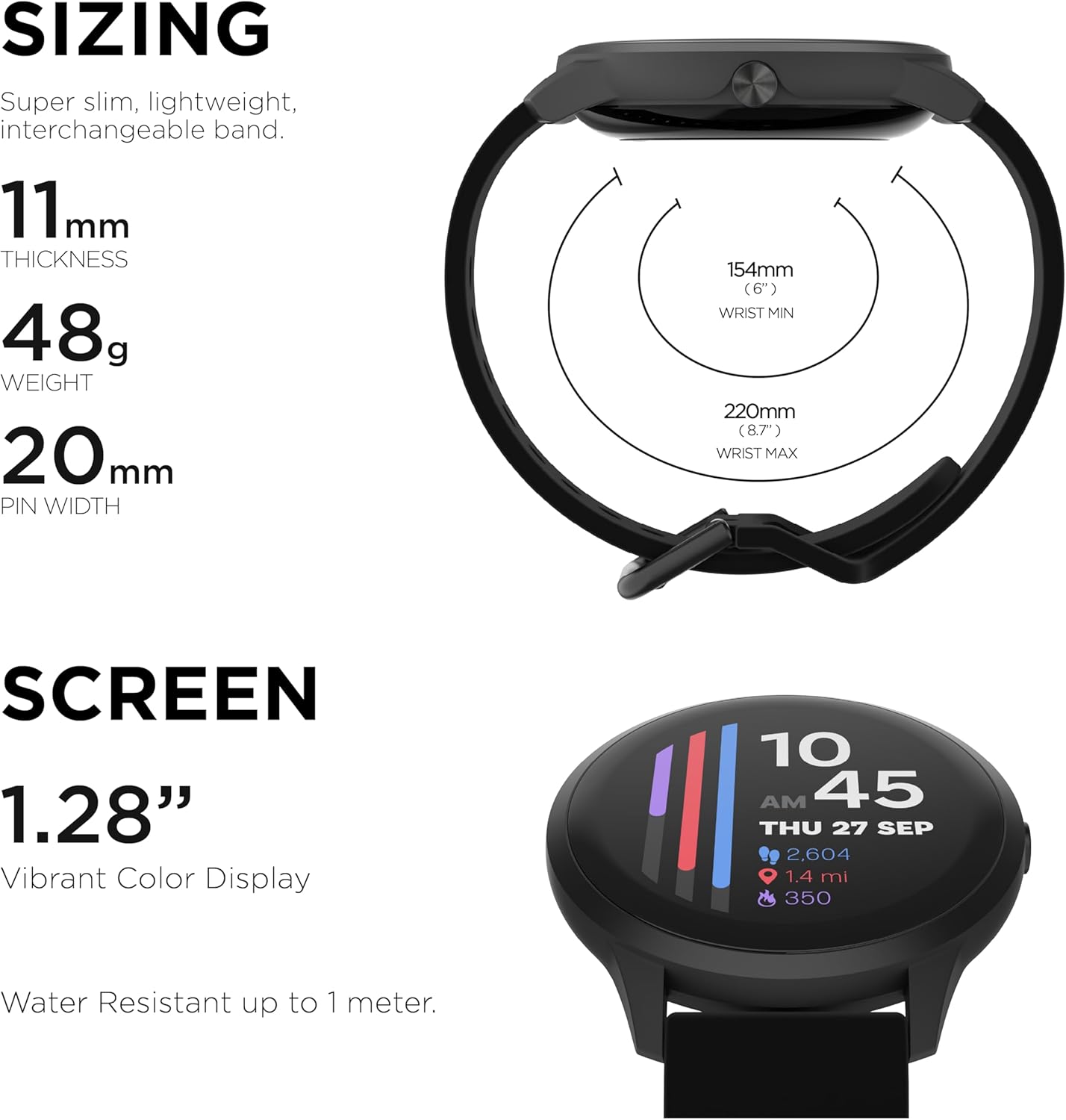
Detailed sizing information for the iTouch Sport 4 Smartwatch, including thickness, weight, and band dimensions.

Konecview of all the features supported by the iTouch Sport 4 Smartwatch, compatible with Android and iOS.
Záruka a podpora
For warranty information and customer support, please refer to the official iTouch Wearables webnebo se obraťte přímo na jejich zákaznický servis. Uschovejte si doklad o koupi pro případné reklamace.
Online podpora: Navštivte iTouch Store na Amazonu pro další zdroje a informace o produktech.
Ask a question about this manual
Ask about setup, troubleshooting, compatibility, parts, safety, or missing instructions. Manuals+ will review the question and use this page’s manual context to help answer it.