
1. Úvod
This manual provides essential instructions for the safe and effective operation of your Andoer H8 Compact Digital Camera. Please read this manual thoroughly before using the camera and retain it for future reference.
2. Bezpečnostní informace
Abyste zajistili bezpečný provoz, dodržujte prosím následující opatření:
- Nevystavujte fotoaparát vodě nebo vlhkosti.
- Zabraňte pádu fotoaparátu na zem nebo jeho vystavení silným nárazům.
- Chraňte fotoaparát před extrémními teplotami.
- Nepokoušejte se fotoaparát rozebírat ani opravovat sami. Kontaktujte kvalifikovaný servisní personál.
- Use only the specified charging cable and battery.

Popis obrázku: A red triangular warning symbol with an exclamation mark, accompanied by text in multiple languages warning to keep plastic bags away from babies and children to prevent suffocation.
3. Obsah balení
Ověřte, zda jsou v balení přítomny všechny položky:
- Andoer H8 Digital Camera
- Kabel typu C
- Šňůrka
- Uživatelská příručka

Popis obrázku: A pink Andoer H8 compact digital camera, displayed with its front and back sides visible, highlighting its compact design and screen.
4. Fotoaparát skončilview
Seznamte se s komponenty fotoaparátu:
- Čočka: Zachycuje obrázky a videa.
- Blikat: Poskytuje osvětlení za zhoršených světelných podmínek.
- 2.8palcový IPS displej: Pro viewing menus, photos, and videos.
- Vypínač: Zapíná/vypíná fotoaparát.
- Tlačítko spouště: Pořizuje fotografie.
- Ovládání zoomu: Adjusts 8x digital zoom.
- Navigační tlačítka: Pro navigaci v menu a výběr.
- Tlačítko režimu: Switches between photo, video, game, and music modes.
- Port USB-C: Pro nabíjení a přenos dat.
- Slot na kartu TF: Pro vložení paměťové karty.

Popis obrázku: An illustration showing the Andoer H8 camera in four different colors (Purple, Blue, Black, Pink) and icons representing its main functions: Photo, Video, Game, Music, and Flash lamp.
5. Nastavení
5.1. Nabíjení baterie
- Connect the supplied Type-C cable to the camera's USB-C port.
- Druhý konec kabelu připojte k napájecímu adaptéru USB (není součástí balení) nebo k portu USB počítače.
- The charging indicator will illuminate. Charging typically takes 2-4 hours.
- Po plném nabití se může kontrolka změnit nebo zhasnout.
5.2. Inserting a Memory Card (TF Card)
The camera supports TF cards up to 32GB (not included).
- Vyhledejte slot pro TF kartu na fotoaparátu.
- Insert the TF card with the metal contacts facing down until it clicks into place.
- Chcete-li kartu vyjmout, jemně na ni zatlačte, dokud nevyskočí.
6. Návod k obsluze
6.1. Zapnutí/vypnutí
- Pro zapnutí stiskněte a podržte tlačítko Napájení.
- Chcete-li zařízení vypnout, znovu stiskněte a podržte tlačítko napájení.
6.2. Fotografování
- Turn on the camera and ensure it is in Photo mode (indicated by an icon on the screen).
- Frame your shot using the 2.8-inch IPS display.
- Use the zoom controls to adjust the 8x digital zoom.
- Stisknutím tlačítka spouště pořídíte snímek.

Popis obrázku: A pink Andoer H8 camera showing a high-definition image on its screen, with text indicating "4800W shot in HD" and "8000x6000 HD resolution," demonstrating its photo capabilities.
6.3. Nahrávání videí
- Switch the camera to Video mode.
- Stisknutím tlačítka spouště spusťte nahrávání. Na obrazovce se zobrazí indikátor nahrávání.
- Dalším stisknutím tlačítka spouště nahrávání zastavíte.

Popis obrázku: A pink Andoer H8 camera displaying a live video recording on its screen, with "1080P Video recording" and "Recording the good times" text, illustrating its video capture function.
6.4. Přehrávání
- In Photo or Video mode, press the Playback button (usually indicated by a triangle icon) to enter playback mode.
- Use the navigation buttons to browse through your photos and videos.
- Stiskněte tlačítko OK/Enter pro view fotografii nebo přehrání videa.
6.5. Special Features: Stickers, Frames, and Filters
Enhance your photos with built-in creative options:
- Access these features through the camera's menu settings, typically found in Photo mode.
- Select from 40 kinds of head stickers, 26 photo frames, and 6 filters to customize your images before or after capture (depending on camera firmware).

Popis obrázku: A collage demonstrating various creative options available on the camera, including 40 types of cute head stickers, 26 adorable photo frames, and 6 filters, applied to different child portraits.
6.6. Přehrávání hudby
The camera supports MP3 music playback.
- Přenos MP3 filena TF kartu.
- Switch the camera to Music mode.
- Use the navigation buttons to select and play music.
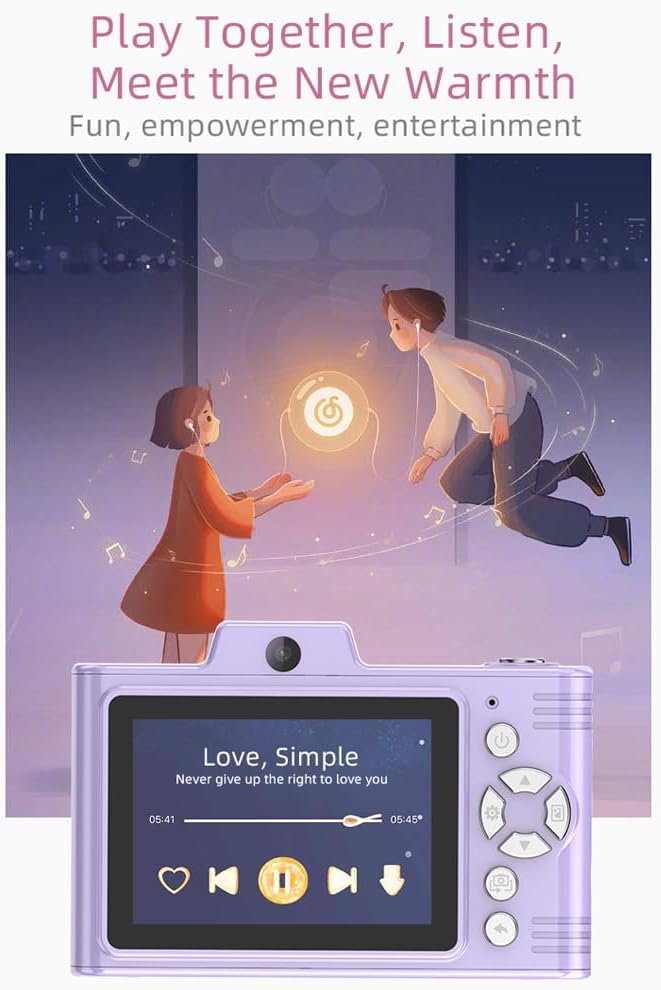
Popis obrázku: A purple Andoer H8 camera showing a music player interface on its screen, with song title "Love, Simple" and playback controls, indicating its music playback capability.
6.7. Connecting to a Computer / Transferring Files
You can transfer photos and videos to a computer or phone.
- Connect the camera to your computer using the Type-C cable.
- The camera should appear as a removable disk.
- Drag and drop files do vašeho počítače.
- For phone transfer, use an OTG adapter (not included) if your phone supports OTG functionality.
7. Údržba
- Čištění: Use a soft, dry cloth to clean the camera body. For the lens, use a specialized lens cleaning cloth.
- Skladování: Store the camera in a cool, dry place away from direct sunlight and dust. Remove the battery if storing for extended periods.
8. Řešení problémů
| Problém | Možné řešení |
|---|---|
| Fotoaparát se nezapne. | Ensure the battery is charged. Reinsert the battery. |
| Nelze pořizovat fotografie/videa. | Check if a TF card is inserted and has sufficient space. Ensure camera is in the correct mode. |
| Obrázky jsou rozmazané. | Clean the lens. Ensure adequate lighting. Hold the camera steady. |
| Kamera zamrzne. | Vyjměte a znovu vložte baterii pro resetování fotoaparátu. |
9. Specifikace
| Funkce | Detail |
|---|---|
| Model produktu | H8 |
| Obrazovka displeje | 2.8 palec IPS |
| Fotografický pixel | Až 48 MP |
| Rozlišení videa | 1080p HD |
| Digitální zoom | 8x |
| File Formát | JPG/AVI/MP3 |
| Doba nabíjení | Přibl. 2-4 hodiny |
| Kapacita baterie | 700mAh, 3.7V |
| Hmotnost produktu | 110 g |
| Velikost produktu | Rozměr 105.5 x 72 x 46 mm |
| Nabíjecí svtage | DC5V 1A |
| Podpora paměti | TF card (max 32GB) |
| Speciální funkce | 40 Head Stickers, 26 Photo Frames, 6 Filters |
| Konektivita | USB (typ C) |
| Stabilizace obrazu | Digitální |
| Typ snímače | CMOS |
| Úroveň dovedností | Nováček |
10. Záruka a podpora
For warranty information and technical support, please refer to the documentation provided with your purchase or contact Andoer customer service directly. Keep your proof of purchase for warranty claims.