
WOLFANG WD01
WOLFANG 4K Dash Cam Front and Rear User Manual
Značka: WOLFANG | Model: WD01
1. Úvod
Thank you for choosing the WOLFANG WD01 4K Dash Cam. This manual provides detailed instructions for the installation, operation, and maintenance of your new dash camera system. Designed for optimal road safety, the WD01 offers high-resolution recording, advanced features, and user-friendly controls to ensure a reliable and comprehensive driving record.
The WOLFANG WD01 is a dual-camera system capable of simultaneously recording 4K video from the front camera and 1080P video from the rear camera. It features a responsive 3-inch IPS touch screen, built-in GPS for route tracking, and WiFi connectivity for easy access via a smartphone app. Enhanced night vision, G-sensor, loop recording, and 24-hour parking monitoring provide comprehensive protection for your vehicle.

Figure 1.1: WOLFANG WD01 4K Dash Cam system overview, showing the main unit, rear camera, and smartphone app integration.
2. Obsah balení
Please check the package carefully to ensure all items are present and in good condition. If any items are missing or damaged, please contact WOLFANG customer support.
- 1 x WOLFANG WD01 4K Dash Cam (Front Camera)
- 1 x 1080P zadní kamera
- 1 x kabel zadní kamery
- 1 x Car Charger (with built-in GPS module)
- 1 x držák přísavky
- 1 x napájecí kabel typu C
- 1 x Nástroj na ořezávání autodrátů
- 1 x Uživatelská příručka
- Spare 3M type stickers (for rear camera and GPS unit, if applicable)

Figure 2.1: All components included in the WOLFANG WD01 Dash Cam package.
3. Specifikace
| Funkce | Popis |
|---|---|
| Název modelu | WD01 |
| Rozlišení záznamu videa | Front 4K UHD (3840x2160P) and Rear 1080P FHD (1920x1080P) |
| Zobrazit | 3palcový IPS dotykový displej |
| Pole View | Front 170 Degrees, Rear 140 Degrees |
| Konektivita | Built-in WiFi, GPS, Type-C USB |
| Noční vidění | SONY STARVIS Sensor, F1.8 Aperture, WDR & HDR |
| Speciální funkce | Auto Recording, Loop Recording, G-Sensor, 24/7 Parking Monitoring (G-Sensor, Time-lapse), Automatic and Manual Emergency Recording |
| Skladování | Supports TF card up to 256GB (not included) |
| Zdroj napájení | Nabíječka do auta (12V) |
| Dimensions (Front Cam) | 1.52 x 3.6 x 2.2 palce |
| Hmotnost položky | 1.23 libry |
| Baterie | Vyžaduje 1 lithium-iontovou baterii (vestavěnou) |
| Výrobce | WOLFANG |
| Země původu | Čína |
4. Nastavení a instalace
Follow these steps for proper installation of your WOLFANG WD01 Dash Cam system.
4.1 Příprava na instalaci
- Formátování karty Micro SD: Before first use, insert a high-speed (Class 10 or higher) TF card (up to 256GB, not included) into the dash cam and format it via the camera's settings menu. This ensures optimal performance and prevents recording errors.
- Vyberte místo montáže: Vyberte si místo na čelním skle, které vám nebude překážet view of the road. The ideal spot is usually behind the rearview mirror. For the rear camera, choose a central location on the rear windshield.
4.2 Instalace přední kamery
- Clean the chosen area on your windshield thoroughly to ensure strong adhesion of the suction cup mount.
- Připevněte přísavný držák k palubní kameře.
- Press the suction cup firmly against the windshield and lock it into place.
- Upravte úhel přední kamery tak, aby jasně zachytávala silnici před vámi.
4.3 Instalace zadní kamery
- Clean the chosen area on your rear windshield.
- Připevněte zadní kameru pomocí její lepicí podložky.
- Connect the rear camera cable to the rear camera and route it neatly to the front dash cam. Use the included trim tool to tuck the cable along the vehicle's headliner and A-pillars for a clean installation.
- Plug the rear camera cable into the AV-IN port on the main dash cam unit.
4.4 Připojení napájení
- Zapojte autonabíječku do zásuvky zapalovače cigaret ve vozidle.
- Connect the Type-C end of the power cable to the Type-C port on the dash cam.
- Route the power cable neatly, tucking it along the dashboard and console using the trim tool.
- Palubní kamera se automaticky zapne a začne nahrávat po zapnutí zapalování vozidla.

Figure 4.1: Wiring diagram for the WOLFANG WD01 Dash Cam system.
5. Provoz
5.1 Základní nahrávání
Once powered on, the dash cam will automatically start recording. The front camera records in 4K UHD, and the rear camera records in 1080P FHD simultaneously. Recordings are saved to the inserted TF card.

Figure 5.1: Visual representation of 4K front and 1080P rear recording quality.
- Nahrávání ve smyčce: The dash cam records video in continuous loops (e.g., 1, 3, or 5-minute segments). When the TF card is full, the oldest unlocked video filebudou automaticky přepsány.
- Nouzové nahrávání (G-senzor): V případě náhlého nárazu nebo kolize vestavěný G-senzor automaticky detekuje událost a uzamkne aktuální video. file, čímž se zabrání jeho přepsání nahráváním ve smyčce. Tyto filejsou uloženy v samostatné složce „Událost“.
- Ruční nouzové nahrávání: You can manually lock the current recording by pressing the designated button on the dash cam (refer to the on-screen interface or physical buttons).
5.2 3-inch IPS Touch Screen
The responsive 3-inch IPS touch screen allows for easy navigation of menus, settings, and video playback. Simply tap the icons on the screen to access various functions.
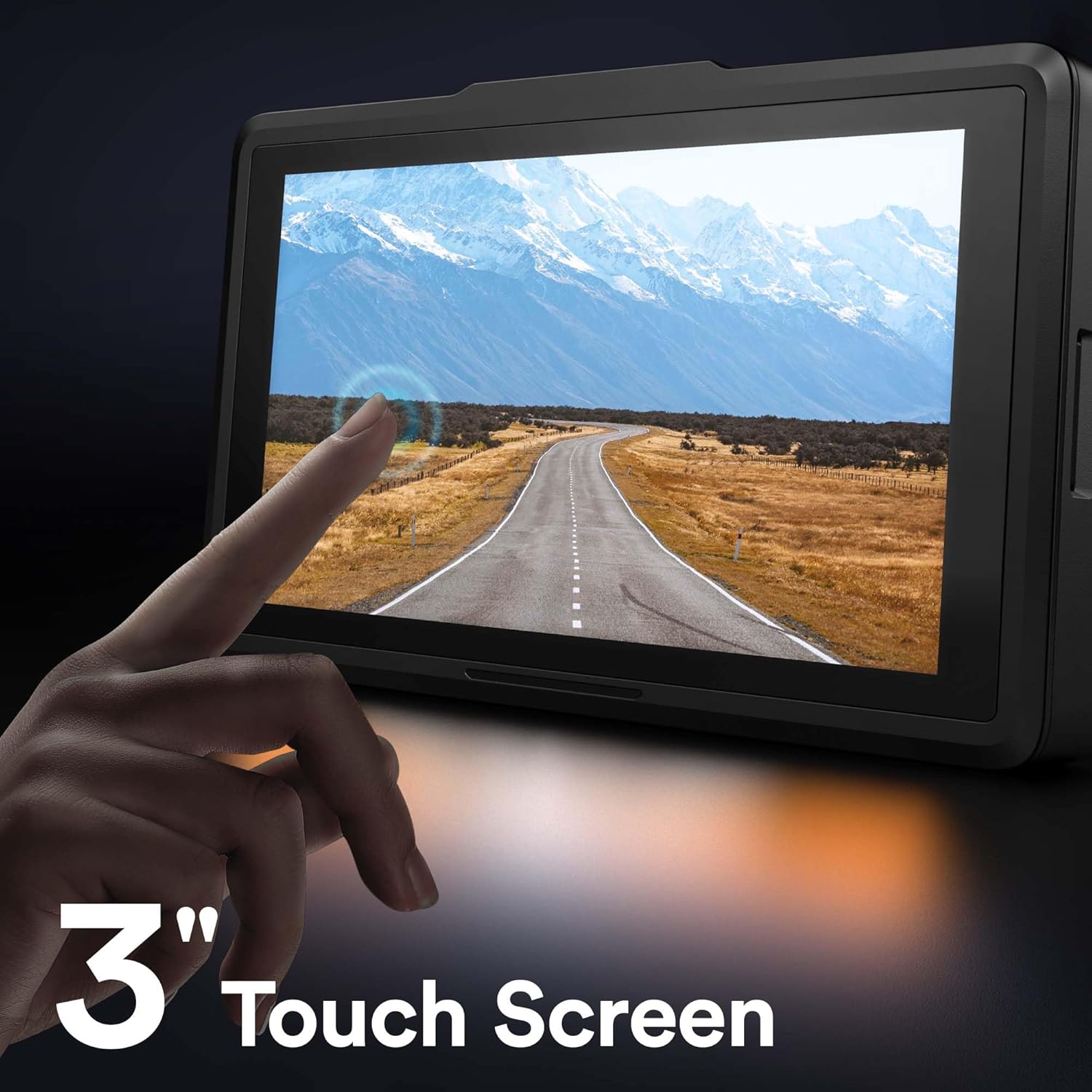
Figure 5.2: The 3-inch IPS touch screen interface.
5.3 Funkce GPS
The built-in GPS module (integrated into the car charger cable) records your driving route, speed, and other location data. This information can be viewed using a dedicated GPS player software on your Windows or Mac computer, providing crucial evidence in case of an incident. Please contact WOLFANG support to obtain the GPS player software.

Figure 5.3: GPS data access via computer and WiFi connectivity for smartphone.
5.4 Built-in WiFi & App Control
The WOLFANG WD01 features built-in WiFi, allowing you to connect your smartphone (iOS or Android) to the dash cam via the "LuckyCam" app. This app provides convenient access to:
- Živě předview nahrávek.
- Playback of recorded videos.
- Adjustment of camera settings.
- Direct download of recorded videos to your smartphone.
- Easy sharing of footage on social media.
Download the "LuckyCam" app from your smartphone's app store. Follow the in-app instructions to connect to your dash cam's WiFi network.

Figure 5.4: Easy access and control via the LuckyCam smartphone application.
5.5 Noční vidění
Equipped with an advanced SONY STARVIS sensor, F1.8 large aperture, and TRUE WDR (Wide Dynamic Range) technology, the WD01 dash cam provides enhanced low-light sensitivity, ensuring clear and detailed video recordings even in challenging night-time conditions.
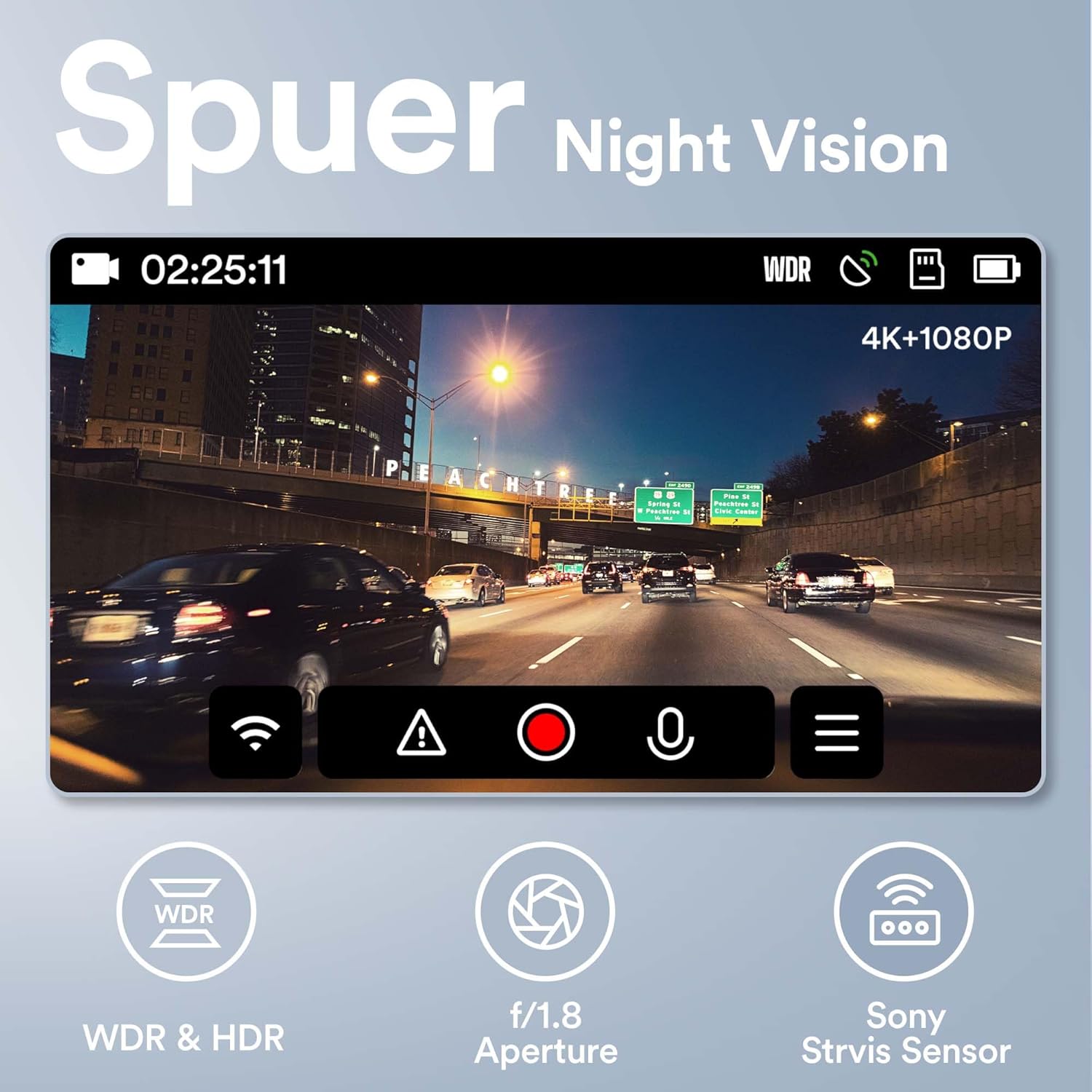
Figure 5.5: Super Night Vision capabilities of the WOLFANG WD01.
5.6 24hodinový monitoring parkování
The 24-hour parking monitoring feature provides continuous protection for your vehicle even when parked. This mode can be activated through the camera settings and typically includes:
- Režim G-Sensor: If an impact is detected while parked, the dash cam will automatically power on and record a short video, then power off.
- Time-lapse Monitor: Records continuous video at a low frame rate (e.g., 1 frame per second) to save storage space, then plays back at a normal speed, allowing you to review long periods of parking activity quickly.
Note: For continuous 24-hour parking monitoring, a hardwire kit (sold separately) is usually required to provide constant power to the dash cam without draining the car battery.

Obrázek 5.6: Přesview of 24-hour parking monitoring features.
6. Údržba
- Čištění: K čištění objektivu a obrazovky fotoaparátu používejte měkký, suchý hadřík. Nepoužívejte abrazivní čisticí prostředky ani rozpouštědla.
- Údržba TF karty: It is recommended to format the TF card once a month to maintain optimal performance and prevent data corruption. Back up any important videos before formatting.
- Teplota: Avoid exposing the dash cam to extreme temperatures (hot or cold) for extended periods, as this can affect battery life and component integrity.
- Aktualizace firmwaru: Periodically check the WOLFANG official website for any available firmware updates. Updating the firmware can improve performance and add new features.
7. Řešení problémů
| Problém | Možné řešení |
|---|---|
| Palubní kamera se nezapne. |
|
| Camera stops recording or shows "Card Error". |
|
| Video footage je rozmazané nebo nejasné. |
|
| GPS signal is not found or inaccurate. |
|
| Problémy s WiFi připojením v aplikaci. |
|
8. Záruka a podpora
WOLFANG is committed to providing high-quality products and excellent customer service.
- Záruka: The WOLFANG WD01 Dash Cam comes with a one-year warranty from the date of purchase, covering manufacturing defects. Additionally, WOLFANG offers a 3-year quality guarantee.
- Vrácení: You are eligible for a 365-day return policy. Please refer to your purchase platform's return guidelines for specific details.
- Zákaznická podpora: For any questions, technical assistance, or warranty claims, please contact our professional after-sales team. We offer 24-hour after-sales service.
Kontaktní email: support.vc@wolfang.co
Please provide your product model (WD01) and purchase details when contacting support for faster service.
Ask a question about this manual
Ask about setup, troubleshooting, compatibility, parts, safety, or missing instructions. Manuals+ will review the question and use this page’s manual context to help answer it.