
Zavedení
This manual provides essential information for the safe and efficient use of your LG QNED75 65-Inch 4K Smart TV. Please read it thoroughly before operating the television and retain it for future reference. This television combines Quantum Dot and NanoCell technologies for enhanced color, features an a5 AI Processor Gen6 for optimized picture and sound, and runs on the WebChytrá platforma OS 23.
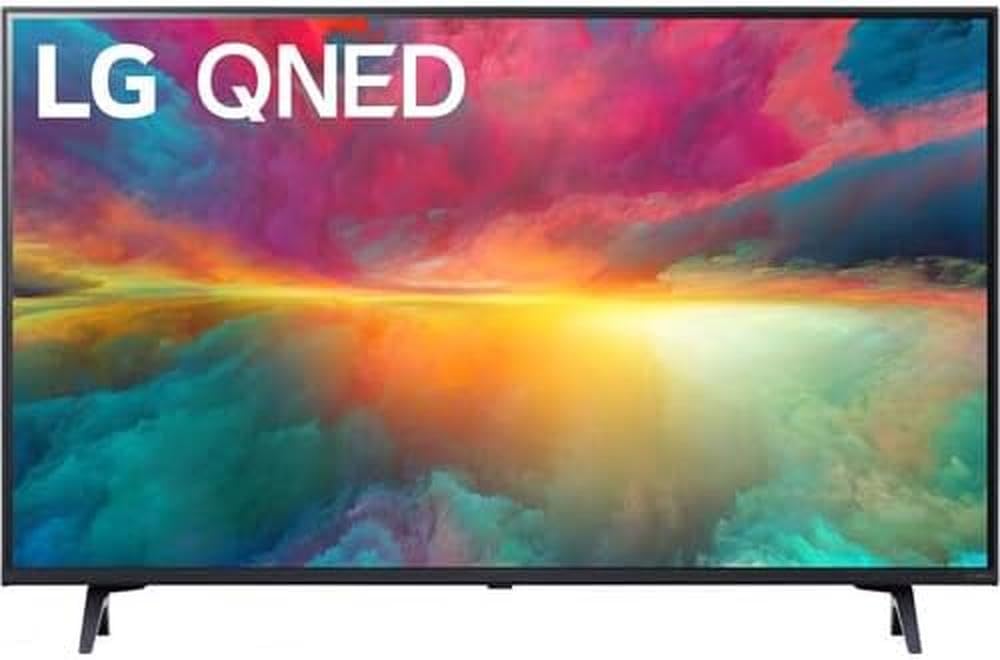
Obrázek 1: Přední strana view of the LG QNED75 65-Inch 4K Smart TV.
Co je v krabici
Verify that all components are present before proceeding with setup. The package should contain the following items:
- LG QNED75 65-Inch 4K Smart TV
- Magické dálkové ovládání
- Baterie do dálkového ovladače (AA)
- Komponenty TV stojanu
- Napájecí kabel
- Rychlý průvodce
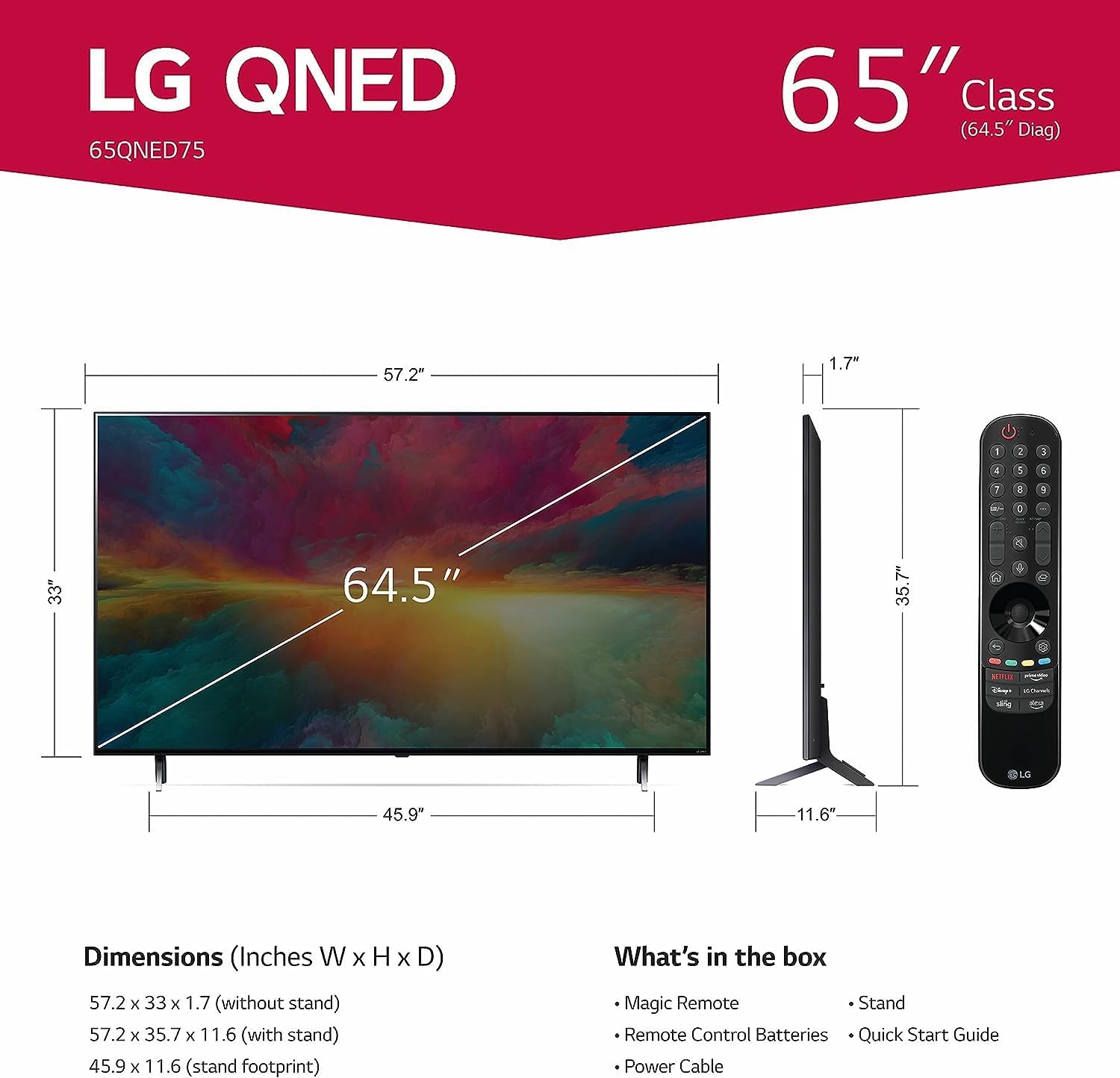
Figure 2: Diagram illustrating TV dimensions and included accessories.
Nastavení
1. Vybalení a umístění
Carefully remove the TV from its packaging. It is recommended to have two people for this process due to the size and weight of the unit. Place the TV on a stable, level surface or prepare for wall mounting.
2. Instalace stojanu (volitelné)
If using the included stand, attach the stand components to the TV according to the instructions in the Quick Start Guide. Ensure all screws are securely fastened.
3. Montáž na stěnu (volitelné)
This TV supports VESA mount standard 600 x 400 mm. Use a compatible wall mount bracket (sold separately) and follow the bracket manufacturer's instructions for installation. Ensure the wall can support the TV's weight (approximately 24.95 kg / 55 lbs without stand).
4. Připojení periferií
Connect your external devices such as cable boxes, Blu-ray players, gaming consoles, and sound systems to the TV's ports. The TV features 3 HDMI ports, 2 USB ports, Ethernet, and supports Bluetooth and Wi-Fi connectivity.
Obrázek 3: Zadní view of the TV displaying connectivity ports.
5. Připojení napájení
Connect the power cable to the TV and then to a wall outlet. The TV operates on 110 VAC 60 Hz.
6. Průvodce počátečním nastavením
Upon first power-on, the TV will guide you through an initial setup process, including language selection, network connection (Wi-Fi or Ethernet), and channel scanning.
7. Magic Remote Pairing
The Magic Remote typically pairs automatically. If not, point the remote at the TV and press the Kolo (OK) button. If it fails, try replacing the batteries or resetting the remote.
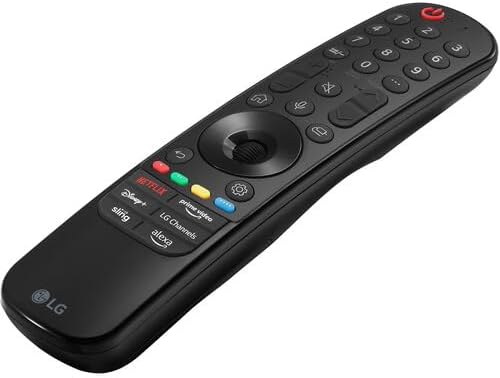
Figure 4: The LG Magic Remote control.
Ovládání televizoru
1. Základní ovládací prvky
Use the Magic Remote to navigate the TV. The Moc button turns the TV on/off. Use the Zvýšení/snížení hlasitosti a Kanál nahoru/dolů buttons for basic adjustments. The Kolo (OK) button acts as a selector and scroll wheel.
2. WebChytré funkce OS 23
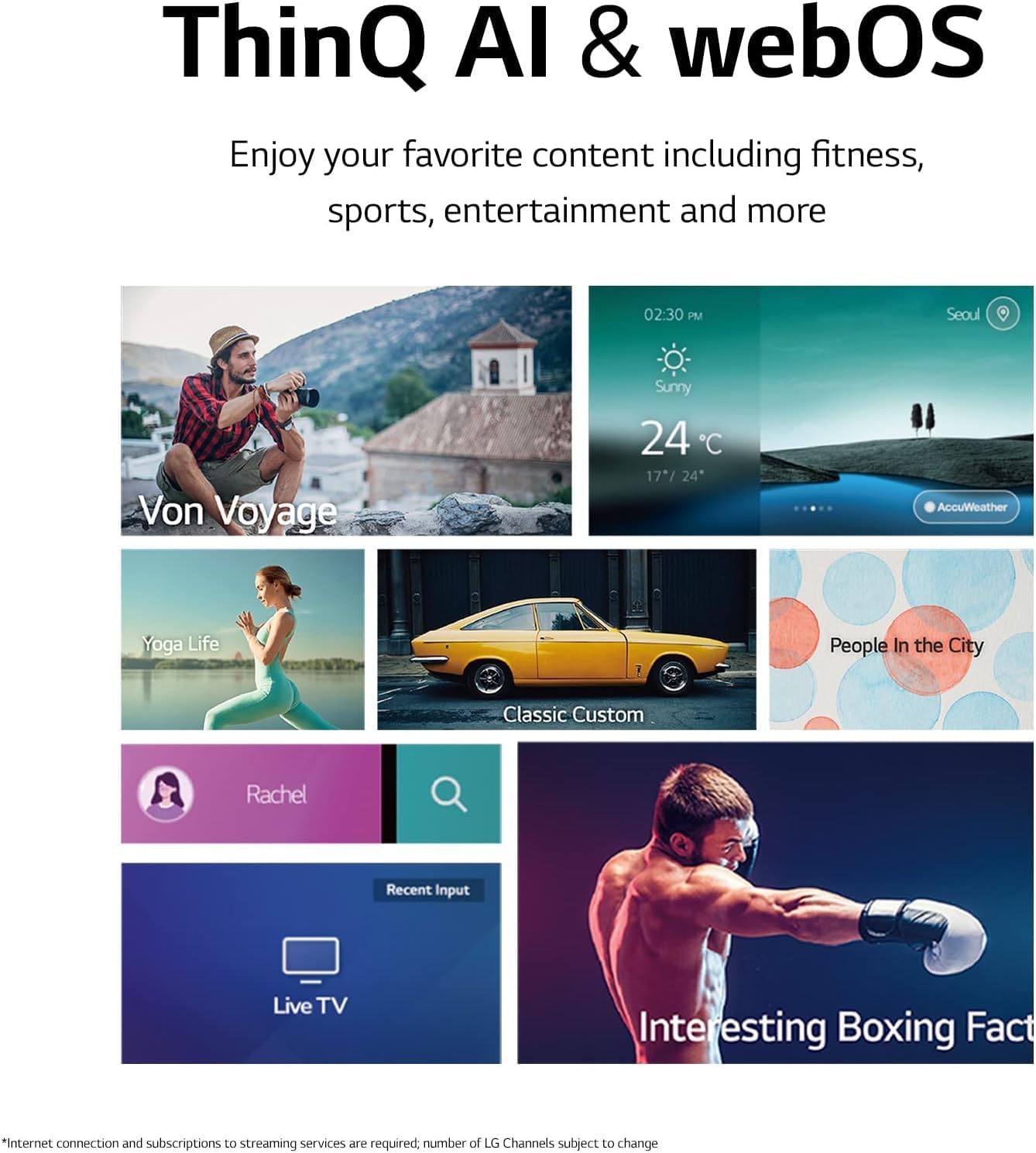
Vaše televize běží WebOS 23, providing access to a variety of smart features and applications. The Home Dashboard allows you to manage connected devices and access settings. Quick Cards organize your favorite apps into categories for easy access.

Obrázek 5: WebOS 23 interface with various content options.
Access over 100 free channels with LG Channels (internet connection required; number of channels subject to change).
3. Nastavení obrazu
The a5 AI Processor Gen6 enhances picture detail and adjusts color and contrast based on room lighting. For a cinematic experience, activate REŽIM FILMOVAČE na view content as intended by the director. The TV supports HDR10 for enhanced dynamic range.

Obrázek 6: Example of the home cinema experience.
4. Nastavení zvuku
Experience virtual 5.1 surround sound for an immersive audio experience. The a5 AI Processor Gen6 also improves sound quality.
5. Herní funkce
The Game Optimizer allows you to quickly customize gaming settings in one location. The TV supports FreeSync™ Premium for reduced screen tearing and stuttering. GeForce NOW is included for cloud gaming (subscription and compatible controller required). Features like ALLM (Auto Low Latency Mode) and HGiG (HDR Gaming Interest Group) are supported for an optimized gaming experience.

Figure 7: The TV displaying a gaming scene.

Figure 8: The Game Optimizer dashboard for quick settings adjustments.
6. Hlasové ovládání
The TV has Alexa built-in and works with Google Assistant, Apple AirPlay, and Apple HomeKit. Use the voice command button on your Magic Remote to activate voice control features.
Údržba
1. Čištění televizoru
Obrazovku jemně otřete měkkým, suchým hadříkem, který nepouští vlákna. V případě odolných skvrn ji lehce otřete.ampen the cloth with water or a specialized screen cleaner. Avoid using harsh chemicals, abrasive materials, or direct spraying of liquids onto the screen or TV body. For the TV body, use a soft, dry cloth.
2. Aktualizace softwaru
Your LG Smart TV may receive software updates to improve performance and add new features. Ensure your TV is connected to the internet. You can check for updates manually through the TV's settings menu or enable automatic updates.
Odstraňování problémů
Pokud narazíte na problémy s televizorem, podívejte se na následující běžná řešení:
- Bez napájení: Ujistěte se, že je napájecí kabel bezpečně připojen k televizoru i k elektrické zásuvce. Zkuste do stejné zásuvky zapojit jiné zařízení, abyste se ujistili, že je pod napětím.
- Žádný obraz/zvuk: Check that the correct input source is selected. Verify all HDMI or other input cables are securely connected. Try restarting connected devices.
- Dálkové ovládání nereaguje: Replace the batteries in the Magic Remote. Ensure there are no obstructions between the remote and the TV. Re-pair the remote if necessary (point at TV and press Wheel/OK button).
- Problémy s připojením k síti: Check your Wi-Fi router or Ethernet cable connection. Try restarting your router. Ensure the TV's network settings are correctly configured.
- Problémy s kvalitou obrazu: Adjust picture settings in the TV menu. Ensure the content source is high quality (e.g., 4K content for 4K display).
V případě složitějších problémů se podívejte do kompletní uživatelské příručky dostupné na stránkách podpory LG. webwebu nebo kontaktujte zákaznickou podporu LG.
Specifikace
| Funkce | Specifikace |
|---|---|
| Číslo modelu | 65QNED75URA |
| Velikost obrazovky | 65 palce |
| Technologie displeje | QLED (Quantum Dot NanoCell) |
| Rezoluce | 4K (3840 x 2160) |
| Obnovovací frekvence | 120 Hz |
| Procesor | a5 AI procesor Gen6 |
| Operační systém | WebOS 23 |
| Podporovaný formát HDR | HDR10 |
| Režim zvukového výstupu | Virtuální 5.1 prostorový zvuk |
| Konektivita | Wi-Fi, Bluetooth, Ethernet, 3x HDMI, 2x USB |
| Hlasové ovládání | Amazon Alexa Built-in, Works with Google Assistant |
| Standardní držák VESA | 600 x 400 mm |
| Rozměry produktu (se stojanem) | 145 Š x 29.4 H x 90 V cm |
| Hmotnost položky (s podstavcem) | 24.95 kg (55 lb) |
| Napájení | 110 VAC 60 Hz |
Záruka a podpora
Informace o záruce
This LG QNED75 65-Inch 4K Smart TV comes with a 1 rok Díly a práce záruka. Uschovejte si prosím doklad o koupi pro případ uplatnění záruky.
Zákaznická podpora
For technical assistance, troubleshooting, or warranty service, please contact LG customer support. You can find contact information and additional resources on the official LG webmísto.