
1. Úvod
The BOTSLAB W302 Outdoor Dual-Lens Security Camera is designed to provide comprehensive surveillance for your home or business. Featuring advanced dual-lens technology, it offers a 170° super-wide viewing angle and crystal-clear 4MP resolution. This manual provides detailed instructions for setting up, operating, and maintaining your security camera to ensure optimal performance.
2. Obsah balení
Zkontrolujte prosím, zda jsou všechny níže uvedené položky součástí balení. Pokud některé položky chybí nebo jsou poškozené, kontaktujte prosím zákaznickou podporu.
- Kamerová jednotka x 1
- Držák x 1
- Polohovací nálepka x 1
- Warning sticker x 1
- Průvodce rychlým startem x 1
- Napájecí adaptér x 1
- Sada šroubů x 1

Figure 2.1: All components included in the BOTSLAB W302 camera package.
3. Vlastnosti produktu
- Dual-Lens Vision: Captures a wide 170° super-wide viewing angle with 4MP (2MP+2MP) resolution for seamless panoramic images without blind spots.
- Barevné noční vidění: Provides continuous color views 24/7, even in low light, thanks to automatic light adaptation (ColorGuard) and up to 100ft night vision range.
- Smart Security & Precise Alerts: Detects people and vehicles with motion detection, sending precise alerts. Features a customizable siren and light alarm for enhanced security.
- AI-Powered Tracking: Intelligently focuses on humans, offering close-up views and dual live views (wide panorama and close-up) simultaneously via the Botslab app.
- Bezproblémové připojení: Supports faster and more stable dual-band Wi-Fi (2.4GHz/5GHz).
- Obousměrný zvuk: Stay connected and communicate with visitors or deter intruders.
- Design odolný vůči povětrnostním vlivům: IP66 rated, ensuring reliable performance in temperatures from -20°C to 60°C.
- Integrace chytré domácnosti: Seamlessly integrates with Amazon Alexa and Google Assistant for voice control.

Figure 3.1: Dual-Lens Vision with 170° Super-Wide Angle.

Figure 3.2: Non-Stop Color Night Vision.

Figure 3.3: Smart Security with Person, Vehicle, and Motion Detection.
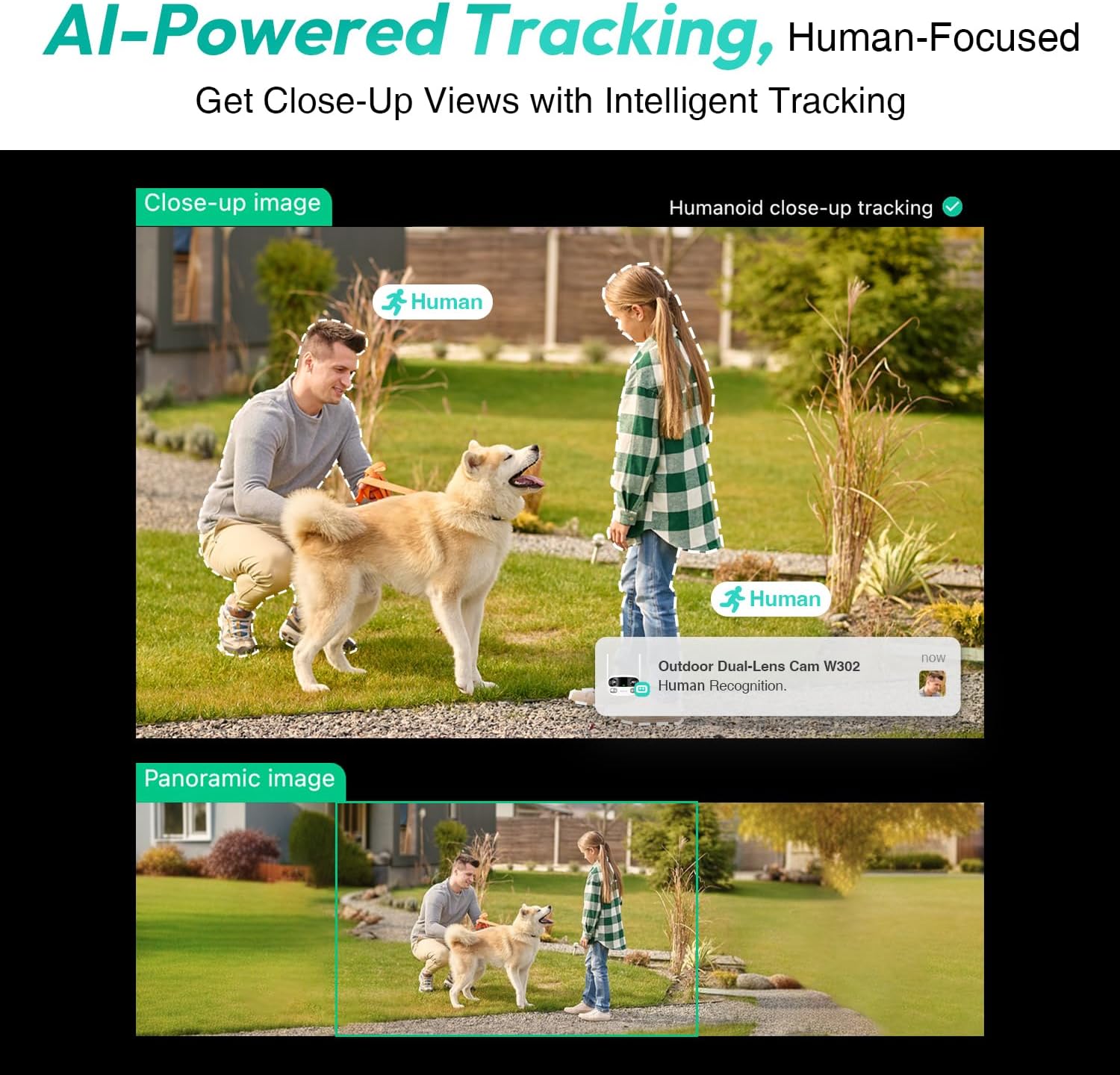
Figure 3.4: AI-Powered Human Tracking with Dual Live Views.
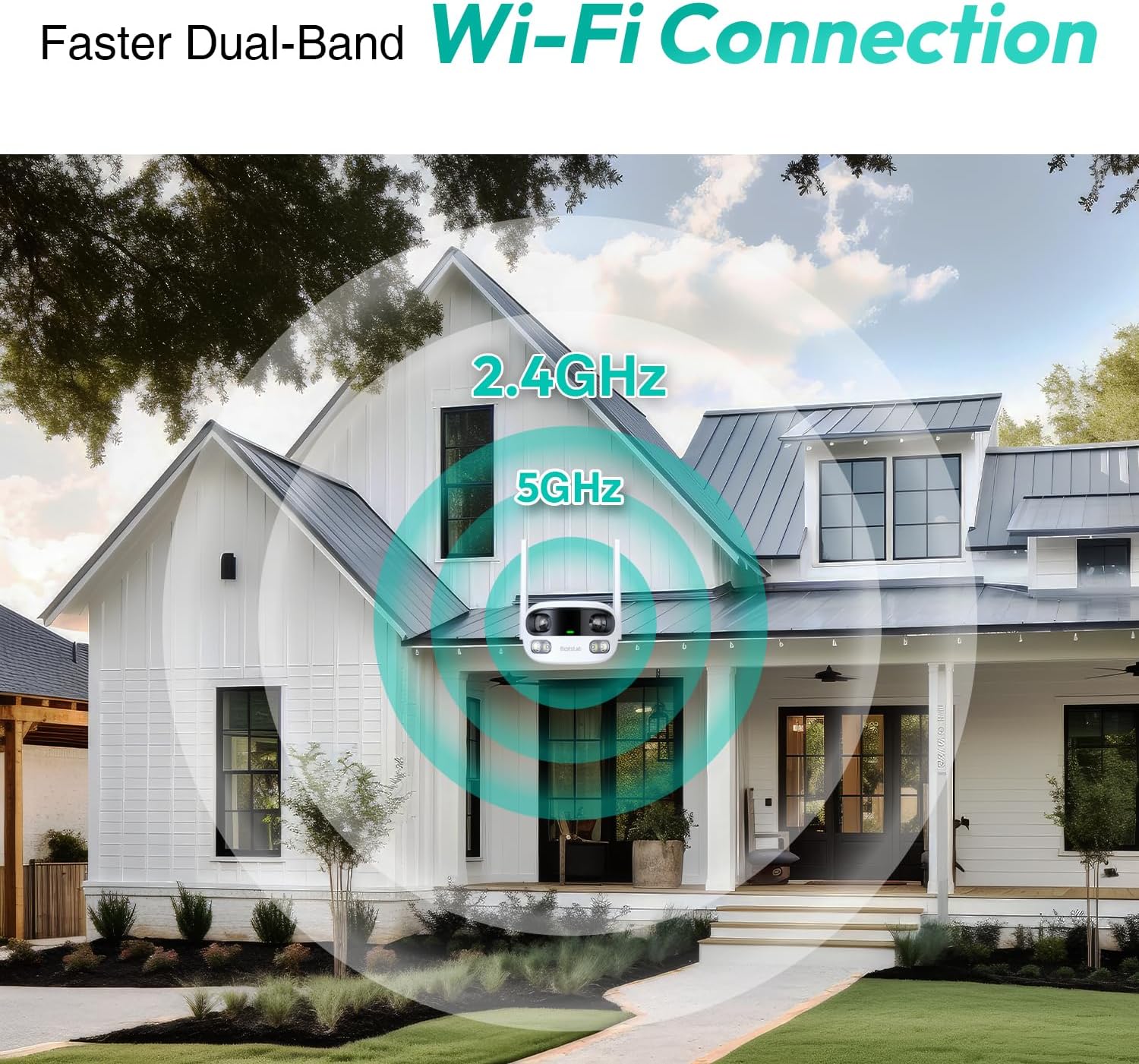
Figure 3.5: Faster Dual-Band Wi-Fi Connection.

Figure 3.6: Two-Way Audio Communication.

Figure 3.7: IP66 Weatherproof Design.

Figure 3.8: Alexa & Google Assistant Integration.
4. Nastavení a instalace
Follow these steps to properly install your BOTSLAB W302 camera.
- Vyberte umístění: Vyberte venkovní místo s jasným view of the area you wish to monitor. Ensure it's within Wi-Fi range and near a power outlet.
- Namontujte držák: Use the provided positioning sticker to mark drill holes on the wall or ceiling. Drill the holes, insert expansion tubes, and securely fasten the bracket with screws.
- Připojte kameru: Rotate the camera body and screw it onto the bracket. Adjust the camera's position and tighten the bracket.
- Připojte napájení: Plug the power adapter into the camera and then into a power outlet. The indicator light will turn green and start flashing when ready for pairing.

Figure 4.1: Versatile Installation Options (Wall and Ceiling).
Video 4.1: Overview of the Botslab Security Camera Outdoor, including its features and installation process. This video is provided by Botslab Security.
5. Konfigurace aplikace
The Botslab app is essential for controlling and monitoring your camera. Download and install the app on your smartphone (available on App Store and Google Play).
- Registrace/Přihlášení: Open the Botslab app and register a new account or log in with an existing one.
- Přidat zařízení: Tap 'Add Device' or the '+' icon in the app.
- Naskenujte QR kód: Naskenujte QR kód umístěný ve spodní části fotoaparátu.
- Připojení k Wi-Fi: Follow the in-app instructions to connect the camera to your 2.4GHz or 5GHz Wi-Fi network. Ensure your phone is near the camera during this process.
- Vazba zařízení: The app will bind the device to your account. Once connected, the indicator light on the camera will turn solid blue.
Video 5.1: Podrobný popisview of the Botslab W302 Outdoor Dual Lens Security Camera, including app setup and features. This video is provided by Galaxy Tech Review.
6. Návod k obsluze
Once configured, you can access and control your camera through the Botslab app.
- Žít View: Access the live feed from both lenses. You can switch between close-up and panoramic views, or use the left/right mode for individual lens feeds.
- Posun/přiblížení: In panoramic mode, slide the bottom image to pan left or right. Pinch to zoom on the close-up image.
- Obousměrný zvuk: Tap the phone icon to speak through the camera's speaker. Tap the mute icon to silence audio from the camera's microphone.
- Siren & Light Alarm: Activate the siren and floodlights manually from the app to deter intruders.
- Motion/Vehicle/Person Detection: Enable these features in the app settings to receive precise alerts.
- Soukromé zóny: Nastavte konkrétní oblasti v záběru fotoaparátu view that will not be monitored for privacy.
- Noční vidění: The camera automatically adapts to low light. You can choose between full-color night vision (using floodlights) or infrared night vision.

Figure 6.1: Dual Live Views on the Botslab App.

Figure 6.2: Siren & Light Alarm for Instant Deterrence.

Figure 6.3: Configuring Privacy Zones.

Figure 6.4: Smart Security with Precise Alerts.
7. Možnosti úložiště
The BOTSLAB W302 offers flexible storage solutions for your recorded footage.
- Botslab Cloud Storage: Includes a one-year trial with 7-day storage for motion-detected clips at 5-minute intervals.
- Místní úložiště: Supports up to 256GB MicroSD cards (not included). The MicroSD card slot is located under a protective cover at the bottom of the camera.

Figure 7.1: Cloud and Local Storage Options.
8. Specifikace
| Funkce | Specifikace |
|---|---|
| Rozlišení záznamu videa | 4 MP |
| Viewúhel | 170 stupňů |
| Technologie připojení | Wi-Fi 2.4 GHz/5 GHz |
| Hodnocení mezinárodní ochrany | IP66 |
| Provozní teplota | -20 °C až 60 °C |
| Kompatibilita Smart Home | Amazon Alexa, Google Assistant |
| Místní úložiště | Up to 256GB MicroSD (Not Included) |
| Zdroj napájení | Wired (AC power cord included) |
| Barva | White Pro |
| Hmotnost položky | 1.63 libry |
9. Údržba
- Čištění: Pravidelně otírejte objektiv a tělo fotoaparátu měkkým hadříkemamp hadříkem odstraňte prach a nečistoty. Nepoužívejte agresivní chemikálie.
- Aktualizace firmwaru: Check the Botslab app periodically for firmware updates to ensure optimal performance and security.
- Napájení: Ensure the camera is connected to a stable power source. Avoid using unofficial power adapters.
- Správa SD karet: If using local storage, regularly back up important footage and format the MicroSD card to maintain performance.
10. Řešení problémů
- Fotoaparát offline: Check Wi-Fi connection and power supply. Try restarting the camera and your router.
- Špatná kvalita videa: Ensure the lens is clean. Check your Wi-Fi signal strength. Adjust camera placement if necessary.
- Problémy s detekcí pohybu: Verify detection zones are correctly set in the app. Adjust sensitivity settings.
- Problémy s obousměrným zvukem: Zkontrolujte nastavení mikrofonu a reproduktorů v aplikaci. Ujistěte se, že je hlasitost nastavena na dostatečnou úroveň.
- SD karta nenahrává: Ensure the MicroSD card is inserted correctly and is not full. Format the card if issues persist.
11. Záruka a podpora
BOTSLAB is committed to providing high-quality products and excellent customer service.
- Záruka kvality: Enjoy a 365-day quality guarantee.
- Technická pomoc: K dispozici je doživotní technická podpora.
- Vrácení: 30denní bezplatné vrácení.
- Fast Support: Expect support within 48 hours.
Další pomoc naleznete na adrese global.botslab.com nebo kontaktujte service@botslab.com.