
Edifier WH700NB
Uživatelská příručka k bezdrátovým sluchátkům Edifier WH700NB s aktivním potlačením hluku
Model: WH700NB | Značka: Edifier
Zavedení
This manual provides detailed instructions for the Edifier WH700NB Wireless Active Noise Cancellation Over-Ear Headphones. Please read this manual thoroughly before using the product to ensure proper operation and to maximize your listening experience. The WH700NB headphones feature Bluetooth 5.3 connectivity, active noise cancellation, dual device connection, and a long-lasting battery.

Image: Edifier WH700NB headphones, black, showcasinjejich design přes uši.
Obsah balení
The Edifier WH700NB package typically includes:
- Edifier WH700NB Headphones
- Nabíjecí kabel USB-C
- Uživatelská příručka
Note: Specific contents may vary. Please check the product packaging for exact details.
Nastavení
1. Nabíjení sluchátek
Before first use, fully charge the headphones. Connect the supplied USB-C cable to the charging port on the headphones and the other end to a USB power adapter (not included) or a computer's USB port.
- Plné nabití trvá přibližně 1.5 hodin.
- 10minutové nabíjení poskytne přibližně 8 hodiny přehrávání.
- LED indikátor ukáže stav nabíjení.
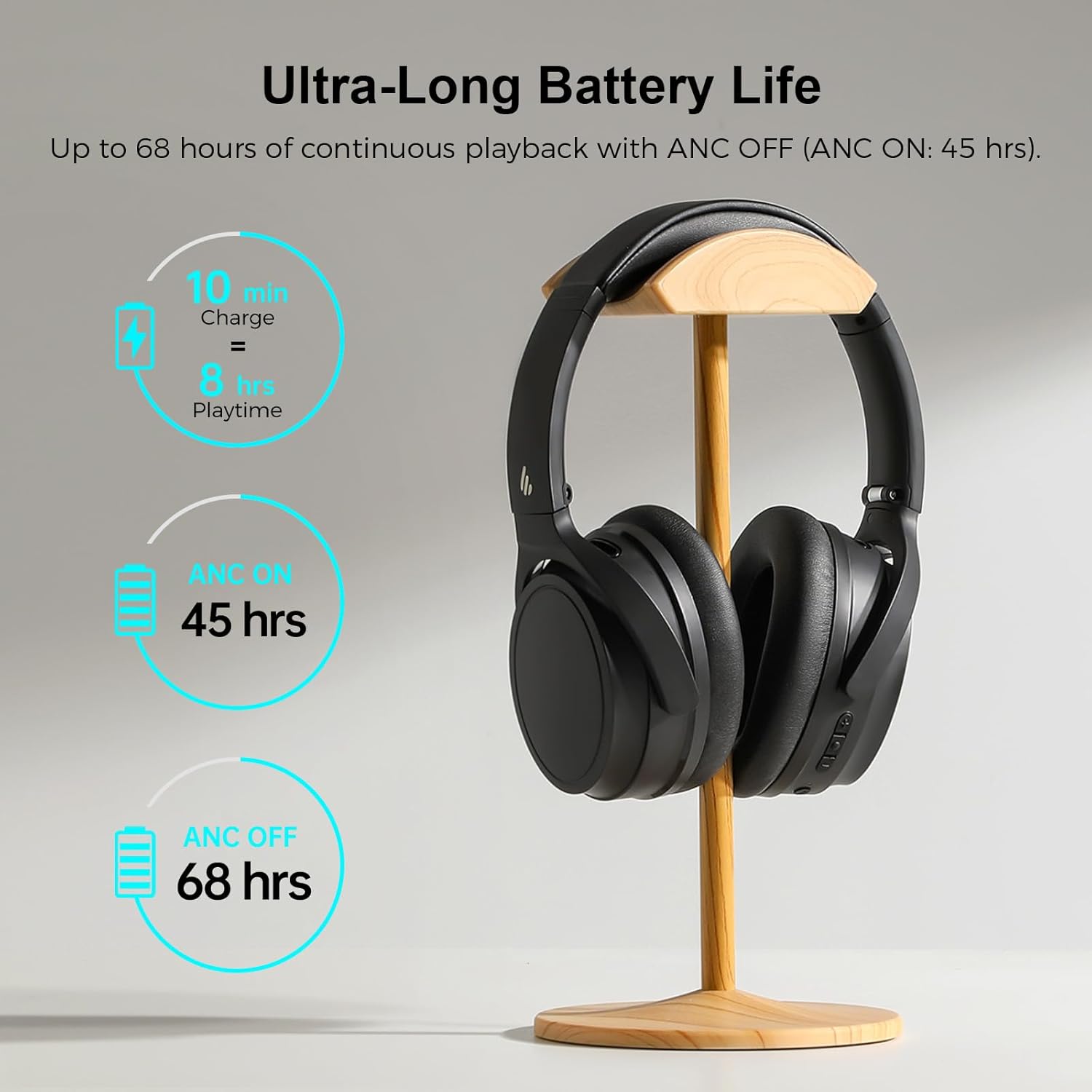
Image: Visual representation of the Edifier WH700NB's battery performance, highlighting quick charge and extended playback times.
2. Párování Bluetooth
- Ujistěte se, že jsou sluchátka nabitá.
- Press and hold the Power button for 3 seconds to turn on the headphones. The LED indicator will flash blue rapidly, indicating pairing mode.
- Na svém zařízení (chytrý telefon, tablet, počítač) povolte Bluetooth a vyhledejte dostupná zařízení.
- Select "EDIFIER WH700NB" from the list of found devices.
- Po připojení bude LED indikátor svítit trvale modře.
3. Připojení dvou zařízení
The WH700NB headphones support simultaneous connection to two Bluetooth devices.
- Připojte sluchátka k prvnímu zařízení, jak je popsáno v části Párování Bluetooth.
- After successful connection, disable Bluetooth on the first device. The headphones will re-enter pairing mode.
- Připojte sluchátka k druhému zařízení.
- Znovu povolte Bluetooth na prvním zařízení. Sluchátka by se měla automaticky připojit k oběma zařízením.
- You can now switch between audio sources from either connected device.

Image: Edifier WH700NB headphones positioned between a laptop and a smartphone, illustrating the dual device connection capability.
Návod k obsluze
Ovládání je ukončenoview
The headphones feature intuitive button controls for various functions. Refer to the diagram below for button locations and their corresponding actions.

Image: Detailed diagram illustrating the control buttons on the Edifier WH700NB headphones and their respective functions.
| Tlačítko/Akce | Funkce |
|---|---|
| Tlačítko napájení (stiskněte 3 s) | Zapnutí/vypnutí |
| Power Button (Press 1x) | Přehrát/Pozastavit hudbu |
| Power Button (Press 2x) | Aktivujte hlasového asistenta |
| Volume Up (+) (Press 1x) | Zvýšit hlasitost |
| Volume Up (+) (Hold) | Další stopa |
| Volume Down (-) (Press 1x) | Snížit hlasitost |
| Volume Down (-) (Hold) | Předchozí stopa |
| ANC Button (Press 1x) | Cycle ANC Modes (ANC On / Ambient Sound / ANC Off) |
| Call Button (Press 1x) | Přijmout/ukončit hovor |
| Call Button (Press 2x) | Odmítnout hovor |
| Call Button (Press 3s) | Přepnout do herního režimu |
Aktivní potlačení hluku (ANC) a ambientní režim
The WH700NB headphones offer three noise control modes:
- ANC zapnuto: Snižuje vnější hluk a zajišťuje pohlcující zvukový zážitek.
- Okolní zvuk: Umožňuje vám slyšet okolí a zároveň si užívat zvuk, což je užitečné pro lepší přehlednost ve veřejných prostorách.
- ANC vypnuto: Standard headphone operation without noise cancellation.
Press the ANC button to cycle through these modes.

Image: A user demonstrating the Active Noise Cancellation feature of the Edifier WH700NB headphones, with a visual representation of sound wave cancellation.
Funkce volání
The integrated microphone with DNN noise cancellation ensures clear communication during calls.
- Přijmout/ukončit hovor: Stiskněte jednou tlačítko Volat.
- Odmítnout hovor: Press the Call button twice.
- Hlasový asistent: Press the Power button twice to activate your device's voice assistant.

Image: A user engaged in a call while wearing the Edifier WH700NB headphones, emphasizing the clarity of communication.
Herní režim
Activate Game Mode for ultra-low latency (0.08s) during gaming sessions, providing synchronized audio and visuals.
- Aktivace herního režimu: Stiskněte a podržte tlačítko Volat po dobu 3 sekund.
- Pro ukončení herního režimu opakujte akci.
Aplikace Edifier Connect
For enhanced control and customization, download the Edifier Connect App from your device's app store. The app allows you to:
- Adjust sound settings and equalizer presets.
- Přizpůsobte si funkce tlačítek.
- Zkontrolujte stav baterie.
- Aktualizujte firmware.

Image: A smartphone displaying the Edifier Connect App interface, showing various settings and controls for the headphones.
Údržba
Čištění
- Sluchátka otřete měkkým, suchým hadříkem.
- Nepoužívejte abrazivní čisticí prostředky, rozpouštědla ani chemické spreje.
- Zabraňte vniknutí vlhkosti do portů nebo mřížek reproduktorů.
Skladování
- Sluchátka skladujte na chladném a suchém místě mimo dosah přímého slunečního záření a extrémních teplot.
- When not in use, fold the headphones to save space and protect them.

Image: The Edifier WH700NB headphones shown in their folded state, emphasizing their portable and lightweight design.
Péče o baterie
- Sluchátka pravidelně nabíjejte, i když je nepoužívají často, aby se zachovala jejich životnost.
- Vyhněte se delšímu úplnému vybíjení baterie.
Odstraňování problémů
| Problém | Řešení |
|---|---|
| Nelze zapnout | Ujistěte se, že jsou sluchátka nabitá. Připojte je ke zdroji napájení a zkuste to znovu. |
| Nelze spárovat přes Bluetooth |
|
| Žádný zvuk |
|
| Špatná kvalita hovoru |
|
| ANC není efektivní |
|
Specifikace
| Funkce | Detail |
|---|---|
| Model | WH700NB |
| Verze Bluetooth | 5.3 |
| Dosah Bluetooth | Až 10 metrů |
| Typ zvukového ovladače | Dynamický ovladač |
| Frekvenční odezva | 20Hz - 20KHz |
| Výdrž baterie (ANC vypnuto) | Až 68 hodin |
| Výdrž baterie (ANC zapnuto) | Až 45 hodin |
| Doba nabíjení | Approx. 1.5 hours (10 min charge for 8 hrs playback) |
| Latence zvuku (herní režim) | 0.08 seconds (80ms) |
| Kontrola hluku | Aktivní potlačení hluku |
| Mikrofon | Single MIC with DNN Noise Cancellation |
| Konektivita | Wireless (Bluetooth 5.3), USB-C for charging |
| Hmotnost | Přibližně 13.7 unce (0.39 kg) |
| Rozměry | 6.71 x 4.43 x 4.04 palce |
| Materiál | Plast |
Záruka a podpora
Edifier products are designed and manufactured to the highest quality standards. For warranty information, technical support, or service inquiries, please refer to the warranty card included with your product or visit the official Edifier webUschovejte si doklad o koupi pro případ reklamace.
Oficiální Edifier Webmísto: www.edifier.com
Ask a question about this manual
Ask about setup, troubleshooting, compatibility, parts, safety, or missing instructions. Manuals+ will review the question and use this page’s manual context to help answer it.