
KAYINOW DF-580B
KAYINOW Hand Crank Emergency Radio User Manual
Model: DF-580B
Zavedení
This manual provides detailed instructions for the operation, maintenance, and troubleshooting of your KAYINOW Hand Crank Emergency Radio. This versatile device is designed to provide reliable communication and power in various situations, including emergencies, outdoor activities, and daily use. It features AM/FM/NOAA weather radio reception, multiple charging options, a powerful flashlight, a reading lamp, an SOS alarm, and a power bank function.
Před použitím produktu si prosím pečlivě přečtěte tento návod k použití, abyste zajistili jeho správnou funkci a dlouhou životnost.
Co je v krabici
- Emergency Radio Hand Crank Solar
- Kabel USB typu C
- Návod k obsluze
- Karabina
- Tool Needle
Konec produktuview
Familiarize yourself with the components of your emergency radio:

Obrázek 1: Přední a boční view of the KAYINOW Emergency Radio with key features labeled, including the flashlight, solar panel, hand crank, antenna, display, and control buttons.
- 1. Svítilna: Integrované LED světlo pro osvětlení.
- 2. Reading Light: Located on the top, provides ambient light.
- 3. Solární panel: For trickle charging the internal battery using sunlight.
- 4. Hand Crank: Ruční generování energie pro nabíjení.
- 5. Retractable Antenna: Pro lepší příjem rádiového signálu.
- 6. Digitální displej: Shows frequency, battery level, and mode.
- 7. Tlačítko napájení: Long press to power on/off, short press to unmute.
- 8. Volume/Frequency Buttons (+/-): Long press for volume, short press for frequency adjustment.
- 9. Tlačítko režimu (M): Switches between AM/FM/WB/NOAA modes.
- 10. Play/Scan Button: Long press for auto scan, short press for next station.
- 11. Nabíjecí port USB-C: Input for charging the radio.
- 12. USB Output Port: Pro nabíjení externích zařízení (funkce powerbanky).
- 13. SOS Button: Aktivuje nouzový alarm a blikající světlo.
- 14. Carabiner: Pro snadné uchycení a přenosnost.
Nastavení
Počáteční nabití
Before first use, it is recommended to fully charge the radio's internal 5000mAh battery using the USB-C port.
- Connect the provided USB Type-C cable to the radio's USB-C input port.
- Druhý konec kabelu připojte ke standardnímu napájecímu adaptéru USB (není součástí balení) nebo k portu USB počítače.
- The battery indicator on the digital display will show charging progress.

Obrázek 2: The USB-C port for charging the radio, located on the side under a protective cover.
Návod k obsluze
Zapnutí/vypnutí
- Chcete-li zapnout rádio, dlouhý stisk the Power button (⏻).
- Chcete-li vypnout rádio, dlouhý stisk the Power button (⏻) znovu.
- To unmute the radio when paused, krátký stisk the Power button (⏻).
Radio Functions (AM/FM/NOAA/WB)
The radio supports AM, FM, Weather Band (WB), and NOAA channels.

Obrázek 3: The radio's ability to receive AM, FM, and NOAA weather alerts, crucial for preparedness during various natural events.
- Přepínací režimy: Dlouhé stisknutí the "M" button to cycle through AM, FM, WB, and NOAA modes.
- Automatické skenování: In AM or FM mode, dlouhý stisk the Play/Scan button (▶) to automatically scan and store available stations.
- Next/Previous Station: In AM or FM mode, krátký stisk the Play/Scan button (▶) to go to the next stored station. Krátký stisk the "-" button for the previous frequency.
- Kanály NOAA: In NOAA mode, krátký stisk the "+" or "-" buttons to switch between the 7 preset NOAA channels.
- Ovládání hlasitosti: Dlouhé stisknutí the "+" button to increase volume. Dlouhé stisknutí the "-" button to decrease volume.
Svítilna a čtení Lamp
The radio is equipped with a 3W flashlight and 4 LED reading lights.

Obrázek 4: The radio provides both a powerful flashlight for directional lighting and a softer reading lamp for ambient illumination.
- To activate the flashlight, locate the flashlight button (usually on the side or front, refer to Product Overview schéma). Jedním stisknutím zapnete, dalším stisknutím vypnete.
- To activate the reading lamp, locate the reading lamp button (usually on the top). Press once to turn on, press again to turn off.
Funkce SOS alarmu
In emergency situations, the SOS alarm can be activated to attract attention.

Obrázek 5: The SOS alarm feature, which emits a loud sound and a flashing red light to signal for help.
- To activate the SOS alarm, dlouhý stisk the SOS button (located at the bottom).
- The radio will emit a loud siren sound and a flashing red light.
- To deactivate the SOS alarm, dlouhý stisk the SOS button again.
Power Bank Function (Charging External Devices)
The built-in 5000mAh battery can be used to charge your mobile devices.
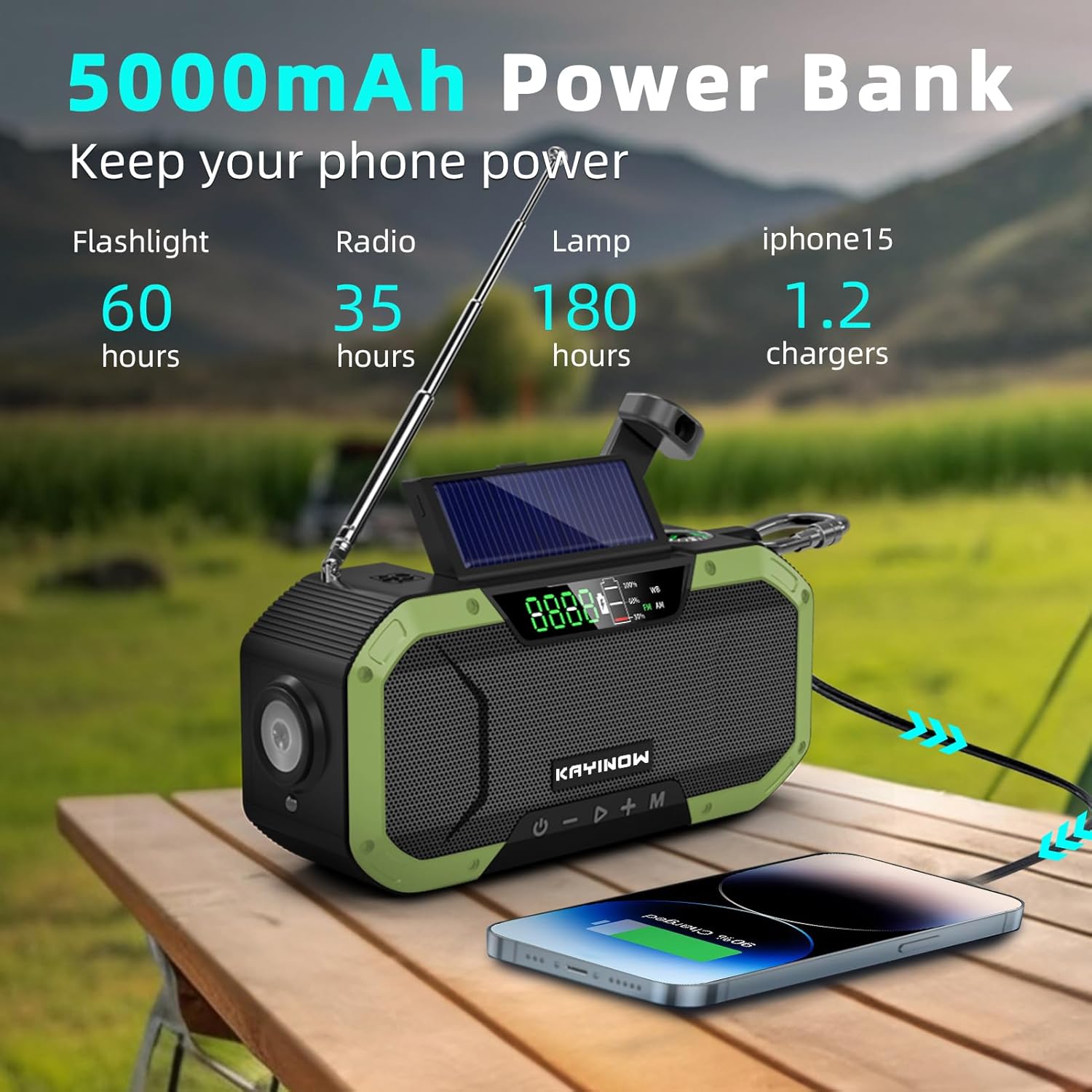
Obrázek 6: The radio functioning as a 5000mAh power bank, capable of charging a smartphone.
- Connect your device's USB charging cable to the USB output port on the radio.
- The radio will begin charging your device.
- Note: Charging speed may vary depending on the device and remaining battery level of the radio.
Nabíjení rádia
Your KAYINOW Emergency Radio offers three convenient charging methods:

Obrázek 7: Various charging options for the radio: USB Type-C, Hand Crank, and Solar Panel, along with the battery display.
1. USB Type-C Charging
- Connect the provided USB Type-C cable to the radio's USB-C input port and a power source. This is the fastest charging method.
2. Ruční nabíjení klikou
- Rozložte ruční kliku umístěnou na zadní straně rádia.
- Rotate the hand crank clockwise or counter-clockwise at a steady pace (approximately 130-150 RPM) for 3-5 minutes to generate enough power for short-term use.
- This method is ideal for emergency power generation when other sources are unavailable.
3. Nabíjení solárních panelů
- Umístěte rádio tak, aby solární panel směřoval na přímé sluneční světlo.
- The solar panel provides a trickle charge to maintain battery life or provide minimal power in prolonged outdoor exposure. It is not intended for a full rapid charge.
Údržba
- Čištění: Otřete rádio měkkým, damp tkanina. Nepoužívejte agresivní chemikálie nebo abrazivní čisticí prostředky.
- Skladování: Store the radio in a cool, dry place away from direct sunlight and extreme temperatures. If storing for extended periods, fully charge the battery every 3-6 months to prolong its lifespan.
- Voděodolnost: The radio is IPX5 waterproof, meaning it can resist a sustained, low-pressure water jet spray. Do not submerge the radio in water. Ensure all port covers are securely closed to maintain water resistance.

Obrázek 8: The radio's IPX5 waterproof design, allowing it to withstand splashes and light rain.
Odstraňování problémů
| Problém | Možná příčina | Řešení |
|---|---|---|
| Rádio se nezapíná. | Baterie je vybitá. | Nabíjejte rádio pomocí USB-C, ruční kliky nebo solární energie. |
| Špatný příjem rádia. | Anténa není vysunutá; oblast se slabým signálem. | Zcela vysuňte teleskopickou anténu. Zkuste přemístit rádio. |
| Nelze nabíjet externí zařízení. | Baterie rádia je příliš slabá; nesprávný kabel. | Ujistěte se, že je baterie rádia dostatečně nabitá. Použijte kompatibilní kabel USB. |
| Solar charging is slow. | Solar charging is a trickle charge; insufficient sunlight. | Solar charging is for maintenance, not primary charging. Ensure direct, strong sunlight. Use USB-C for faster charging. |
Specifikace
- Model: DF-580B
- Rozměry: 6.5 x 1.8 x 3 palce (16.5 x 4.5 x 7.6 cm)
- Hmotnost: 15.4 unce (436.6 g)
- Baterie: 5000mAh Lithium Polymer (included, non-removable)
- Rozhlasové kapely: AM (520-1710KHz), FM (88-108MHz), Weather Band (WB), NOAA
- Způsoby nabíjení: USB-C, ruční klika, solární panel
- Výkon svítilny: 3W
- Světlo na čtení: 4 LED
- Voděodolnost: IPX5 (odolné proti stříkající vodě)
- Konektivita: USB (pro nabíjení externích zařízení)
Záruka a podpora
KAYINOW provides 24/7 customer support to address any issues you may encounter with your product.
For support, please contact KAYINOW customer service through the retailer where you purchased the product or visit the official KAYINOW store online.
Uschovejte si prosím doklad o koupi pro uplatnění záruky.
Ask a question about this manual
Ask about setup, troubleshooting, compatibility, parts, safety, or missing instructions. Manuals+ will review the question and use this page’s manual context to help answer it.