
1. Úvod
This manual provides detailed instructions for the safe and efficient operation of your DATOUBOSS 2000W 24V Pure Sine Wave Power Inverter. This device is designed to convert 24V DC battery power into 230V AC household power, suitable for a wide range of electronic devices and appliances. Please read this manual thoroughly before installation and use to ensure optimal performance and safety.

Figure 1: DATOUBOSS 2000W 24V Pure Sine Wave Power Inverter with accessories.
2. Klíčové vlastnosti
- Výstup čisté sinusové vlny: Provides clean power, ideal for sensitive electronics, with higher motor capacity and conversion efficiency (>90%) compared to modified sine wave inverters.
- Robustní konstrukce: The inverter casing is made from aluminum alloy, offering excellent resistance to external impacts and pressure, ensuring enhanced durability.
- Inteligentní chlazení: Features a smart fan control system that activates when the load exceeds 40% of the rated capacity, or based on internal temperature, minimizing noise during light loads.
- LCD displej a dálkové ovládání: An external remote control simplifies operation, while the integrated LED display provides real-time information on inverter status, ensuring easy monitoring.
- Komplexní ochrana: Built-in safety mechanisms protect against low voltage, overload, short circuit, over-temperature, and reverse polarity.
- Všestranné aplikace: Suitable for a wide range of devices including household appliances, laptops, TVs, and ideal for use in RVs, trucks, camping, and off-grid solar power systems.
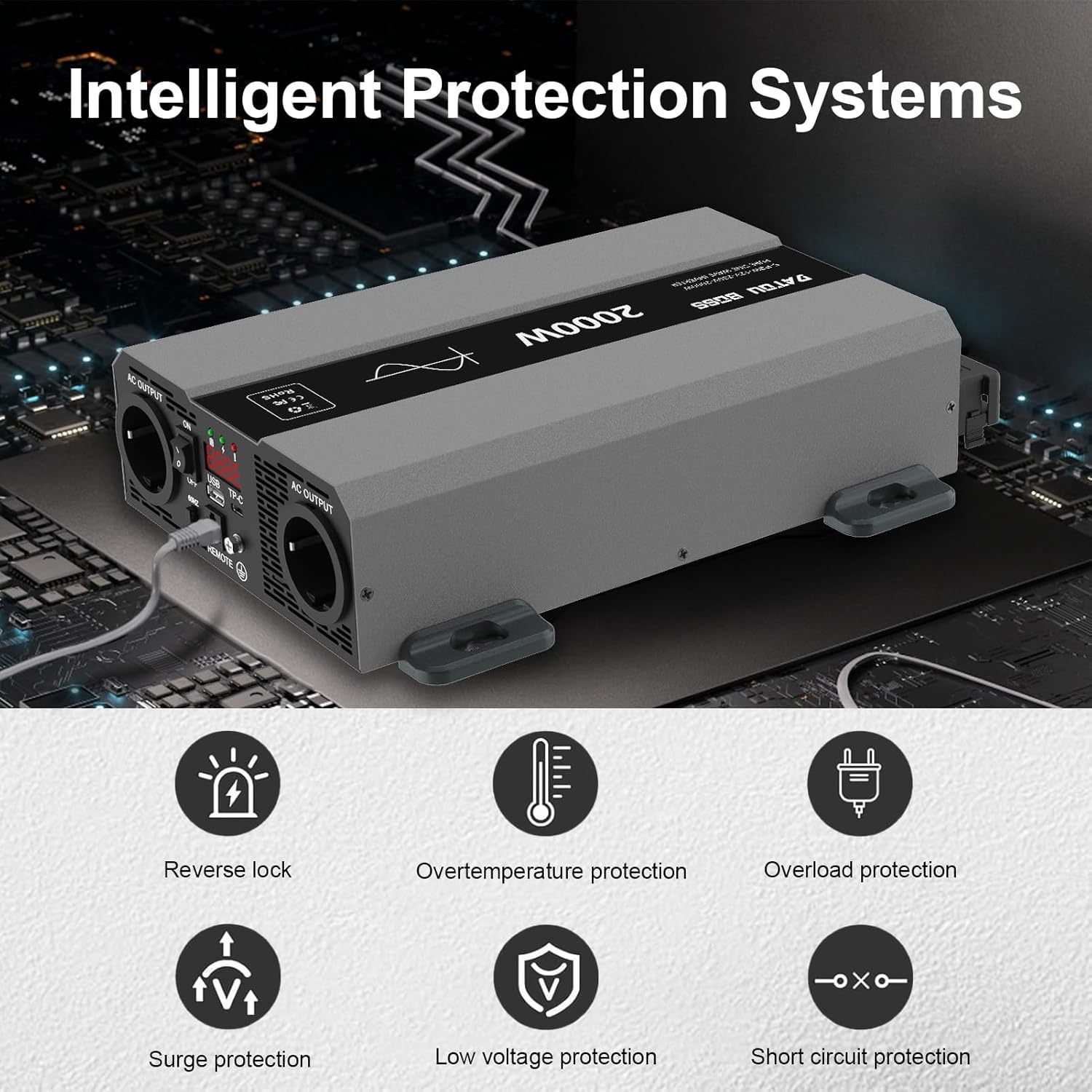
Figure 2: Intelligent Protection Systems for the inverter.
3. Obsah balení
Please verify that all items are present and undamaged upon opening the package:
- DATOUBOSS 2000W 24V Pure Sine Wave Power Inverter
- DC Input Cables (Red for Positive, Black for Negative)
- Remote Control Unit with Cable
- Uživatelská příručka (tento dokument)
4. Úvod do portu
Familiarize yourself with the various ports and indicators on your inverter:

Figure 3: Inverter Port Layout and Functions.
- Záporný terminál: Connects to the negative (-) terminal of your 24V battery.
- Kladný pól: Connects to the positive (+) terminal of your 24V battery.
- Inteligentní chladicí ventilátor: Automaticky se aktivuje pro odvod tepla.
- Střídavý výstup (x2): Standardní zásuvky 230 V AC pro připojení spotřebičů.
- Port typu C: Pro nabíjení kompatibilních zařízení s USB-C.
- Zemnící terminál: For proper grounding to ensure safety.
- Připojení dálkového spínače: Port for connecting the external remote control unit.
- USB rozhraní: Standard USB-A port for charging USB devices.
- Nastavení frekvence: Allows selection of output frequency (e.g., 50Hz/60Hz).
- NO/OFF Switch: Hlavní vypínač pro měnič.
- LED displej: Shows real-time operational data.
- LED světlo: Indicates power status or fault conditions.
5. Nastavení a instalace
Pro bezpečnou a správnou instalaci postupujte podle těchto kroků:
- Vyberte umístění: Select a cool, dry, and well-ventilated area for the inverter. Avoid direct sunlight, heat sources, and moisture. Ensure sufficient space around the inverter for airflow.
- Montáž: Securely mount the inverter using appropriate hardware. The inverter can be mounted horizontally or vertically.
- Základy: Connect the inverter's ground terminal to a reliable earth ground point using a suitable gauge wire. This is crucial for safety.
- Připojení baterie:
- Ujistěte se, že je vypínač měniče v poloze „VYPNUTO“.
- Connect the RED cable to the inverter's Positive (+) terminal and then to the battery's Positive (+) terminal.
- Connect the BLACK cable to the inverter's Negative (-) terminal and then to the battery's Negative (-) terminal.
- Ensure all connections are tight and secure to prevent loose connections and sparking.
- Připojení dálkového ovládání: Plug the remote control cable into the designated remote switch connection port on the inverter.
- Počáteční zapnutí: After all connections are secure, switch the inverter's power switch to "ON". The LED display should illuminate, indicating the inverter is ready.

Obrázek 4: Přample of connecting the inverter for solar power applications.
6. Návod k obsluze
Operating your DATOUBOSS inverter is straightforward:
- Zapnutí: Ensure the inverter is properly connected to a 24V DC power source. Press the ON/OFF switch on the inverter or the remote control to turn it on. The LED display will show the output voltage a další relevantní informace.
- Připojení spotřebičů: Plug your AC appliances into the 230V AC output sockets on the inverter. Ensure the total power consumption of your appliances does not exceed the inverter's rated continuous power (2000W).
- USB/Type-C Charging: Connect your USB or Type-C compatible devices to the respective ports for charging.
- Sledování: Regularly check the LED display for input voltage, výstupní objemtage, and any error codes. The intelligent cooling fan will activate automatically when needed.
- Vypnout: Before disconnecting any appliances or the inverter from the battery, switch the inverter OFF using the ON/OFF switch.
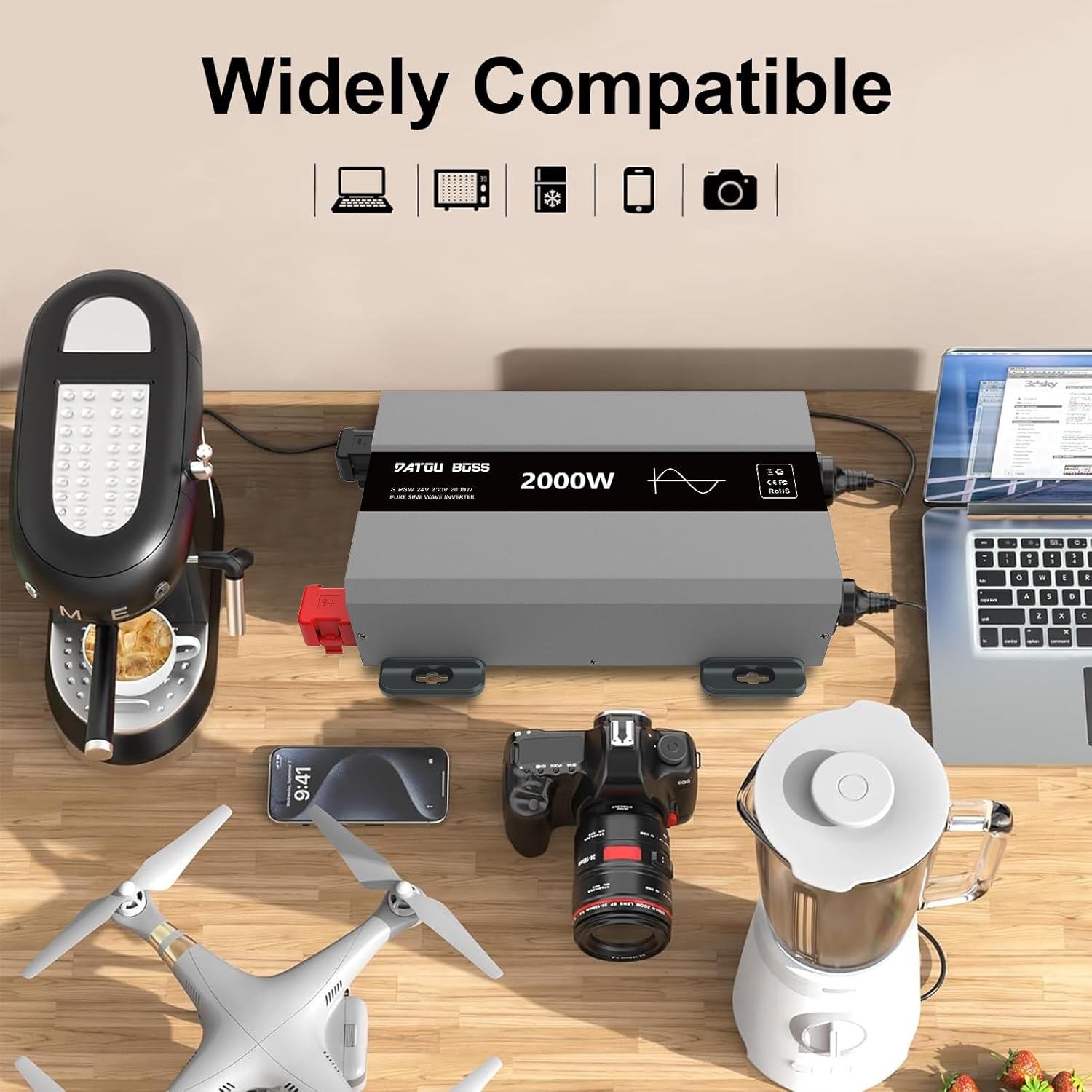
Figure 5: The inverter is widely compatible with various electronic devices.

Figure 6: Pure Sine Wave output and diverse applications of the inverter.
7. Údržba
Regular maintenance ensures the longevity and reliable operation of your inverter:
- Čistota: Keep the inverter clean and free from dust and debris. Use a dry, soft cloth for cleaning. Do not use liquid cleaners.
- Větrání: Ensure the cooling vents are not obstructed. Periodically check for any blockages.
- Spojení: Periodically inspect all cable connections (battery and AC output) to ensure they are tight and free from corrosion.
- Skladování: Pokud budete měnič skladovat delší dobu, odpojte jej od baterie a uložte jej na chladném a suchém místě.
8. Řešení problémů
Běžné problémy a jejich řešení naleznete v tabulce níže:
| Problém | Možná příčina | Řešení |
|---|---|---|
| Měnič se nezapíná. | Nízký objem baterietage, loose connections, faulty fuse. | Zkontrolujte objem baterietage (must be >21V for 24V system). Ensure all cables are securely connected. Check and replace fuses if necessary. |
| Žádný AC výstup. | Overload, short circuit, over-temperature, low battery. | Reduce connected load. Check for short circuits in appliances/cables. Allow inverter to cool down. Recharge battery. |
| Audible alarm/fault indicator. | Overload, over-temperature, low/high input voltage. | Refer to the LED display for specific error codes. Address the underlying issue (e.g., reduce load, improve ventilation, check battery). |
| Fans running constantly/loudly. | High internal temperature, heavy load. | Ensure adequate ventilation. Reduce load if possible. This is normal behavior under heavy load or high ambient temperatures. |
Pokud problém přetrvává i po vyzkoušení těchto řešení, kontaktujte zákaznickou podporu.
9. Specifikace
| Funkce | Specifikace |
|---|---|
| Značka | DATOUBOSS |
| Číslo modelu | 24V 2000W |
| Elektrická energie | 2000 wattů |
| Vstupní objemtage | 24V DC |
| Výstupní objemtage | 230V AC |
| Výstupní průběh | Čistá sinusová vlna |
| Účinnost konverze | > 90 % |
| Rozměry produktu | 42.5 x 28 x 17 cm |
| Hmotnost položky | 4.3 kg |
| ASIN | B0CG9KCTP9 |
10. Záruka a podpora
DATOUBOSS products are manufactured to high quality standards. For warranty information and technical support, please refer to the documentation included with your purchase or contact your retailer. Keep your purchase receipt as proof of purchase for warranty claims.
For further assistance, you may visit the official DATOUBOSS webwebu nebo se obraťte přímo na jejich zákaznický servis. Podrobnosti jsou obvykle uvedeny na obalu produktu nebo na samostatném záručním listu.