
Zavedení
The Fenge Dual Monitor Stand is designed to elevate your monitors to an ergonomic height, reducing neck and shoulder strain while providing valuable desktop organization. Constructed from high-quality MDF and aluminum, this 42.5-inch wide stand offers robust support for two monitors, integrated storage compartments, and efficient cable management solutions. This manual provides detailed instructions for assembly, operation, maintenance, and troubleshooting to ensure optimal use of your monitor stand.
Bezpečnostní informace
- Před umístěním monitorů nebo jiných předmětů na stojan se ujistěte, že jsou všechny komponenty bezpečně upevněny.
- Nepřekračujte maximální nosnost 99 kg.
- Umístěte stojan na stabilní, rovný povrch, aby se nepřevrátil.
- Udržujte malé části mimo dosah dětí, aby se zabránilo nebezpečí udušení.
- Avoid exposing the stand to excessive moisture or direct heat sources.
Obsah balení
Zkontrolujte prosím, zda jsou ve vašem balení obsaženy všechny následující komponenty:
- Main MDF Top Panel (1x)
- Lower MDF Shelf (1x)
- Aluminum Support Legs (4x)
- Internal Dividers/Supports (2x)
- Rubber Pads (4x)
- Montážní materiál (šrouby, hmoždinky, imbusový klíč)
- Návod k použití (tento dokument)
Pokyny k instalaci a montáži
Assembly of your Fenge Dual Monitor Stand is straightforward and typically takes 5-8 minutes. Follow these steps carefully:
- Rozbalte komponenty: Carefully remove all parts from the packaging and lay them out on a clean, soft surface to prevent scratches. Verify all components listed in the 'Package Contents' section are present.
- Attach Aluminum Legs to Lower Shelf: Secure the four aluminum support legs to the designated points on the underside of the lower MDF shelf using the provided screws and Allen wrench. Ensure they are tightened firmly for stability.
- Instalace vnitřních dělicích příček: Place the two internal dividers onto the lower shelf, aligning them with the pre-drilled holes. These will support the main top panel.
- Attach Main Top Panel: Carefully align the main MDF top panel over the internal dividers and the aluminum legs. Secure the top panel to the internal dividers and legs using the remaining screws.
- Aplikujte gumové podložky: Attach the four rubber pads to the bottom of the aluminum legs. These pads protect your desk surface and prevent the stand from sliding.

Image: Visual guide for easy assembly of the monitor stand.
Video: Step-by-step assembly process for the Fenge monitor stand, demonstrating how components fit together.
Návod k obsluze
Once assembled, your Fenge Dual Monitor Stand is ready for use. Follow these guidelines for optimal functionality:
- Umístění monitoru: Place your monitors on the main top panel. The 42.5-inch width is designed to comfortably accommodate two monitors, raising them to an ergonomic viewing height of 5.7 inches.
- Využijte úložiště: The lower shelf features a universal device holder slot and three high-capacity compartments. Use these to store office accessories, notebooks, tablets, or other items to keep your desktop tidy.
- Správa kabelů: The stand includes cable management slots to help organize and route your monitor and device cables, reducing clutter and maintaining a clean workspace.

Obrázek: Podrobný view of the stand's features, including the stable M-type structure, integrated phone/tablet slot, and cable management trough.
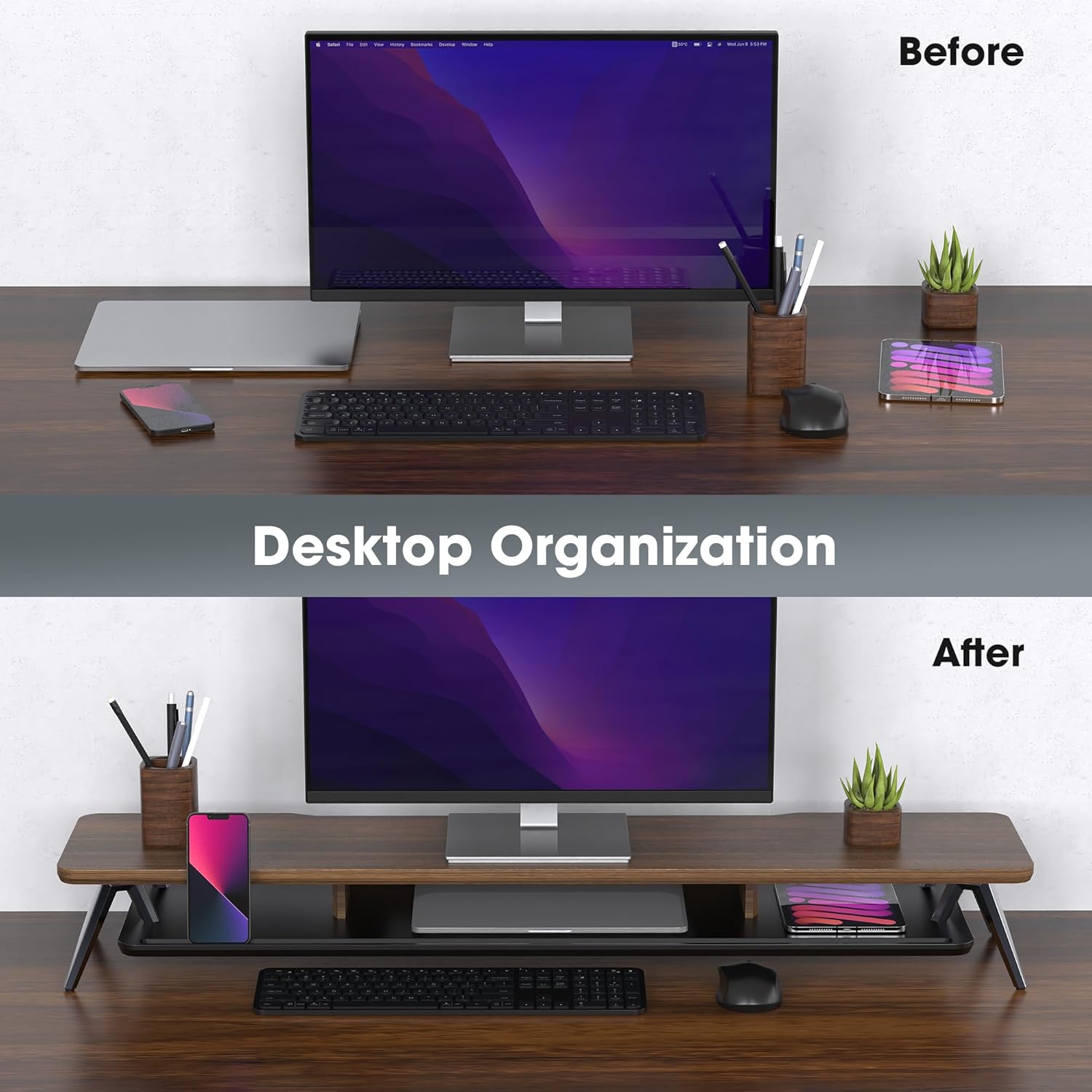
Image: A visual comparison illustrating how the monitor stand enhances desktop organization and reduces clutter.
Video: Demonstrates the Fenge monitor stand in a home office setting, highlighting its ergonomic benefits and organizational capabilities for a dual-screen workflow.
Údržba
To maintain the appearance and longevity of your monitor stand:
- Clean the surface with a dry or lightly damp měkký hadřík.
- Nepoužívejte agresivní chemikálie nebo abrazivní čisticí prostředky, protože by mohly poškodit povrchovou úpravu.
- Pravidelně kontrolujte všechny šrouby a spoje, abyste se ujistili, že jsou pevně utažené.
Odstraňování problémů
If you encounter any issues with your monitor stand, refer to the following common solutions:
- Stojan je vratký: Ensure all screws are fully tightened. Check that the stand is placed on a flat, stable surface. The rubber pads should be evenly distributed and making full contact with the desk.
- Škrábance nebo skvrny na povrchu: The MDF panel is designed to resist scratches and fingerprints. For minor marks, a gentle wipe with a damp cloth may suffice. Avoid sharp objects.
- Chybějící části: If any parts were missing upon arrival, please contact customer support immediately for assistance.
Specifikace
| Rozměry produktu (D x Š x V) | 42.5 x 9.3 x 5.7 palce (1080 x 235 x 145 mm) |
| Hmotnost položky | 18.61 libry (8.46 kg) |
| Kapacita zatížení | 99 libry (45 kg) |
| Materiál | Engineered Wood (MDF), Aluminum |
| Barva | Vlašský ořech |
| Montáž Vyžadována | Ano |

Image: Technical drawing illustrating the precise dimensions and weight capacity of the monitor stand.
Záruka a podpora
Fenge is committed to customer satisfaction. While a specific warranty period is not detailed, if you experience any quality issues or transport damage, you are eligible for an unconditional return and refund service. For any questions, concerns, or support needs, please contact Fenge customer service directly. We are dedicated to resolving any issues promptly.