
1. Úvod
Děkuji za nákupasing the Blaupunkt Rock & Roll PS150 Wireless Bluetooth Outdoor Party Speaker. This manual provides essential information for the safe and efficient operation of your device. Please read it thoroughly before use and retain it for future reference.
2. Bezpečnostní informace
- Nevystavujte reproduktor extrémním teplotám, přímému slunečnímu záření ani vysoké vlhkosti.
- Vyvarujte se pádu reproduktoru nebo jej nevystavujte silným nárazům.
- Do not attempt to disassemble or modify the speaker. Repairs should only be performed by qualified service personnel.
- Chraňte reproduktor před vodou a jinými kapalinami, abyste předešli úrazu elektrickým proudem nebo poškození.
- Při provozu reproduktoru zajistěte řádné větrání.
3. Co je v krabici
- Blaupunkt Rock & Roll PS150 Party Speaker
- Karaoke mikrofon
- Nabíjecí kabel
- Uživatelská příručka
4. Konec produktuview
The Blaupunkt Rock & Roll PS150 is a portable outdoor party speaker designed for robust audio performance and ease of transport. It features a powerful 100W output, X-Bass enhancement, and multiple connectivity options.

Obrázek 1: Přední strana view of the Blaupunkt Rock & Roll PS150 Party Speaker.
5. Ovládací prvky a připojení
The control panel on top of the speaker provides access to all functions.

Obrázek 2: Detailní view ovládacího panelu reproduktoru.
- Vypínač: Press to turn the speaker ON/OFF.
- Tlačítko zdroje: Select input source (Bluetooth, AUX, USB).
- X-Bass Button: Activate or deactivate the X-Bass sound enhancement.
- Tlačítko nabídky: Access various settings.
- Track Select Buttons (< / >): Navigace mezi stopami.
- Tlačítko TWS: Zahajte párování True Wireless Stereo.
- Volič hlasitosti: Upravte hlavní hlasitost.
- Číslovaná tlačítka (1–6): For direct track selection or preset functions.
- Vstupní port AUX: Připojte externí zvuková zařízení pomocí 3.5mm audio kabelu.
- USB port: For USB playback and charging (5V, 2000mAh).
6. Nastavení a nabíjení
6.1 Počáteční nabíjení
Before first use, fully charge the speaker. Connect the charging cable to the speaker's charging port and a suitable power adapter. The charging indicator will illuminate. A full charge ensures optimal battery life for the 4500mAh battery.
6.2 Zapnutí/vypnutí
Stiskněte a podržte tlačítko napájení na ovládacím panelu pro zapnutí nebo vypnutí reproduktoru.
7. Provoz
7.1 Párování Bluetooth
- Zapněte reproduktor. Indikátor Bluetooth bude blikat, což znamená, že je v režimu párování.
- Zapněte Bluetooth na svém smartphonu nebo tabletu a vyhledejte dostupná zařízení.
- Select "Blaupunkt PS150" from the list.
- Po spárování přestane indikátor Bluetooth blikat a zůstane svítit nepřerušovaně.
7.2 Režim AUX-In
Connect an external audio device (e.g., MP3 player) to the AUX IN port using a 3.5mm audio cable. Press the Source button to select AUX mode.
7.3 Přehrávání z USB
Vložte USB disk se zvukem files into the USB port. The speaker will automatically switch to USB mode and begin playback. Use the track select buttons to navigate.
7.4 Funkce karaoke
Connect the provided karaoke microphone to the designated microphone input. Adjust the microphone volume as needed. The speaker is ready for karaoke performances.

Figure 3: Using the karaoke function with the PS150 speaker.
7.5 X-Bass Feature
Press the X-Bass button to enhance the bass output for a deeper, more impactful sound experience.

Figure 4: Visual representation of the X-Bass feature.
8. Portability and Design
The PS150 is designed for portability with integrated wheels and a retractable handle, making it easy to transport to any location.
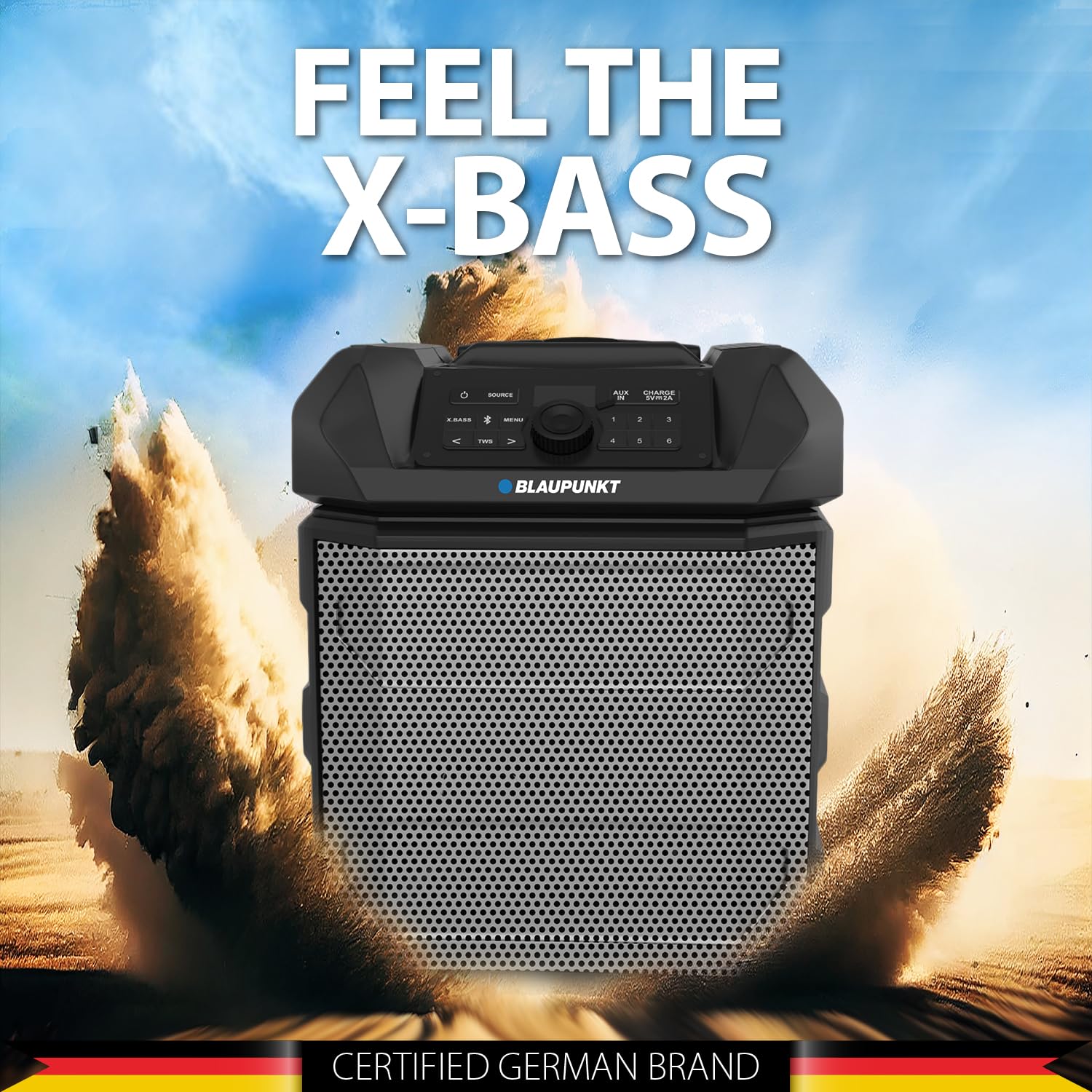
Figure 5: The PS150 speaker being transported with its wheels and handle.
9. Specifikace
| Funkce | Specifikace |
|---|---|
| Značka | BLAUPUNKT |
| Číslo modelu | PS150 BK |
| Výstupní Wattage | 100 wattů |
| Technologie připojení | Bluetooth |
| Kompatibilní zařízení | Smartphone, tablet |
| Zdroj napájení | Napájení z baterie |
| Kapacita baterie | 4500 XNUMX mAh |
| Zvukový vstup | Pomocný |
| USB výstup | 5V, 2000mAh |
| Rozměry položky (D x Š x V) | 43 x 31.5 x 52.5 centimetrů |
| Hmotnost položky | 7500 gramů |
| Materiál pouzdra | Akrylonitrilbutadienstyren (ABS) |
10. Údržba
- Reproduktor čistěte měkkým, suchým hadříkem. Nepoužívejte abrazivní čisticí prostředky ani rozpouštědla.
- Pokud reproduktor nepoužíváte, skladujte jej na chladném a suchém místě.
- Vyhněte se dlouhodobému vystavení přímému slunečnímu záření nebo extrémním teplotám.
11. Řešení problémů
11.1 Bez napájení
- Ujistěte se, že je reproduktor plně nabitý.
- Zkontrolujte, zda je napájecí kabel bezpečně připojen.
- Stiskněte a podržte tlačítko napájení po dobu několika sekund, abyste se ujistili, že se nejedná jen o krátké stisknutí.
11.2 Žádný zvuk
- Increase the volume on both the speaker and the connected device.
- Ensure the correct input source (Bluetooth, AUX, USB) is selected.
- Pokud používáte Bluetooth, ujistěte se, že je zařízení správně spárované.
- Pokud používáte AUX, zkontrolujte připojení kabelu.
11.3 Odpojení Bluetooth
- Ensure the connected device is within the Bluetooth range (typically 10 meters).
- Avoid obstacles between the speaker and the device that may interfere with the signal.
- Zkuste zařízení zrušit a znovu spárovat.
12. Záruka a podpora
The Blaupunkt Rock & Roll PS150 comes with a 1-year warranty from the date of purchase. For warranty claims, technical support, or any other inquiries, please contact:
- Výrobce: Společnost Envent Worldwide Pvt Ltd.
- Zákaznická podpora WhatsApp: 8860022600
- ID e-mailu: wecare@blaupunktaudio.in