
1. Úvod
Thank you for choosing the Luceco Batten LED Solaire Multifonction. This instruction manual provides essential information for the safe and efficient installation, operation, and maintenance of your new solar-powered LED light. Please read this manual thoroughly before use and retain it for future reference.
2. Bezpečnostní informace
- Ujistěte se, že všechna elektrická připojení jsou bezpečná a chráněna před vlhkostí.
- Nepokoušejte se produkt otevírat ani upravovat. Mohlo by dojít ke zrušení záruky a k ohrožení bezpečnosti.
- Keep the solar panel and LED batten away from flammable materials.
- Avoid direct eye exposure to the LED light when it is illuminated.
- Výrobek a jeho součásti na konci jeho životnosti zlikvidujte zodpovědně v souladu s místními předpisy.
3. Obsah balení
Zkontrolujte prosím balení, zda neobsahuje následující položky:
- Luceco Batten LED Light Unit (1)
- Solární panel (1)
- Connecting Cable (1)
- Mounting Screws and Wall Plugs (Set)
4. Konec produktuview
The Luceco Batten LED Solaire Multifonction consists of an LED light batten and a separate solar panel, designed for versatile lighting solutions. The batten features an integrated motion sensor and control buttons for various operating modes.

Obrázek 4.1: Luceco Batten LED light unit and solar panel connected by a cable. This image displays the complete Luceco Batten LED Solaire Multifonction system, featuring the LED light batten and its accompanying solar panel, connected by a black cable. The batten unit is white with a translucent light cover, and the solar panel is black with a dark frame.

Obrázek 4.2: Shora dolů view of Luceco Batten LED light and solar panel. A top-down perspective of the Luceco Batten LED light and solar panel. The solar panel is positioned above the batten, which shows its integrated motion sensor and control buttons.
5. Nastavení a instalace
5.1 Montáž solárního panelu
Choose a location for the solar panel that receives maximum direct sunlight throughout the day. Avoid shaded areas. The panel should be angled to optimize sun exposure, typically facing south (in the Northern Hemisphere) at an angle matching your latitude.
5.2 Mounting the LED Batten
The LED batten can be mounted on a wall or ceiling using the provided screws and wall plugs. Ensure the mounting surface is suitable to support the weight of the unit. The batten features integrated mounting brackets on its rear for secure attachment.

Obrázek 5.1: Strana view of Luceco Batten LED light showing charging port and controls. Close-up side view of the Luceco Batten LED light unit, highlighting the charging port, power button, and motion sensor on its white casing.

Obrázek 5.2: Zadní view of Luceco Batten LED light showing mounting brackets. This image shows the rear of the Luceco Batten LED light, revealing the integrated mounting brackets and screw holes designed for secure installation.
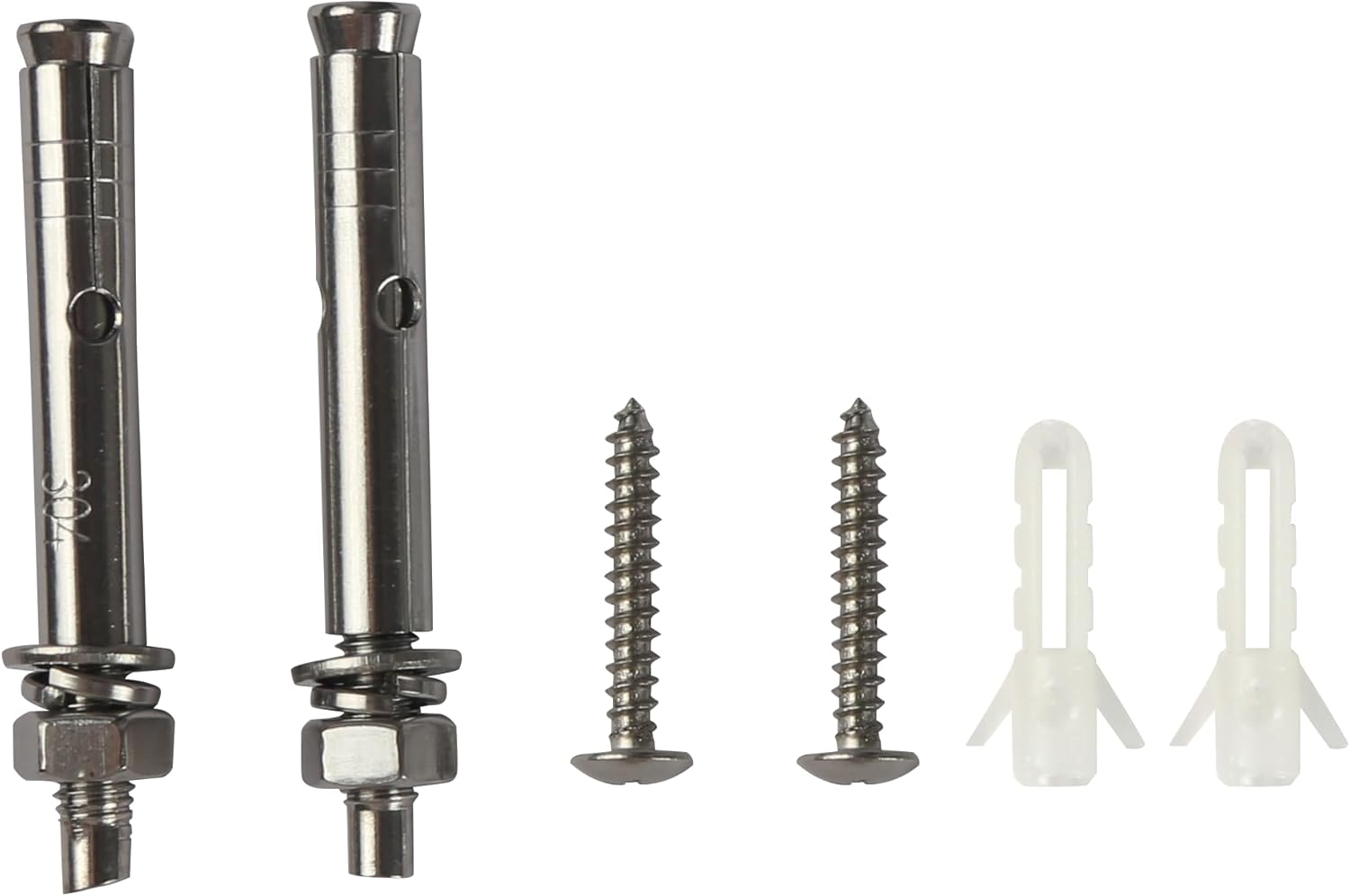
Obrázek 5.3: Mounting hardware including screws and wall anchors. A collection of mounting hardware provided with the product, consisting of various screws and wall plugs for different installation surfaces.
5.3 Připojení komponent
Connect the cable from the solar panel to the designated input port on the LED batten. Ensure the connection is firm. For optimal performance, allow the unit to charge for at least 8-10 hours in direct sunlight before initial use.
6. Návod k obsluze
6.1 Zapnutí/vypnutí
Locate the power button on the LED batten. Press and hold for a few seconds to turn the unit on or off. Short presses may cycle through different operating modes.
6.2 Provozní režimy
The batten LED light features multiple functions, including a motion sensor. Specific modes may include:
- Režim snímače pohybu: The light will activate at full brightness when motion is detected in low light conditions and turn off after a set period of no motion.
- Režim stálého světla: The light remains on at a set brightness level.
- Dim Light + Motion Mode: The light stays on at a dim level and brightens upon motion detection.
Refer to the markings near the control buttons for specific mode selection instructions.
6.3 Indikátory nabíjení
Small LED indicator lights on the batten unit display the charging status and battery level. Refer to these indicators to monitor the unit's power status.
6.4 Funkce powerbanky
The Luceco Batten LED light can also serve as a power bank to charge other devices via its USB output port.

Obrázek 6.1: Luceco Batten LED light charging a smartphone via USB port. The Luceco Batten LED light unit is shown connected to a smartphone via a USB cable, demonstrating its capability to function as a power bank. The batten's indicator lights are visible.
7. Údržba
7.1 Čištění solárního panelu
Pravidelně čistěte povrch solárního panelu měkkým hadříkemamp cloth to remove dust, dirt, and debris. A clean panel ensures maximum sunlight absorption and charging efficiency. Do not use abrasive cleaners or harsh chemicals.
7.2 Cleaning the LED Batten
Wipe the LED batten with a soft, dry, or slightly damp cloth. Avoid getting water into the ports or control buttons. Do not use solvents or strong cleaning agents.
7.3 Péče o baterii
To prolong the life of the internal battery, ensure the unit receives adequate sunlight for charging. If storing the unit for an extended period, ensure it is fully charged before storage and recharge it periodically.
8. Řešení problémů
- Světlo se nerozsvítí:
- Ensure the unit is fully charged. Place the solar panel in direct sunlight for a full day.
- Check that the solar panel is correctly connected to the batten unit.
- Verify that the power button has been pressed to turn the unit on.
- Ensure it is dark enough for the light to activate in motion sensor modes.
- Světlo se nenabíjí:
- Confirm the solar panel is in direct sunlight and not obstructed by shade or dirt.
- Check the connection cable between the solar panel and the batten for damage or loose connections.
- Nefunkční senzor pohybu:
- Ensure the unit is in a motion-sensing mode.
- Zkontrolujte, zda se před senzorem nenacházejí překážky.
- Verify that the ambient light conditions are dark enough for the sensor to activate.
9. Specifikace
| Funkce | Specifikace |
|---|---|
| Značka | Luceco |
| Číslo modelu | LEXS95W65-01 |
| Výrobce | Luceco UK Ltd |
| Rozměry (D x Š x V) | 1.7 x 24.8 x 34.9 cm |
| Hmotnost | 1.98 kilogramu |
| Zdroj napájení | Solární napájení |
| Moc | 10 wattů |
| Zářivost | 950 lm |
| Typ světla | LED |
| Teplota barev | 6500 tis |
| Světlá barva | Denní bílá |
| Komponenty v ceně | LED Batten Light, Solar Panel |
10. Záruka a podpora
For warranty information and technical support, please refer to the documentation provided with your purchase or contact Luceco customer service directly. Keep your proof of purchase for any warranty claims.