
1. Úvod
This manual provides detailed instructions for the installation, operation, and maintenance of your IROAD FX1 Dash Camera. Please read this manual thoroughly before using the product to ensure proper functionality and safety. Keep this manual for future reference.
2. Bezpečnostní informace
- Nepokoušejte se zařízení rozebírat, opravovat ani upravovat. Mohlo by dojít ke zrušení záruky a poškození.
- Ensure the device is securely mounted to prevent obstruction of the driver's view nebo rušení ovládacích prvků vozidla.
- Nevystavujte zařízení extrémním teplotám, delšímu přímému slunečnímu záření nebo nadměrné vlhkosti.
- Use only the provided power cable and accessories. Using unauthorized accessories may cause damage or malfunction.
- Regularly check the memory card for errors and format it as recommended to maintain optimal recording performance.
3. Obsah balení
Ověřte, zda jsou v balení přítomny všechny položky:
- Přední kamera
- Wi-Fi dongle
- Karta MicroSD
- Nepřerušený kabel pojistky
- Rychlý průvodce
- Mount with 3M tape (1ea)

Image: Contents of the IROAD FX1 Dash Camera package, including the front camera, Wi-Fi dongle, MicroSD card, uninterrupted fuse cable, quick guide, and mount with 3M tape.
4. Konec produktuview
4.1 Komponenty
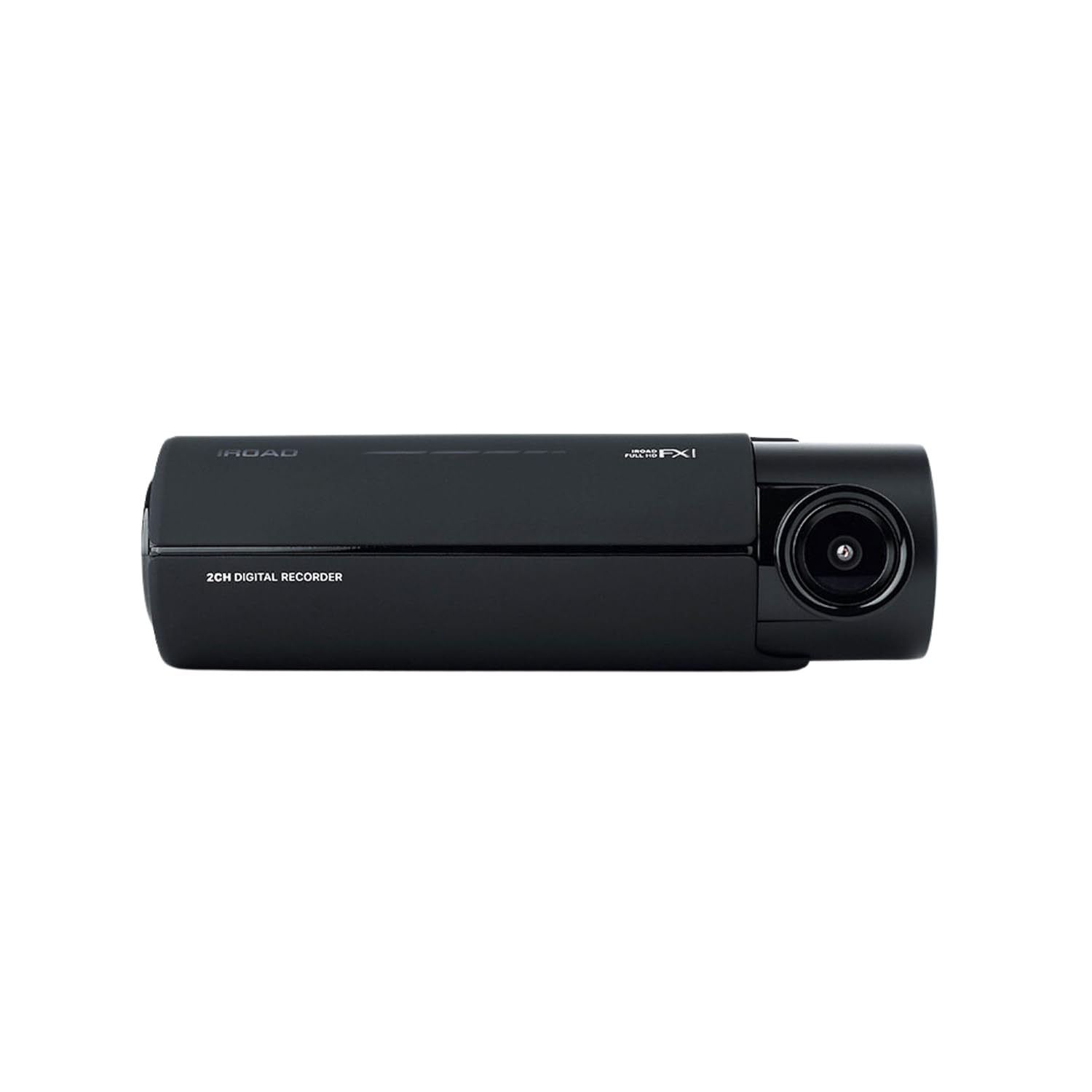
Obrázek: Přední strana view of the IROAD FX1 Dash Camera, showing the lens and main body.

Obrázek: Úhlový view of the IROAD FX1 Dash Camera, highlighting its compact design.
4.2 Klíčové vlastnosti
- 1080P Full HD Recording: Zachycuje jasné videotage.
- Širokoúhlý objektiv 140°: Poskytuje široký view silnice.
- Sony STARVIS Image Sensor: Enhances image clarity and night vision performance.
- ADAS (Advanced Driver-Assistance System): Includes features like Lane Departure Warning System (LDWS), Front Collision Warning System (FCWS), and Front Vehicle Departure Warning (FVDW).
- Wi-Fi připojení: Connects to the IROAD app for viewing, downloading, and sharing footage.
- Vestavěná GPS: Records speed, location, and route tracking data.
- Parkovací režim: Utilizes motion detection and impact sensors to record incidents when the vehicle is parked.
- High-Temperature Durability: Designed for reliable performance in various weather conditions.

Image: The IROAD FX1 Dash Camera with icons representing its key features: 140° wide angle, Full HD 1080p, ADAS, Wi-Fi connection, and night vision.
5. Nastavení
5.1 Instalace
- Vyberte místo montáže: Select a location on the windshield that does not obstruct the driver's view and is close to the center of the windshield. Ensure the camera lens has a clear view cesty před sebou.
- Čisté čelní sklo: Důkladně očistěte vybrané místo na čelním skle, aby držák správně přilnul.
- Připojit držák: Peel off the protective film from the 3M adhesive tape on the mount. Firmly press the mount onto the cleaned windshield area for at least 30 seconds.
- Attach Dash Camera: Slide the IROAD FX1 Dash Camera onto the mounted bracket until it clicks into place.
- Upravit úhel: Adjust the camera angle to ensure the road ahead is centered in the camera's view.

Image: The IROAD FX1 Dash Camera securely mounted on the interior side of a car's windshield, positioned for optimal road visibility.
5.2 Zapojení
- Vložte MicroSD kartu: Insert the provided MicroSD card into the designated slot on the dash camera.
- Připojte napájecí kabel: Connect the uninterrupted fuse cable to the power input port on the dash camera.
- Trasovací kabel: Carefully route the power cable along the edge of the windshield, down the A-pillar, and towards the vehicle's fuse box. Use the included installation tool to tuck the cable neatly under trim panels.
- Connect to Fuse Box: Connect the fuse cable to the appropriate fuse slots in your vehicle's fuse box according to the instructions in the quick guide or a professional installer. This connection enables parking mode functionality.
- Connect Wi-Fi Dongle: Insert the Wi-Fi dongle into the USB port on the dash camera.
6. Návod k obsluze
6.1 Zapnutí/vypnutí
- The dash camera will automatically power on and begin continuous recording when the vehicle's ignition is turned on.
- When the ignition is turned off, the dash camera will transition to parking mode (if configured) or power off after a short delay.
6.2 Režimy nahrávání
- Nepřetržité nahrávání: Records continuously while the vehicle is in operation. Footage is saved in short segments.
- Záznam události: Automatically records and saves footage when an impact or sudden braking/acceleration is detected by the G-sensor.
- Záznam v parkovacím režimu: When the vehicle is parked, the camera uses motion detection and impact sensors to record incidents, helping to protect your vehicle.
6.3 ADAS (Advanced Driver-Assistance System)
The IROAD FX1 includes ADAS features to enhance driving safety:
- LDWS (systém varování před opuštěním jízdního pruhu): Alerts the driver if the vehicle drifts out of its lane.
- FCWS (Front Collision Warning System): Warns the driver of a potential collision with a vehicle ahead.
- FVDW (Front Vehicle Departure Warning): Notifies the driver when the vehicle ahead starts moving from a stop.

Obrázek: Letecký pohled view illustrating the Advanced Driver-Assistance System (ADAS) with vehicles and highlighted warning zones for potential hazards.
6.4 Wi-Fi Connection and IROAD App
Pro přístup k nahranému footage, adjust settings, and update firmware, connect your smartphone to the dash camera via Wi-Fi:
- Download the official IROAD app from your smartphone's app store.
- Ensure the Wi-Fi dongle is inserted into the dash camera.
- On your smartphone, go to Wi-Fi settings and connect to the IROAD dash camera's Wi-Fi network (SSID and password can be found in the quick guide or on the device).
- Open the IROAD app to view živé footage, přehrávání nahrávek, stahování files, and configure device settings.

Image: An abstract illustration depicting Wi-Fi connectivity with multiple signal icons, representing the camera's wireless communication capabilities.
6.5 Funkce GPS
The built-in GPS module records accurate speed, location, and route information, which can be viewed during video playback through the IROAD app or PC viewer software.
7. Údržba
7.1 Správa paměťových karet
- Formátování: It is recommended to format the MicroSD card regularly (e.g., once a month) to prevent data corruption and ensure optimal recording performance. This can be done via the IROAD app.
- Nahrazení: If the memory card shows signs of degradation or errors, replace it with a high-quality, compatible MicroSD card.
7.2 aktualizací firmwaru
Periodically check for firmware updates via the IROAD app. Keeping the firmware updated ensures the best performance and access to new features.
7.3 Čištění
- Jemně otřete objektiv fotoaparátu měkkým hadříkem, který nepouští vlákna, abyste odstranili prach nebo šmouhy.
- Clean the exterior of the dash camera with a slightly damp tkanina. Nepoužívejte agresivní chemikálie nebo abrazivní čisticí prostředky.
8. Řešení problémů
| Problém | Možná příčina | Řešení |
|---|---|---|
| Fotoaparát se nezapne. | Chybí napájení; uvolněné kabelové připojení. | Check power cable connection to the camera and fuse box. Ensure vehicle ignition is on. |
| Nahrávání se zastaví nebo se zastavítage je poškozené. | Memory card error; full memory card; incompatible card. | Format the MicroSD card. Replace with a new, compatible card if issues persist. |
| Problémy s připojením k Wi-Fi. | Wi-Fi dongle not inserted; incorrect password; app issues. | Ensure Wi-Fi dongle is properly inserted. Verify Wi-Fi password. Restart the app and camera. |
| Varování ADAS jsou nepřesná. | Improper camera angle; environmental factors. | Adjust camera angle to ensure clear, centered view. ADAS performance can be affected by weather or road conditions. |
9. Specifikace
| Funkce | Specifikace |
|---|---|
| Název modelu | FX1 |
| Rozlišení záznamu videa | 1080p Full HD |
| Pole View | 140 stupňů |
| Technologie připojení | GPS, Wi-Fi |
| Speciální funkce | Ovládání aplikací |
| Typ montáže | Držák na čelní sklo |
| Hmotnost položky | 350 g |
| Rozměry produktu | 3.29 x 5.7 x 10.82 cm |
| Výrobce | IROAD |
10. Záruka a podpora
For warranty information and technical support, please refer to the official IROAD webnebo se obraťte na místního distributora. Uschovejte si účtenku jako doklad o koupi pro případ reklamace.
Online zdroje: Visit the IROAD official webweb s častými dotazy, softwarem ke stažení a dalšími podpůrnými materiály.