
TEYES CC3 2K
TEYES CC3 2K Car Multimedia System User Manual
For Toyota Hilux Pick Up AN120 (2015-2020) Right Hand Drive Models
Důležité upozornění
This product is designed exclusively for Right Hand Drive Toyota Hilux Pick Up AN120 models manufactured between 2015 and 2020. It is not compatible with Left Hand Drive vehicles.

Image: Incompatibility warning for Left Hand Drive vehicles. The system is only for Right Hand Drive models.
Obsah balení
Ověřte, zda jsou v balení obsaženy všechny níže uvedené položky:
- 1* Head unit (TEYES CC3 2K)
- 1* USB kabel
- 1* GPS antenna
- 1* AUX kabel
- 1* 4G WiFi antenna
- 1* E-book (digital manual)
- 1* Frame (OEM Panel)
- 1* Napájecí kabel
- 1* AHD 1080p rear camera
- Šrouby a šroubovák
- Audio & Video harness + RCA
- Čistící hadřík
- Schéma zapojení

Image: Visual representation of the TEYES CC3 2K package contents, including the head unit, cables, and accessories.
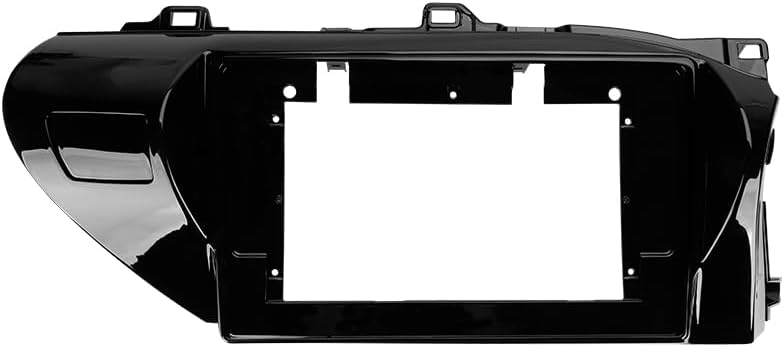
Image: The OEM panel frame, designed to integrate the head unit seamlessly into the Toyota Hilux dashboard.
Specifikace
| Funkce | Detail |
|---|---|
| Číslo modelu | CC3 2K |
| Velikost displeje | 10.36 palce |
| Paměť (RAM) | 6 GB |
| Úložiště (ROM) | 128 GB |
| Operační systém | Android |
| Procesor | 8 jádra 2.0 GHz |
| Konektivita | Bluetooth, USB, WiFi, 4G Hotspot |
| Speciální funkce | Touchscreen, Wireless CarPlay, Android Auto, RDS, DSP (ADAU1701 + ROHM32107), Optical/Coaxial Digital Audio Output |
| Typ mapy | North America (pre-installed) |
| Režim zvukového výstupu | Stereo |
| Typ služby vozidla | Car (Toyota Hilux AN120 2015-2020 RHD) |
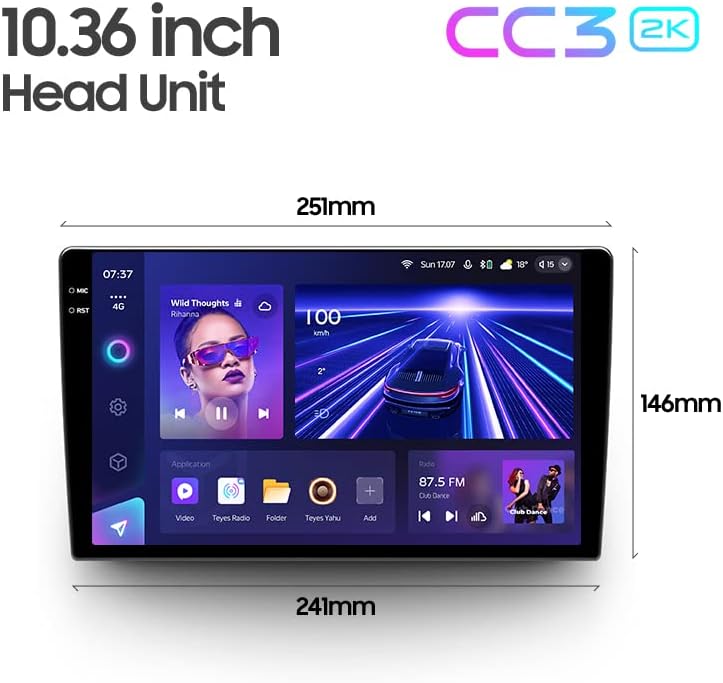
Image: Dimensions of the 10.36-inch TEYES CC3 2K head unit, providing measurements for installation planning.
Nastavení a instalace
Professional installation is highly recommended for this car multimedia system. Incorrect installation can lead to damage to the unit or your vehicle's electrical system.
Kontroly před instalací:
- Ujistěte se, že je vypnuté zapalování vozidla a odpojená baterie.
- Ověřte, zda je přítomen veškerý obsah balení.
- Review the provided wiring diagram thoroughly.
Kroky instalace (obecné):
- Opatrně odstraňte původní autorádio a obložení palubní desky.
- Connect the power cable, GPS antenna, 4G WiFi antenna, and other necessary harnesses to the TEYES CC3 2K head unit according to the wiring diagram.
- Install the AHD 1080p rear camera (if applicable) and route its cable to the head unit.
- Mount the TEYES CC3 2K head unit into the OEM panel frame.
- Secure the assembly into the dashboard opening.
- Reconnect the vehicle battery and test the system before fully reassembling the dashboard trim.
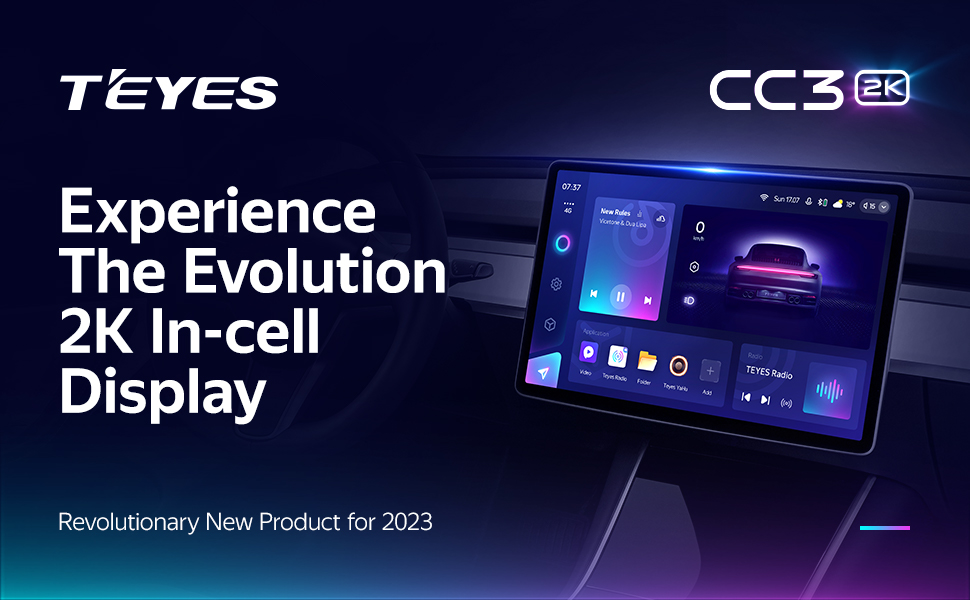
Image: Visual comparison of the car interior before and after the TEYES CC3 2K system installation, demonstrating seamless integration.
Návod k obsluze
Tato sekce poskytuje přesview of the main functions and how to operate your TEYES CC3 2K system.
Power On/Off and Basic Navigation:
Press the power button to turn the unit on or off. Use the touchscreen to navigate through the Android interface. Swipe gestures and taps are used for app selection and menu navigation.
Displej a uživatelské rozhraní:
The 2K In-cell Display offers vivid colors and sharp resolution. You can customize the user interface with various color styles to match your preference.

Obrázek: Přamples of various customizable color styles and themes for the system's user interface.
Connectivity (CarPlay, Android Auto, Bluetooth, 4G, WiFi):
- Bezdrátové CarPlay a Android Auto: Connect your compatible smartphone wirelessly for seamless integration of navigation, music, and communication apps.
- Bluetooth: Pair your phone for hands-free calling and audio streaming. The upgraded QCC3031QFN Qualcomm module ensures stable connection.
- 4G Internet: Insert a SIM card (not included) into the designated slot to enable 4G internet access directly on the head unit.
- WiFi: Connect to a local WiFi hotspot for internet access.
Audio vlastnosti:
The system features dual DSP (ADAU1701 + ROHM32107) for enhanced audio processing.
- 27-Segment EQ: Fine-tune your audio output with the comprehensive 27-segment equalizer.
- Optický a koaxiální digitální audio výstup: For high-fidelity audio systems, connect via digital outputs.
- Sound Filtering: Adjust sound filters for optimal audio quality.

Image: Digital Sound Processor (DSP) interface for advanced audio adjustments.
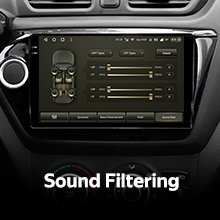
Image: The 27-segment Equalizer (EQ) for precise sound customization.

Image: Settings for optical and coaxial digital audio output, enabling connection to external high-quality audio systems.
Ovládání na volantu:
The system supports original car steering wheel buttons. You can configure these buttons to control various functions of the multimedia system.

Image: Steering wheel controls, demonstrating the system's ability to integrate with existing vehicle buttons.
USB přenos dat:
The unit provides multiple USB outputs for high-speed data transmission, allowing connection of USB drives for media playback or other peripherals.

Image: Multiple USB outputs for connecting external devices and high-speed data transfer.
Režim rozdělené obrazovky:
Utilize the split-screen feature to run two applications simultaneously, such as navigation and media playback.
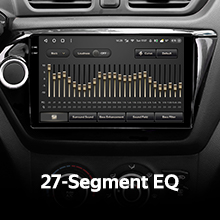
Image: Split-screen functionality, allowing two applications to be viewed concurrently on the display.
Zadní View Fotoaparát:
The included AHD 1080p rear camera provides real-time viewing of the vehicle's rear. The system also supports video recording from the camera.

Image: Real-time display of the rear view camera feed, assisting with parking and maneuvering.
Údržba
Čištění displeje:
Use the provided cleaning cloth or a soft, lint-free cloth to gently wipe the screen. Avoid using harsh chemicals or abrasive materials that could damage the display.
Aktualizace softwaru:
Periodically check for software updates through the system settings or the official TEYES webwebu, aby byl zajištěn optimální výkon a přístup k novým funkcím.
Odstraňování problémů
If you encounter issues with your TEYES CC3 2K system, refer to the following common solutions. For more detailed troubleshooting, consult the included e-book.
Běžné problémy a řešení:
- Bez napájení: Zkontrolujte všechna napájecí připojení a pojistky. Ujistěte se, že je baterie vozidla správně připojena.
- Žádný zvuk: Verify speaker connections, volume settings, and audio output selections. Check if the mute function is active.
- Ztráta signálu GPS: Ujistěte se, že je GPS anténa správně nainstalována a má volný view z nebe.
- Dotyková obrazovka nereaguje: Zkuste restartovat zařízení. Pokud problém přetrvává, může být nutné provést obnovení továrního nastavení (poznámka: tím se vymažou uživatelská data).
- Problémy s připojením Bluetooth/Wi-Fi: Ensure the respective modules are enabled in settings. Try re-pairing devices or reconnecting to networks.
If these steps do not resolve the problem, please contact customer support.
Informace o záruce
The TEYES CC3 2K Car Multimedia System comes with a 1-letá záruka od data nákupu. Tato záruka se vztahuje na výrobní vady a poruchy při běžném používání. Nevztahuje se na škody způsobené nesprávnou instalací, zneužitím, nehodami nebo neoprávněnými úpravami.
Uschovejte si prosím doklad o koupi pro uplatnění záruky.
Zákaznická podpora
For further assistance, technical support, or warranty inquiries, please contact TEYES customer service through their official webnebo kontaktní informace poskytnuté při nákupu.
When contacting support, please have your product model (CC3 2K) and purchase details ready.
Ask a question about this manual
Ask about setup, troubleshooting, compatibility, parts, safety, or missing instructions. Manuals+ will review the question and use this page’s manual context to help answer it.