
Wedinard KFI-GT-5.2lk-36824
Wedinard Dpofirs 1080P WiFi Security Camera User Manual
Značka: Wedinard
Model: KFI-GT-5.2lk-36824 (A3)
1. Úvod
This manual provides comprehensive instructions for the setup, operation, and maintenance of your Wedinard Dpofirs 1080P WiFi Security Camera. Please read this manual carefully before using the product to ensure proper functionality and safety.
Obsah balení
Po vybalení zkontrolujte, zda jsou všechny níže uvedené položky přítomny a v dobrém stavu:
- 1 x Wedinard Dpofirs 1080P WiFi Security Camera
- 1 x nabíjecí kabel (typu C)
- 1 x Camera Base
- 1 x Uživatelská příručka
- 1 x Double-Sided Adhesive

Image: The Wedinard Dpofirs 1080P WiFi Security Camera, showing its compact design and the included base.
2. Průvodce nastavením
Follow these steps to set up your security camera for the first time:
- Download and Install the Application: Hledat the official camera application on your mobile device's app store (e.g., Google Play Store for Android). Download and install the application.
- Zapnutí fotoaparátu: Connect the camera to a power source using the provided Type-C charging cable. The camera will power on automatically.
- Check the Network Environment: Ensure your Wi-Fi network is stable and within range of the camera. The camera supports Wi-Fi connectivity.
- Network Access Settings:
- Otevřete nainstalovanou aplikaci na svém mobilním zařízení.
- Follow the on-screen instructions to add a new device. This typically involves scanning a QR code on the camera or manually entering its device ID.
- Vyberte svou síť Wi-Fi a po zobrazení výzvy zadejte heslo.
- Wait for the camera to connect to the network. A confirmation message or indicator light will signal a successful connection.
- Montáž kamery: Use the included camera base and double-sided adhesive to mount the camera on a flat surface or wall. The swivel base allows for flexible positioning.

Image: The Wedinard Dpofirs camera positioned on a surface, illustrating its readiness for setup and use.
3. Ovládání fotoaparátu
Your Wedinard Dpofirs security camera offers several advanced features for enhanced monitoring:
3.1. 1080P Full HD Image Quality
The camera is equipped with premium lenses, providing 1080P Full HD resolution. This ensures clear, vivid, and realistic image effects for detailed monitoring.

Image: A visual comparison demonstrating the superior clarity and detail of 1080P Full HD image quality provided by the camera.
3.2. Mobile Detection and Push Notifications
When the camera detects abnormal movement within its shooting area, it immediately triggers an alarm message. This message is sent as a push notification to your mobile phone application, allowing for real-time viewing and immediate response.

Image: An illustration of the camera's mobile detection feature, showing an alert being sent to a smartphone when motion is detected.
3.3. Infrared Night Vision with Automatic Switching
The camera features an infrared night vision mode that automatically activates in low-light conditions. This mode provides clear visibility up to 5-10 meters, ensuring monitoring even in complete darkness.

Image: A split image demonstrating the automatic switching of the camera's infrared night vision, showing a scene in both illuminated and dark conditions.
3.4. Obousměrný interkom
With a built-in microphone, the camera supports two-way voice real-time calls. This allows you to communicate with individuals or pets near the camera as if you were face-to-face, providing interactive monitoring.

Image: An illustration of the two-way intercom feature, showing a user interacting with a pet through the camera's audio capabilities.
3.5. Self-Contained AP Hotspot
The camera features its own AP (Access Point) hotspot. This allows the camera to continue recording even when your main Wi-Fi network is disconnected, ensuring continuous security and convenient data transmission.
3.6. Další funkce
- Bezdrátové připojení: Seamless integration with your home Wi-Fi network.
- Přehrávání videa: Review zaznamenané footage directly from the application.
- Otočná základna: Flexible positioning for optimal viewing úhly.
- Rozhraní typu C: Modern and convenient charging/power interface.
- Skladování: Supports up to 128GB Micro Memory Card (not included) for local storage.
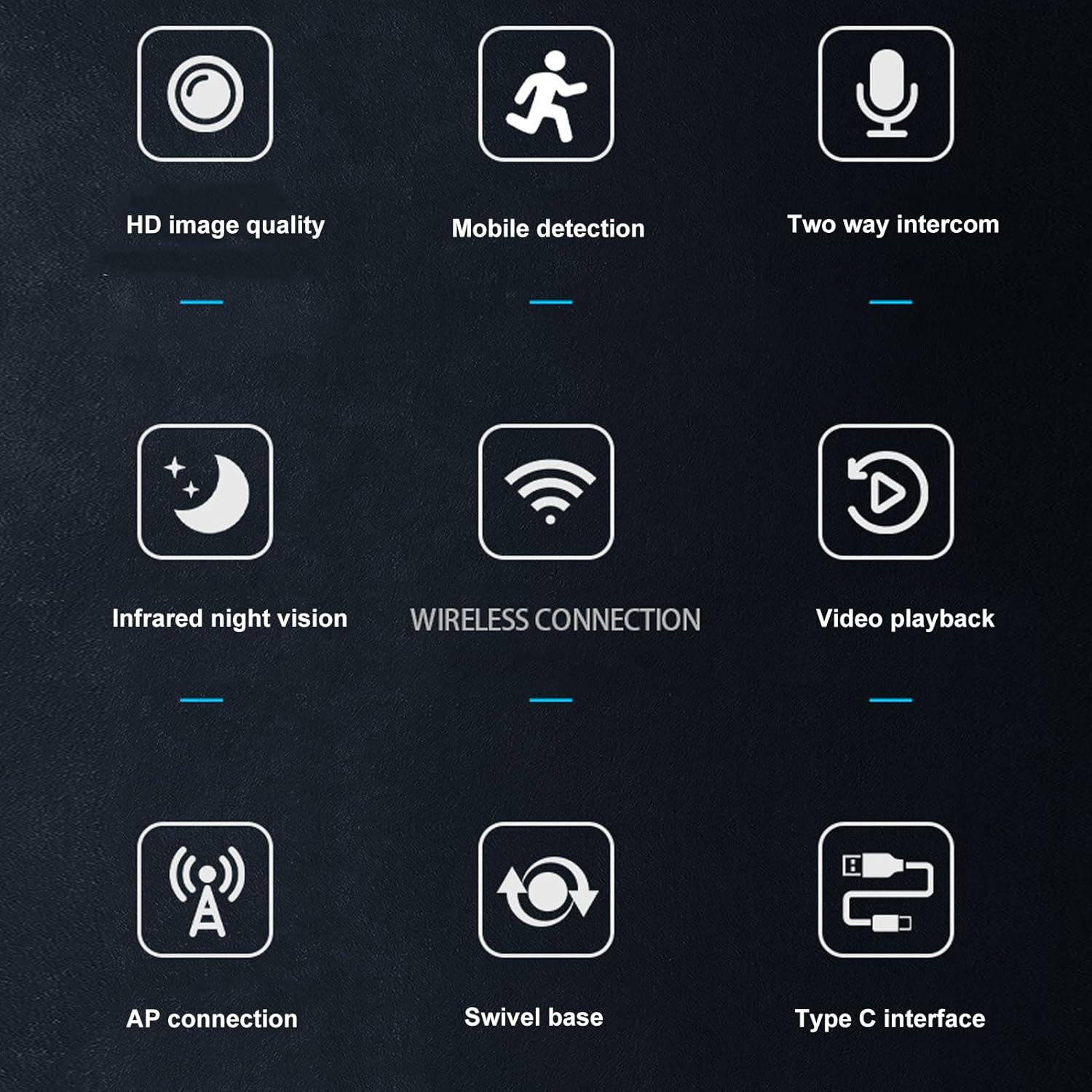
Image: A visual summary of the camera's key features, depicted through illustrative icons.
4. Údržba
Správná údržba zajišťuje dlouhou životnost a optimální výkon vašeho fotoaparátu:
- Čištění: Use a soft, dry cloth to clean the camera lens and body. Avoid using liquid cleaners or abrasive materials that could damage the surface or lens.
- Umístění: While suitable for indoor and outdoor use, avoid placing the camera in direct sunlight for extended periods or in areas with extreme temperatures or humidity.
- Aktualizace firmwaru: Regularly check the mobile application for available firmware updates to ensure your camera has the latest features and security enhancements.
- Storage Card Management: If using a memory card, periodically review a spravovat uložené footage to prevent the card from becoming full, which could stop recording.
5. Řešení problémů
Pokud narazíte na problémy s fotoaparátem, podívejte se na následující běžná řešení:
- Kamera se nepřipojuje k Wi-Fi:
- Ujistěte se, že je heslo Wi-Fi zadáno správně.
- Zkontrolujte, zda je kamera v dosahu vašeho Wi-Fi routeru.
- Restartujte Wi-Fi router a kameru.
- Verify that your Wi-Fi network is 2.4GHz, as most security cameras do not support 5GHz networks.
- Špatná kvalita obrazu:
- Čočku fotoaparátu čistěte měkkým suchým hadříkem.
- Ensure there is adequate lighting in the monitored area, especially for non-night vision footage.
- Check your internet connection speed, as a slow connection can affect streaming quality.
- Žádné upozornění na detekci pohybu:
- Verify that motion detection is enabled in the camera's app settings.
- Check the sensitivity settings for motion detection; adjust if necessary.
- Ensure the app has permission to send notifications on your mobile device.
- Nefunguje obousměrný zvuk:
- Check the volume settings on your mobile device and within the camera app.
- Ujistěte se, že mikrofon a reproduktor na kameře nejsou zakryty.
- Verify that the app has microphone permissions on your mobile device.
- Kamera nenahrává:
- If using a memory card, ensure it is inserted correctly and not full.
- Check the recording settings in the app (e.g., continuous recording, motion-activated recording).
- Pokud používáte cloudové úložiště, ověřte stav svého předplatného a připojení k internetu.
6. Specifikace
Detailed technical specifications for the Wedinard Dpofirs 1080P WiFi Security Camera:
| Funkce | Detail |
|---|---|
| Model produktu | KFI-GT-5.2lk-36824 (A3) |
| Typ položky | inteligentní kamery |
| Materiál produktu | ABS |
| Rozlišení videa | 1080P Full HD |
| Technologie připojení | Bezdrátové (Wi-Fi) |
| Infračervené noční vidění | Automatic Switching (5-10 meters range) |
| Obousměrný hlas | Supported (Built-in microphone) |
| Nabíjecí rozhraní | Rozhraní typu C |
| Režim úložiště | Supports up to 128GB Micro Memory Card (Not Included) |
| Hmotnost | Přibl. 92 g / 3.2 oz |
| Velikost produktu | Approx. 45x85mm / 1.8x3.3in |
| Vnitřní/venkovní použití | Venkovní, Vnitřní |
| Zdroj napájení | Elektrický kabel |
| Typ ovladače | Android (via APP) |
| Typ montáže | Povrchová montáž |

Image: Diagram showing the approximate dimensions of the camera: 45mm (1.8 inches) in width and 85mm (3.3 inches) in height.
7. Záruka a podpora
For information regarding warranty coverage and technical support, please refer to the warranty card included in your product packaging or visit the official Wedinard website. You may also contact customer service through the contact information provided on the product packaging or within the mobile application.
Uschovejte si prosím doklad o koupi jako doklad o koupi pro případné reklamace.
Ask a question about this manual
Ask about setup, troubleshooting, compatibility, parts, safety, or missing instructions. Manuals+ will review the question and use this page’s manual context to help answer it.