
1. Konec produktuview
The Liectroux G7 is an advanced 4-in-1 robot vacuum cleaner designed to simplify your home cleaning routine. It integrates vacuuming, sweeping, mopping, and an automatic self-cleaning function. Equipped with smart navigation and app control, it offers efficient and customizable cleaning.

Image 1.1: The Liectroux G7 robot vacuum demonstrating its 4-in-1 cleaning functions.
2. Obsah balení a nastavení
2.1 Co je v krabici
Před instalací se ujistěte, že jsou přítomny všechny komponenty:
- 1 x Liectroux G7 Robot Vacuum
- 1 x Self-Cleaning Charging Base
- 1 x Water and Dust Integrated Reservoir
- 2 x Side Brushes (1 pair, special offer)
- 1 x Central Brush
- 2 x HEPA Filters (1 pair, special offer)
- 2 x Mop Cloths (1 pair, special offer)
- 2 x Dust Bags (1 pair, special offer)
- 1 x Čisticí nástroj
- 1 x Uživatelská příručka
- 1 x Dálkové ovládání

Obrázek 2.1: Detailní view of the Liectroux G7 package contents.
2.2 Počáteční nastavení
- Rozbalit: Opatrně vyjměte všechny součásti z obalu.
- Instalace bočních kartáčů: Připevněte boční kartáče do určených otvorů na spodní straně robota.
- Místo nabíjecí základny: Position the self-cleaning charging base against a wall in an open area, ensuring at least 0.5 meters of clear space on both sides and 1.5 meters in front. Plug the base into a 110V power outlet.
- Nabíjecí robot: Place the robot vacuum onto the charging base. Ensure the charging contacts align. The robot will begin charging automatically. Fully charge the robot before first use (approximately 2 hours).
- Stáhnout aplikaci: Download the Liectroux app from your smartphone's app store. Follow the in-app instructions to connect your robot to your home Wi-Fi network.
3. Návod k obsluze
3.1 Spuštění čisticího cyklu
- Ruční spuštění: Press the power button on the robot or the remote control to start a cleaning cycle.
- Ovládání aplikace: Use the Liectroux app to start, pause, or stop cleaning, select cleaning modes, and schedule future cleanings.
- Hlasové ovládání: Connect the robot to Amazon Alexa or Google Assistant. Use voice commands such as "Alexa, turn on robot vacuum" to initiate cleaning.

Image 3.1: Controlling the Liectroux G7 via voice commands with smart assistants.
3.2 Smart Mapping and Customization
The Liectroux G7 features laser navigation and smart mapping technology. It identifies and maps your home's layout, allowing for highly personalized cleaning.
- Map Saving: The robot can save up to 5 different maps, useful for multi-floor homes.
- Úklid prostor: Select specific rooms or areas for cleaning via the app.
- Bodové čištění: Direct the robot to clean a particular spot.
- Virtuální zdi/Zóny bez vstupu: Set virtual boundaries or restricted areas in the app to prevent the robot from entering certain spaces.
- Pojmenování místnosti: Customize room names within the app for easier management.
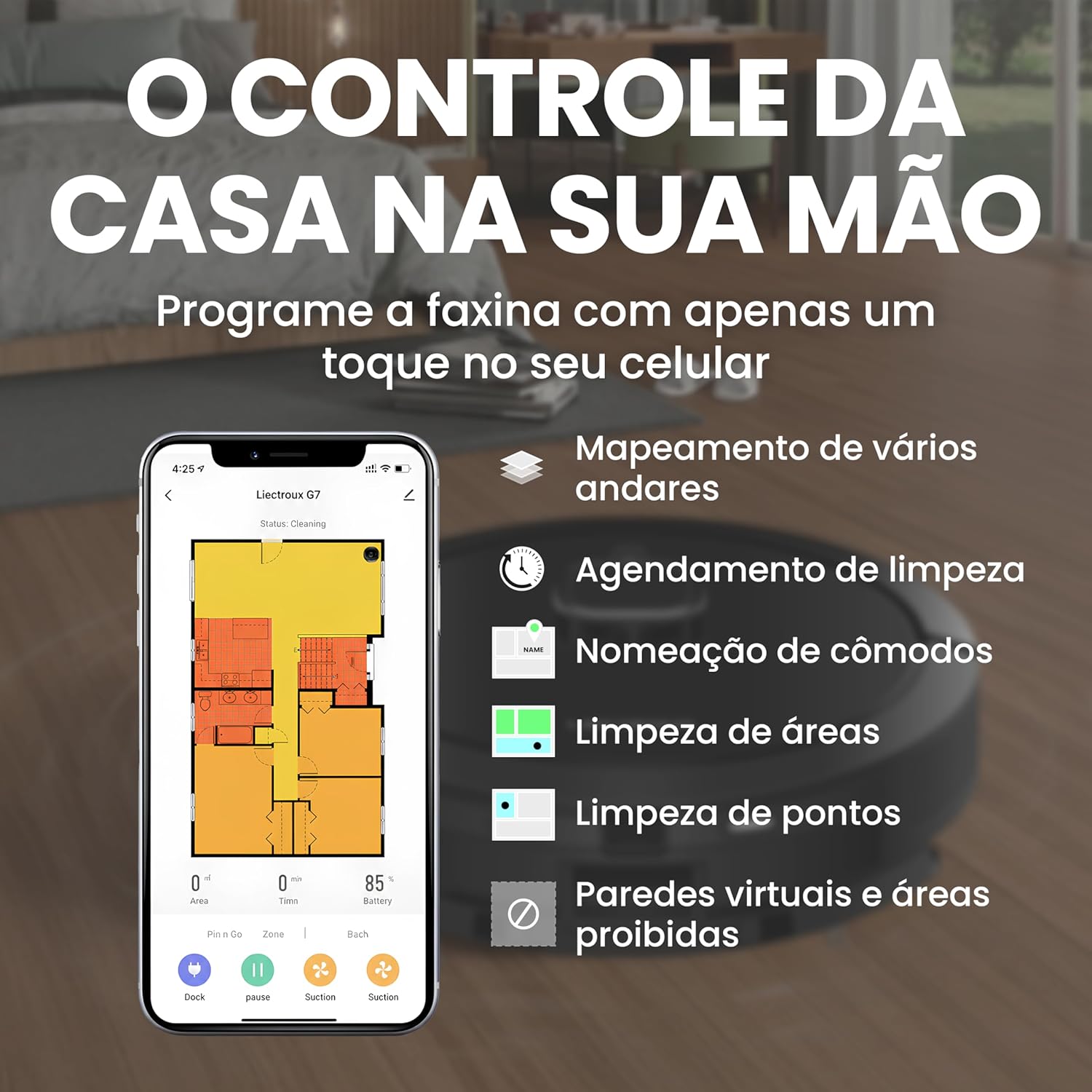
Image 3.2: Liectroux G7 app interface for smart mapping and cleaning customization.
3.3 Suction and Water Level Adjustment
Adjust the suction power and water flow for mopping based on your cleaning needs and floor type. These settings can typically be controlled via the mobile app.
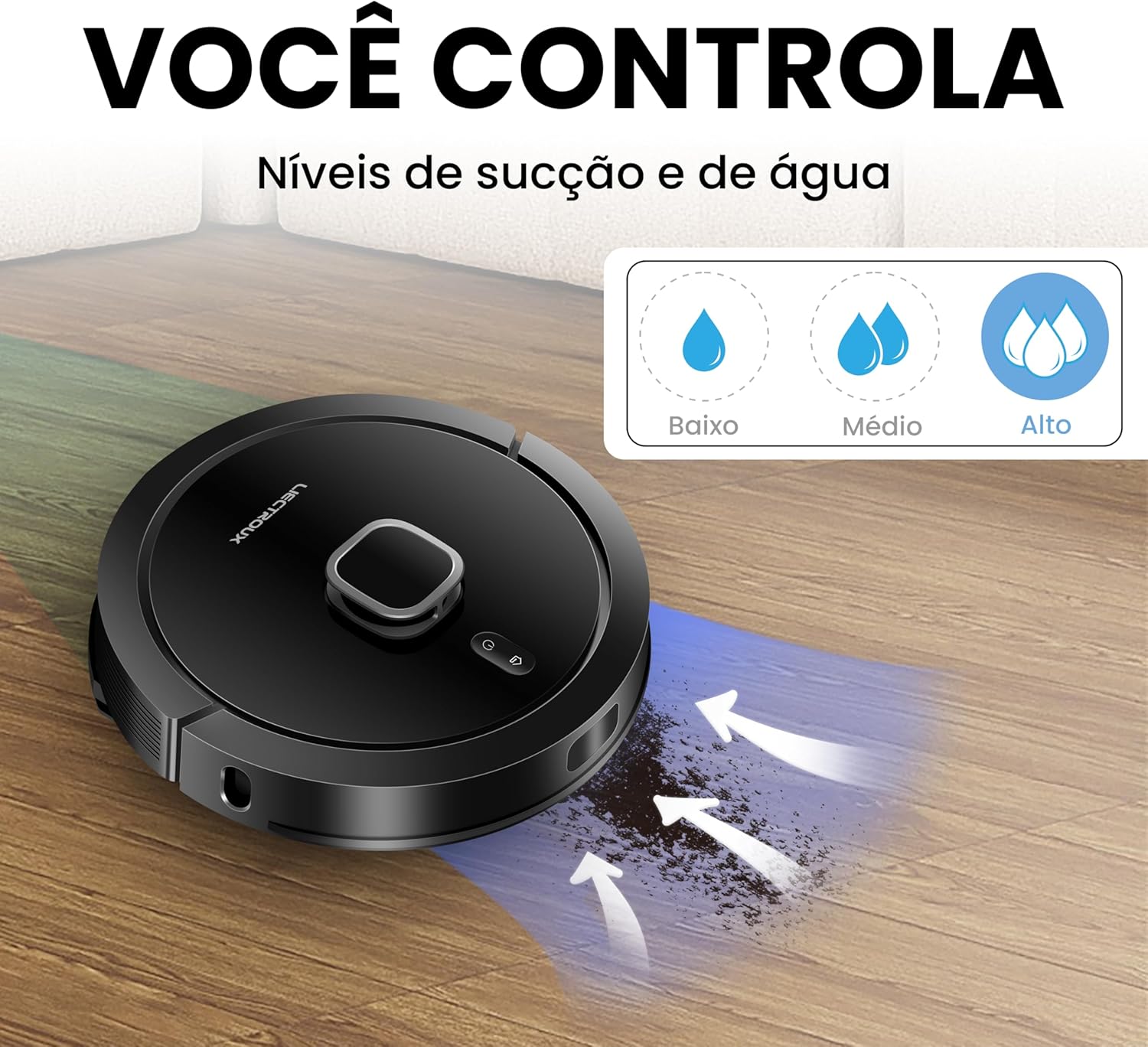
Image 3.3: Adjustable suction and water levels for customized cleaning.
3.4 Carpet Recognition
The robot is equipped with an ultrasonic carpet recognition system. It automatically detects carpets and adjusts suction power for a deeper clean on these surfaces.
4. Údržba
4.1 Self-Cleaning Base
The G7 features an automatic self-cleaning function. After each cleaning cycle, the robot returns to its base, and collected dust and debris are automatically transferred from the robot's dustbin to the larger dust bag in the self-cleaning base. This minimizes manual emptying.

Image 4.1: The self-cleaning base automatically empties the robot's dustbin.
4.2 Výměna prachového sáčku
The high-capacity (3L) dust bag in the self-cleaning base can hold debris for up to 60 days, depending on usage. Replace the dust bag when full to maintain optimal performance.

Image 4.2: Replacing the 3L dust bag in the self-cleaning base.
4.3 Regular Cleaning of Components
- Hlavní kartáč: Regularly remove hair and debris from the main brush using the provided cleaning tool.
- Boční kartáče: Check and clean side brushes for tangled hair or debris. Replace if worn.
- HEPA filtr: Tap the HEPA filter to remove dust. Do not wash. Replace every 3-6 months depending on usage.
- Senzory: Wipe all sensors (cliff sensors, wall sensors) with a clean, dry cloth to ensure proper navigation.
- Mopové utěrky: Wash mop cloths after each use.
- Nádrž na vodu: Empty and rinse the water tank after mopping to prevent odors and blockages.

Image 4.3: Underside components requiring regular cleaning.
5. Řešení problémů
If you encounter issues with your Liectroux G7, refer to the following common solutions:
| Problém | Možná příčina | Řešení |
|---|---|---|
| Robot se nespouští ani nereaguje. | Slabá baterie; Vypnutý vypínač; Robot zaseknutý. | Ensure robot is charged; Turn on power switch; Clear obstructions. |
| Robot nemůže najít nabíjecí základnu. | Base obstructed; Base unplugged; Robot too far. | Ensure clear path to base; Plug in base; Manually place robot near base. |
| Špatný čisticí výkon. | Full dustbin/dust bag; Clogged brushes/filter; Low suction setting. | Empty dustbin/replace dust bag; Clean brushes and filter; Increase suction power via app. |
| Robot se často zasekává. | Cables/small objects on floor; Uneven surfaces; Dark-colored carpets. | Clear floor of obstacles; Use virtual walls for problematic areas. |
| Problémy s připojením k aplikaci. | Nesprávné heslo k Wi-Fi; Router je příliš daleko; Robot je offline. | Verify Wi-Fi credentials; Move robot closer to router; Restart robot and app. |
V případě přetrvávajících problémů se prosím obraťte na zákaznickou podporu.
6. Specifikace
| Funkce | Detail |
|---|---|
| Značka | LIECTROUX |
| Název modelu | Liectroux G7 |
| svtage | 110 voltů |
| Typ ovládání | Ovládání aplikací, Dálkové ovládání, Hlasové ovládání |
| Kompatibilní zařízení | Amazon Echo (Alexa), Asistent Google |
| Speciální funkce | Scheduling, Self-Cleaning Base, Smart Mapping, Carpet Recognition |
| Typ filtru | HEPA |
| Životnost baterie | 2 hodiny |
| Složení baterie | Lithium-Ion |
| Kapacita popelnice | 300 mililitrů (robot) |
| Kapacita prachového sáčku (základna) | 3 litrů |
| Rozměry (D x Š x V) | 35 cm x 35 cm x 9.8 cm |
| Hmotnost položky | 9.93 kg |
| Doporučený povrch | Wood, Tile, Carpet |
7. Záruka a podpora
7.1 Záruka na produkt
The Liectroux G7 Robot Vacuum Cleaner typically comes with a 12-month manufacturer's warranty covering defects in materials and workmanship. Extended warranty options may be available for purchase.
- Standardní záruka: 12 months against manufacturing defects.
- Možnosti prodloužené záruky: 12-month or 24-month extended protection plans may be offered by retailers.
Uschovejte si prosím doklad o koupi pro uplatnění záruky.
7.2 Zákaznická podpora
For technical assistance, warranty claims, or general inquiries, please contact Liectroux customer support. Refer to the contact information provided in your product packaging or on the official Liectroux webmísto.
Můžete také navštívit Liectroux Brand Store on Amazon pro další zdroje a informace o produktech.