
TEYES CC3 2K
TEYES CC3 2K Car Radio Multimedia System User Manual
Model: CC3 2K
Zavedení
This manual provides comprehensive instructions for the installation, operation, and maintenance of your TEYES CC3 2K Car Radio Multimedia Video Player Navigation Stereo GPS Headunit. Please read this manual thoroughly before using the device to ensure proper functionality and safety.
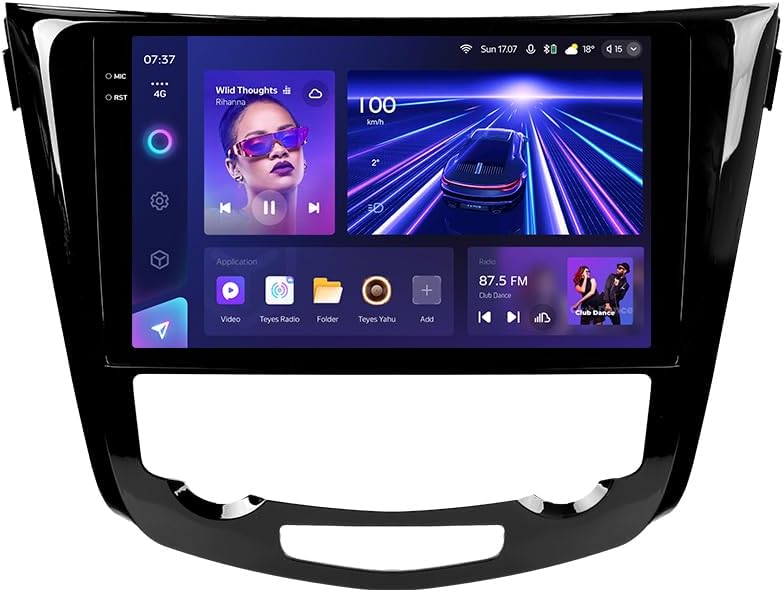
Obrázek: Přední strana view of the TEYES CC3 2K Car Radio Multimedia System, showcasinjeho velký displej a elegantní design.
Obsah balení
Ověřte, zda jsou všechny níže uvedené položky součástí balení. Pokud některé položky chybí nebo jsou poškozené, kontaktujte zákaznickou podporu.
- 1x TEYES CC3 2K Head Unit
- 1x OEM Panel (Frame)
- 1x napájecí kabel
- 1x USB kabel
- 1x GPS anténa
- 1x kabel AUX
- 1x 4G WiFi Antenna
- 1x AHD 1080p Rear Camera
- 1x E-book (Digital Manual)
- 1x Wiring Diagram
- 1x Čisticí hadřík
Nastavení a instalace
Professional installation is recommended for this device. Ensure the vehicle's battery is disconnected before beginning installation.
Kompatibilita
This unit is designed for Nissan X-Trail 3 (T32) 2013-2022 and Qashqai 2 (J11) models. Please verify your vehicle's compatibility before installation.
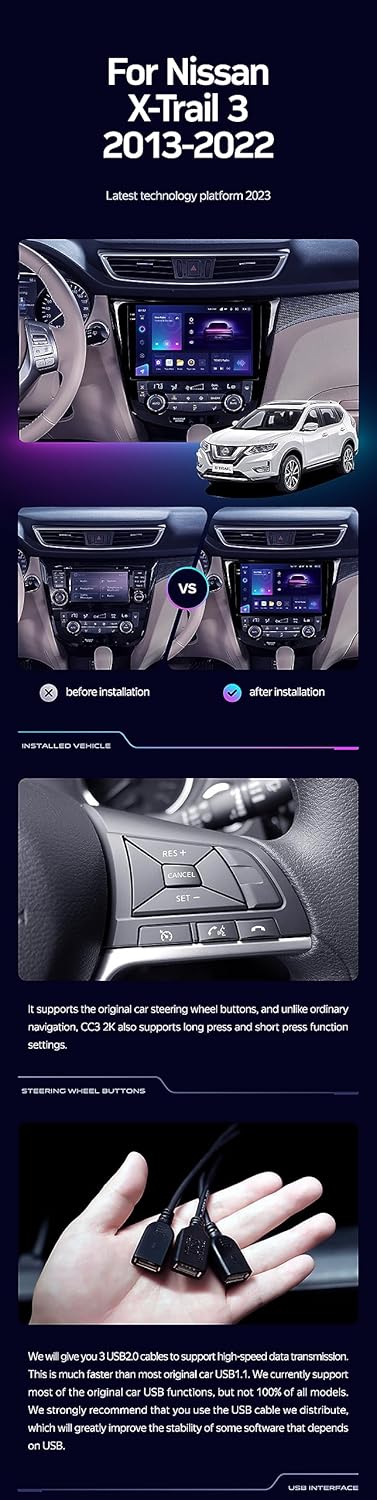
Image: A side-by-side comparison showing a car's dashboard before and after the installation of the TEYES CC3 2K unit, highlighting the integrated look.
Kroky instalace (obecné)
- Odpojit baterii: Před nastartováním odpojte záporný pól baterie vozidla, abyste předešli elektrickému zkratu.
- Demontáž staré hlavní jednotky: Opatrně odstraňte stávající autorádio a obložení. Konkrétní pokyny naleznete v servisní příručce k vašemu vozidlu.
- Připojte kabelový svazek: Connect the provided power cable, USB cable, GPS antenna, AUX cable, and 4G WiFi antenna to the TEYES CC3 2K head unit. Ensure all connections are secure.
- Instalace zadní kamery: If installing the AHD 1080p rear camera, route its cable to the desired mounting location (typically near the license plate) and connect it to the head unit.
- Montáž hlavní jednotky: Secure the TEYES CC3 2K head unit into the dashboard using the provided OEM panel (frame) and mounting hardware.
- Znovu připojte baterii: Once all connections are made and the unit is securely mounted, reconnect the vehicle's battery.
- Test funkčnosti: Turn on the vehicle and test all functions of the new head unit, including audio, navigation, camera, and connectivity.
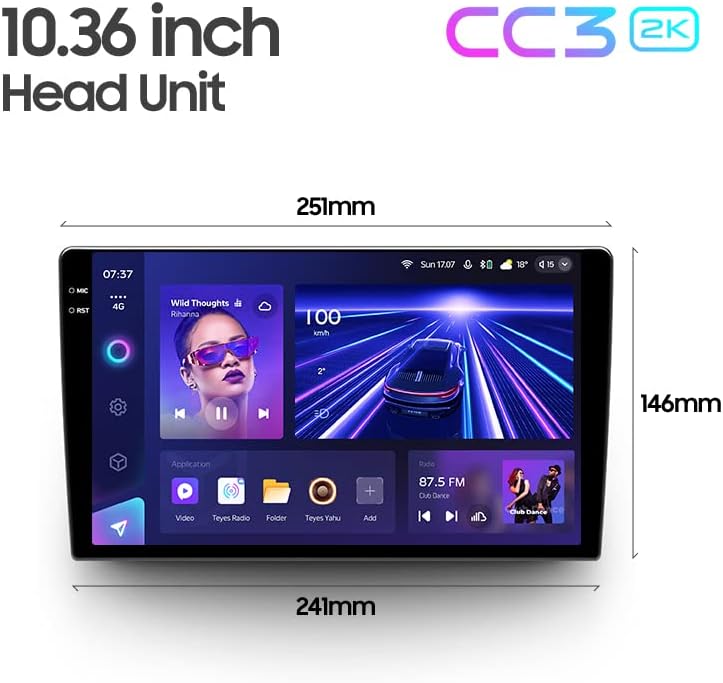
Image: The OEM panel (frame) included with the TEYES CC3 2K, designed for seamless integration into compatible vehicle dashboards.
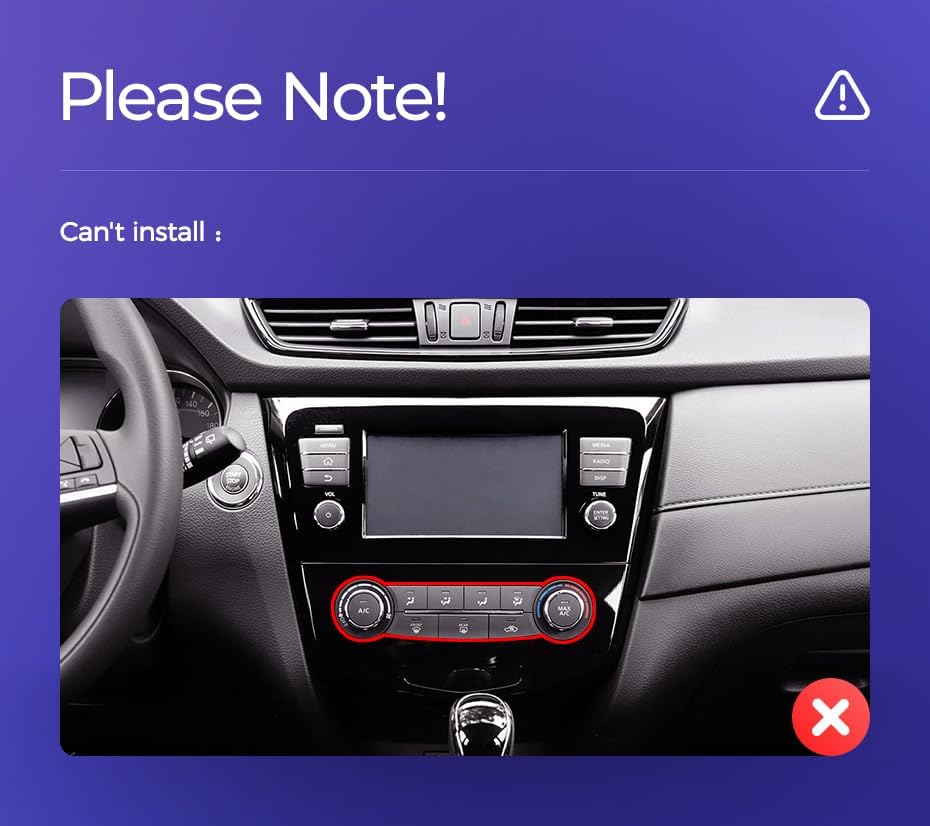
Image: Technical drawing showing the dimensions of the TEYES CC3 2K head unit, including its 10.36-inch screen size.
Důležitá poznámka k instalaci
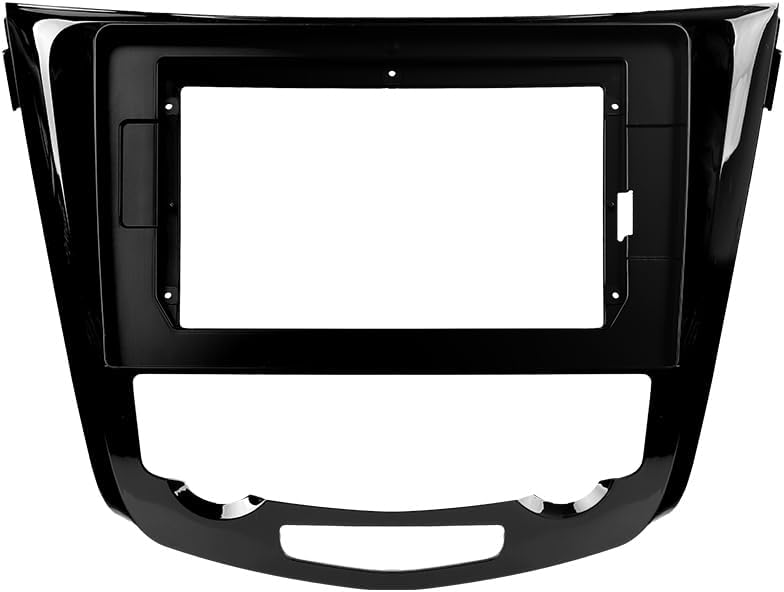
Image: Three USB output cables provided with the TEYES CC3 2K for data transfer and connectivity.
The unit provides multiple USB outputs for data transfer. While designed for broad compatibility, some original car USB functions may not be fully supported across all vehicle models. An included USB adapter cable can be used to ensure compatibility where needed.
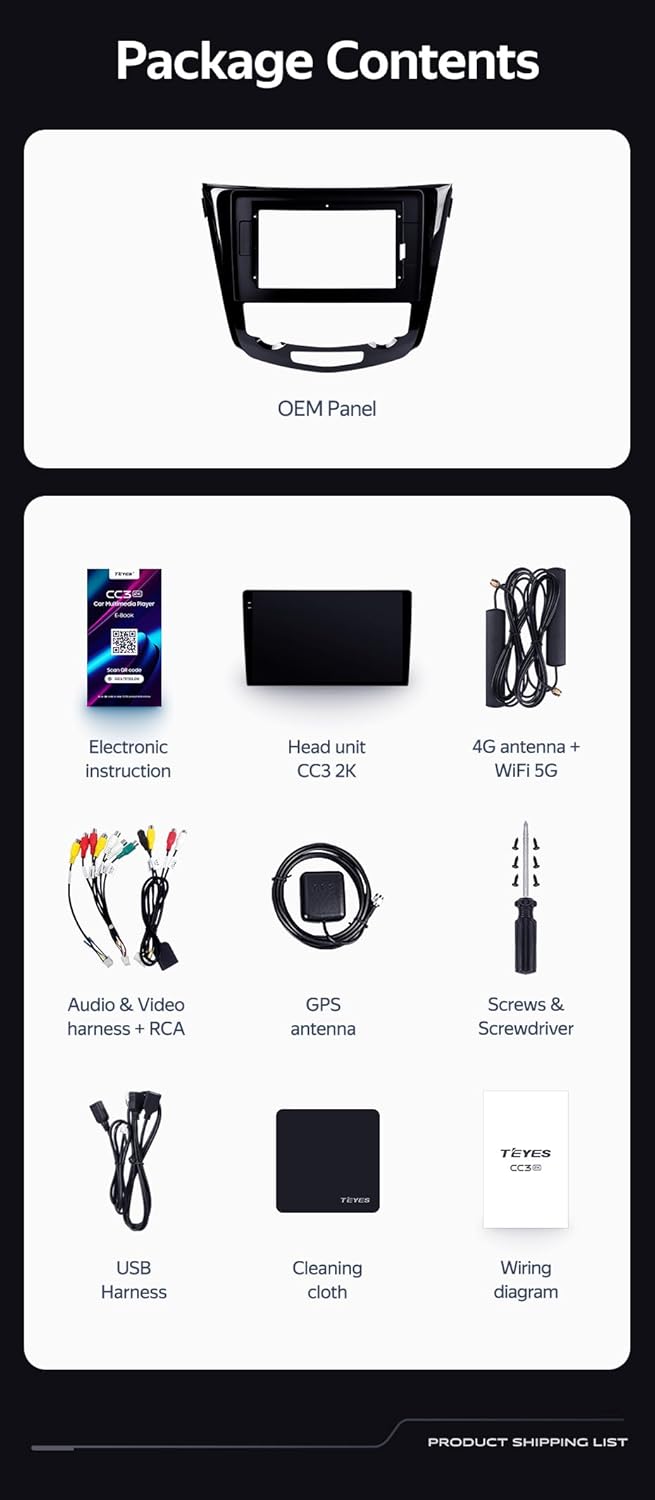
Image: A close-up of a car's steering wheel with controls, indicating support for steering wheel button integration with the TEYES CC3 2K.
The unit supports original car steering wheel buttons. Basic functions like volume and track control are supported. Advanced functions may require additional configuration or may not be fully compatible with all vehicle models.
Návod k obsluze
Displej a rozhraní
The TEYES CC3 2K features a 10.36-inch 2K In-cell display, offering vivid colors and accurate touch response. The Android 10 operating system provides a user-friendly interface.
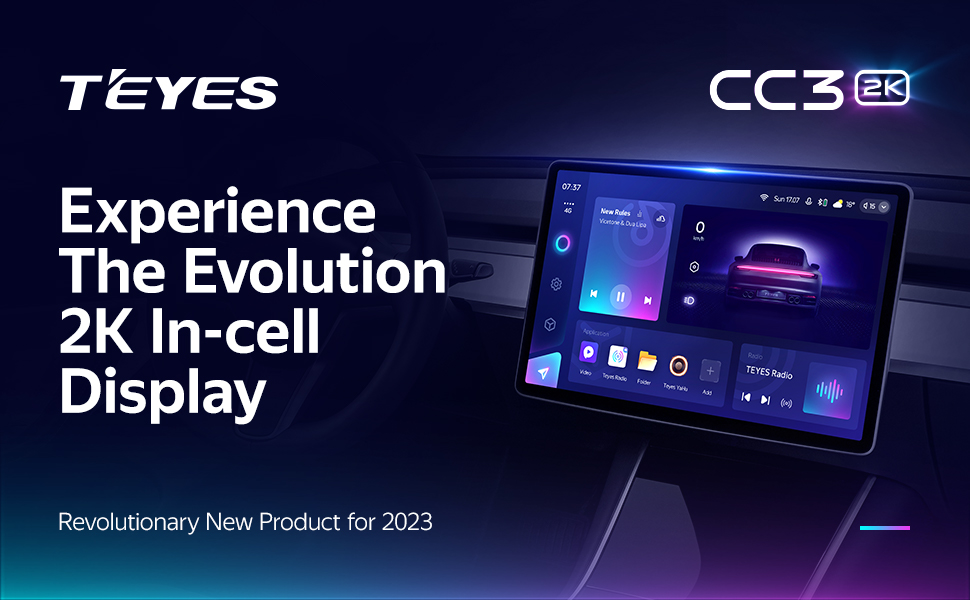
Image: A promotional image highlighting the TEYES CC3 2K's 2K In-cell display, showing a vibrant user interface.
Konektivita
- Bluetooth: Connect your smartphone via the upgraded Qualcomm QCC3031QFN Bluetooth module for hands-free calling and audio streaming.
- Wi-Fi/4G Internet: The unit supports 4G internet connectivity (SIM card not included) and Wi-Fi for online navigation, app downloads, and streaming.
- USB: Use the USB ports for media playback, data transfer, and connecting external devices.
Navigace a multimédia
- GPS: Built-in GPS with North America map type support for accurate navigation.
- CarPlay a Android Auto: Enjoy seamless integration with your smartphone via built-in wireless Apple CarPlay and Android Auto.
- Rádio: Access local radio stations with the premium local radio feature.
- Režim rozdělené obrazovky: Utilize the freestyle combination split screen mode to run two applications simultaneously, such as navigation and media playback.

Image: The TEYES CC3 2K display showing split-screen functionality, with navigation on one side and video playback on the other.

Image: The TEYES CC3 2K display showing the premium local radio interface with various station icons.
Zvukové funkce
The unit is equipped with dual DSP (ADAU1701 + ROHM32107) for enhanced audio processing, offering optical and coaxial digital audio output.
- 27-Segment EQ: Fine-tune your audio experience with the comprehensive 27-segment equalizer.
- Sound Filtering: Advanced sound filtering options are available to optimize audio output.

Image: The TEYES CC3 2K display showing the DSP audio settings interface, indicating dual DSP processors.
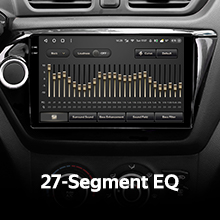
Image: The TEYES CC3 2K display showing the 27-segment equalizer interface for detailed audio customization.

Image: The TEYES CC3 2K display showing audio output settings, indicating support for optical and coaxial digital audio output.
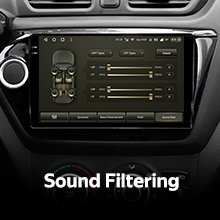
Image: The TEYES CC3 2K display showing sound filtering options, allowing users to refine audio quality.
Camera and Recording
The unit supports real-time viewing of the vehicle's rear view and video recording with the included AHD 1080p rear camera.

Image: The TEYES CC3 2K display showing the real-time feed from the rear view camera, with recording options.
Údržba
- Čištění obrazovky: Use the provided cleaning cloth or a soft, lint-free cloth to gently wipe the screen. Avoid abrasive cleaners or solvents.
- Aktualizace softwaru: Periodically check for software updates from TEYES to ensure optimal performance and access to new features.
- Podmínky prostředí: Nevystavujte jednotku extrémním teplotám, delšímu přímému slunečnímu záření nebo nadměrné vlhkosti.
Odstraňování problémů
If you encounter issues with your TEYES CC3 2K, refer to the following common problems and solutions:
| Problém | Možná příčina | Řešení |
|---|---|---|
| Jednotka se nezapne. | Uvolněné připojení napájení, spálená pojistka, problém s autobaterií. | Zkontrolujte připojení napájecích kabelů. Zkontrolujte pojistky vozidla. Ujistěte se, že je baterie vozidla nabitá. |
| Žádný audio výstup. | Příliš nízká hlasitost, vybrán nesprávný zdroj zvuku, problém s zapojením reproduktorů. | Zvyšte hlasitost. Vyberte správný zdroj zvuku. Zkontrolujte připojení reproduktorů. |
| Signál GPS ztracen nebo nepřesný. | GPS anténa je zablokovaná nebo nesprávně nainstalovaná. | Ujistěte se, že má anténa GPS volný view oblohy a je bezpečně připojen. |
| Dotykový displej nereaguje. | Dočasná softwarová závada, rušení chráničem obrazovky. | Restart the unit. Remove any screen protectors to test. |
| Problémy s připojením Bluetooth. | Zařízení není v režimu párování, rušení, zastaralý firmware. | Ensure device is in pairing mode. Move closer to the unit. Check for firmware updates. |

Image: An icon representing Frequently Asked Questions, indicating further support resources.
Specifikace
| Funkce | Detail |
|---|---|
| Číslo modelu | CC3 2K |
| Operační systém | Android 10 |
| Procesor | 8 jádra 2.0 GHz |
| BERAN | 6 GB |
| ROM | 128 GB |
| Velikost displeje | 10.36 palce |
| Typ zobrazení | 2K In-cell Display |
| Konektivita | Bluetooth (QCC3031QFN Qualcomm), USB, Wi-Fi, Hotspot, 4G Internet |
| Režim zvukového výstupu | Stereo |
| DSP | 2*DSP ADAU1701 + ROHM32107 |
| Zvukový výstup | Optický a koaxiální digitální audio výstup |
| Navigace | Built-in GPS, North America Map Type |
| Speciální funkce | Touchscreen, Bluetooth, Wireless CarPlay, Android Auto, RDS, Real-time Rear View, Video Recording, TEYES Vision & TEYES Yahu software. |
| Typ služby vozidla | Auto |
Záruka a podpora
The TEYES CC3 2K comes with a 1-letá záruka od data nákupu. Tato záruka se vztahuje na výrobní vady a poruchy při běžném používání.
For technical support, troubleshooting assistance, or warranty claims, please contact TEYES customer service through the official TEYES store on Amazon or their official webmísto.
Navštivte TEYES Store on Amazon další informace a zdroje podpory.
Ask a question about this manual
Ask about setup, troubleshooting, compatibility, parts, safety, or missing instructions. Manuals+ will review the question and use this page’s manual context to help answer it.