
TEYES CC3 2K
TEYES CC3 2K Car Radio Multimedia System
Uživatelská příručka
1. Úvod
The TEYES CC3 2K is an advanced car radio multimedia system designed to enhance your driving experience with cutting-edge technology. Featuring a high-resolution 2K in-cell display, Android 10 operating system, and comprehensive navigation capabilities, this head unit integrates seamlessly into compatible vehicles, offering superior audio-visual performance and smart connectivity. This manual provides detailed instructions for installation, operation, maintenance, and troubleshooting.

Figure 1.1: TEYES CC3 2K Head Unit Interface
2. Obsah balení
Ověřte, zda jsou všechny níže uvedené položky součástí balení. Pokud některé položky chybí nebo jsou poškozené, kontaktujte zákaznickou podporu.

Figure 2.1: TEYES CC3 2K Package Contents
- 1x TEYES CC3 2K Head Unit
- 1x napájecí kabel
- 1x USB kabel
- 1x GPS anténa
- 1x kabel AUX
- 1x 4G WiFi Antenna
- 1x E-book (Digital Manual)
- 1x Frame (OEM Panel)
- 1x AHD 1080p Rear Camera
- 1x Audio & Video Harness + RCA
- 1x Screws & Screwdriver
- 1x Čisticí hadřík
- 1x Wiring Diagram
3. Klíčové vlastnosti
The TEYES CC3 2K system offers a range of advanced features for an enhanced in-car experience:
- Vysoký výkon: Equipped with RAM 6GB and ROM 128GB for smooth operation.
- Vynikající displej: CC3 2K In-cell Display with 157% Gamut Coverage for vivid and accurate colors.
- Advanced Touchscreen: 2K touch screen technology with integrated display and touchscreen.
- Bezproblémové připojení: Built-in wireless CARPLAY and ANDROID AUTO.
- Výkonný hardware: 8 cores 2.0GHz processor, support for RDS, and 4G internet.
- Enhanced Bluetooth: Upgraded Bluetooth module with QCC3031QFN Qualcomm.
- Innovative Software: Includes TEYES Vision & TEYES Yahu 3D software.
- Přizpůsobitelné rozhraní: Multiple color styles available to suit user preference.
- Prémiový zvuk: Dual DSP ADAU1701 + ROHM32107, with optical and coaxial digital audio output.
- Bezpečnostní funkce: V reálném čase viewing of vehicle's rear view and support for video recording.
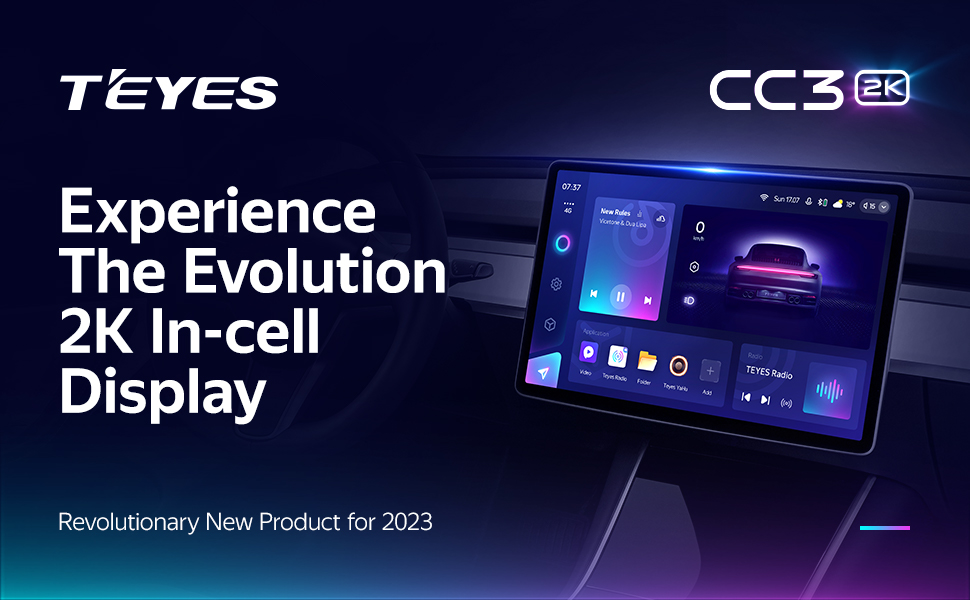
2K In-cell Display

Freestyle Combination Split Screen Mode

Real-time Rear View & Video Recording

Optický a koaxiální digitální audio výstup
4. Nastavení a instalace
4.1. Kompatibilita
The TEYES CC3 2K head unit is specifically designed for Ferrari California models manufactured between 2008 and 2017. Ensure your vehicle falls within this range for proper fitment and functionality.

Obrázek 4.1: Před a po instalaci
4.2. Elektroinstalace a připojení
Refer to the included wiring diagram for detailed connection instructions. Key connections include the power cable, USB cables, GPS antenna, AUX cable, and 4G WiFi antenna. Professional installation is recommended.
- Napájecí kabel: Connect to the vehicle's power supply according to the wiring diagram.
- USB kabely: Utilize the multiple USB outputs for data transfer and connecting external devices.
- GPS anténa: Namontujte na místo s jasnou oblohou view pro optimální příjem signálu.
- 4G WiFi Antenna: Install for stable internet connectivity.
- Zadní kamera: Connect the AHD 1080p rear camera for parking assistance and recording.
- Ovládání na volantu: The system supports original steering wheel controls. Refer to the wiring diagram for integration.
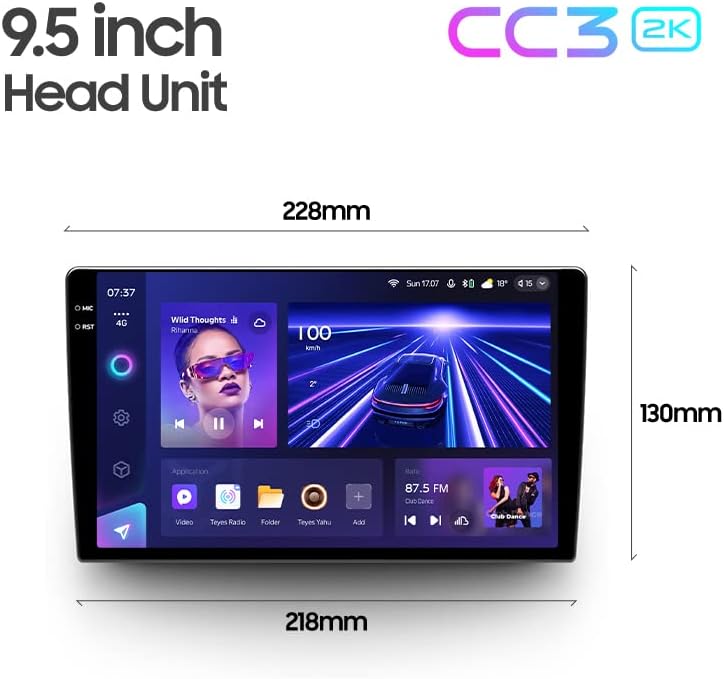
Figure 4.2: USB Output Cables

Figure 4.3: Steering Wheel Control Support
5. Návod k obsluze
5.1. Základní obsluha
The TEYES CC3 2K operates on Android 10, providing a familiar and intuitive user interface. Navigate through menus and applications using the responsive 2K touchscreen. Voice commands are also supported via the touchscreen interface.
5.2. Navigace
Utilize the built-in GPS for accurate navigation. The system supports North America map types. Access navigation applications directly from the main interface.
5.3. Přehrávání multimédií
The system functions as a comprehensive multimedia player, supporting various audio and video formats. Enjoy premium local radio with RDS support. The audio output mode is stereo, providing a rich sound experience.

Figure 5.1: Premium Local Radio Interface
5.4. Konektivita
- Bluetooth: Connect your smartphone for hands-free calling and audio streaming via the upgraded QCC3031QFN Qualcomm Bluetooth module.
- Wi-Fi & Hotspot: Connect to Wi-Fi networks or use your phone's hotspot for internet access.
- Bezdrátové CarPlay a Android Auto: Seamlessly integrate your smartphone for navigation, music, and messaging.
5.5. Nastavení zvuku
Fine-tune your audio experience with the dual DSP (ADAU1701 + ROHM32107) and a 27-segment equalizer. The system also features optical and coaxial digital audio output for high-fidelity sound.

Figure 5.2: Dual DSP Audio Processing
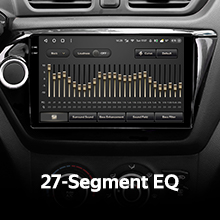
Figure 5.3: 27-Segment Equalizer
5.6. Zadní View Camera and Recording
The included AHD 1080p rear camera provides real-time viewing of your vehicle's rear surroundings, aiding in parking and maneuvering. The system also supports video recording from the camera.
6. Údržba
To ensure the longevity and optimal performance of your TEYES CC3 2K system, follow these maintenance guidelines:
- Čištění: Use the provided cleaning cloth or a soft, lint-free cloth to gently wipe the screen and unit. Avoid abrasive cleaners or solvents.
- Aktualizace softwaru: Periodically check for software updates from TEYES to ensure you have the latest features and bug fixes.
- Podmínky prostředí: Nevystavujte jednotku extrémním teplotám, delšímu přímému slunečnímu záření nebo nadměrné vlhkosti.
7. Řešení problémů
If you encounter issues with your TEYES CC3 2K system, refer to the following common problems and solutions:
| Problém | Možná příčina | Řešení |
|---|---|---|
| Jednotka se nezapne | Uvolněné připojení napájení, spálená pojistka | Check power cable connections; inspect vehicle's fuse box. |
| Žádný zvukový výstup | Příliš nízká hlasitost, nesprávné nastavení zvuku, uvolněné kabely reproduktorů | Increase volume; check audio output settings; verify speaker connections. |
| Ztráta/nepřesnost signálu GPS | GPS antenna obstructed or improperly installed | Ujistěte se, že anténa GPS má jasnou oblohu view; re-seat antenna connection. |
| Dotykový displej nereaguje | Softwarová závada, dočasné zamrznutí | Restart the unit (refer to manual for specific restart procedure); if persistent, contact support. |
| Problémy s připojením Bluetooth | Device not discoverable, interference | Ensure Bluetooth is enabled on both devices; try re-pairing; minimize interference. |
For issues not listed here, or if solutions do not resolve the problem, please contact TEYES customer support.
8. Technické specifikace
| Funkce | Specifikace |
|---|---|
| Číslo modelu | CC3 2K |
| Operační systém | Android 10 |
| Velikost displeje | 9.5 palce |
| Technologie displeje | 2K In-cell Touch Screen |
| BERAN | 6 GB |
| ROM | 128 GB |
| Procesor | 8 jádra 2.0 GHz |
| Modul Bluetooth | QCC3031QFN Qualcomm |
| DSP | 2*DSP ADAU1701 + ROHM32107 |
| Zvukový výstup | Stereofonní, optický a koaxiální digitální audio výstup |
| Konektivita | Bluetooth, USB, WIFI, Hotspot, 4G Internet |
| Navigace | GPS, North America Map Type |
| Speciální funkce | Wireless CarPlay, Android Auto, Steering Wheel Control, Rear View Camera Support, Video Recording |
| Typ montáže | Montáž na panel |
| Výrobce | Shenzhen TEYES High tech Co., Ltd. |
| První dostupný termín | 2. srpna 2023 |
9. Informace o záruce
The TEYES CC3 2K Car Radio Multimedia System comes with a 1-letá záruka from the date of purchase. This warranty covers manufacturing defects and malfunctions under normal use. Please retain your proof of purchase for warranty claims. For detailed warranty terms and conditions, refer to the official TEYES webwebu nebo kontaktujte zákaznickou podporu.
10. Zákaznická podpora
For further assistance, technical support, or inquiries regarding your TEYES CC3 2K system, please visit the official TEYES store or contact their customer service team:
TEYES Official Store: https://www.amazon.com/stores/TEYES/page/1420A196-4C01-48FA-BED8-462791F44D56
Please have your product model number (CC3 2K) and purchase details ready when contacting support.
Ask a question about this manual
Ask about setup, troubleshooting, compatibility, parts, safety, or missing instructions. Manuals+ will review the question and use this page’s manual context to help answer it.