
Zavedení
The Anderic RR1004 is a universal TV remote control designed for simplicity and ease of use, particularly beneficial for seniors, individuals in assisted living, or anyone seeking a straightforward television control experience. Its large, glow-in-the-dark buttons and minimalist layout reduce complexity, focusing on essential functions for effortless TV operation.
This manual provides comprehensive instructions for setting up, operating, and maintaining your Anderic RR1004 remote control.
Klíčové vlastnosti
- Large, Glow-in-the-Dark Buttons: Designed for enhanced visibility and ease of use in various lighting conditions.
- Simplified Layout: Features only essential controls (Power, Volume, Channel, Mute, Closed Captioning) to prevent confusion.
- Broad IR Compatibility: Works with most standard IR (infrared) TVs, including major brands like LG, Samsung, and Sony.
- Funkce učení: Allows copying functions from an existing IR remote for customized control, such as input or streaming buttons.
- Pre-programmed for LG TVs: Ready to use with LG televisions right out of the box.
- Odolný design: Built for reliability in various environments, including hospitality and healthcare settings.
- Upevnění na zápěstí: Provides a convenient way to keep the remote accessible and prevent loss.
Obsah balení
- Anderic RR1004 Big Button TV Remote Control
- Návod k použití (tento dokument)
- Poznámka: Jsou vyžadovány 2 baterie AAA, které nejsou součástí balení.
Nastavení
1. Instalace baterie
The Anderic RR1004 remote requires two (2) AAA batteries for operation. Ensure correct polarity when inserting the batteries.
- Najděte kryt prostoru pro baterie na zadní straně dálkového ovladače.
- Posuňte kryt dolů a otevřete přihrádku.
- Vložte dvě baterie typu AAA tak, aby kladný (+) a záporný (-) pól odpovídaly vyznačeným bodům uvnitř přihrádky.
- Zasuňte kryt zpět na místo, dokud bezpečně nezapadne.

Obraz: Zadní view of the Anderic RR1004 remote control, highlighting the easy-removable battery cover and the small wrist lanyard attachment point. This design helps prevent battery loss and keeps the remote accessible.

Obraz: The Anderic RR1004 remote control displayed alongside two AAA batteries, illustrating the battery type required. The image also shows the remote's dimensions: 5.75 inches in length, 2 inches in width, and 1 inch in thickness, emphasizing its compact yet easy-to-handle size.
2. Initial TV Programming
The RR1004 is pre-programmed for LG TVs and may work immediately. For other TV brands, follow the steps below to program the remote.
Automatic Code Search (3-Step Modification)
This method allows the remote to scan through its internal code database to find a compatible code for your TV.
- Zapněte televizi chcete ovládat.
- Stiskněte a podržte MOC tlačítko a CH+ button simultaneously for approximately three seconds. The remote's indicator light will illuminate, signifying it is in programming mode.
- While pointing the remote at the TV, press and release either the CH+ or CH- button repeatedly. Each press sends a new code. Stop when the TV turns off.
- Jakmile se televizor vypne, stiskněte tlačítko SOUBOR tlačítko pro uložení kódu. Kontrolka zhasne.
Test the remote's functions (Power, Volume, Channel). If not all functions work correctly, repeat the process, stopping at a different code when the TV turns off.
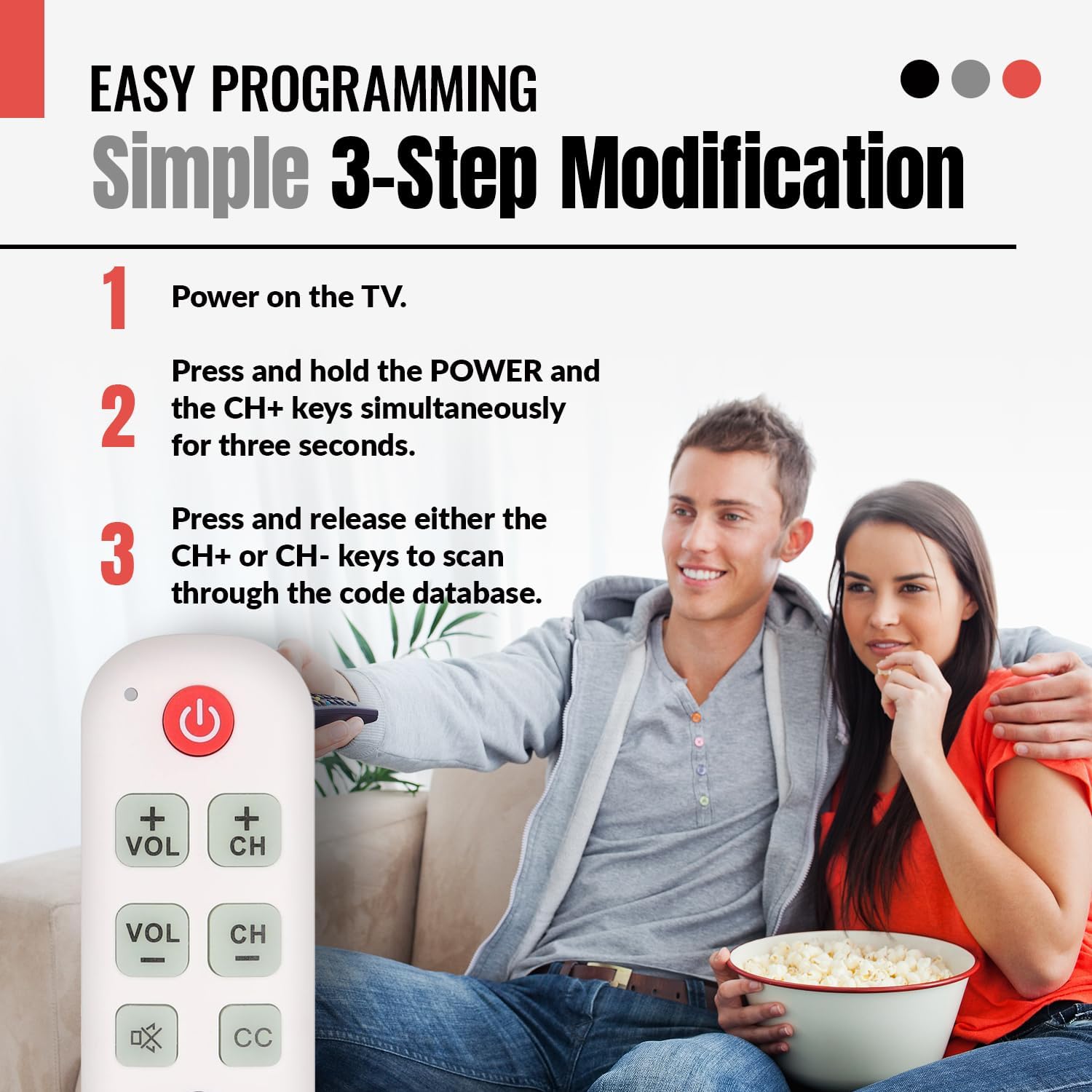
Obraz: A visual guide illustrating the simple 3-step programming process for the Anderic RR1004 remote control. It shows a user pressing the POWER and CH+ buttons, then repeatedly pressing CH+ or CH- to find the correct code for their TV.

Obraz: The Anderic RR1004 remote control in use with an LG HDTV, demonstrating its instant plug-and-play setup for LG models. This image highlights the convenience for users with LG televisions, requiring no programming.
3. Learning Function (Copying from Original Remote)
The learning function allows the RR1004 to copy infrared signals from your existing IR remote control. This is useful for adding functions not present on the RR1004, such as an "Input" button or specific streaming service buttons, provided your original remote is IR-based.
Důležité: The learning function does not work with RF (Radio Frequency) or Bluetooth remotes. Ensure both remotes have fresh batteries and are pointed directly at each other during the learning process. Perform learning in a low-light environment to avoid interference.
- Place the Anderic RR1004 and your original remote control on a flat surface, facing each other, with their IR emitters aligned and approximately 1-2 inches apart.
- Stiskněte a podržte SOUBOR button on the RR1004 for approximately three seconds until the indicator light illuminates steadily.
- Press the button on the RR1004 that you wish to program (e.g., the MOC button if you want to learn a different power code). The indicator light will flash slowly.
- Press and hold the corresponding button on your original remote control (e.g., its Power button). The indicator light on the RR1004 will flash rapidly, then turn solid, indicating successful learning.
- Opakujte kroky 3 a 4 pro všechna další tlačítka, která chcete naprogramovat.
- Po naprogramování všech požadovaných tlačítek stiskněte SOUBOR button on the RR1004 to exit learning mode. The indicator light will turn off.
Test the newly programmed buttons. If a button does not work, repeat the learning process for that specific button.

Obraz: An illustration showing the Anderic RR1004 remote control connected via a dashed line to a cable box, which in turn is connected to a TV. This demonstrates the remote's capability to control both a TV and a cable box, especially through its learning function for cable box commands.
Návod k obsluze
The Anderic RR1004 remote control features a minimalist design with clearly labeled, large buttons for essential TV functions.

Obraz: Jasná fronta view of the Anderic RR1004 Big Button TV Remote Control, showcasing its large, distinct buttons for Power, Volume Up/Down, Channel Up/Down, Mute, Closed Captioning, and the SET button for programming. The remote is white with green and red buttons, and features a small wrist lanyard.

Obraz: The Anderic RR1004 remote control with a red circle highlighting the glow-in-the-dark keys for Volume, Channel, Mute, and Closed Captioning. This feature enhances accessibility and ease of use in low-light conditions, making it ideal for seniors.
- MOC Tlačítko: Zapíná nebo vypíná televizor.
- VOL+ / VOL- tlačítka: Increases or decreases the television's volume.
- CH+ / CH- tlačítka: Přepíná televizní kanál nahoru nebo dolů.
- ZTLUMIT Button (Speaker with X): Ztlumí nebo zapne zvuk televizoru.
- CC Tlačítko: Aktivuje nebo deaktivuje skryté titulky.
- SOUBOR Tlačítko: Used for programming the remote control. Not for daily TV operation.
Údržba
- Čištění: Dálkový ovladač otírejte měkkým, suchým hadříkem. Nepoužívejte tekuté čisticí prostředky ani abrazivní materiály.
- Výměna baterie: Replace batteries when the remote's performance diminishes or the indicator light does not respond. Always replace both AAA batteries simultaneously with new ones.
- Skladování: Dálkový ovladač skladujte na chladném a suchém místě mimo dosah přímého slunečního záření a extrémních teplot.
Odstraňování problémů
| Problém | Možná příčina | Řešení |
|---|---|---|
| Dálkové ovládání nefunguje. |
|
|
| Some buttons do not work after programming. |
|
|
| Learning function does not work. |
|
|
Specifikace
- Model: RR1004
- Rozměry: 5.75 x 2 x 1 inches (Length x Width x Thickness)
- Hmotnost položky: 1.76 unce (bez baterií)
- Zdroj napájení: 2 x AAA baterie (nejsou součástí balení)
- Kompatibilita: Most IR (Infrared) TVs (LG, Samsung, Sony, etc.)
- Speciální vlastnosti: Glow-in-the-dark buttons, Learning Function, Simplified Layout
- Výrobce: Dan's Electronics Etc., Inc.
Záruka a podpora
For warranty information or technical support regarding your Anderic RR1004 remote control, please contact the manufacturer, Dan's Electronics Etc., Inc., or refer to the official Anderic webUschovejte si účtenku jako doklad o koupi pro případné reklamace.
Výrobce: Dan's Electronics Etc., Inc.
Pro další pomoc navštivte stránku Anderic Store on Amazon.