
Zavedení
This manual provides detailed instructions for the operation and maintenance of your Cuifati Portable Cassette Player with Auto Reverse. Please read this manual thoroughly before using the device to ensure proper functionality and to maximize your listening experience.
Obsah balení
Ověřte, zda jsou v balení obsaženy všechny níže uvedené položky:
- 1 x Cuifati Portable Cassette Player
- 1 x sluchátka
- 1 x napájecí kabel USB
- 1 x Uživatelská příručka
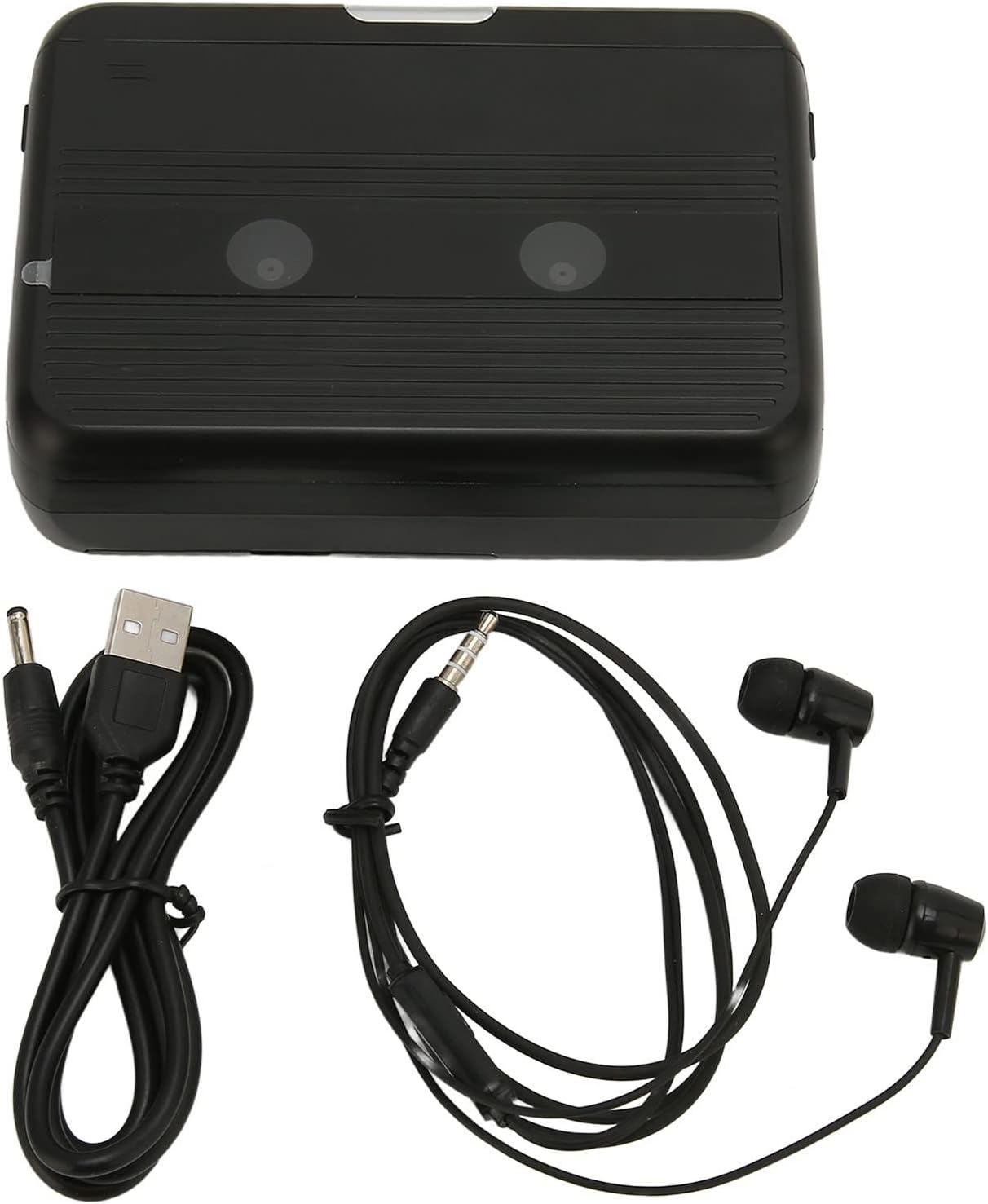
The Cuifati Portable Cassette Player shown alongside its included USB power cord and wired headphones.
Konec produktuview
Familiarize yourself with the various parts and controls of your cassette player.
Přední View (OTEVŘENO)
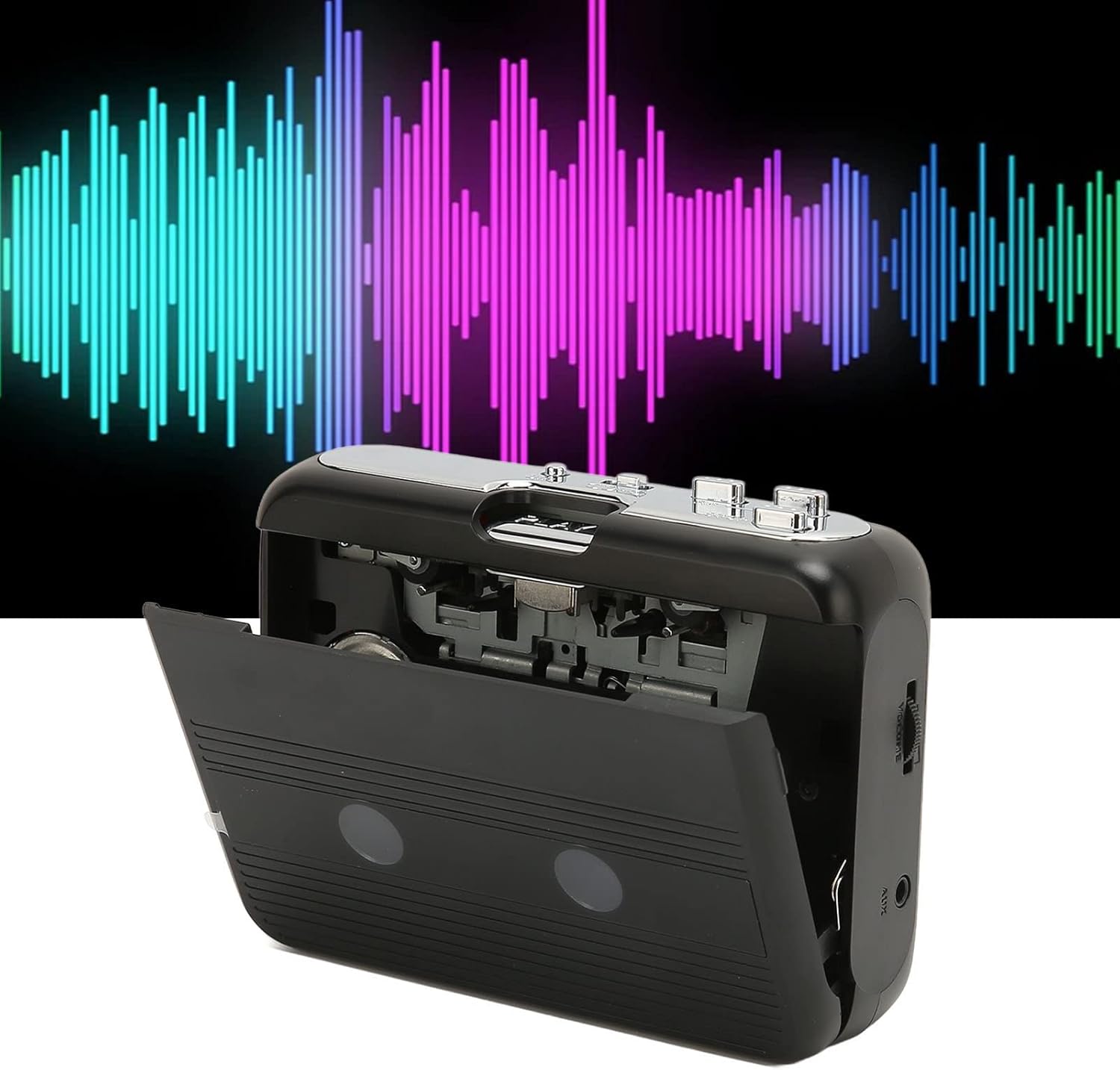
Přední view of the Cuifati Portable Cassette Player with the cassette compartment door open, revealing the tape mechanism.
Přední View (ZAVŘENO)
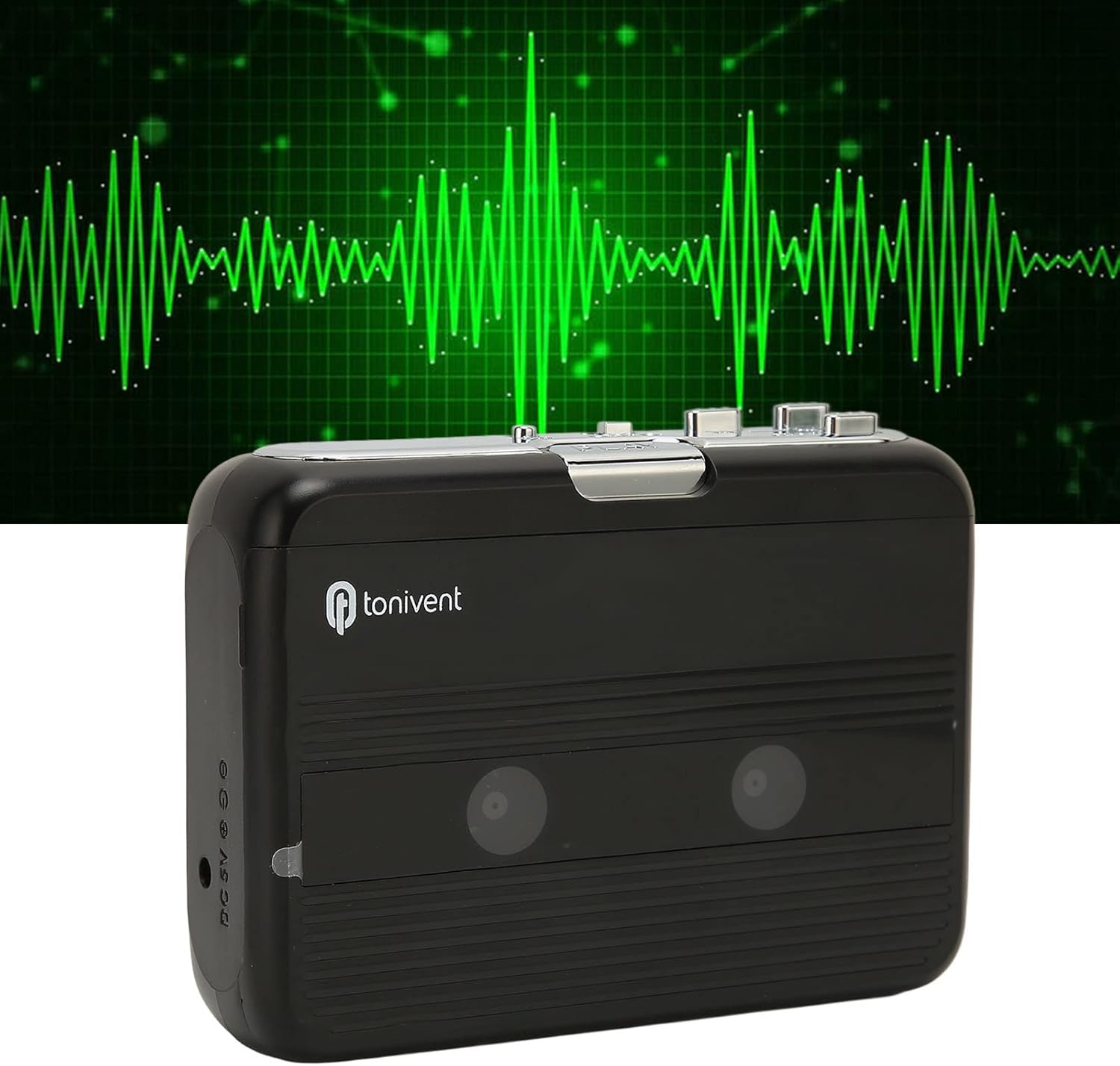
Přední view of the Cuifati Portable Cassette Player with the cassette compartment door closed.
Cassette Mechanism

Detailní záběr view of the cassette player's internal mechanism, showing the tape heads and rollers.
Strana View (Controls and Ports)

Strana view of the cassette player, highlighting the volume control wheel and the AUX output port.
Klíčové ovládací prvky:
- Tlačítko Přehrát: Initiates cassette playback.
- Tlačítko Stop: Halts playback.
- Fast Forward (FF) Button: Rychle posune pásku vpřed.
- Rewind (REW) Button: Rychle přetočí pásku zpět.
- Auto Reverse Button: Changes tape direction during playback.
- Kolečko ovládání hlasitosti: Upravuje úroveň zvukového výstupu.
- FM/Tape Switch: Selects between FM radio and cassette playback mode.
- Headphone/AUX Output Jack: Připojuje sluchátka nebo externí audio zařízení.
- Vstup DC 5V: Pro USB napájení.
Nastavení
Napájení
The cassette player can be powered by two (2) AA batteries or via a USB power supply.
- Instalace baterie:
- Otevřete kryt přihrádky na baterie, který se nachází na zadní straně zařízení.
- Vložte dvě baterie typu AA a dbejte na správnou polaritu (+/-) vyznačenou uvnitř přihrádky.
- Bezpečně zavřete kryt bateriového prostoru.
- Připojení napájení USB:
- Connect the small end of the included USB power cord to the DC 5V input port on the cassette player.
- Connect the standard USB end to a USB power adapter (not included) or a computer's USB port.
Inserting a Cassette Tape
- Gently open the cassette compartment door.
- Insert a cassette tape with the exposed tape facing upwards and the side you wish to play facing the front.
- Zavřete dvířka kazetového prostoru, dokud bezpečně nezacvaknou.
Návod k obsluze
Přehrávání kazet
- Ensure a cassette tape is properly inserted.
- Set the FM/Tape switch to the "Tape" position.
- Stiskněte tlačítko Hrát tlačítko pro zahájení přehrávání.
- Upravte Kolečko ovládání hlasitosti na požadovanou úroveň poslechu.
- Přehrávání zastavíte stisknutím tlačítka Zastávka tlačítko.
- Pro rychlý posun vpřed stiskněte FF tlačítko. Chcete-li přetočit zpět, stiskněte REW knoflík. lis Zastávka to disengage.
Auto Reverse Function
The player features an auto-reverse function, allowing the tape to play in both directions without needing to manually flip the cassette.
- Během přehrávání stiskněte tlačítko Auto Reverse button to switch the tape direction. The player will automatically reverse and continue playing the other side of the tape.
Použití FM rádia
- Set the FM/Tape switch to the "FM" position.
- Use the tuning dial (if present, otherwise the FF/REW buttons might serve as tuning) to scan for FM radio stations.
- Upravte Kolečko ovládání hlasitosti na požadovanou úroveň poslechu.
Using the Built-in Speaker
The device includes a built-in speaker for direct audio output. No special action is required; audio will play through the speaker unless headphones are connected.
Connecting Headphones or External Audio Devices
For private listening or connecting to external speakers, use the 3.5mm headphone/AUX output jack.
- Plug the included headphones or your own 3.5mm audio cable into the Headphone/AUX Output Jack.
- When headphones are connected, audio will automatically switch from the built-in speaker to the headphones.

A person listening to music with headphones, illustrating the headphone usage.
Údržba
Proper care ensures the longevity and optimal performance of your cassette player.
- Čištění: K čištění vnější strany zařízení používejte měkký, suchý hadřík. Nepoužívejte tekuté čisticí prostředky ani abrazivní materiály.
- Magnetické hlavy: Periodically clean the tape heads with a specialized cassette head cleaner to maintain sound quality.
- Skladování: Pokud zařízení delší dobu nepoužíváte, vyjměte baterie, abyste zabránili jejich vytečení. Skladujte zařízení na chladném a suchém místě mimo dosah přímého slunečního záření a extrémních teplot.
- Vyhněte se prachu: Keep the cassette compartment closed when not in use to prevent dust accumulation.
Odstraňování problémů
If you encounter issues with your cassette player, refer to the following common problems and solutions:
| Problém | Možná příčina | Řešení |
|---|---|---|
| Žádná síla | Dead batteries; USB cable not connected; faulty power source. | Replace batteries; ensure USB cable is securely connected to a working power source. |
| Z reproduktoru/sluchátek není slyšet žádný zvuk | Volume too low; headphones not fully plugged in; FM/Tape switch in wrong position; dirty tape heads. | Increase volume; ensure headphones are fully inserted; set switch to correct mode (Tape/FM); clean tape heads. |
| Poor sound quality (cassette) | Dirty tape heads; worn-out tape; incorrect tape insertion. | Clean tape heads; try a different tape; re-insert tape correctly. |
| Špatný příjem/statické rušení FM rádia | Slabý signál; rušení. | Relocate the player to an area with better reception; try adjusting the player's orientation. |
| Tape not playing/moving | Tape jammed; mechanism issue; tape not inserted correctly. | Check for tape jams; ensure tape is inserted correctly; if issue persists, contact support. |
Specifikace
| Funkce | Detail |
|---|---|
| Značka | Cuifati |
| Číslo modelu | Cuifatibi73wk0z4p |
| ASIN | B0CDD42V9J |
| Napájení | 2 x AA Batteries or USB DC 5V |
| Funkce | Cassette Playback, Auto Reverse, FM Radio, Built-in Speaker, Headphone Output |
| Zvukový výstup | 3.5mm Headphone/AUX Jack |
| Hmotnost položky | 10.3 unce |
Důležité bezpečnostní informace
- Nevystavujte zařízení vodě, vlhkosti ani extrémním teplotám.
- Zabraňte pádu zařízení nebo jeho vystavení silným nárazům.
- Nepokoušejte se zařízení rozebírat ani opravovat sami. Veškerý servis svěřte kvalifikovanému personálu.
- Baterie zlikvidujte zodpovědně v souladu s místními předpisy.
- Dlouhodobý poslech na vysoké úrovni hlasitosti může způsobit poškození sluchu. Upravte hlasitost na bezpečnou úroveň.
Záruka a podpora
Informace o záruce nebo technickou podporu naleznete v dokumentaci dodané při nákupu nebo se obraťte na prodejce. Uschovejte si účtenku jako doklad o koupi.