
1. Úvod
The Retevis RA89 is a high-performance dual-band amateur radio designed for reliable communication in various environments. Featuring high power output, IP68 waterproofing, and a 2500mAh battery, it is suitable for outdoor activities, hunting, and general amateur radio use. This manual provides essential information for setting up, operating, and maintaining your RA89 radio.
2. Co je v krabici
Upon unpacking your Retevis RA89, please ensure all items listed below are present:
- Retevis RA89 Radio Amateur (x1)
- Nabíjecí kabel USB-C (1x)
- Multilingual User Manual (x1)
- Spona na opasek (1x)
- Nabíjecí základna (x1)
- Battery (2500mAh) (x1)
- Poutko na ruku (x1)
- Datový kabel (x1)

3. Nastavení
3.1 Instalace baterie
- Zarovnejte baterii se zadní stranou rádia.
- Zasuňte baterii nahoru, dokud bezpečně nezapadne na místo.
3.2 Připojení antény
- Zašroubujte anténu ve směru hodinových ručiček do konektoru na horní straně rádia, dokud nebude pevně utažena prsty. Nepřetahujte ji.
3.3 Instalace spony na opasek
- Locate the two screw holes on the back of the radio.
- Align the belt clip with these holes and secure it using the provided screws.
3.4 Nabíjení baterie
The RA89 features a 2500mAh high-capacity battery and supports Type-C charging for convenience.
- Insert the radio into the charging base.
- Connect the USB-C charging cable to the charging base and a suitable power source.
- Alternatively, you can directly connect the USB-C cable to the radio's Type-C port for charging.
- Kontrolka nabíjení bude ukazovat stav nabíjení.


4. Návod k obsluze
4.1 Zapnutí/vypnutí a ovládání hlasitosti
- To power on the radio, rotate the power/volume knob clockwise.
- Pro vypnutí otočte knoflík proti směru hodinových ručiček, dokud nezaklapne.
- Hlasitost upravíte otáčením stejného knoflíku.
4.2 Frequency Setting (VFO Mode)
The RA89 supports VFO (Variable Frequency Oscillator) mode, allowing manual frequency input.
- Enter VFO mode (refer to your radio's specific menu navigation for this step).
- Use the keypad to manually input the desired frequency.
- Confirm the frequency setting.

4.3 Provoz ve dvou pásmech
The RA89 supports dual-band functionality, allowing simultaneous monitoring of 2m (VHF) and 70cm (UHF) frequencies.
- The radio can display two frequencies simultaneously.
- Use the A/B button to switch between the primary and secondary frequency for transmission.
4.4 Vysílání a příjem
- Pro vysílání stiskněte a podržte tlačítko PTT (Push-To-Talk) na boku radiostanice. Mluvte zřetelně do mikrofonu.
- Pro příjem uvolněte tlačítko PTT.
4.5 Snížení hluku
The RA89 is equipped with a noise cancellation chip to ensure clear reception, even in noisy environments.

4.6 Zámek klávesnice
Abyste zabránili nechtěným změnám nastavení, můžete klávesnici zamknout.
- Refer to your user manual for the specific key combination to lock/unlock the keypad.
4.7 Nouzový alarm
The radio includes an emergency alarm function for critical situations.
- Consult your user manual for instructions on activating and deactivating the emergency alarm.
4.8 Nastavitelný jas
Adjust the display brightness for optimal visibility in different lighting conditions.
- Navigate to the display settings in the radio's menu.
- Select the brightness level (typically 1-7).
5. Údržba
5.1 Čištění
Pravidelné čištění pomáhá udržovat výkon a vzhled rádia.
- Otřete povrch rádia měkkým hadříkemamp tkanina.
- Nepoužívejte drsné chemikálie ani abrazivní čisticí prostředky.
- Ensure the Type-C port cover is securely closed to maintain IP68 waterproofing.
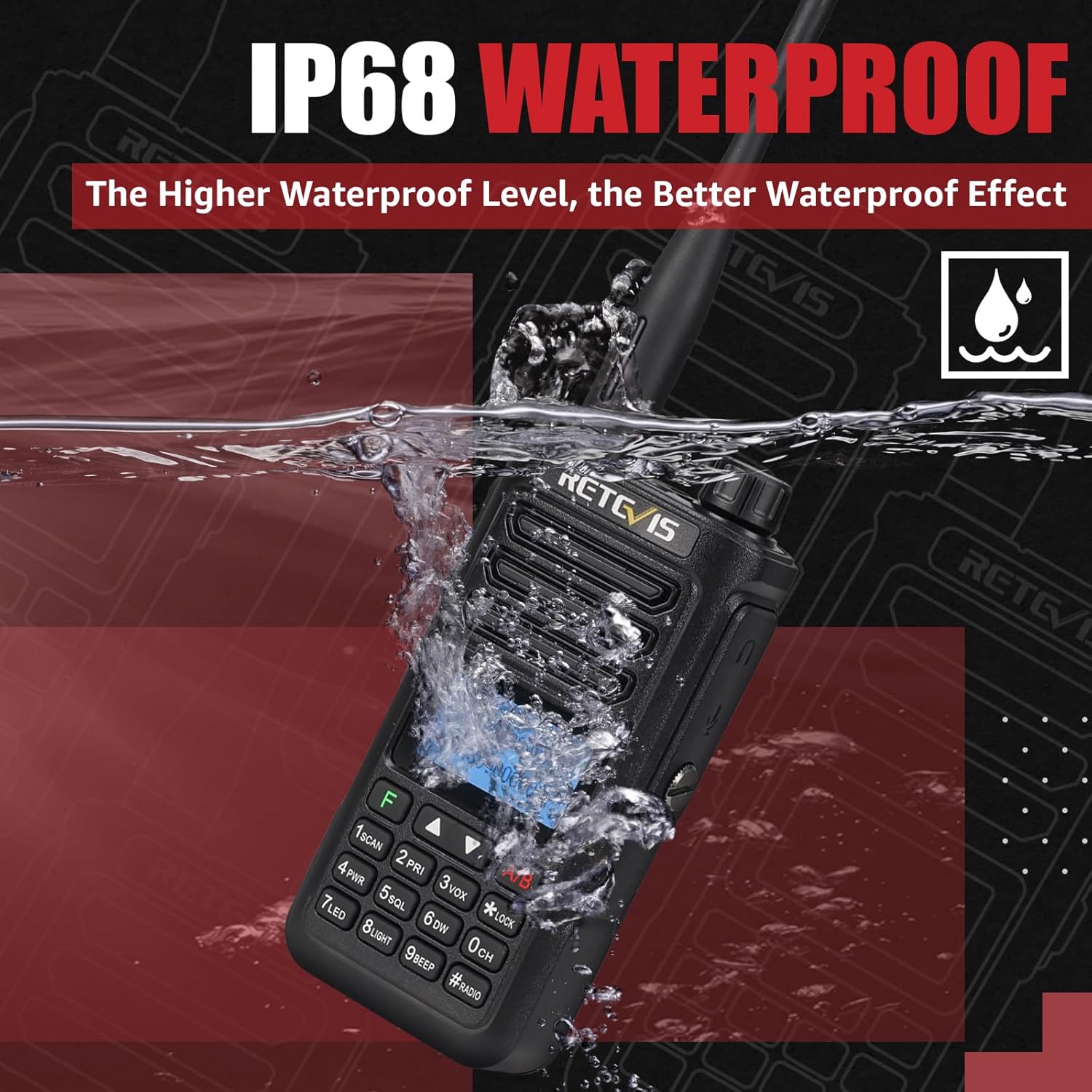
5.2 Vodotěsnost (IP68)
The Retevis RA89 is IP68 rated, meaning it can withstand immersion in up to 1 meter of water for 1 hour.
- Always ensure all port covers and the battery compartment are properly sealed before exposing the radio to water.
- After exposure to water, dry the radio thoroughly before charging or opening any compartments.
6. Řešení problémů
If you encounter issues with your Retevis RA89, please refer to the following common solutions:
- Bez napájení: Ujistěte se, že je baterie plně nabitá a správně vložená. Zkontrolujte, zda je knoflík napájení/hlasitosti zapnutý.
- Nelze odesílat/přijímat: Verify that the antenna is securely attached. Check that you are on the correct frequency and channel. Ensure the PTT button is functioning correctly.
- Špatná kvalita zvuku: Adjust the volume. Check for obstructions around the microphone or speaker. Ensure noise reduction settings are appropriate for your environment.
- Klávesnice nereaguje: Check if the keypad lock is activated. Refer to the manual to unlock it.
For further assistance, please contact Retevis customer support.
7. Specifikace
| Funkce | Specifikace |
|---|---|
| Značka | Retevis |
| Číslo modelu | RA89 |
| Barva | Černý |
| Počet kanálů | 200 |
| Speciální funkce | Dual Band |
| Frekvenční rozsah | 144-146 MHz; 430-440 MHz |
| Maximální dosah | 5 kilometry |
| svtage | 7.4 voltů |
| Úroveň odolnosti proti vodě | IP68 (vodotěsný) |
| Rozměry produktu | 7P x 5d x 12.7V centimetrů |
| Počet baterií | 1 lithium-iontová (součástí balení) |
| Úroveň hluku | 40 decibelů |
| Protokol připojení | VHF, UHF |
| Hmotnost položky | 310 gramů |
8. Záruka a podpora
8.1 Informace o záruce
Retevis offers a 2-year warranty for the radio body and a 1-year warranty for accessories. Additionally, a 30-day no-reason return policy is provided.
Po uplynutí záruční doby je k dispozici údržba, přičemž kupující hradí související náklady.
8.2 Zákaznická podpora
For any questions, technical support, or warranty claims, please contact Retevis customer service via Amazon. We aim to respond within 12 hours.