
TEYES CC3 2K
TEYES CC3 2K Car Radio Multimedia System
User Instruction Manual for Nissan Qashqai 1 J10 (2006-2013)
Model: CC3 2K | Brand: TEYES
1. Úvod
This manual provides detailed instructions for the installation, operation, maintenance, and troubleshooting of your TEYES CC3 2K Car Radio Multimedia System. Designed specifically for the Nissan Qashqai 1 J10 models from 2006 to 2013, this head unit offers advanced navigation, multimedia playback, and smart connectivity features to enhance your driving experience. Please read this manual thoroughly before installation and use to ensure proper functionality and safety.

Image: TEYES CC3 2K Car Radio Multimedia System with its dedicated dashboard frame.
2. Obsah balení
Verify that all items listed below are included in your package. If any items are missing or damaged, please contact TEYES customer support.

Image: All components included in the TEYES CC3 2K package.
- 1* Head unit (TEYES CC3 2K)
- 1* USB kabel
- 1* GPS antenna
- 1* AUX kabel
- 1* 4G WiFi antenna
- 1* E-book (digital instruction manual)
- 1* Frame (OEM Panel for Nissan Qashqai 1 J10)
- 1* Napájecí kabel
- 1* AHD 1080p rear camera
- Audio & Video harness + RCA cables
- Šrouby a šroubovák
- Čistící hadřík
- Schéma zapojení
3. Nastavení a instalace
Installation of the TEYES CC3 2K unit requires careful attention to wiring and vehicle-specific procedures. It is recommended that installation be performed by a qualified professional.
3.1 Kontroly před instalací
- Ensure your vehicle is a Nissan Qashqai 1 J10 (2006-2013).
- Před zahájením jakýchkoli elektrických prací odpojte baterii vozidla.
- Review the included wiring diagram thoroughly.
3.2 kroky instalace
- Opatrně odstraňte původní autorádio a obložení palubní desky.
- Install the provided OEM panel into your vehicle's dashboard opening. This panel is designed to seamlessly integrate the new head unit.
- Connect the main power harness from the TEYES CC3 2K unit to your vehicle's wiring. Ensure all connections are secure.
- Connect the GPS antenna, 4G WiFi antenna, USB cables, AUX cable, and the AHD rear camera to their respective ports on the head unit.
- Carefully slide the TEYES CC3 2K head unit into the OEM panel opening until it clicks into place.
- Znovu připojte baterii vozidla.
- Power on the unit and perform initial setup as prompted on the screen.
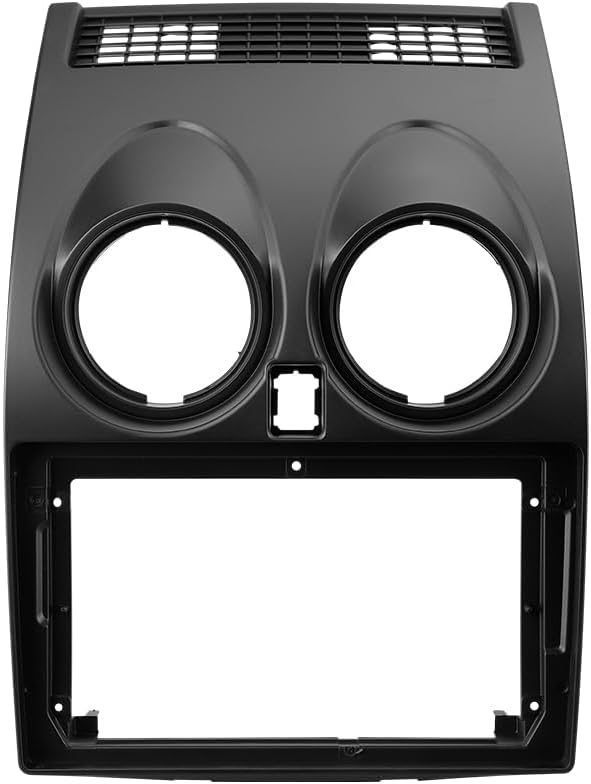
Image: Dedicated OEM Panel for Nissan Qashqai 1 J10.

Image: Visual comparison of the dashboard before and after installation, highlighting integrated features like steering wheel controls and USB ports.
4. Návod k obsluze
The TEYES CC3 2K system runs on Android, offering a user-friendly interface and a wide range of features.
4.1 Displej a rozhraní
The unit features a 2K In-cell Display with advanced touch screen technology, providing vivid colors and accurate touch response.
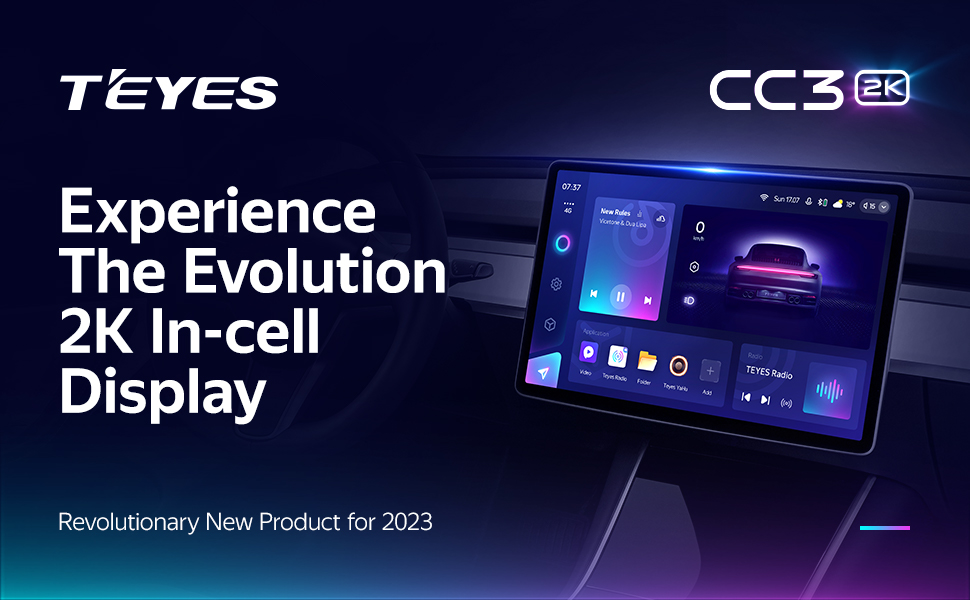
Image: The TEYES CC3 2K's 2K In-cell Display showcasing its vibrant interface.
4.2 Konektivita
- Bezdrátové CarPlay a Android Auto: Connect your smartphone wirelessly for seamless integration of navigation, music, and communication apps.
- Bluetooth: Pair your phone for hands-free calling and audio streaming via the upgraded QCC3031QFN Qualcomm Bluetooth module.
- USB: Utilize the three USB outputs for data transfer, media playback, and charging devices.
- 4G Internet & WiFi: Stay connected on the go with built-in 4G support and WiFi hotspot capabilities.

Image: Three USB output cables provided for data transfer and connectivity.
4.3 Zvukové funkce
Experience superior sound quality with advanced audio processing capabilities.
- Dual DSP: Equipped with 2*DSP ADAU1701 + ROHM32107 for enhanced audio processing.
- Optický a koaxiální digitální audio výstup: For high-fidelity audio connections to external ampzesilovače nebo zvukové systémy.
- 27-Segment EQ: Fine-tune your audio with a comprehensive 27-segment equalizer.
- Sound Filtering: Utilize sound filtering options to optimize audio output.

Image: Digital Sound Processor (DSP) interface for audio customization.

Image: Settings for optical and coaxial digital audio output.
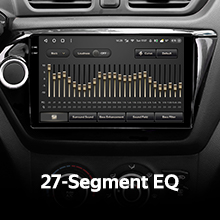
Image: The 27-Segment Equalizer interface for precise sound adjustment.
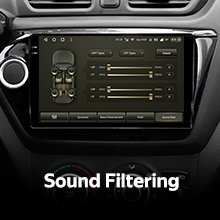
Image: Sound filtering settings to refine audio output.
4.4 Navigace a multimédia
- GPS navigace: Vestavěná GPS s podporou různých navigačních aplikací.
- Rádio: Enjoy local radio stations with premium reception and RDS support.
- Videopřehrávač: Play various video formats directly on the 2K display.
- TEYES Vision & Yahu: Explore creative 3D software applications developed by TEYES.
- Režim rozdělené obrazovky: Utilize the Freestyle Combination Split Screen Mode to run two applications simultaneously, such as navigation and music.

Image: The Premium Local Radio interface displaying available stations.

Image: Split screen mode displaying navigation on one side and video playback on the other.
4.5 Integrace vozidla
- Ovládání na volantu: The unit supports integration with your vehicle's existing steering wheel controls for convenient operation.
- Zadní View Fotoaparát: V reálném čase viewing of your vehicle's rear view is supported, along with video recording capabilities for added safety.

Image: Steering wheel controls for integrated system operation.

Image: Real-time display from the rear view camera on the head unit screen.
5. Údržba
Proper maintenance ensures the longevity and optimal performance of your TEYES CC3 2K system.
- Čištění: Use the provided cleaning cloth or a soft, lint-free cloth to gently wipe the screen and unit exterior. Do not use abrasive cleaners or solvents.
- Aktualizace softwaru: Periodically check for and install software updates to ensure the system has the latest features and bug fixes. Updates can typically be found via the system settings or TEYES official webmísto.
- Podmínky prostředí: Nevystavujte jednotku extrémním teplotám, delšímu přímému slunečnímu záření nebo nadměrné vlhkosti.
6. Řešení problémů
If you encounter issues with your TEYES CC3 2K system, refer to the following common problems and solutions.
| Problém | Možná příčina | Řešení |
|---|---|---|
| Jednotka se nezapne. | Uvolněné připojení napájení, spálená pojistka, problém s autobaterií. | Zkontrolujte připojení napájecích kabelů. Zkontrolujte pojistky vozidla. Ujistěte se, že je baterie vozidla nabitá. |
| Žádný zvukový výstup. | Příliš nízká hlasitost, nesprávný zdroj zvuku, problém s kabeláží reproduktorů. | Zvyšte hlasitost. Vyberte správný zdroj zvuku. Zkontrolujte připojení reproduktorů. |
| Signál GPS ztracen nebo nepřesný. | Zablokovaná nebo odpojená anténa GPS, špatný příjem satelitů. | Ujistěte se, že je anténa GPS správně připojena a má jasný signál. view oblohy. Přesuňte vozidlo na otevřené prostranství. |
| Problémy s připojením Bluetooth. | Zařízení není v režimu párování, rušení, nesprávný proces párování. | Ensure both devices are in pairing mode. Delete previous pairings and re-pair. Reduce interference. |
| Dotykový displej nereaguje. | Zamrznutí systému, dočasná softwarová závada. | Restart the unit (refer to manual for specific restart procedure, usually a small reset button or holding power button). |
If the problem persists after attempting these solutions, please contact TEYES customer support.
7. Specifikace
Key technical specifications for the TEYES CC3 2K Car Radio Multimedia System.
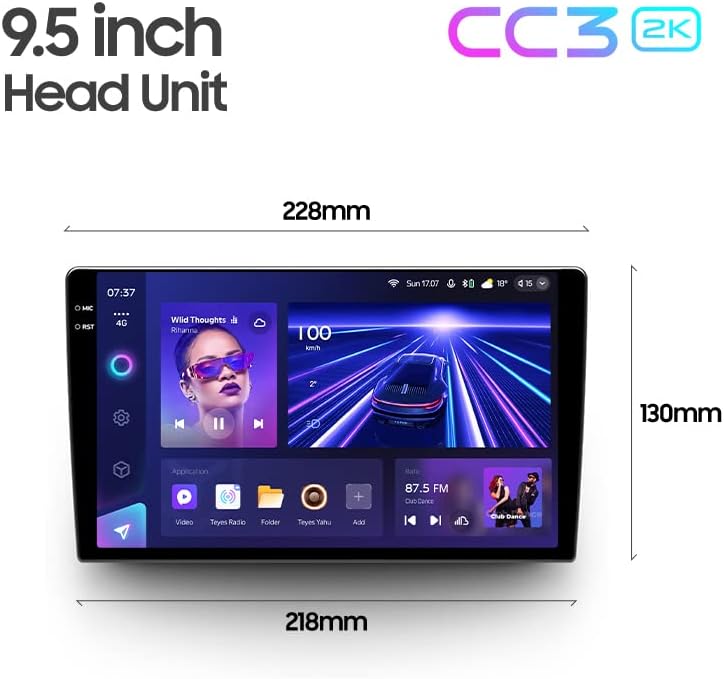
Image: Dimensions of the TEYES CC3 2K Head Unit.
| Funkce | Specifikace |
|---|---|
| Číslo modelu položky | CC3 2K |
| Velikost displeje | 9.5 palce |
| Operační systém | Android |
| Kapacita paměti | 6 GB RAM, 128 GB ROM |
| Procesor | 8 cores 2.0GHz |
| Technologie připojení | Bluetooth, USB, WIFI, Hotspot |
| Speciální funkce | Bluetooth, Touchscreen, Wireless CarPlay, Android Auto, DSP, Optical/Coaxial Digital Audio Output, Rear View Podpora fotoaparátu |
| Režim zvukového výstupu | Stereo |
| Typ mapy | North America (pre-installed, other maps may be downloadable) |
| Výrobce | Shenzhen TEYES High tech Co., Ltd. |
8. Informace o záruce
The TEYES CC3 2K Car Radio Multimedia System comes with a 1-letá záruka from the date of purchase. This warranty covers manufacturing defects and malfunctions under normal use. Please retain your proof of purchase for warranty claims. The warranty does not cover damage caused by improper installation, misuse, accidents, unauthorized repairs, or normal wear and tear.
9. Podpora
For technical assistance, troubleshooting beyond this manual, or warranty inquiries, please contact TEYES customer support. You can typically find contact information on the official TEYES webwebu nebo prostřednictvím prodejce, u kterého jste produkt zakoupili.
Výrobce: Shenzhen TEYES High tech Co., Ltd.
Značka: TEYES
V poskytnutých datech pro vložení do této příručky nebyla nalezena žádná oficiální produktová videa.
Ask a question about this manual
Ask about setup, troubleshooting, compatibility, parts, safety, or missing instructions. Manuals+ will review the question and use this page’s manual context to help answer it.