
Zavedení
This manual provides essential information for the safe and efficient use of your SANSUI JSW50GSUHD 50-inch 4K Ultra HD Smart Google LED TV. Please read these instructions thoroughly before operating the television and retain them for future reference.

Obrázek: Přední strana view of the SANSUI JSW50GSUHD 50-inch 4K Ultra HD Smart Google LED TV.
Bezpečnostní informace
Always follow basic safety precautions when using this television to reduce the risk of fire, electric shock, and injury. Keep the TV away from water and moisture. Do not block ventilation openings. Use only attachments/accessories specified by the manufacturer. Refer all servicing to qualified service personnel.
Co je v krabici
Opatrně vybalte krabici a ujistěte se, že jsou v ní všechny položky:
- 1 x SANSUI JSW50GSUHD 50-inch TV
- 1 x Dálkové ovládání
- 1 pair x AAA Batteries (for remote)
- 1 set x Base Stand
- 2 pairs x Screws (for stand)
- 1 set x Wall Mounting Kit (if included)
- 1 x Uživatelská příručka a záruční list
- 1 x napájecí kabel
- 1 x Mini AV cable
Nastavení
1. Umístění TV
Place the TV on a stable, flat surface using the provided base stand, or mount it on a wall using a compatible VESA 100 x 100 mm wall mount (sold separately). Ensure adequate ventilation around the TV.

Image: The SANSUI JSW50GSUHD TV placed on a media console with its stand.
2. Připojení externích zařízení
Váš televizor SANSUI nabízí různé možnosti připojení:
- HDMI porty (3): Připojte Blu-ray přehrávače, herní konzole, set-top boxy atd.
- USB porty (2): Připojte USB disky pro přehrávání médií.
- AV (Mini) Port: Pro starší zařízení používající kompozitní video a stereo zvuk.
- Ethernet (LAN) port: Pro kabelové připojení k internetu.
- Anténní/RF vstup: Pro připojení antény nebo kabelové televize.
- Optický audio výstup: Pro připojení k externím audio systémům.
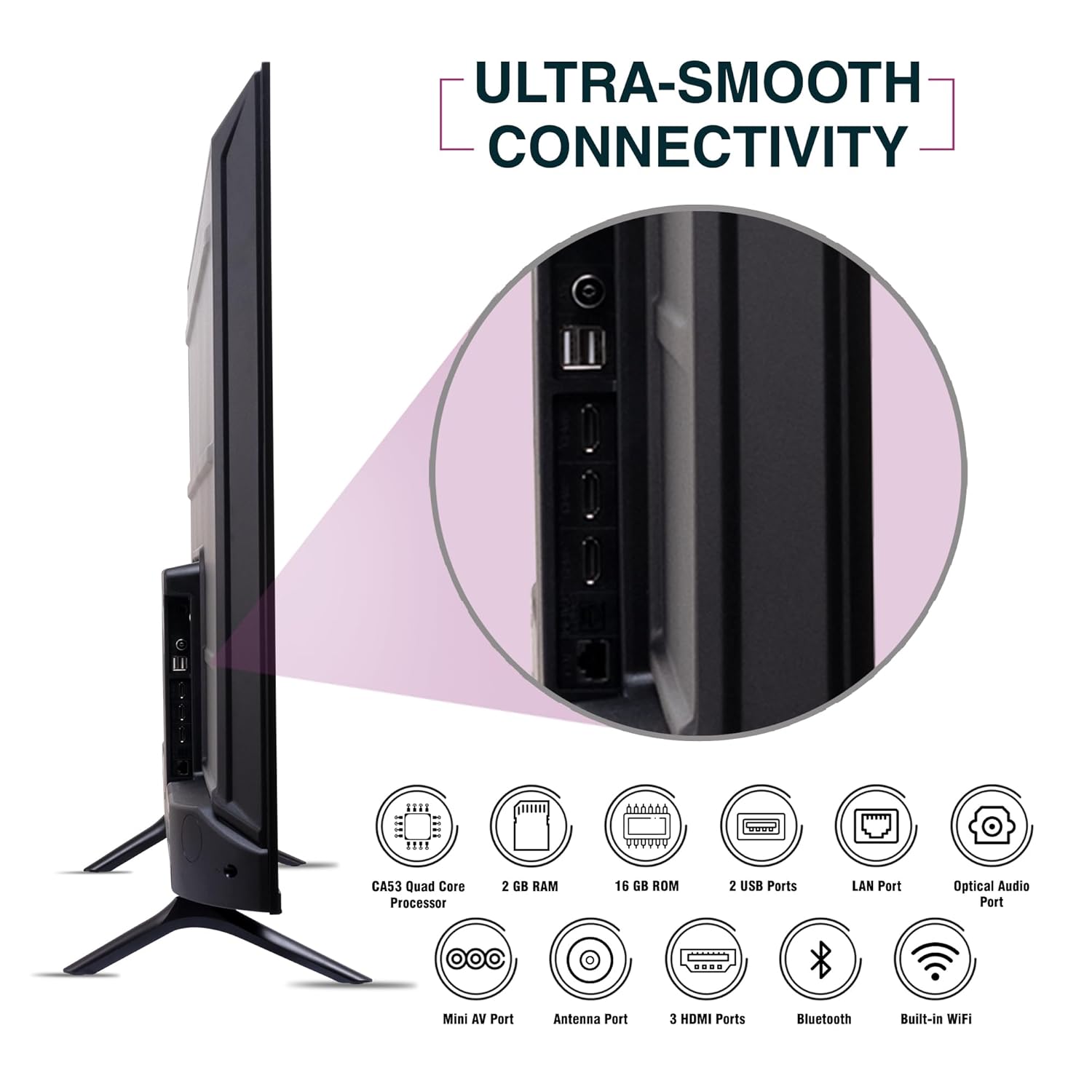
Obrázek: Boční view of the SANSUI JSW50GSUHD TV highlighting the various input and output ports.
3. Připojení napájení
Connect the power cable to the TV's power input and then to a wall outlet. The TV supports 100-240 VAC, 50-60 Hz.
4. Nastavení dálkového ovládání
Vložte dvě baterie typu AAA do dálkového ovladače a dbejte na správnou polaritu.
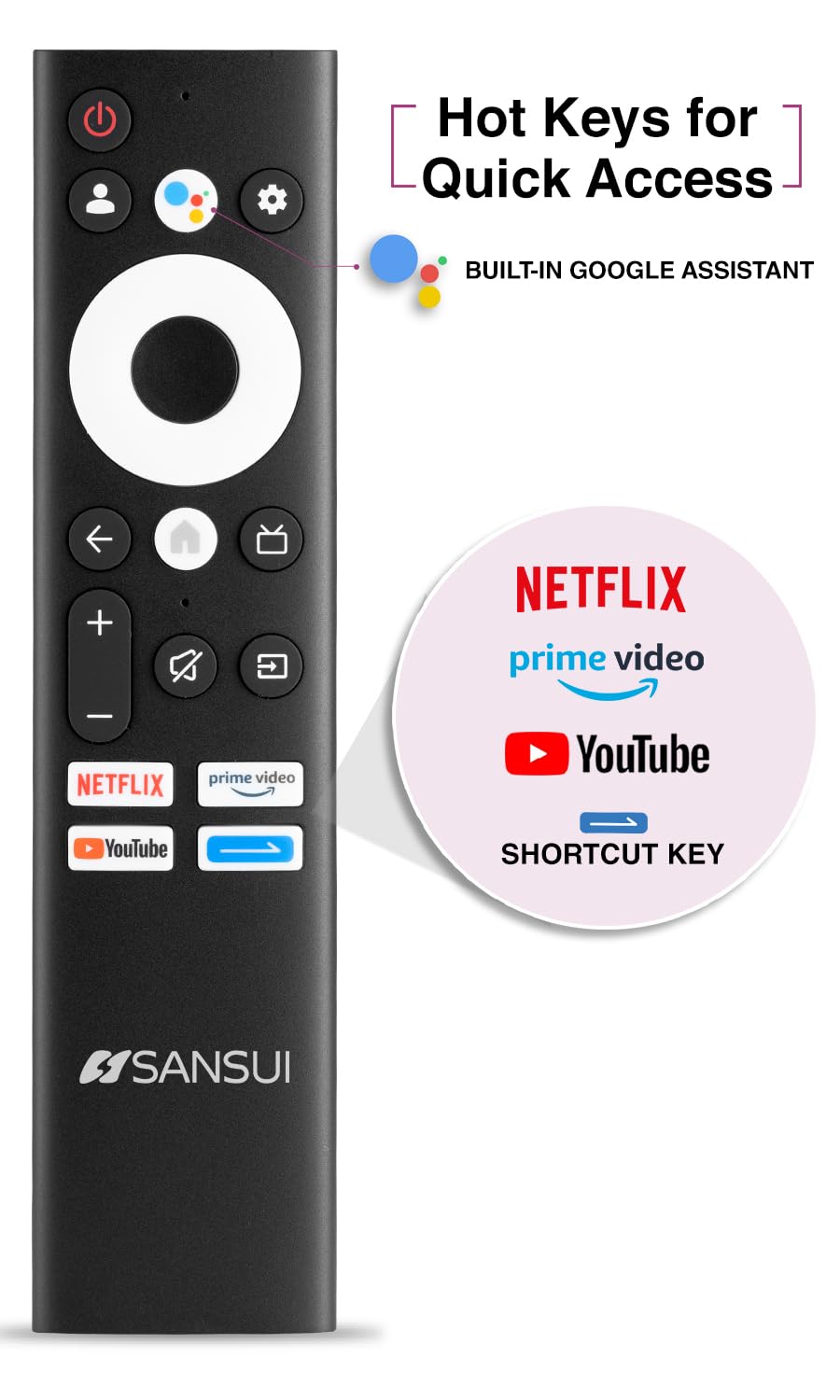
Image: The SANSUI JSW50GSUHD remote control, showing button layout and hot keys.
5. Počáteční nastavení (Google TV)
Upon first power-on, the TV will guide you through the initial setup process. This includes selecting your language, connecting to Wi-Fi, signing in with your Google account, and configuring Google TV settings. Follow the on-screen prompts.
Ovládání televizoru
1. Základní funkce
- Moc: Stisknutím tlačítka napájení na dálkovém ovladači zapnete nebo vypnete televizor.
- Objem: Pomocí tlačítek pro zvýšení/snížení hlasitosti upravte úroveň zvuku.
- Vstupní zdroj: Press the Source button to select between HDMI, AV, TV, and other inputs.
- Navigace: Pro navigaci v nabídkách použijte směrový ovladač a tlačítko OK.
2. Funkce chytré televize (Google TV)
Your TV runs on Google TV, providing access to a wide range of streaming services and smart features.
- Asistent Google: Use the dedicated button on your remote for voice commands to search for content, control smart home devices, and get information.
- Vestavěný Chromecast: Přenášejte obsah z kompatibilního chytrého telefonu, tabletu nebo počítače přímo do televizoru.
- Aplikace: Access popular streaming apps like Netflix, Prime Video, Disney+ Hotstar, and YouTube directly from the Google TV interface. Download more apps from the Google Play Store.
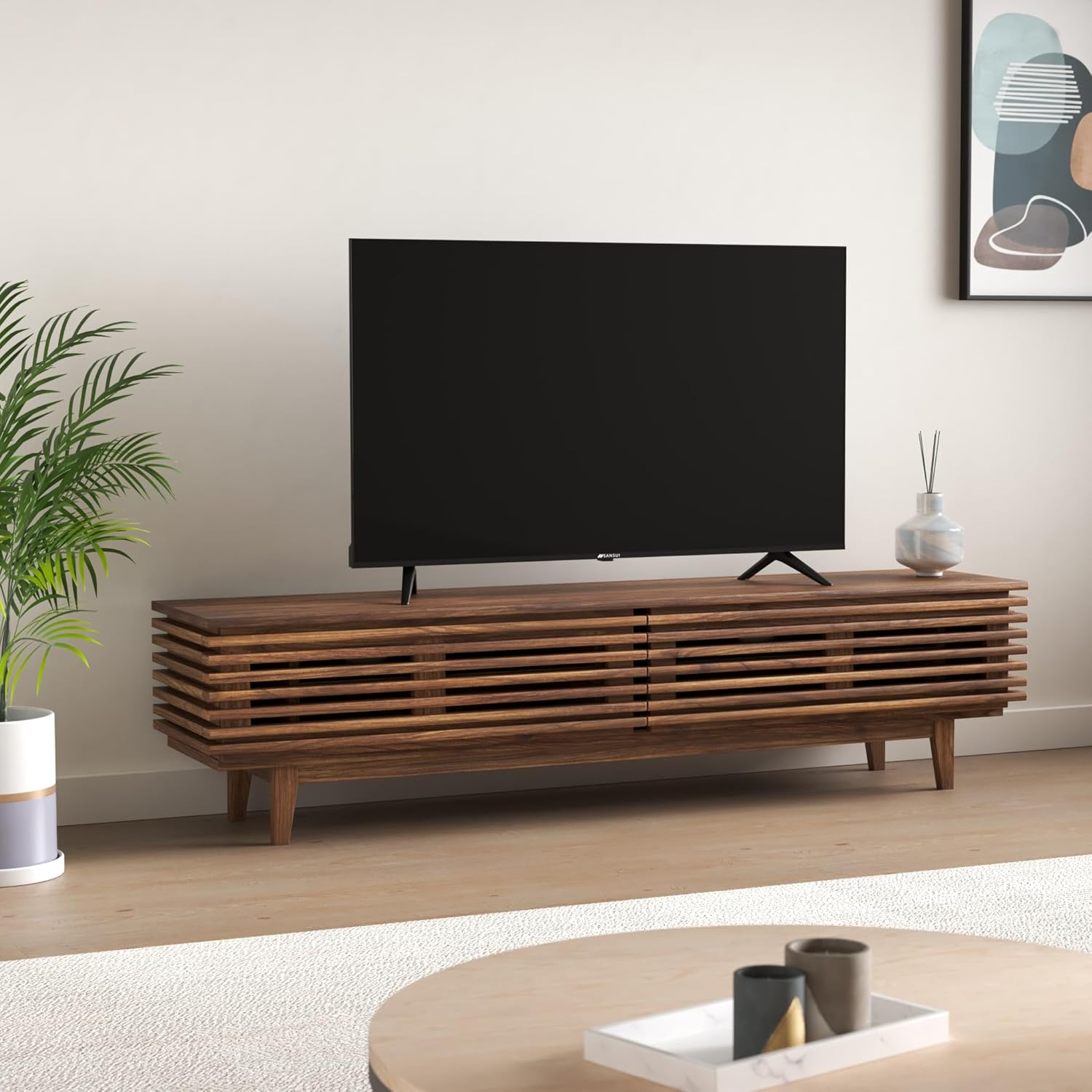
Image: The Google TV home screen displaying various streaming applications and content suggestions.
3. Display and Audio Enhancements
- 4K Ultra HD: Užijte si ohromující jasnost a detaily s rozlišením 3840x2160.
- HDR10: Experience enhanced contrast and a wider range of colors with HDR10 content.
- Zen Panel: The A+ Zen panel dynamically enhances visual content with uniform light dispersal for improved picture quality.
- Bezrámečkový design: Maximalizuje prostor na obrazovce pro pohlcující zážitek viewzkušenosti.
- Zvuk Dolby Audio a DTS Studio: Delivers rich, clear, and immersive audio with 20W output.

Obrázek: Detail view of the SANSUI JSW50GSUHD TV showcasing its bezel-less design with a vibrant nature scene.

Image: An illustration demonstrating the advanced light dispersal technology of the Zen Panel for enhanced hues.
Údržba
1. Čištění
Obrazovku jemně otřete měkkým hadříkem, který nepouští vlákna. V případě odolných skvrn ji lehce otřete.ampen the cloth with water or a screen cleaner specifically designed for TVs. Do not spray liquid directly onto the screen. Clean the TV body with a soft, dry cloth.
2. Aktualizace softwaru
Vaše Google TV může dostávat automatické aktualizace softwaru. Abyste mohli tyto aktualizace dostávat, ujistěte se, že je vaše televize připojena k internetu. To může zlepšit její výkon a přidat nové funkce.
Odstraňování problémů
Pokud narazíte na problémy s televizorem, podívejte se na následující běžná řešení:
| Problém | Možné řešení |
|---|---|
| Žádná síla | Zkontrolujte, zda je napájecí kabel bezpečně připojen k televizoru a k elektrické zásuvce. Ujistěte se, že je zásuvka funkční. |
| Žádný obraz/zvuk | Verify the correct input source is selected. Check cable connections to external devices. Try a different HDMI port. |
| Dálkové ovládání nefunguje | Zkontrolujte a vyměňte baterie. Ujistěte se, že mezi dálkovým ovladačem a infračerveným senzorem televizoru nejsou žádné překážky. |
| Problémy s připojením Wi-Fi | Restart your router and modem. Reconnect the TV to the Wi-Fi network in the settings. Ensure the TV is within range of your router. |
| Problémy s kvalitou obrazu | Upravte nastavení obrazu (jas, kontrast, barvy) v nabídce televizoru. Ujistěte se, že zdroj obsahu je vysoké kvality. |
If problems persist, perform a factory reset via the TV settings menu (Settings > System > About > Reset). Note that a factory reset will erase all personal data and settings.
Specifikace
Detailed technical specifications for the SANSUI JSW50GSUHD TV:
- Velikost obrazovky: 127 Centimetres (50 Inches)
- Technologie displeje: LED
- Rezoluce: 4K Ultra HD (3840x2160)
- Obnovovací frekvence: 60 Hz
- Speciální vlastnosti: Bezel-Less Design, Browser, Chromecast, Parental Controls, Sleep Timer, Google TV, Google Assistant, Voice Search Smart Remote
- Konektivita: 3 HDMI ports, 2 USB ports, 1 AV (mini), Bluetooth, Wi-Fi, Ethernet (LAN), Optical Audio
- Zvukový výstup: 20W with Dolby Audio and DTS Studio Sound
- Procesor: CA53 Quad core Processor
- Paměť: RAM 2GB, ROM 16GB (FLASH)
- Operační systém: Google TV
- Rozměry produktu (H x Š x V): 9H x 111Š x 71.7V centimetrů
- Hmotnost položky: 9300 gramů
- Spotřeba energie: 130 wattů
- Standardní držák VESA: 100 x 100 mm
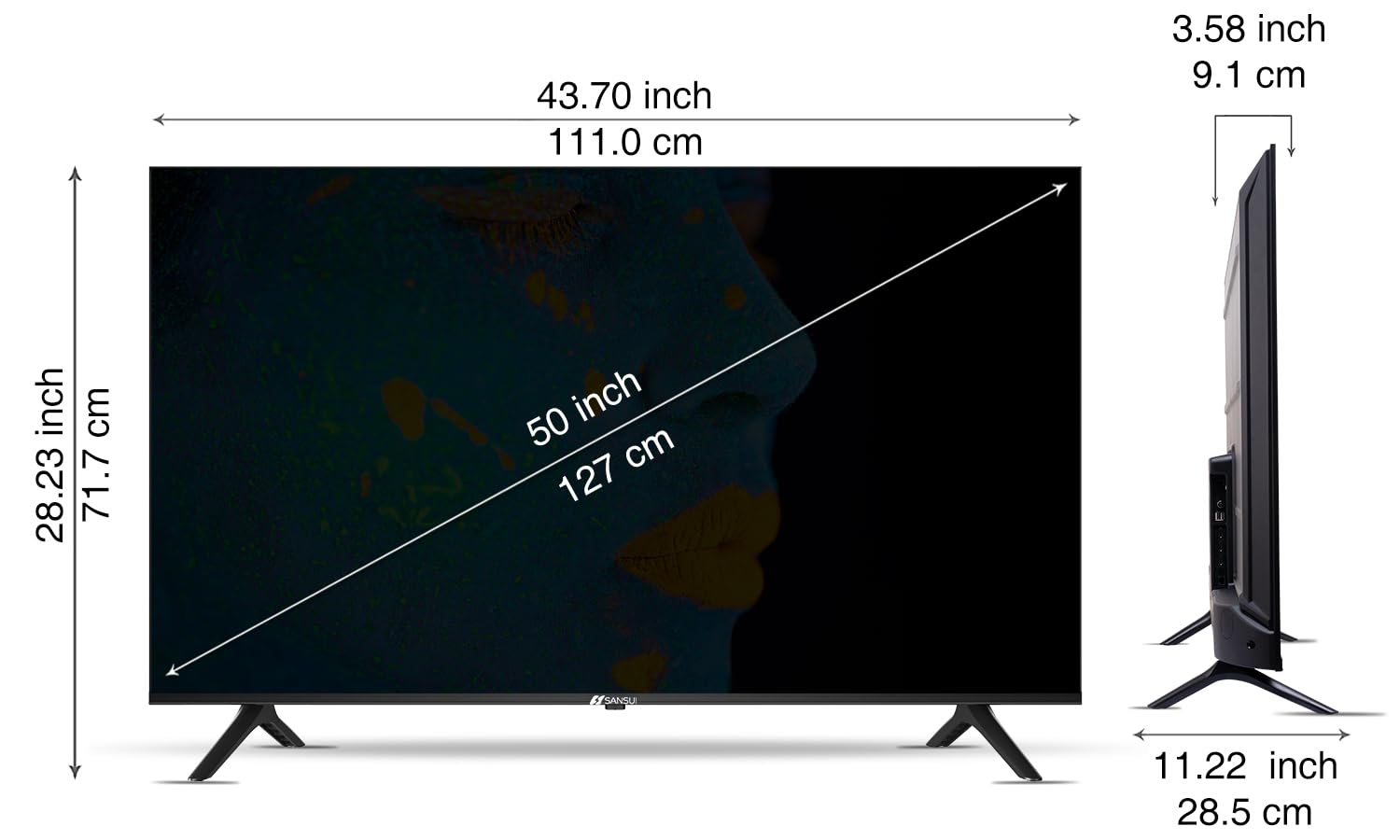
Image: Diagram illustrating the dimensions of the SANSUI JSW50GSUHD 50-inch TV.
Záruka a podpora
Your SANSUI JSW50GSUHD TV comes with a 1-year comprehensive warranty, plus an additional 1-year warranty on the panel, provided by the brand from the date of purchase.
For warranty support or any technical assistance, please contact SANSUI customer care:
- Bezplatné číslo: 1800 419 3777
- E-mail: sansuicare@jainaindia.com
Manufacturer: PG Electroplast Limited
Importer: Jaina India Pvt Ltd.