
1. Úvod
Thank you for choosing the ieGeek 5MP Solar WiFi Outdoor PTZ Security Camera. This manual provides essential information for the proper installation, operation, and maintenance of your device. Please read it thoroughly before use and retain it for future reference.
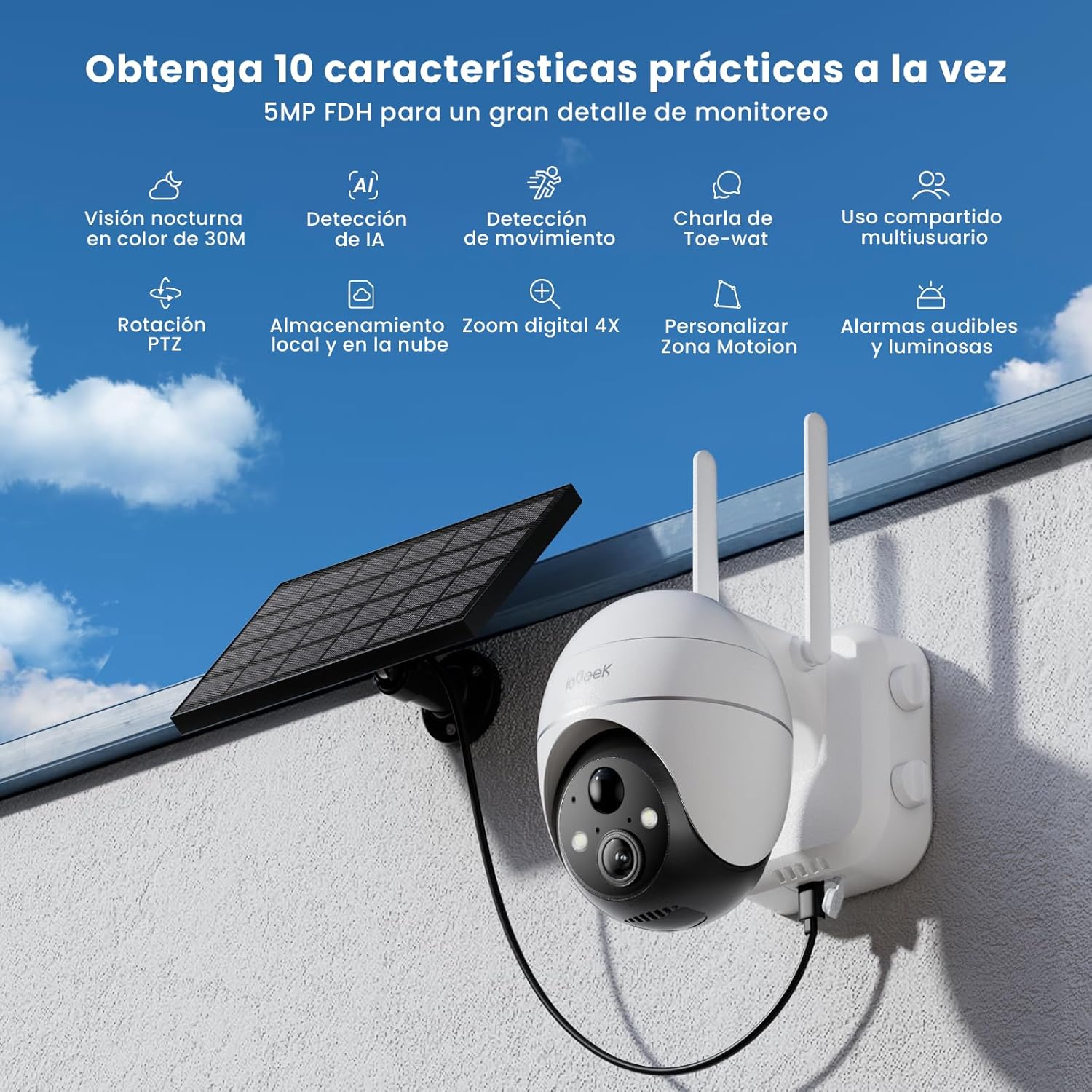
Figure 1: ieGeek 5MP Solar WiFi Outdoor PTZ Security Camera with solar panel, highlighting key features.
2. Konec produktuview
2.1 Klíčové vlastnosti
- 5MP ultra jasné rozlišení: Provides superior visual images with 4x digital zoom for detailed viewIng.
- Solar Power & Long-Lasting Battery: Operates using solar panels, eliminating power cables. The rechargeable battery lasts up to 60 days on a single charge.
- 355° otáčení a 120° náklon: Nabízí široké pole view, ensuring comprehensive surveillance without blind spots.
- PIR Human Detection & Instant Alarms: Detects human shapes and sends alarm notifications within 2 seconds.
- Barevné noční vidění: Equipped with motion-activated spotlights for full-color details day and night.
- Obousměrný zvuk: Enables real-time listening and speaking through the camera via the app.
- Lokální a cloudové úložiště: Supports up to 128GB Micro SD card and offers 7 days of free cloud service.
- Alexa Smart Function: Ovládejte kameru a view footage using Alexa Smart Voice.
- IP65 Odolnost proti povětrnostním vlivům: Designed for outdoor use, resistant to rain, snow, and varying temperatures (-20°C to 50°C).
2.2 Obsah balení

Obrázek 2: Rozměry produktu a obsah balení.
- ieGeek 5MP PTZ Security Camera x 1
- Solar Panel with Bracket x 1
- Návod k použití x 1
- Solar Panel User Manual x 1
- Mounting Screws and Expansion Screws x 7 sets
3. Průvodce nastavením
3.1 Nabíjení baterie
Before initial use, fully charge the camera's internal battery using the provided USB cable. The solar panel will maintain the charge during outdoor operation.
3.2 Stažení aplikace a vytvoření účtu
Download the 'ieGeek Cam' app from the Google Play Store or Apple App Store. Follow the in-app instructions to create an account and log in.

Figure 3: Download the 'ieGeek Cam' app.
3.3 Párování fotoaparátu
- Zapněte fotoaparát.
- Open the 'ieGeek Cam' app and tap 'Add Device'.
- Follow the on-screen prompts to connect the camera to your 2.4GHz Wi-Fi network.
- Naskenujte QR kód zobrazený na telefonu objektivem fotoaparátu.
- Po připojení pojmenujte kameru a dokončete nastavení.
3.4 Instalace
Choose a location with good Wi-Fi signal and direct sunlight exposure for the solar panel. Use the provided screws and bracket to securely mount the camera and solar panel.

Figure 4: Flexible disassembly and easy installation.

Figure 5: Wireless setup with solar panel connection.
4. Návod k obsluze
4.1 Živě View a ovládání PTZ
Access the live feed through the 'ieGeek Cam' app. Use the on-screen controls to pan 355° horizontally and tilt 120° vertically, adjusting the camera's view podle potřeby.

Figure 6: Remote PTZ control via smartphone app.
4.2 Detekce pohybu a upozornění
The camera features PIR human detection. When motion is detected, you will receive an instant alarm notification on your smartphone. Customize motion detection zones and sensitivity settings within the app to reduce false alerts.

Figure 7: Customizable motion detection zones.
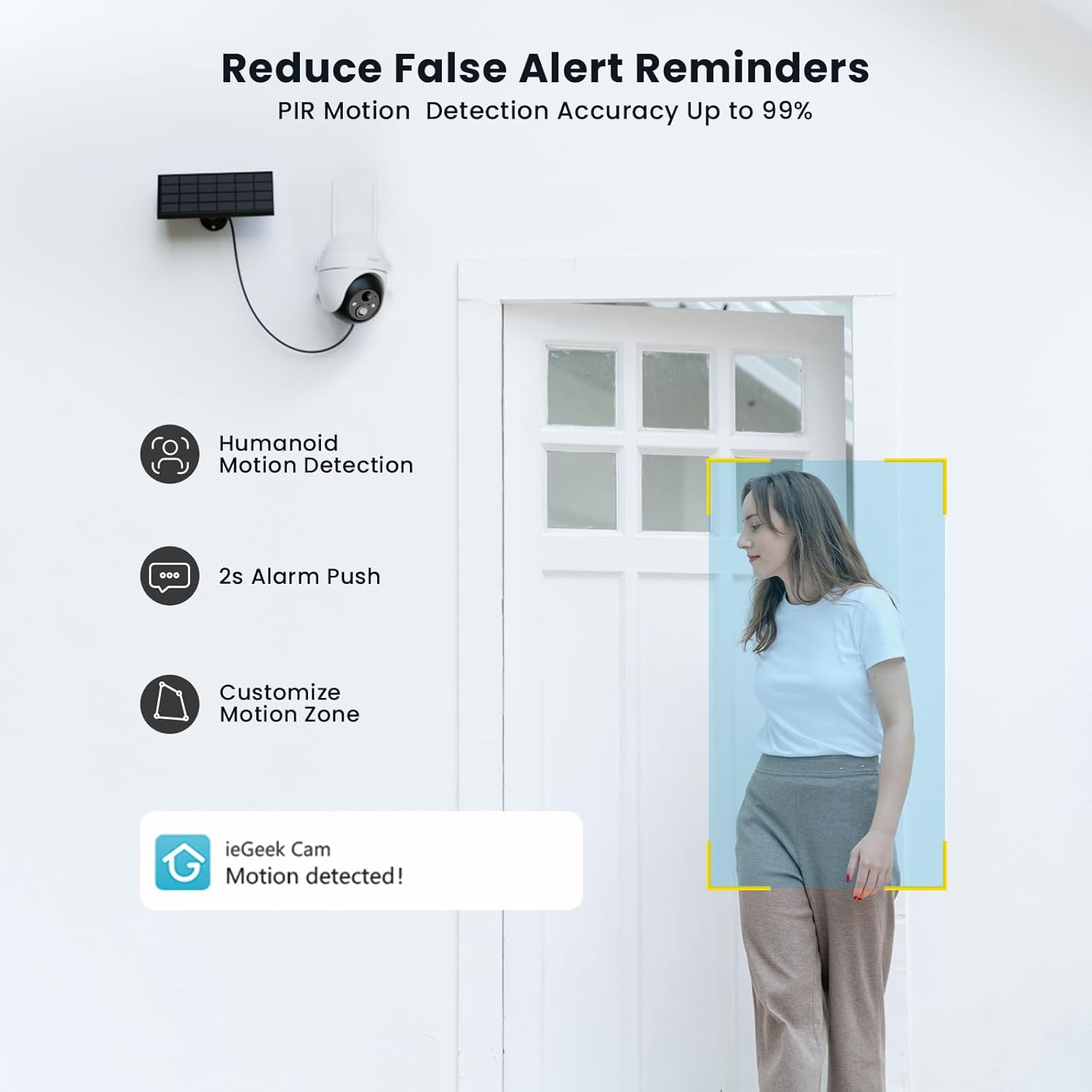
Figure 8: PIR Humanoid Motion Detection.
4.3 Obousměrný zvuk
Utilize the two-way audio feature to communicate with visitors or deter intruders. Tap the microphone icon in the app to speak, and listen through the camera's speaker.

Obrázek 9: Obousměrná zvuková komunikace.
4.4 Možnosti úložiště
The camera supports local storage via a Micro SD card (up to 128GB, purchased separately) and offers 7 days of free cloud storage. Recorded events can be accessed and reviewed prostřednictvím aplikace.

Figure 10: Micro SD card slot for local storage.

Figure 11: Cloud storage options.
5. Údržba
- Vyčistěte objektiv: Pravidelně otírejte objektiv fotoaparátu měkkým, suchým hadříkem, abyste zajistili ostrý a kvalitní obraz.
- Čistý solární panel: Pro maximalizaci účinnosti nabíjení udržujte solární panel bez prachu, nečistot a úlomků.
- Zkontrolujte stav baterie: Monitor the battery status via the app and ensure the solar panel receives adequate sunlight.
- Aktualizace firmwaru: Keep the camera firmware updated through the app for optimal performance and security.
6. Řešení problémů
| Problém | Možná příčina | Řešení |
|---|---|---|
| Kamera se nepřipojuje k Wi-Fi | Nesprávné heslo k Wi-Fi; Kamera je příliš daleko od routeru; Podporuje pouze Wi-Fi 2.4 GHz. | Verify password; Move camera closer to router or use a Wi-Fi extender; Ensure your router is set to 2.4GHz. |
| Špatná kvalita obrazu | Dirty lens; Low light conditions; Network issues. | Clean the lens; Ensure adequate lighting or rely on color night vision; Check Wi-Fi signal strength. |
| Baterie se nenabíjí | Solar panel obstructed or dirty; Insufficient sunlight; Faulty cable. | Clear obstructions and clean solar panel; Relocate panel to receive more direct sunlight; Check cable connections. |
| Žádné upozornění na detekci pohybu | Motion detection disabled; Incorrect sensitivity settings; App notifications blocked. | Enable motion detection in app; Adjust sensitivity; Check phone notification settings for the 'ieGeek Cam' app. |
7. Specifikace
| Funkce | Detail |
|---|---|
| Název modelu | ieGeek ZS-GX4S |
| Rezoluce | 5 MP |
| Konektivita | Bezdrátové připojení (Wi-Fi 2.4 GHz) |
| Zdroj napájení | Battery, Solar Power |
| Kapacita baterie | 2000 XNUMX mAh |
| Rozsah otáčení/naklánění | Panoráma 355°, náklon 120° |
| Digitální zoom | 4x |
| Noční vidění | Color Night Vision (Infrared) |
| Detekce pohybu | PIR detekce člověka |
| Zvuk | Obousměrný zvuk |
| Skladování | Micro SD (až 128 GB), cloudové úložiště |
| Hodnocení odolnosti vůči povětrnostním vlivům | IP65 |
| Provozní teplota | -20 °C až 50 °C |
| Rozměry | 18 x 17 x 12 centimetrů |
| Materiál | Plast |
| Kompatibilní s | Amazon Alexa |
8. Záruka a podpora
ieGeek se zavázal poskytovat spolehlivé produkty a vynikající zákaznický servis.
- 2-letá záruka: Your ieGeek camera is covered by a 2-year warranty from the date of purchase.
- 30denní záruka vrácení peněz: Pokud nejste s nákupem spokojeni, můžete jej do 30 dnů vrátit a obdržíte plnou náhradu.
- Doživotní technická podpora: ieGeek offers lifetime technical assistance for all its products.
For support, please contact us via email. Our customer service team is available 24/7 to assist you.

Figure 12: ieGeek Customer Support.