
1. Úvod
Thank you for choosing the LSC Smart Connect Video Doorbell. This device provides enhanced home security and convenience by allowing you to see, hear, and speak to visitors from anywhere using your smartphone. It features motion detection, two-way audio, and a clear video feed, ensuring you never miss a visitor or important delivery. Please read this manual thoroughly before installation and use to ensure proper operation and safety.
2. Bezpečnostní informace
- Ujistěte se, že místo instalace je bezpečné a stabilní.
- Nevystavujte zařízení extrémním teplotám, přímému slunečnímu záření ani nadměrné vlhkosti.
- Use only the specified power adapter and batteries. Incorrect power sources may damage the device or cause fire.
- Udržujte zařízení mimo dosah dětí a domácích zvířat.
- Nepokoušejte se zařízení rozebírat ani opravovat sami. Veškerý servis svěřte kvalifikovanému personálu.
- Baterie zlikvidujte v souladu s místními předpisy. Baterie nespalujte.
3. Obsah balení
Zkontrolujte prosím balení, zda neobsahuje následující položky:
- LSC Smart Connect Video Doorbell Unit
- Vnitřní zvonkohra
- Nabíjecí kabel USB-C
- Montážní šrouby a nástěnné hmoždinky
- Rechargeable Batteries (2x)
- Uživatelská příručka (tento dokument)
4. Konec produktuview
4.1 Video Doorbell Unit
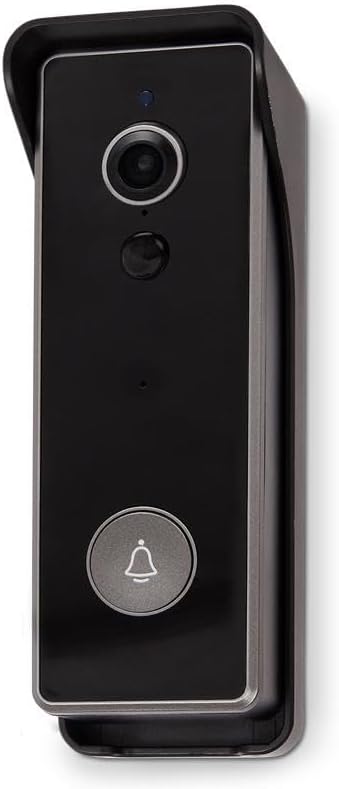
Obraz: Přední view of the LSC Smart Connect Video Doorbell, showcasing its sleek black design within a protective grey housing. The camera lens, motion sensor, and main doorbell button with a bell icon are clearly visible.
- Objektiv fotoaparátu: Zachytí video footage.
- Pohybový senzor (PIR): Detekuje pohyb před zvonkem.
- Mikrofon: Zaznamenává zvuk pro obousměrnou komunikaci.
- Reproduktor: Výstup zvuku pro obousměrnou komunikaci.
- Tlačítko zvonku: Activates the chime and sends a notification to your smartphone.
- LED indikátor: Shows device status (e.g., charging, connected, motion detected).
4.2 Indoor Chime Unit
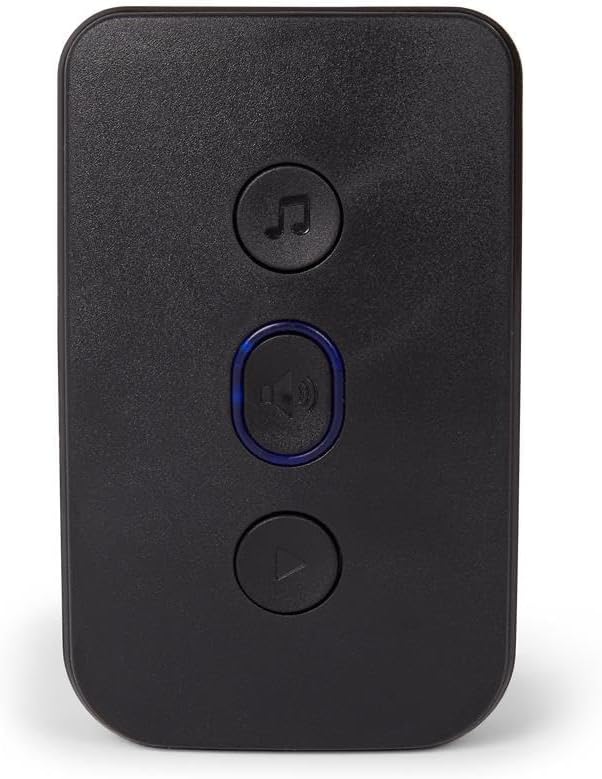
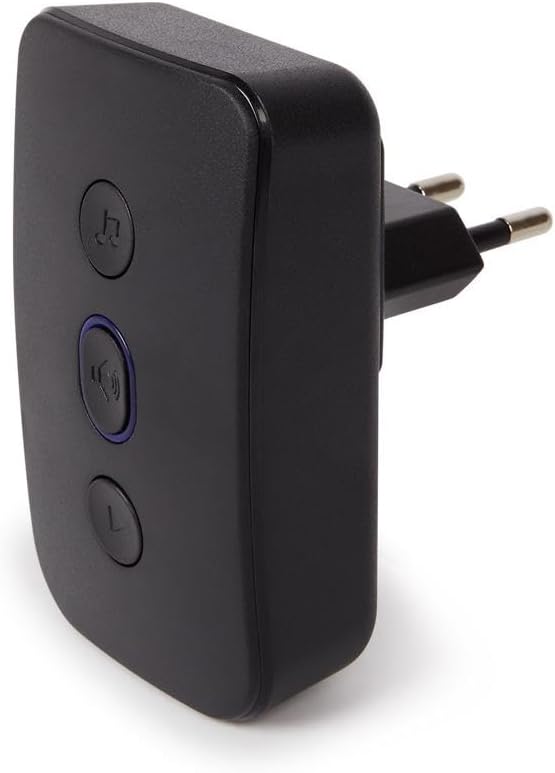
Obraz: Přední view of the LSC Smart Connect Indoor Chime Unit, a compact black device with three circular buttons. The top button features a music note icon, the middle button has a speaker icon with a blue LED ring, and the bottom button has a play/pause icon.
- Reproduktor: Emits the doorbell sound.
- Tlačítko melodie: Cycles through available chime melodies.
- Tlačítko hlasitosti: Upravuje hlasitost zvonkohry.
- Tlačítko párování: Used to pair the chime with the doorbell unit.
5. Nastavení
5.1 Charging and Inserting Batteries
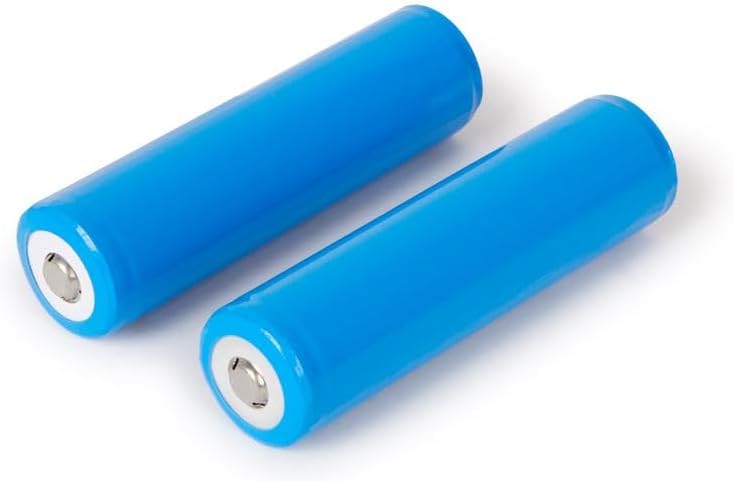
Obraz: Two blue cylindrical rechargeable batteries, likely 18650 type, shown on a white background. These batteries power the video doorbell unit.
- Fully charge the provided rechargeable batteries using the USB-C cable and a compatible USB power adapter (not included). The LED indicator on the doorbell will show charging status.
- Open the battery compartment on the back of the doorbell unit.
- Insert the two charged batteries, ensuring correct polarity (+/-).
- Bezpečně uzavřete přihrádku na baterie.
5.2 Mounting the Video Doorbell

Obraz: Zadní view of the LSC Smart Connect Video Doorbell's mounting plate, showing the screw holes and the ABS plastic material marking. This plate is used to securely attach the doorbell to a wall.
- Vyberte si vhodné místo poblíž dveří a zajistěte si tak nerušený výhled. view a dobrý signál Wi-Fi.
- Použijte montážní desku jako šablonu k označení otvorů pro vrtání na zdi.
- Vyvrtejte otvory a v případě potřeby vložte do zdi hmoždinky.
- Připevněte montážní desku ke zdi pomocí dodaných šroubů.
- Attach the video doorbell unit to the mounting plate, ensuring it clicks into place securely.
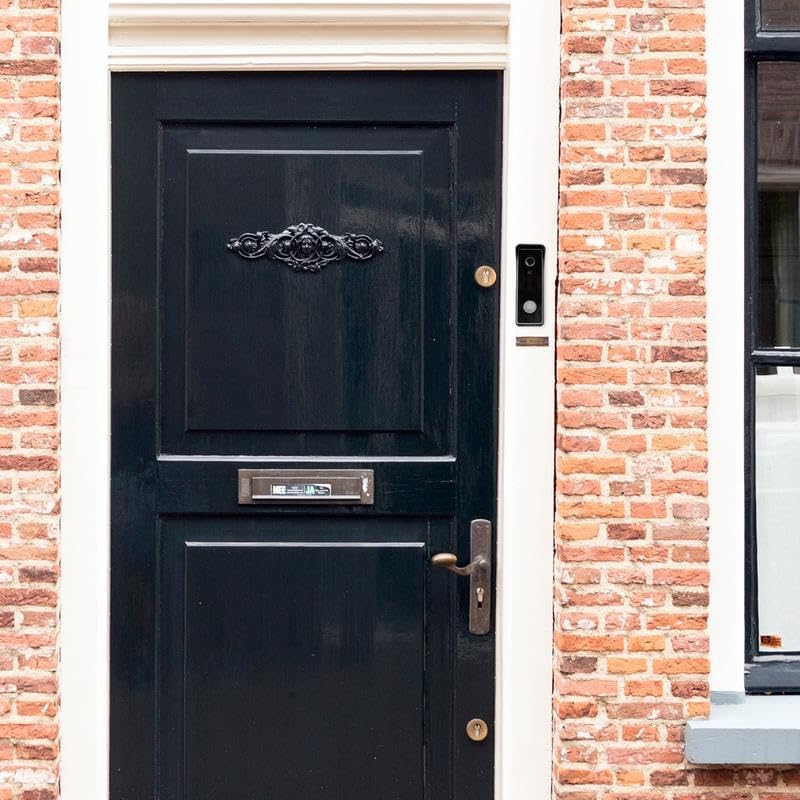
Obraz: The LSC Smart Connect Video Doorbell is shown installed on a brick wall, positioned to the right of a dark wooden front door with ornate metalwork. This image demonstrates a typical installation scenario.
5.3 Pairing the Indoor Chime

Obraz: The LSC Smart Connect Video Doorbell unit and its corresponding indoor chime unit are displayed side-by-side. The doorbell is on the left, and the chime, which plugs into a wall outlet, is on the right.
- Plug the Indoor Chime Unit into a standard wall outlet within range of the doorbell.
- Press and hold the pairing button on the chime unit until its LED indicator flashes.
- Press the doorbell button on the video doorbell unit. The chime should ring, indicating successful pairing.
- Pokud se párování nezdaří, opakujte kroky.
Obraz: Strana view of the LSC Smart Connect Indoor Chime Unit, showing its integrated power plug designed for direct insertion into a wall socket. This highlights its compact and plug-and-play design.
5.4 App Connection (LSC Smart Connect App)
Download the "LSC Smart Connect" app from your smartphone's app store (iOS or Android). Follow the in-app instructions to add your new video doorbell. This typically involves creating an account, selecting "Add Device," choosing the doorbell category, and following prompts to connect to your home Wi-Fi network.
6. Návod k obsluze
6.1 Answering a Doorbell Call
- When a visitor presses the doorbell button, your indoor chime will ring, and you will receive a push notification on your smartphone.
- Tap the notification to open the LSC Smart Connect app and view živý přenos videa.
- Use the microphone icon in the app to enable two-way audio and speak with your visitor. Tap again to mute.
- You can also take screenshots or record video directly from the live view.
6.2 Detekce pohybu
- The doorbell's PIR sensor detects motion in its field of view.
- When motion is detected, you will receive a notification on your smartphone.
- You can adjust motion sensitivity and detection zones within the LSC Smart Connect app settings to minimize false alerts.
6.3 Nastavení zvonkohry
- Výběr melodie: Press the melody button on the indoor chime unit to cycle through different ringtones.
- Nastavení hlasitosti: Press the volume button on the indoor chime unit to increase or decrease the volume.
7. Údržba
- Čištění: Použijte měkký, damp cloth to clean the doorbell lens and body. Do not use abrasive cleaners or solvents.
- Péče o baterie: Recharge batteries when the app indicates low battery. Avoid fully draining batteries frequently to prolong their lifespan.
- Aktualizace firmwaru: Periodically check the LSC Smart Connect app for available firmware updates for your doorbell to ensure optimal performance and security.
8. Řešení problémů
| Problém | Možná příčina | Řešení |
|---|---|---|
| Zvonek se nezapíná. | Baterie jsou vybité nebo nesprávně vložené. | Recharge batteries fully. Ensure batteries are inserted with correct polarity. |
| Vnitřní zvonkohra nezvoní. | Chime not paired or out of range. | Ensure chime is plugged in. Re-pair the chime with the doorbell. Move chime closer to the doorbell. |
| Poor video quality or no video. | Weak Wi-Fi signal; dirty camera lens. | Ensure strong Wi-Fi signal at doorbell location. Clean camera lens with a soft cloth. |
| Aplikace nepřijímá oznámení. | App permissions not enabled; network issues. | Check app notification settings on your phone. Ensure doorbell is connected to Wi-Fi. Restart doorbell and router. |
9. Specifikace
| Funkce | Detail |
|---|---|
| Model | LSC Smart Connect Video Doorbell |
| Výrobce | Mopro |
| ASIN | B0CC427RH6 |
| Konektivita | Wi-Fi (2.4 GHz) |
| Zdroj napájení | Rechargeable Batteries (2x, type 18650 implied) |
| Chime Power | AC 100-240V (zásuvka) |
| Rozlišení fotoaparátu | HD (e.g., 1080p, common for such devices, not specified in input) |
| Detekce pohybu | PIR senzor |
| Obousměrný zvuk | Podporováno |
| Kompatibilita aplikací | LSC Smart Connect (iOS & Android) |
10. Záruka a podpora
This LSC Smart Connect Video Doorbell comes with a standard manufacturer's warranty. For detailed warranty terms and conditions, please refer to the warranty card included in your product packaging or visit the official LSC Smart Connect webmísto.
For technical support, troubleshooting assistance, or any product-related inquiries, please contact the manufacturer's customer service. Contact information can typically be found on the product packaging, the official website, or within the LSC Smart Connect application.