
Zavedení
This manual provides detailed instructions for the EKSA H1 Plus Bluetooth Trucker Headset. Please read thoroughly to ensure proper setup, operation, and maintenance of your device. This headset is designed for clear communication in various environments, featuring advanced noise-cancelling technology and versatile connectivity options.
Obsah balení
- H1 Plus Headset
- Ochranné pouzdro
- Replacement Ear Pad (Mesh breathable)
- Nabíjecí kabel typu C.
- USB Dongle (PC Adapter)
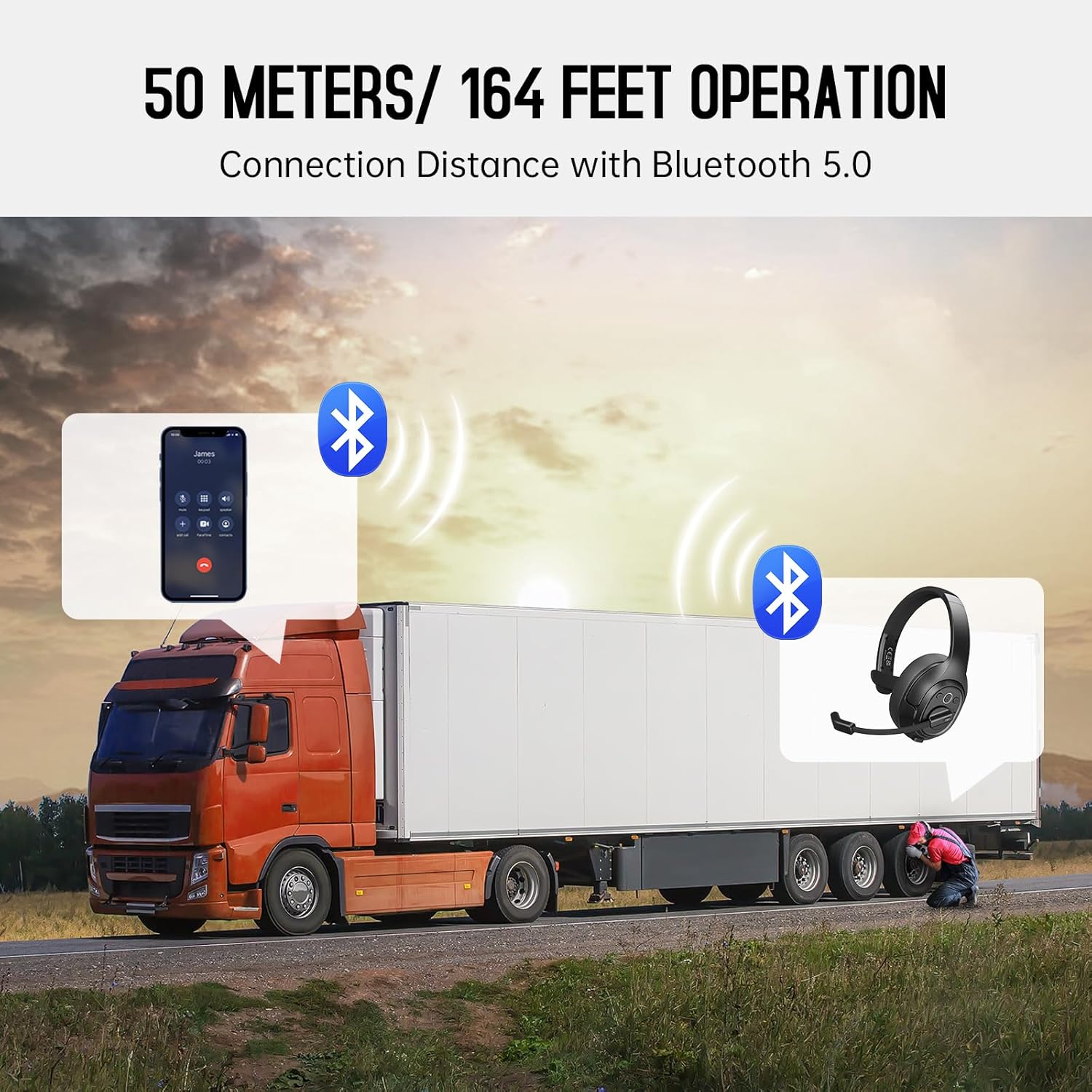
Image: The EKSA H1 Plus headset, USB dongle, and charging cable as typically found in the product packaging.
Nastavení
1. Nabíjení náhlavní soupravy
Before first use, fully charge the headset. Connect the provided Type-C charging cable to the headset's charging port and the other end to a USB power source. The charging indicator will show the charging status. A full charge takes approximately 1.5 hours.

Image: Visual representation of the headset's battery life and charging duration.
2. Zapnutí/vypnutí
Press and hold the Multi-Function Button (MFB) for 3 seconds to power on or off the headset. A voice prompt will indicate the status.
3. Párování Bluetooth (pro mobilní zařízení)
- Zkontrolujte, zda je náhlavní souprava vypnutá.
- Press and hold the MFB for 5-7 seconds until the LED indicator flashes blue and red alternately, indicating pairing mode.
- On your mobile device, enable Bluetooth and search for "EKSA-H1PLUS".
- Select "EKSA-H1PLUS" to connect. The LED will turn solid blue once connected.
4. Connecting with USB Dongle (for PC/Mac without Bluetooth)
- Zapojte USB dongle do volného USB portu v počítači.
- Zapněte sluchátka. Automaticky se pokusí připojit k hardwarovému klíči.
- The LED on the dongle and headset will turn solid blue when connected.
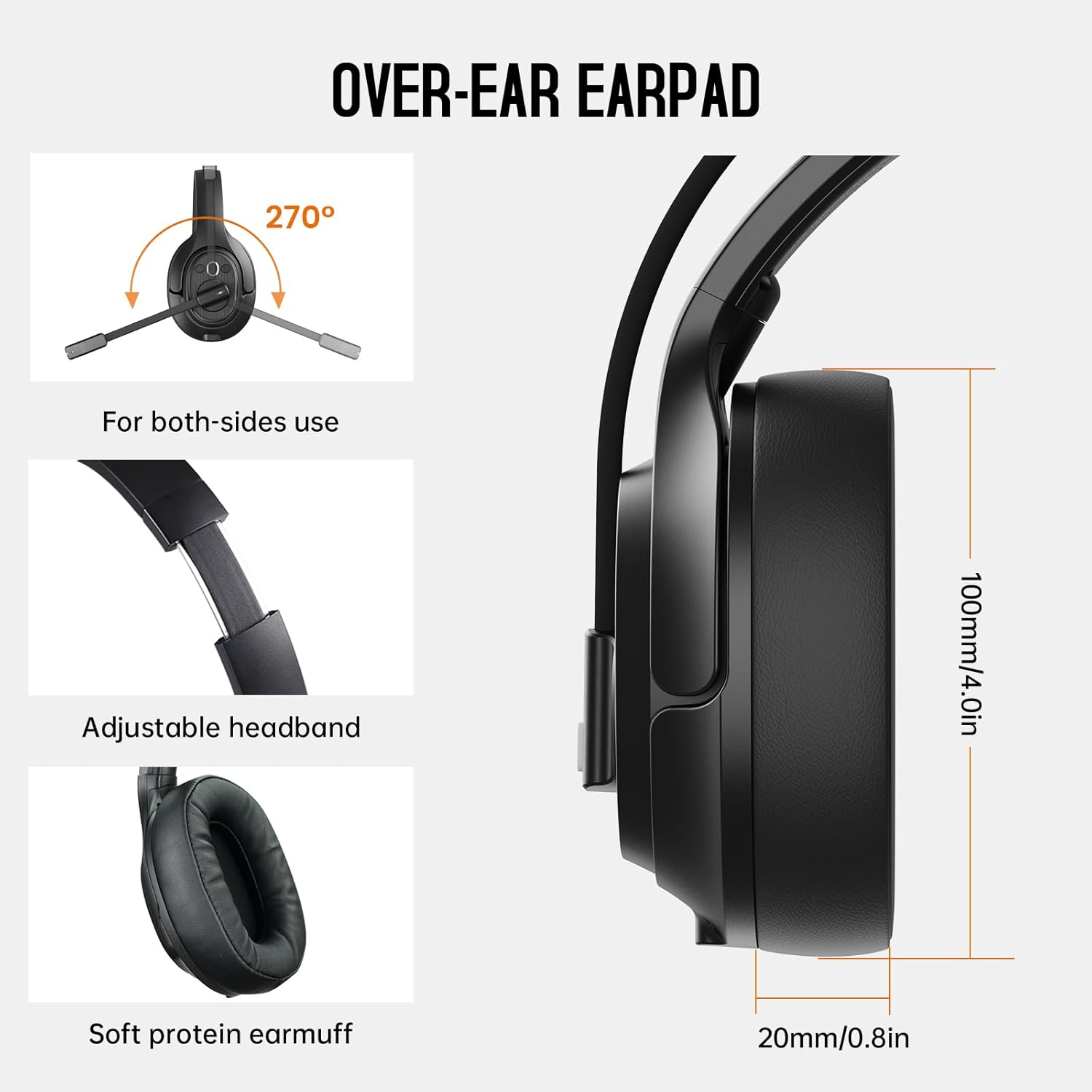
Image: The headset demonstrating simultaneous connection to a phone via Bluetooth and a laptop via USB dongle.
Návod k obsluze
1. Ovládací prvky Overview
The headset features intuitive controls located on the earcup:
- Multifunkční tlačítko (MFB): Zapnutí/vypnutí, přehrávání/pozastavení hudby, přijímání/ukončování hovorů.
- Zvýšení hlasitosti (+): Zvyšte hlasitost.
- Snížit hlasitost (-): Snížit hlasitost.
- Tlačítko ztlumení: Vypnutí/zapnutí mikrofonu během hovorů.
- AI Assistant Button: Aktivujte hlasového asistenta na svém zařízení.

Obrázek: Detail view of the headset's control buttons and ports.
2. Uskutečňování a přijímání hovorů
- Přijmout/ukončit hovor: Krátce stiskněte MFB.
- Odmítnout hovor: Stiskněte a podržte MFB po dobu 2 sekund.
- Znovu vytočit poslední číslo: Dvakrát stiskněte MFB.
- Ztlumit/zapnout mikrofon: Short press the dedicated mute button on the microphone arm.
3. Microphone and Wearing Adjustments
The headset is designed for comfort and versatility:
- Nastavitelná čelenka: Pro pohodlné sezení na hlavě si můžete protáhnout nebo zatáhnout hlavový most.
- Otočný mikrofon: The microphone arm can rotate 270 degrees, allowing it to be worn on either the left or right ear. Position the microphone close to your mouth for optimal voice pickup.
- Pohodlné náušníky: The over-ear design with soft ear pads ensures comfort during extended use.

Image: Features illustrating the ergonomic design of the headset, including adjustable headband and rotatable microphone.
4. Environmental Noise Cancelling (ENC) Microphone
The AI-Powered ENC microphone filters out up to 99.8% of ambient noise, ensuring your voice is transmitted clearly even in noisy environments like call centers, construction sites, or trucks.

Image: A visual explanation of the ENC microphone's function, demonstrating noise reduction.
5. Multi-Device Connection
The headset supports simultaneous connection to two different devices, such as a smartphone and a computer, allowing seamless switching between calls and other audio sources.

Image: Illustration of the headset's ability to connect to two devices concurrently.
6. Extended Wireless Range
Utilizing Bluetooth 5.0 technology, the headset offers a stable wireless connection up to 30 meters (99 feet). In unobstructed environments, the range can extend up to 50 meters (164 feet).

Image: Visualizing the headset's long-range wireless capabilities in an outdoor setting.
Údržba
- Čištění: K čištění sluchátek s mikrofonem používejte měkký, suchý hadřík. Nepoužívejte agresivní chemikálie ani abrazivní materiály.
- Výměna náušníků: The headset comes with a replacement mesh breathable ear pad. To replace, gently twist and pull off the existing ear pad, then align and press the new ear pad into place.
- Skladování: Store the headset in its protective case when not in use to prevent damage.

Image: Demonstrating the detachable ear pads and the two types included for different comfort levels.
Odstraňování problémů
| Problém | Řešení |
|---|---|
| Sluchátka se nezapínají. | Ensure the headset is fully charged. Press and hold the MFB for 3 seconds. |
| Nelze spárovat přes Bluetooth. | Ujistěte se, že jsou sluchátka v režimu párování (bliká modrá/červená LED). Vypněte a zapněte Bluetooth na zařízení. Přibližte se k zařízení. |
| Žádný zvuk nebo špatná kvalita zvuku. | Check volume levels on both the headset and connected device. Ensure the headset is selected as the audio output device. Re-pair the headset. |
| Mikrofon nefunguje. | Ensure the microphone is not muted. Check microphone settings on your connected device. Adjust microphone position. |
| USB dongle se nepřipojuje. | Ensure the dongle is fully inserted. Try a different USB port. Restart your computer. |
Specifikace
| Funkce | Detail |
|---|---|
| Název modelu | EKSA-H1PLUS |
| Technologie připojení | Bezdrátové připojení (Bluetooth 5.0) |
| Verze Bluetooth | 5.0 |
| Dosah Bluetooth | 30 Meters (99 feet), up to 50 Meters (164 feet) unobstructed |
| Mikrofon | AI-Powered Environmental Noise Cancelling (ENC) |
| Výdrž baterie (doba hovoru) | Až 30 hodin |
| Výdrž baterie (doba přehrávání hudby) | Až 57 hodin |
| Doba nabíjení | Přibl. 1.5 hodin |
| Tvar sluchátka | Přes ucho |
| Typ ovládání | Volume Control, Mute, AI Assistant |
| Hmotnost | 1.01 libry (cca 458 g) |
Oficiální videa produktů
EKSA H1 Plus Wireless Bluetooth Headset Overview
Video: Úředník u konceview of the EKSA H1 Plus Wireless Bluetooth Headset, highlighting its key features and design.
EKSA H1Plus Bluetooth Trucker Headset Features
Video: A detailed look at the features and benefits of the EKSA H1Plus Bluetooth Trucker Headset.
Záruka a podpora
EKSA products are designed for durability and performance. For warranty information and customer support, please refer to the official EKSA website or contact their customer service directly. Optional protection plans are available for extended coverage.
Pro další pomoc navštivte: www.eksa.net