
Zavedení
Thank you for choosing the HOCO EQ3 True Wireless Earbuds. This manual provides essential information for setting up, operating, and maintaining your earbuds to ensure optimal performance and longevity. The EQ3 earbuds feature Bluetooth 5.3 for stable connectivity, touch controls, clear stereo sound with high bass, and a water-resistant design.
Co je v krabici
- HOCO EQ3 True Wireless Earbuds
- Nabíjecí pouzdro
- Nabíjecí kabel USB-C
- Náušníky (více velikostí)
- Ochranné pouzdro
Konec produktuview
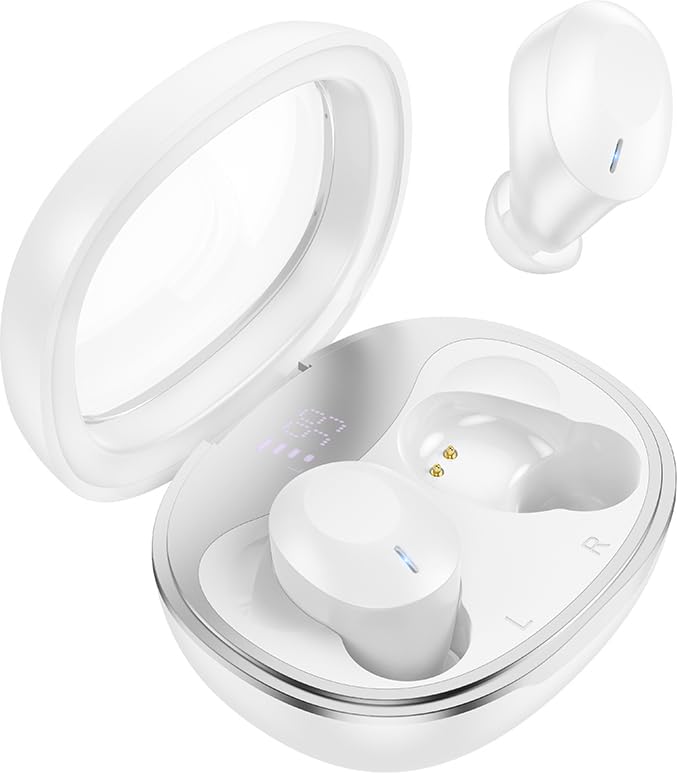
The HOCO EQ3 True Wireless Earbuds are housed in a compact, transparent charging case, designed for portability and convenience.

This infographic highlights key features such as extended battery life, high-fidelity sound quality, Bluetooth 5.3 connectivity, and intuitive touch controls.
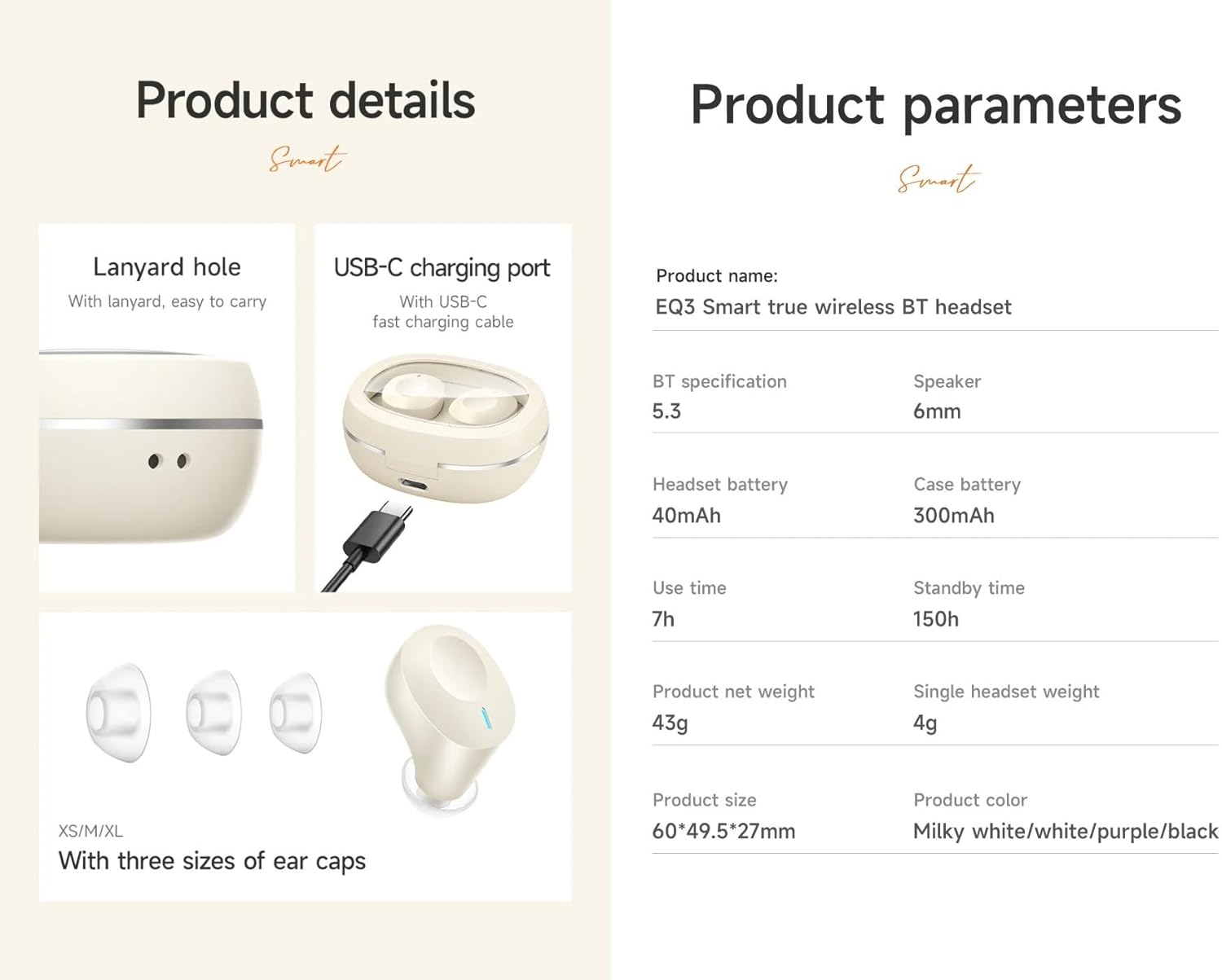
Detailní view of the earbuds' design, including the USB-C charging port, lanyard hole, and available ear cap sizes for a customized fit. Product parameters are also listed.
Nastavení
1. Nabíjení sluchátek a pouzdra
Before first use, fully charge the earbuds and the charging case. Connect the provided USB-C cable to the charging port on the case and to a power source. The LED digital display on the case will indicate the charging status. The earbuds charge automatically when placed inside the case.
2. Spárování se zařízením
- Ujistěte se, že nabíjecí pouzdro má dostatečnou energii a že sluchátka jsou uvnitř.
- Open the lid of the charging case. The earbuds will automatically enter pairing mode, indicated by a flashing light (if applicable).
- Na svém zařízení (chytrém telefonu, tabletu atd.) povolte Bluetooth a vyhledejte dostupná zařízení.
- Select "HOCO EQ3" from the list of devices.
- Once connected, the earbuds will indicate successful pairing, and the LED light will stop flashing.
The earbuds support master-slave switching, allowing either earbud to be used independently after initial pairing.

The earbuds connect automatically to your paired device when the charging case is opened.
3. Nošení sluchátek do uší
Select the ear cushions that provide the most comfortable and secure fit for your ears. The HOCO EQ3 earbuds are designed for a semi-in-ear fit, ensuring comfort during extended use.

The semi-in-ear design ensures a light and comfortable fit for prolonged listening.
Ovládání sluchátek
Dotykové ovládání
The HOCO EQ3 earbuds feature intuitive touch controls on each earbud. The functions are as follows:
- Single Tap (L/R): Přehrát/Pozastavit hudbu.
- Double Tap (L/R): Další skladba.
- Triple Tap (L/R): Předchozí skladba.
- Long Press (L/R) for 2 seconds: Aktivujte hlasového asistenta (např. Siri).

Detailed guide to the touch control functions on the HOCO EQ3 earbuds.
Uskutečňování hovorů
The earbuds support clear calls with stereo sound. Use the touch controls to manage calls:
- Jedno klepnutí: Answer/End a call.
- Dlouhé stisknutí: Odmítněte příchozí hovor.
Hlasový asistent
Activate your device's voice assistant by long-pressing either earbud for 2 seconds. This allows for hands-free control of your device.
Údržba
Čištění
Regularly clean your earbuds and charging case to maintain optimal performance and hygiene. Use a soft, dry, lint-free cloth. For ear tips, gently remove them and clean with a mild soap solution, then rinse and dry thoroughly before reattaching. Do not use harsh chemicals or abrasive materials.
Skladování
Pokud sluchátka nepoužíváte, uložte je do nabíjecího pouzdra, aby byla chráněna před prachem, poškozením a aby zůstala nabitá. Pouzdro skladujte na chladném a suchém místě mimo dosah přímého slunečního záření a extrémních teplot.
Odstraňování problémů
- Sluchátka se nespárují: Ensure both earbuds are charged. Place them back in the case, close the lid, wait a few seconds, then open the lid to re-enter pairing mode. Delete "HOCO EQ3" from your device's Bluetooth list and try pairing again.
- Funguje pouze jedno sluchátko: Ensure both earbuds are charged. Try placing both earbuds back in the case, closing the lid, and then reopening it. This often resets the connection between the two earbuds.
- Žádný zvuk: Zkontrolujte úroveň hlasitosti na připojeném zařízení. Ujistěte se, že jsou sluchátka správně spárována a vybrána jako zvukový výstup.
- Problémy s nabíjením: Verify the USB-C cable is securely connected to both the charging case and the power source. Ensure the charging contacts on the earbuds and inside the case are clean and free of debris.
- Hlasový asistent nereaguje: Ensure the earbuds are connected to your device and that the voice assistant feature is enabled on your device.
Specifikace
| Název modelu | EQ3 |
| Verze Bluetooth | 5.3 |
| Bluetooth čip | JL AC6983D2 |
| Kapacita baterie nabíjecího pouzdra | 300 XNUMX mAh |
| Kapacita baterie sluchátek | 40 XNUMX mAh |
| Doba používání jednoho headsetu | Až 7 hodin |
| Total Use Time (with charging case) | Až 28 hodin |
| Pohotovostní doba | 150 hodin |
| Rozměry nabíjecího pouzdra | 60 x 49.5 x 27 mm |
| Total Weight (Case + Earbuds) | 43 g |
| Hmotnost jednoho náhlavní soupravy | 4g |
| Velikost reproduktoru | 6 mm |
| Úroveň odolnosti proti vodě | Vodě odolný |
| Kontrolní metoda | Dotek |
| Kontrola hluku | Aktivní potlačení hluku |
Informace o záruce
HOCO products are covered by a limited warranty against manufacturing defects. Please refer to the warranty policy provided at the time of purchase or visit the official HOCO webPodrobné obchodní podmínky naleznete na webových stránkách. Uschovejte si doklad o koupi pro případ reklamace.
Zákaznická podpora
For further assistance, technical support, or inquiries regarding your HOCO EQ3 True Wireless Earbuds, please contact HOCO customer service through their official webwebu nebo kontaktních informací uvedených na obalu produktu.