
1. Úvod
Děkuji za nákupasing the Bewinner T10 HD 1080P Video Projector. This manual provides essential information for setting up, operating, and maintaining your projector to ensure optimal performance and longevity. Please read this manual thoroughly before using the product and keep it for future reference.
The Bewinner T10 projector delivers a high-definition 1080P resolution, providing delicate and vivid images with true color restoration. Equipped with a high-efficiency LED chipset, it supports a native resolution of 1920 x 1080, enhancing image purity for an immersive viewing experience. Its integrated Bluetooth 4.0 allows for fast transmission and compatibility with various external devices such as controllers, wireless headphones, and speakers. Designed with a large-diameter, low-speed, and low-noise fan, it ensures your movie-watching or gaming experience remains undisturbed.
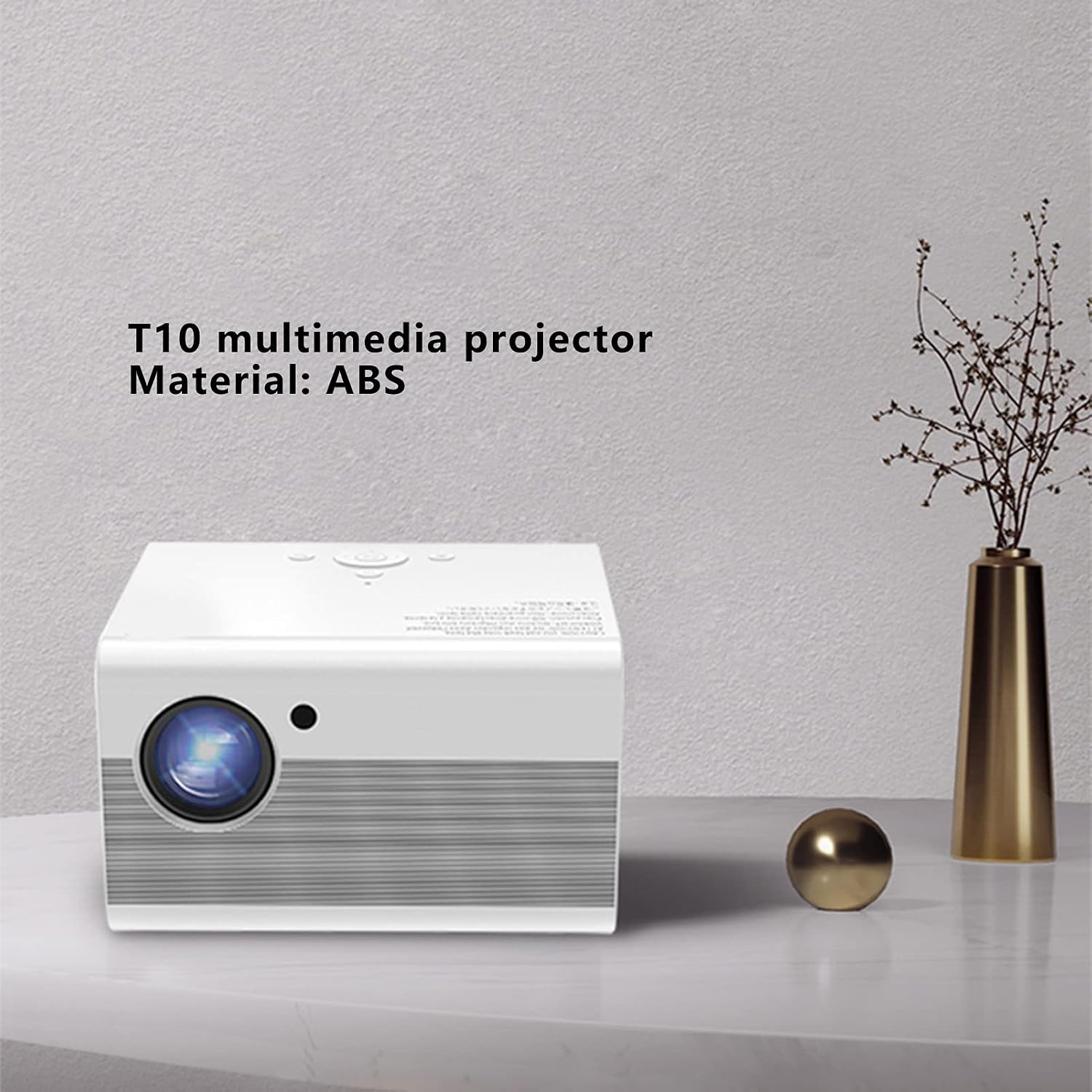
Image 1.1: The Bewinner T10 multimedia projector, showcasing its compact design and ABS material construction.
2. Bezpečnostní informace
Abyste předešli požáru, úrazu elektrickým proudem nebo zranění, dodržujte prosím následující bezpečnostní opatření:
- Neblokujte větrací otvory. Zajistěte dostatečný prostor kolem projektoru pro správné proudění vzduchu.
- Nevystavujte projektor dešti ani vlhkosti. Uchovávejte jej mimo dosah vodních zdrojů.
- Neumisťujte projektor na nestabilní povrchy.
- Neotevírejte projektor casing. Veškerý servis svěřte kvalifikovanému personálu.
- Používejte pouze napájecí adaptér dodaný s projektorem.
- Nedívejte se přímo do objektivu projektoru, když je zapnutýamp je zapnutý, protože by mohl způsobit poškození očí.
- Chraňte projektor před přímým slunečním zářením a zdroji tepla.
3. Obsah balení
Zkontrolujte prosím, zda jsou v balení obsaženy všechny následující položky:
- 1 x Bewinner T10 Projector
- 1 x Uživatelská příručka (tento dokument)
- 1 x AV Video Cable
- 1 x HD Multimedia Interface (HDMI) Cable
- 1 x napájecí kabel
- 1 x Dálkové ovládání
- 1 x Čisticí hadřík

Image 3.1: Contents of the Bewinner T10 projector package, including the projector and all accompanying accessories.
4. Konec produktuview
Seznamte se s komponenty a porty projektoru.
Přední View

Obrázek 4.1: Přední strana view of the Bewinner T10 projector, highlighting the projection lens and infrared receiver.
- Projekční čočka: Vysílá obraz na obrazovku.
- IR přijímač: Přijímá signály z dálkového ovladače.
Boční a zadní View

Obrázek 4.2: Boční strana view of the Bewinner T10 projector, illustrating the ventilation grilles and various input/output ports.
- Ventilační mřížky: Essential for heat dissipation. Do not block.
- Vstupní porty: (USB x 2, HD Multimedia Interface, AV Video) for connecting various devices.
- Výstupní port: (3.5mm Headphone Jack) for external audio devices.
- Příkon: Připojuje napájecí kabel.
5. Nastavení
5.1 Umístění
Place the projector on a stable, flat surface or mount it according to your preference. Ensure the projection path is clear of obstructions. The optimal projection distance is between 1.35m and 5m, yielding a screen size of approximately 45 to 220 inches.
5.2 Připojení napájení
- Připojte napájecí kabel ke vstupnímu portu projektoru.
- Plug the other end of the power cable into a suitable electrical outlet (AC 100-240V).
5.3 Připojení vstupních zařízení
Projektor podporuje více vstupních zdrojů:
- HD multimediální rozhraní (HDMI): Connect your laptop, game console, Blu-ray player, or other HDMI-enabled devices using the provided HDMI cable.
- USB: Insert a USB drive into one of the two USB ports to play media files přímo.
- AV Video: Use the AV cable to connect older devices like DVD players or VCRs.
5.4 Zaostření a korekce lichoběžníkového zkreslení
- Soustředit: Rotate the focus ring on the projector lens until the image appears clear and sharp.
- Korekce lichoběžníkového zkreslení: If the projected image appears trapezoidal, use the vertical keystone correction feature (±15°) to adjust the image to a rectangular shape. This is typically done via a dial or menu option on the projector or remote.
5.5 Připojení Bluetooth
The projector features integrated Bluetooth 4.0 for connecting external audio devices or controllers.
- Ensure your Bluetooth device (e.g., wireless headphones, speaker) is in pairing mode.
- Navigate to the Bluetooth settings menu on the projector (usually found in the main settings).
- Vyberte zařízení ze seznamu dostupných zařízení, která chcete spárovat.
6. Návod k obsluze
6.1 Zapnutí/vypnutí
- Zapnutí: Stiskněte tlačítko napájení na projektoru nebo na dálkovém ovladači.
- Vypnout: Press the power button again. The projector will go through a shutdown sequence. Do not unplug the power cable until the fan has stopped and the projector has fully cooled down.
6.2 Výběr zdroje
After powering on, use the 'Source' button on the remote control or the projector's control panel to select the desired input source (HDMI, USB, AV).
6.3 Navigace v nabídce
Use the remote control's arrow keys and 'OK' button to navigate through the projector's on-screen menu. Adjust settings such as picture mode, sound, and system preferences as needed.
6.4 Audio výstup
The projector has a built-in speaker. For enhanced audio, connect external speakers or headphones to the 3.5mm audio output jack or pair them via Bluetooth.
7. Údržba
7.1 Čištění objektivu
K jemnému otření čočky projektoru použijte měkký hadřík bez žmolků, speciálně určený pro optické čočky. Nepoužívejte abrazivní čisticí prostředky ani nadměrnou sílu, které by mohly čočku poškrábat.
7.2 Cleaning Ventilation
Regularly check and clean the ventilation grilles to prevent dust buildup, which can impede airflow and cause overheating. Use a soft brush or a can of compressed air to remove dust from the grilles.
7.3 Skladování
Pokud projektor delší dobu nepoužíváte, skladujte jej na chladném, suchém a bezprašném místě. Abyste předešli poškození, použijte originální obal nebo ochranné pouzdro.
8. Řešení problémů
| Problém | Možná příčina | Řešení |
|---|---|---|
| Není zobrazen žádný obrázek | Power cable loose; incorrect input source selected; input device not connected. | Check power connection; select correct input source; ensure input device is properly connected and powered on. |
| Obraz je rozmazaný | Není nastavené zaostření; projektor je příliš blízko/daleko od promítací plochy. | Adjust the focus ring on the lens; reposition the projector within the recommended distance. |
| Obrázek je lichoběžníkový | Projektor není kolmý k promítací ploše. | Adjust the keystone correction (vertical ±15°). |
| Žádný zvuk | Volume too low; external audio device not connected/paired; mute function active. | Increase volume; check external audio connections/Bluetooth pairing; disable mute. |
| Dálkové ovládání nefunguje | Batteries depleted; obstruction between remote and IR receiver. | Replace remote control batteries (2 x AAA); ensure clear line of sight to the projector's IR receiver. |
9. Specifikace
| Funkce | Specifikace |
|---|---|
| Číslo modelu | Bewinnergz20rdpt3f-12 |
| Materiál | ABS |
| Technologie displeje | LCD |
| Technologie světelných zdrojů | LED |
| Život světelného zdroje | > 30000 hodin |
| Standardní rozlišení | 1920 x 1080 |
| Poměr házení | 1.37 |
| Projekční metoda | Front Projection, Lifting |
| Korekce lichoběžníkového zkreslení | Vertical ± 15° |
| Projekční vzdálenost | 1.35 - 5 metrů |
| Velikost projekce | Approx. 45 - 220 inches |
| Vstupní porty | USB x 2, HD Multimedia Interface, AV Video |
| Výstupní port | 3.5mm jack pro sluchátka |
| Spotřeba energie v pohotovostním režimu | < 5 W |
| Výkon světla LED | 75 W |
| Baterie dálkového ovládání | 2 x AAA baterie (nejsou součástí balení) |
| svtage | 100-240 V |
| Rozměry | 25 x 22 x 19 cm |
| Kontrolní metoda | Dálkové ovládání |
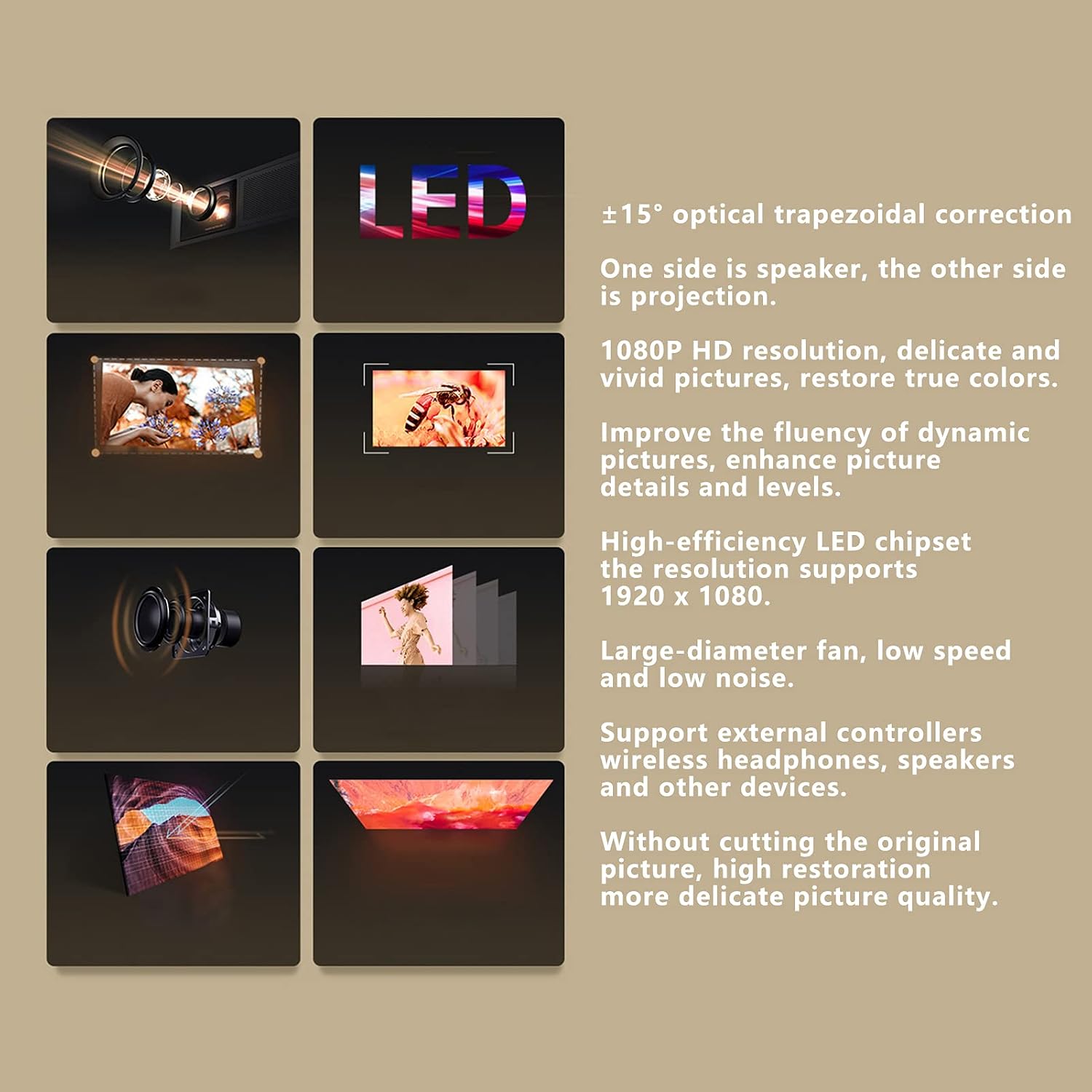
Image 9.1: Visual representation of the Bewinner T10 projector's core features and specifications.
10. Záruka a podpora
Bewinner products are designed and manufactured to the highest quality standards. For warranty information and technical support, please refer to the documentation provided with your purchase or contact your retailer. Keep your proof of purchase for warranty claims.