
i6000 Series 52188-BRN
Serta iComfort i6000 Series Executive Chair User Manual
Model: 52188-BRN
Zavedení
The Serta iComfort i6000 Series Big & Tall Executive Chair is engineered for superior comfort and support, designed to accommodate users up to 400 lbs. It features advanced ergonomics, including proprietary PostureSync Responsive Support for optimal lumbar alignment and EverFeel Triple Effects foam for pressure point relief. This manual provides essential information for assembly, operation, maintenance, and troubleshooting to ensure a long-lasting and comfortable experience with your chair.
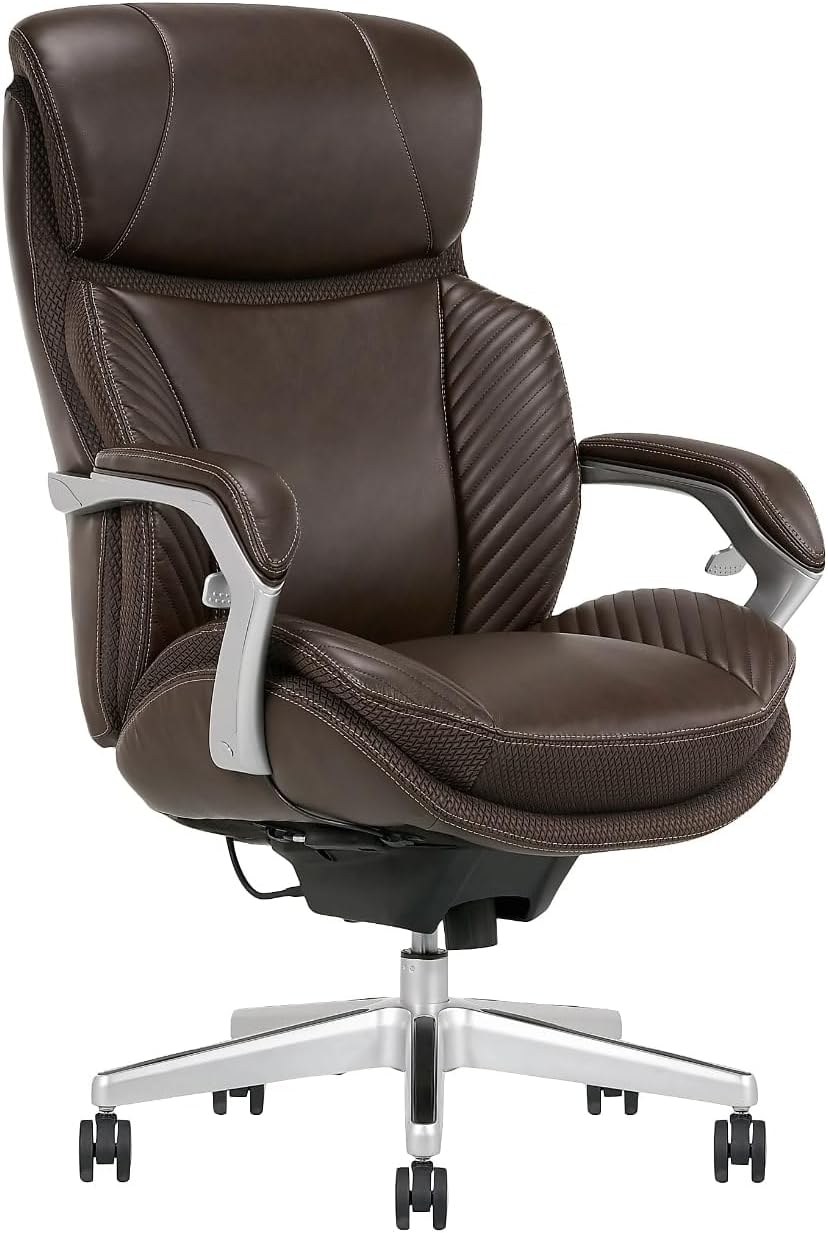
Obrázek 1: Přední strana view of the Serta iComfort i6000 Series Executive Chair, showcasing its brown bonded leather upholstery and silver accents.
Důležité bezpečnostní informace
VAROVÁNÍ:
This chair is designed to support a maximum weight of 400 pounds. Do not exceed this weight limit to ensure the safety, stability, and longevity of the chair. Overloading the chair can lead to structural damage and potential injury.
Nastavení a montáž
Your Serta iComfort i6000 Series Executive Chair requires assembly. While specific instructions are typically included in the product packaging, the assembly process is generally intuitive. Ensure all components are present before beginning. It is recommended to assemble the chair on a soft, clean surface to prevent damage to the chair or flooring.
Key components usually include the chair back, seat, armrests, gas lift cylinder, chair base, and casters. Follow the step-by-step instructions provided with your chair for proper and secure assembly.

Figure 2: Detailed product dimensions, including arm height (Min 27.25" - Max 30.25"), back height (25.5"), width (28.5"), inside seat width (21.75"), chair height (Min 45.5" - Max 48.5"), depth (32"), seat depth (19"), and seat height (Min 20" - Max 23"). The chair has a weight capacity of 400 lbs.
Návod k obsluze
The Serta iComfort i6000 Series chair offers several adjustment features to customize your seating experience:
- Nastavení výšky sedadla: Locate the hand toggle control, typically on the right side beneath the seat. Pull the lever upwards while applying or releasing weight to adjust the seat to your desired height. Release the lever to lock the height.
- Tilt/Recline Function: The chair features TiltSync recline and PostureSync Responsive Support. A lever, usually on the left side, controls the recline. Pull the lever outwards to unlock the tilt mechanism, allowing the chair to rock back. Push the lever inwards to lock the chair in an upright position.
- Nastavení napětí v náklonu: A knob located underneath the front of the seat allows you to adjust the tension of the recline. Turn clockwise to increase tension (making it harder to recline) or counter-clockwise to decrease tension (making it easier to recline).
- Područky: The padded armrests are designed for comfort and feature easy-access seat adjustments integrated into their design.
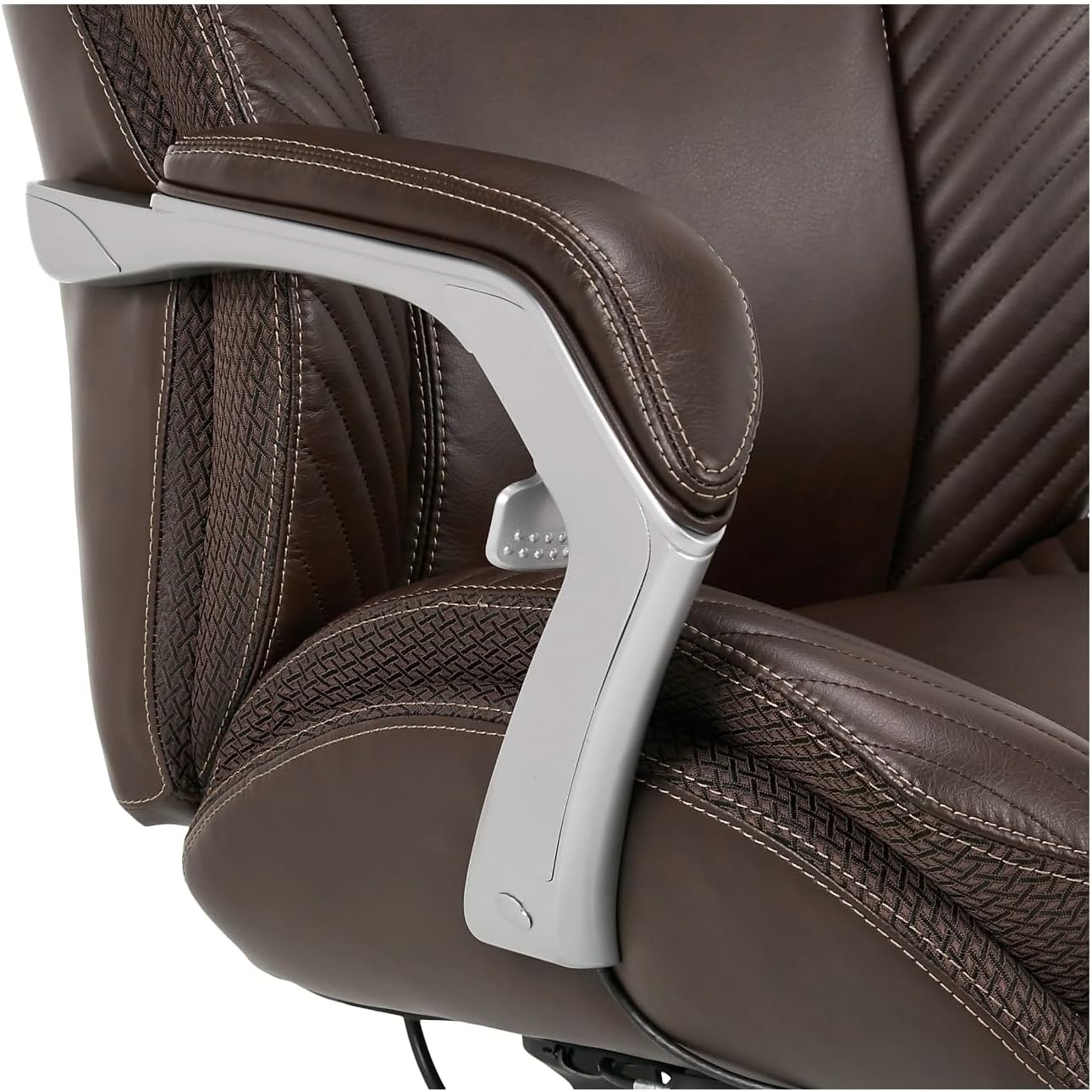
Obrázek 3: Detail view of the integrated armrest controls, which provide convenient access to seat height and tilt lock-out adjustments.
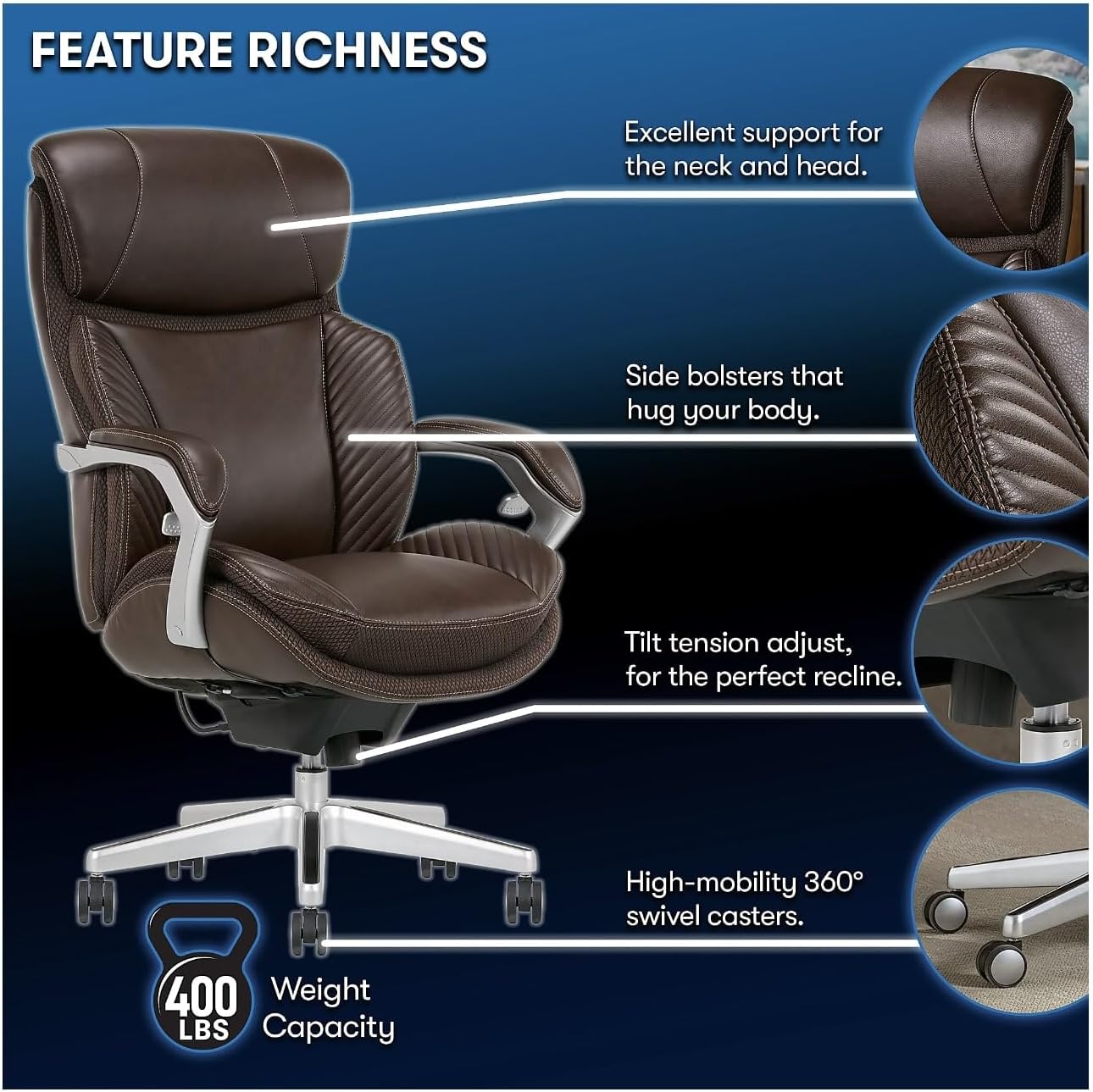
Figure 4: Diagram highlighting key features: excellent neck and head support, side bolsters for body contouring, tilt tension adjustment for personalized recline, and high-mobility 360° swivel casters. The chair has a 400 lbs weight capacity.
Údržba a péče
Proper care will extend the life and appearance of your Serta iComfort i6000 Series Executive Chair:
- Čištění: Pro běžné čištění použijte měkký,amp cloth. For spills or stains on the bonded leather, spot clean immediately with a mild soap solution and a clean cloth. Avoid harsh chemicals or abrasive cleaners, as these can damage the leather finish.
- Kolečka: Periodically check the casters for accumulated hair or debris and clean them to ensure smooth rolling.
- Spojovací materiál: From time to time, check all bolts and screws to ensure they are tight. Retighten if necessary to maintain stability and safety.
- Hmotnostní limit: Always adhere to the 400 lb maximum weight recommendation.
Odstraňování problémů
If you encounter issues with your chair, consider the following common solutions:
- Židle vrže nebo skřípe:
- Ujistěte se, že všechny montážní šrouby jsou bezpečně utažené.
- Apply a small amount of silicone lubricant to moving parts, such as the gas lift cylinder or tilt mechanism, if the noise persists.
- Obtížnost nastavení výšky:
- Verify that the gas lift cylinder is correctly installed and not obstructed.
- Check the height adjustment lever for any blockages or damage.
- Chair Does Not Recline or Lock:
- Ensure the tilt lock lever is fully engaged or disengaged as desired.
- Adjust the tilt tension knob to ensure it's not too tight or too loose for the mechanism to function properly.
- Nestabilní nebo vratké:
- Re-check all assembly connections, especially where the base connects to the seat and the back connects to the seat.
- Ujistěte se, že kolečka jsou zcela zasunuta do základny.
If these steps do not resolve the issue, please refer to the manufacturer's support information (if available) or contact your retailer for further assistance.
Specifikace
| Funkce | Detail |
|---|---|
| Značka | Generic (Serta iComfort Series) |
| Název modelu | iComfort i6000 Series (Model Number: 52188-BRN) |
| Barva | Hnědý |
| Rozměry produktu (D x Š x V) | 32"H x 28"Š x 48"V |
| Doporučená maximální hmotnost | 400 libry |
| Materiál | Bonded Leather, Foam Fill |
| Speciální funkce | Arm Rest, Ergonomic, Rolling, PostureSync Responsive Support, EverFeel Triple Effects foam |
| Pokyny pro péči o produkt | Čištění místa |
| Hmotnost položky | 60 libry |
| Výrobce | office depot |
Ask a question about this manual
Ask about setup, troubleshooting, compatibility, parts, safety, or missing instructions. Manuals+ will review the question and use this page’s manual context to help answer it.