
Zavedení
Thank you for choosing the AVMTON Wireless Gaming Mouse. This manual provides detailed instructions on how to set up, operate, and maintain your new mouse, ensuring optimal performance and an enhanced gaming and work experience. Designed for comfort and precision, this ergonomic wireless mouse features adjustable DPI, customizable buttons, and vibrant RGB lighting.
Konec produktuview
The AVMTON Wireless Gaming Mouse is engineered for both gaming and office use, offering a comfortable ergonomic design and responsive control. It features a honeycomb hollow design with RGB backlighting, providing both aesthetic appeal and lightweight performance.
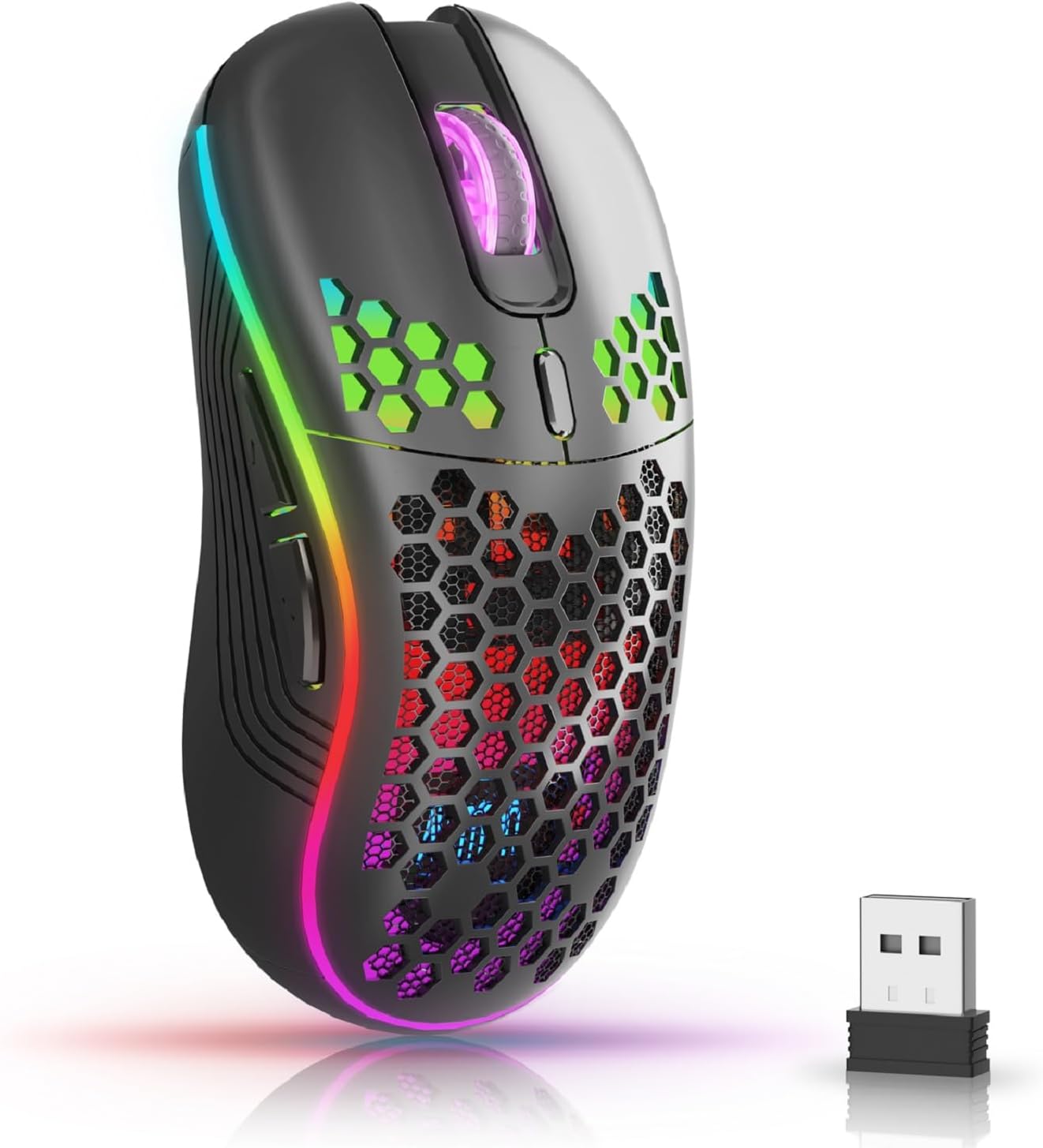
The AVMTON Wireless Gaming Mouse in black, featuring RGB lighting and a honeycomb design, shown alongside its compact USB receiver.

Illustration of the mouse's connectivity modes, including Type-C charging, 2.4G wireless receiver, and a 10m sensing range, suitable for home, gaming, and office environments.
Klíčové vlastnosti:
- Ergonomický design: Shaped to fit the hand comfortably, reducing strain during extended use.
- Nastavitelné DPI: Easily switch between 800/1200/1600/2400/4800 DPI settings for precise control.
- 6 programovatelných tlačítek: Includes forward/backward, left/right click, scroll wheel, and DPI adjustment button.
- Dobíjecí baterie: Built-in lithium battery with USB-C charging, offering 15-20 days of use on a single charge.
- Tichý design s kliknutím: Ideal for quiet environments like libraries or offices.
- Široká kompatibilita: Supports Windows 2000/ME/XP/7/8/10/Vista/98, Mac OS, Linux, and compatible with laptops, PCs, desktops, and Macbooks.
- Odolná konstrukce: Tested for over 5 million clicks, ensuring long-lasting performance.
Průvodce nastavením
Follow these steps to set up your AVMTON Wireless Gaming Mouse:
- Nabijte myš: Before first use, fully charge the mouse using the provided USB-C charging cable. Connect the cable to the mouse's Type-C port and a USB power source (e.g., computer USB port, USB wall adapter). The charging indicator will show the charging status.
- Vyhledejte USB přijímač: The compact USB 2.4G wireless receiver is typically stored in a compartment on the underside of the mouse for safe keeping during transport.
- Připojte přijímač: Insert the USB receiver into an available USB port on your computer (laptop, PC, desktop, Macbook).
- Zapnutí: Zapněte myš pomocí vypínače, který se nachází na spodní straně myši.
- Automatické připojení: Myš by se měla automaticky připojit k počítači. Pro základní funkce obvykle nejsou vyžadovány žádné další ovladače.
Návod k obsluze
Understanding the functions of your mouse buttons and settings will enhance your experience.
Funkce tlačítek:
- Levé tlačítko myši: Standardní funkce primárního kliknutí.
- Kliknutí pravým tlačítkem: Standardní funkce sekundárního kliknutí.
- Rolovací kolečko: Procházejte dokumenty nahoru nebo dolů a web stránky. Lze také stisknout pro funkci kliknutí prostředním tlačítkem myši.
- Tlačítko pro nastavení DPI: Located near the scroll wheel. Press this button to cycle through available DPI settings (800/1200/1600/2400/4800). Each press changes the cursor speed and sensitivity.
- Tlačítko vpřed: Typically located on the side of the mouse. Used for navigating forward in web prohlížeče popř file průzkumníci.
- Tlačítko zpět: Typically located on the side of the mouse. Used for navigating backward in web prohlížeče popř file průzkumníci.
Ovládání RGB podsvícení:
The mouse features dynamic RGB backlighting. If you prefer to turn off the backlight, refer to the specific instructions provided with your mouse or check the manufacturer's website for software utilities, if available. Some models allow toggling RGB with a combination of buttons (e.g., DPI button + another button).
Údržba
Správná údržba zajistí dlouhou životnost a výkon vaší myši.
- Nabíjení: Recharge the mouse when the battery indicator shows low power. A full charge provides approximately 15-20 days of use. It is recommended to fully charge the mouse before extensive use.
- Čištění: K čištění povrchu myši použijte měkký, suchý hadřík. V případě odolných nečistot použijte lehceamp Lze použít hadřík, ale dbejte na to, aby se do vnitřních součástí nedostala vlhkost. Nepoužívejte agresivní chemikálie ani abrazivní materiály.
- Skladování: Pokud myš delší dobu nepoužíváte, vypněte ji, abyste šetřili baterii. Skladujte ji na chladném a suchém místě.
Odstraňování problémů
If you encounter issues with your AVMTON Wireless Gaming Mouse, try the following solutions:
- Myš nereaguje:
- Ujistěte se, že je myš zapnutá.
- Zkontrolujte, zda je USB přijímač bezpečně zapojený do funkčního USB portu v počítači.
- Recharge the mouse. A low battery can cause unresponsiveness.
- Zkuste zapojit USB přijímač do jiného USB portu.
- Restartujte počítač.
- Zpoždění nebo přerušované připojení:
- Ensure the mouse is within the 10-meter sensing range of the USB receiver.
- Remove any large metallic objects or other wireless devices that might be causing interference between the mouse and the receiver.
- Try moving the USB receiver to a port closer to the mouse.
- Nastavení DPI nefunguje:
- Ujistěte se, že stisknete příslušné tlačítko pro nastavení DPI.
- If the issue persists, try restarting the mouse and your computer.
- RGB světla nefungují:
- Check if the RGB backlight has been intentionally turned off (refer to "RGB Backlight Control" in Operating Instructions).
- Ujistěte se, že myš má dostatečně nabitou baterii.
If these steps do not resolve the issue, please contact AVMTON customer support for further assistance.
Specifikace
| Funkce | Detail |
|---|---|
| Značka | AVMTON |
| Číslo modelu | AV-DDMB-1 |
| Barva | Černý |
| Technologie připojení | Bezdrátové 2.4G (USB přijímač) |
| Nastavení DPI | 800/1200/1600/2400/4800 |
| Počet tlačítek | 6 |
| Orientace rukou | Právo |
| Životnost baterie | Approx. 15-20 days (on a single charge) |
| Nabíjecí port | USB Type-C |
| Kompatibilní operační systémy | Windows 2000/ME/XP/7/8/10/Vista/98, Mac OS, Linux |
| Kompatibilní zařízení | Osobní počítač, notebook |
| Speciální funkce | Portable, Ergonomic, Rechargeable, RGB Backlight, Silent Click |
Záruka a podpora
AVMTON offers a 12-month worry-free after-sales service for this product. If you encounter any problems with your wireless mouse, please do not hesitate to contact us. Our customer support team is ready to assist you.
For support, please visit the official AVMTON webnebo kontaktujte svého prodejce.