
1. Úvod
Thank you for choosing the TEEHO Keyless Entry Door Lock with 2 Handles. This manual provides detailed instructions for installation, operation, and maintenance to ensure optimal performance and security. Please read this manual thoroughly before installation and keep it for future reference.
Obsah balení
- 1 Electronic Keypad Deadbolt
- 1 Door Lever Handle Set (2 handles)
- 1 Keypad Deadbolt Lock
- 4 AA baterie
- Montážní hardware
- Uživatelská příručka
Klíčové vlastnosti
- Bezklíčový vstup: Supports up to 20 user access codes (4-10 digits) and one-time codes.
- Inteligentní zamykání: Adjustable auto-lock feature (10-99 seconds) and one-touch auto-lock.
- Vylepšené zabezpečení: ANSI Grade 3 smart door lock cylinder, anti-peeping password function, mute mode, vacation mode, and backlit keypad.
- Odolný design: Constructed from durable alloy with an IP54 weather resistance rating.
- Snadná instalace: Navrženo pro snadné nastavení.
2. Bezpečnostní informace
Dodržujte prosím následující bezpečnostní opatření, abyste předešli zranění nebo poškození produktu:
- Do not attempt to disassemble or modify the lock. This may cause damage and void the warranty.
- Používejte pouze určené baterie AA. Nekombinujte staré a nové baterie ani různé typy baterií.
- Uchovávejte všechny součásti mimo dosah dětí.
- Protect the keypad from excessive moisture or direct water exposure.
- Ensure proper installation to prevent malfunction. If unsure, consult a qualified locksmith or installer.
3. Konec produktuview
The TEEHO Keyless Entry Door Lock system combines a keypad deadbolt with a door lever for comprehensive security and convenience.
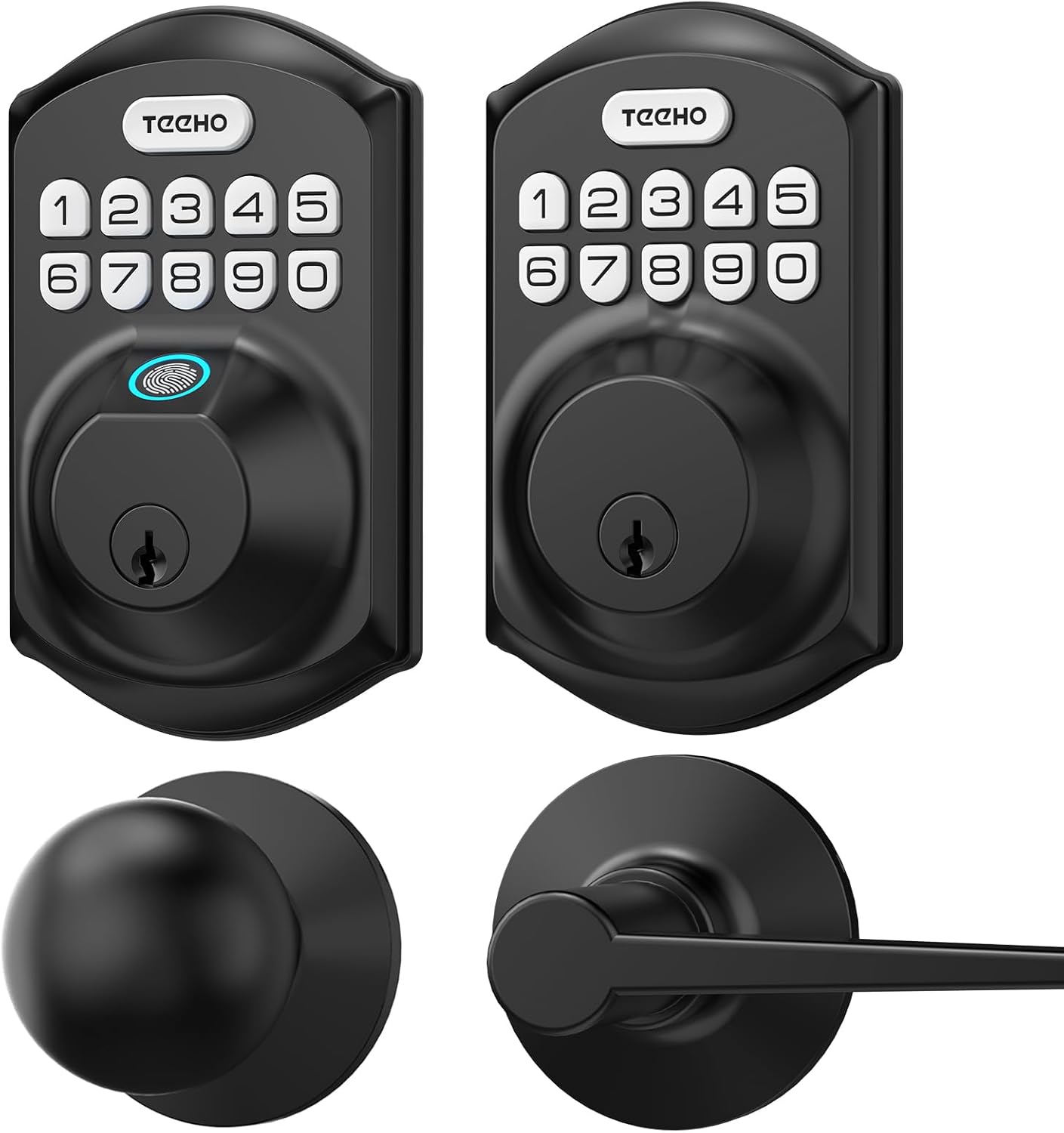
Obrázek 3.1: Nadview of the TEEHO Keyless Entry Door Lock components, including the electronic keypad deadbolt, a standard deadbolt, and two door lever handles, all in a matte black finish.

Obrázek 3.2: The TEEHO Keyless Entry Door Lock installed on a white door, featuring the electronic keypad deadbolt above a matching door lever. The interior view shows the corresponding hardware.
4. Nastavení a instalace
The TEEHO Keyless Entry Door Lock is designed for easy installation. Follow these steps carefully.
4.1 Příprava dveří
- Ensure your door meets the required dimensions for installation (standard door thickness and backset).
- Remove any existing lock hardware.
4.2 Install the Deadbolt Latch
- Insert the deadbolt latch into the door edge. Ensure the “UP” marking is facing upwards.
- Secure the latch with screws.
4.3 Install the Exterior Keypad Assembly
- Feed the cable through the hole in the door.
- Align the exterior keypad assembly with the deadbolt latch and secure it to the door.
4.4 Install the Interior Mounting Plate
- Attach the interior mounting plate to the door, ensuring the cable passes through the plate.
- Upevněte montážní desku šrouby.
4.5 Connect Cables and Install Interior Assembly
- Připojte kabel z vnější sestavy k vnitřní sestavě.
- Mount the interior assembly onto the mounting plate and secure it with screws.
4.6 Vložte baterie
- Sejměte kryt baterie z vnitřní sestavy.
- Insert 4 AA batteries, observing polarity (+/-).
- Nasaďte kryt baterie.

Obrázek 4.1: Explodoval view of the TEEHO Keyless Entry Door Lock components, illustrating the internal mechanism and how the exterior keypad, interior assembly, and deadbolt latch fit together during installation.
4.7 Install Door Lever Handles
- Install the latch mechanism for the door lever into the door edge.
- Attach the exterior and interior door lever handles, securing them according to the provided instructions.
5. Návod k obsluze
Learn how to use the various features of your TEEHO Keyless Entry Door Lock.
5.1 Odemknutí dveří
- Použití uživatelského kódu: Enter your 4-10 digit user code on the keypad, then press the “Lock” button (or checkmark/enter button if present). The lock will retract.
- Použití fyzického klíče: Vložte fyzický klíč do klíčové dírky a otočením odemkněte.

Obrázek 5.1: A person using the TEEHO Keyless Entry Door Lock, highlighting the keypad and a fingerprint sensor for quick unlocking. The image suggests a rapid identification and unlocking process.
5.2 Zamykání dveří
- Automatické zamykání: If enabled, the lock will automatically engage after a set period (10-99 seconds) once the door is closed.
- Zamykání jedním dotykem: Stiskněte a podržte libovolné tlačítko na klávesnici po dobu 2 sekund pro okamžité zamknutí dveří.
- Ruční zamykání: From the interior, turn the thumb-turn to lock the deadbolt.

Obrázek 5.2: A visual representation of the auto-lock and one-touch locking features of the TEEHO Keyless Entry Door Lock. It shows a timer icon indicating automatic locking after 10-99 seconds and a lock icon for the 2-second one-touch lock.
5.3 Heslo proti peepingu
To prevent others from guessing your code, you can enter random digits before or after your actual code. The lock will still recognize the correct sequence within the longer entry.

Obrázek 5.3: An illustration of the anti-peep tactile keypad feature. It demonstrates how random digits can be added before or after the actual password to obscure it from onlookers, enhancing security.
5.4 Režim ztlumení
The lock can be set to mute mode to disable keypad tones for quiet operation.
5.5 Režim dovolené
Activate vacation mode for enhanced security when you are away for an extended period. This mode typically disables all user codes until manually deactivated.
6. Programovací kódy
The lock supports up to 20 user codes and one-time codes.

Obrázek 6.1: An infographic detailing the access options for the TEEHO Keyless Entry Door Lock, showing support for up to 20 user codes, one-time PIN codes, and two physical keys for unlocking.
6.1 Adding User Codes
- Press the “Program” button (usually located on the interior assembly).
- Enter the default master code (refer to quick start guide or factory settings).
- Follow the voice prompts or indicator lights to enter a new 4-10 digit user code.
- Confirm the new code.
6.2 Deleting User Codes
- Press the “Program” button.
- Zadejte hlavní kód.
- Follow the prompts to select the option for deleting user codes.
- Enter the specific user code to be deleted or choose to delete all user codes.
6.3 Setting One-Time Codes
One-time codes are ideal for temporary access (e.g., for delivery personnel or service providers). Once used, the code is automatically deleted.
- Press the “Program” button.
- Zadejte hlavní kód.
- Follow the prompts to select the one-time code option.
- Enter the desired one-time code.
7. Údržba
7.1 Výměna baterie
The lock is powered by 4 AA batteries, providing over 1 year of use under normal conditions. Replace batteries when the low battery indicator appears or when the lock becomes unresponsive.
- Sejměte kryt baterie na vnitřní sestavě.
- Vyjměte staré baterie.
- Vložte 4 nové baterie AA, dbejte na správnou polaritu.
- Nasaďte kryt baterie.
7.2 Čištění
Očistěte vnější stranu zámku měkkým hadříkemamp hadříkem. Nepoužívejte abrazivní čisticí prostředky ani rozpouštědla, která by mohla poškodit povrchovou úpravu nebo elektronické součástky.
8. Řešení problémů
| Problém | Možná příčina | Řešení |
|---|---|---|
| Zámek nereaguje na zadávání z klávesnice. | Slabé baterie; nesprávný kód; porucha klávesnice. | Replace batteries; re-enter code carefully; contact support if issue persists. |
| Funkce automatického zamykání nefunguje. | Feature disabled; incorrect time setting. | Ensure auto-lock is enabled and set to desired time in programming. |
| Zámek se obtížně otáčí nebo ovládá. | Misalignment during installation; worn components. | Check installation alignment; lubricate moving parts if necessary; contact support for severe issues. |
| Keypad backlight not working. | Batteries low; setting disabled. | Replace batteries; check programming settings for backlight. |
9. Specifikace
- Značka: TEEHO
- Model: Keyless Entry Door Lock with 2 Handles
- Typ zámku: Keypad Deadbolt with Door Lever
- Speciální funkce: Keyless Entry, Auto-Lock, One-Time Code, Anti-Peep Password, Mute Mode, Vacation Mode, Backlit Keypad
- Hodnocení bezpečnosti: ANSI stupeň 3
- Odolnost vůči počasí: IP54
- Zdroj napájení: 4 AA Batteries (approx. 1 year lifespan)
- Přístupové kódy: Up to 20 user codes (4-10 digits)
- Způsob ovládání: Touch Keypad, Mechanical Key
10. Záruka a podpora
TEEHO products are manufactured to high-quality standards. For warranty information, technical support, or assistance with your product, please refer to the warranty card included in your package or visit the official TEEHO webweb. Před kontaktováním podpory si prosím připravte model produktu a datum zakoupení.