
1. Úvod
Thank you for choosing the SILENTWARE Air 1000 Black ATX Midi Tower PC Case. This manual provides essential information for the proper installation, operation, and maintenance of your new PC case. Please read this manual thoroughly before beginning the assembly process to ensure a smooth and successful build.
2. Bezpečnostní informace
- Před instalací nebo demontáží jakýchkoli součástí uvnitř skříně počítače vždy odpojte napájecí zdroj ze zásuvky.
- S komponenty zacházejte opatrně, abyste předešli poškození elektrostatickým výbojem (ESD). Zvažte použití antistatického náramku.
- Be cautious of sharp edges inside the case.
- Nepokoušejte se upravovat kryt ani jeho součásti, mohlo by to vést ke ztrátě záruky a k bezpečnostním rizikům.
- Keep the case away from water, moisture, and extreme temperatures.
3. Obsah balení
Prosím, ověřte, zda jsou v balení přítomny všechny položky:
- SILENTWARE Air 1000 Black ATX Midi Tower PC Case
- Pre-installed 4x 120mm ARGB Fans
- Accessory box (screws, cable ties, standoffs, etc.)
- Uživatelská příručka (tento dokument)
4. Konec produktuview
The SILENTWARE Air 1000 is an ATX Midi Tower PC case designed for optimal airflow and component compatibility. It features a mesh front panel for maximum ventilation and a tempered glass side panel to showcase your build.


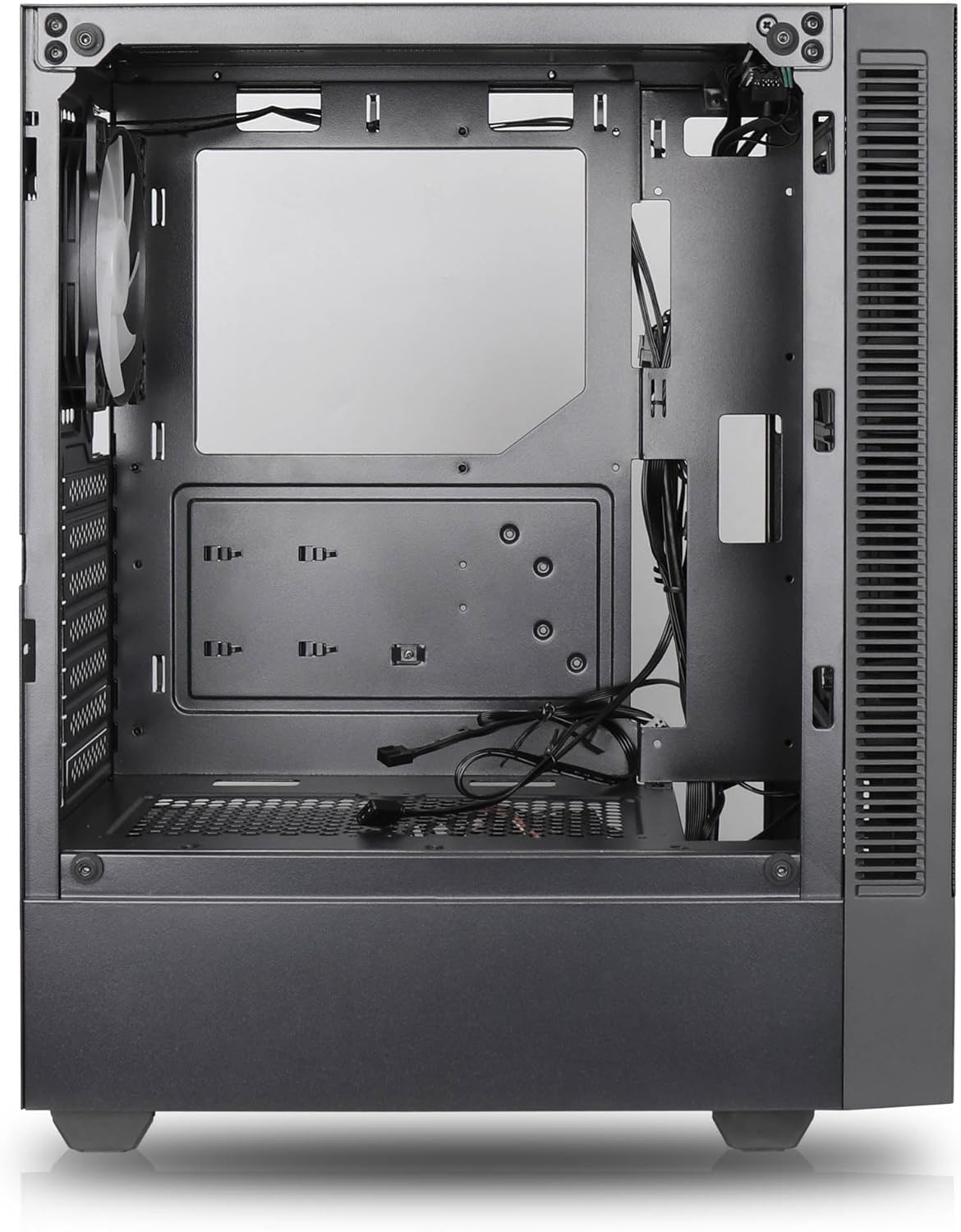

Klíčové vlastnosti:
- Maximální průtok vzduchu: Large mesh front panel and four pre-installed 140mm A-RGB fans with hydraulic bearings ensure excellent ventilation.
- Easy PC Building: Thoughtful design with daisy-chain connections simplifies installation, eliminating the need for additional adapters or controllers.
- Vysoce kvalitní design: Genuine tempered glass side panel showcases installed components and provides a minimalist, premium aesthetic.
- Flexible Lighting and Control: 3-pin A-RGB fans and 4-pin fan control allow for impressive lighting effects and easy adjustment of fan speed and curves directly from the motherboard.
- Powerful Component Compatibility: Supports GPUs up to 400mm long, radiators up to 360mm (front and top) and 140mm (rear), and space for up to 4 fans.
- Compact Case with Ample Space: Midi tower format accommodates E-ATX, ATX, mATX, and ITX motherboards, up to two 2.5" SSDs, two 3.5" HDDs, and ATX power supplies.
5. Instalační příručka
Follow these steps for component installation. Refer to your individual component manuals for specific instructions.
5.1. Příprava případu
- Umístěte pouzdro na rovný a stabilní povrch.
- Carefully remove the tempered glass side panel by unscrewing the thumb screws and gently pulling it away. Set it aside on a soft, non-abrasive surface.
- Remove the solid right side panel by unscrewing the thumb screws and sliding it backward.
5.2. Instalace základní desky
- Nainstalujte kryt I/O do zadního otvoru skříně.
- Ensure the correct standoffs are installed for your motherboard form factor (E-ATX, ATX, mATX, ITX). Adjust or add standoffs as needed.
- Opatrně umístěte základní desku na distanční sloupky a zarovnejte otvory pro šrouby.
- Zajistěte základní desku dodanými šrouby. Nepřetahujte je.
5.3. Instalace napájecího zdroje (PSU)
- Position the PSU in the dedicated compartment at the bottom rear of the case.
- Ensure the PSU fan faces downwards (if the case has a bottom vent) or upwards, depending on your cooling preference.
- Secure the PSU to the case with the provided screws from the rear.
5.4. Instalace úložného disku
2.5" SSD disky:
- Locate the 2.5" drive mounts (typically behind the motherboard tray).
- Secure the SSDs using the provided screws.
3.5" pevné disky:
- Locate the 3.5" drive cages (usually near the PSU shroud).
- Slide the HDDs into the drive trays and secure them with screws or tool-less mechanisms if available.
5.5. Instalace grafické karty (GPU)
- Odstraňte potřebné kryty slotů PCIe ze zadní strany skříně.
- Align your GPU with the PCIe slot on the motherboard and press firmly until it clicks into place.
- Připevněte grafickou kartu k pouzdru pomocí šroubů.
5.6. Správa kabelů
Pro vedení kabelů využijte výřezy pro vedení kabelů a úchyty za přihrádkou základní desky. Zlepší se tím proudění vzduchu a estetika.
6. Provoz
6.1. Zapnutí
After all components are installed and cables are connected, reattach the side panels. Connect the power cable to the PSU and a wall outlet, then press the power button on the top I/O panel of the case.
6.2. Ovládání ventilátoru ARGB
The pre-installed ARGB fans feature 3-pin ARGB connectors for lighting control and 4-pin connectors for fan speed control. These can be connected directly to compatible headers on your motherboard. Use your motherboard's software or BIOS settings to customize lighting effects and fan curves.
7. Údržba
7.1. Čištění
- Regularly clean dust filters (if present) to maintain optimal airflow.
- Use a can of compressed air to remove dust from inside the case and components.
- Vnější povrchy otřete měkkým, damp tkanina. Vyhněte se agresivním chemikáliím.
- For the tempered glass panel, use a glass cleaner and a microfiber cloth.
8. Řešení problémů
- Počítač se nezapíná: Check all power connections, including the 24-pin motherboard power, 8-pin CPU power, and GPU power cables. Ensure the PSU switch is in the 'ON' position.
- Fans not spinning/RGB not working: Verify that fan and ARGB headers are correctly connected to the motherboard. Check motherboard software for fan speed and lighting control settings.
- Přehřívání: Ensure proper airflow by checking fan orientation and cleaning dust filters. Verify CPU cooler and GPU cooler are properly seated.
- Žádný displej: Confirm the monitor cable is connected to the graphics card (not the motherboard integrated graphics, unless you are using integrated graphics). Reseat the graphics card and RAM modules.
9. Specifikace
| Funkce | Specifikace |
|---|---|
| Značka | SILENTWARE |
| Název modelu | Silentware Flow 100 ARGB |
| Číslo modelu položky | FLOW100 |
| ASIN | B0CB8CZ5GF |
| Barva | Černý |
| Typ pouzdra | Střední věž |
| Materiál | Tvrzené sklo |
| Kompatibilita základní desky | ATX, Micro ATX, Mini ITX |
| Kompatibilní zařízení | ATX, mATX, ITX motherboards, GPUs up to 325mm, radiators up to 360mm, 2.5" and 3.5" storage drives |
| Doporučená použití | Hraní |
| Způsob chlazení | Vzduch |
| Předinstalované ventilátory | 4x 120mm ARGB ventilátory |
| Velikost ventilátoru | 140 Millimeters (Note: Product description mentions 140mm fans, while pre-installed are 120mm. Please verify with product packaging.) |
| Typ montáže napájecího zdroje | Spodní montáž |
| Maximální délka GPU | 400 mm |
| Radiator Support (Front/Top) | Až 360 mm |
| Držák chladiče (zadní) | Až 140 mm |
| 2.5" pozice pro mechaniky | Až do 2 |
| 3.5" pozice pro mechaniky | Až do 2 |
10. Záruka a podpora
For warranty information and technical support, please refer to the official SILENTWARE website or contact your retailer. Specific details regarding spare parts availability and software updates are not available in the provided product information.