
Zavedení
This manual provides instructions for the proper use and maintenance of your Casio DS-2B-GD-W-DP 12-Digit Practical Calculator. Please read this manual thoroughly before using the calculator to ensure optimal performance and longevity.

Obrázek 1: Přední strana view of the Casio DS-2B-GD-W-DP calculator, showing the display and key layout.
Nastavení
Zdroj napájení
The Casio DS-2B-GD-W-DP calculator operates using a dual power system: solar power and battery power. It automatically switches between these sources based on ambient light conditions.
- Solární energie: The calculator is powered by solar cells when sufficient light is available. Ensure the solar panel, located above the display, is exposed to light for operation.
- Napájení baterie: When light is insufficient, the calculator automatically switches to battery power. No user intervention is required for this transition.
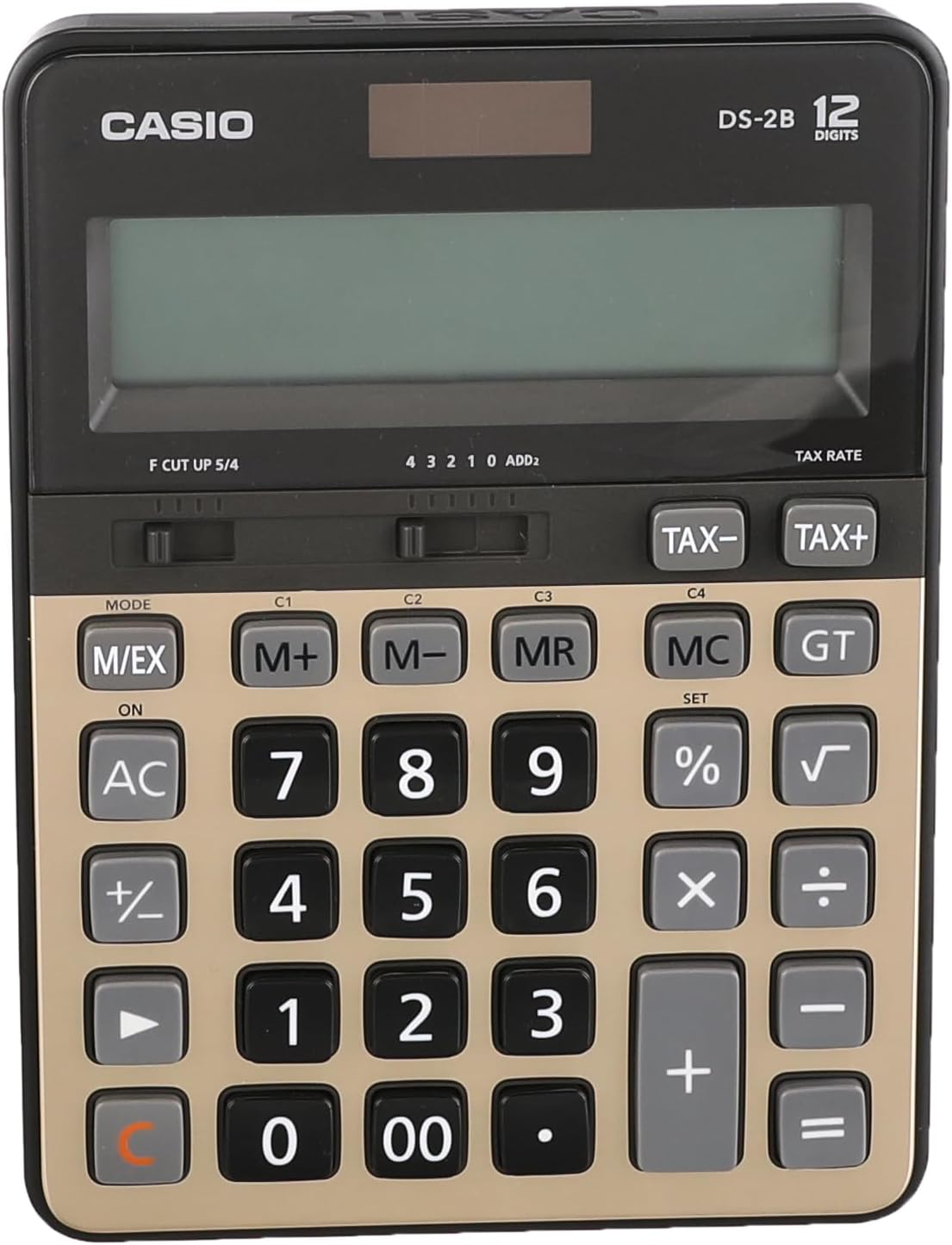
Obrázek 2: Nahoře view of the calculator, highlighting the solar panel and large display area.
První použití
- Umístěte kalkulačku na dobře osvětlené místo.
- Stiskněte tlačítko ON/AC button to turn on the calculator and clear any previous calculations.
- The display should show "0". If the display is blank, ensure adequate light is available or that the battery is functional.
Návod k obsluze
Základní výpočty
- Přidání: Zadejte první číslo a stiskněte +, zadejte druhé číslo a stiskněte =.
- Odčítání: Zadejte první číslo a stiskněte -, zadejte druhé číslo a stiskněte =.
- Násobení: Zadejte první číslo a stiskněte ×, zadejte druhé číslo a stiskněte =.
- Divize: Zadejte první číslo a stiskněte ÷, zadejte druhé číslo a stiskněte =.
- Vymazat záznam: Stiskněte CE (often combined with AC) to clear the last entered number.
- Vše jasné: Stiskněte AC to clear all calculations and reset the display to zero.
Paměťové funkce
The calculator includes independent memory functions for storing and recalling values.
- M+: Přičte zobrazenou hodnotu do paměti.
- M-: Odečte zobrazenou hodnotu z paměti.
- PAN: Recalls the value stored in memory to the display.
- MC: Vymaže paměť.
Výpočet daně
The calculator features dedicated keys for tax calculations.
- TAX+: Adds tax to the displayed value.
- TAX-: Subtracts tax from the displayed value.
Note: The tax rate must be set prior to using these functions. Refer to the full Casio manual for detailed instructions on setting the tax rate.

Figure 3: Close-up of the calculator's key layout, showing function keys like M+, M-, MR, MC, TAX+, and TAX-.
Údržba
Čištění
- Kalkulačku otřete měkkým, suchým hadříkem.
- Na odolné nečistoty lehce damphadřík vodou a jemným čisticím prostředkem a poté ihned otřete dosucha.
- Do not use strong solvents, abrasive cleaners, or spray cleaners directly onto the calculator.
Skladování
- Kalkulačku skladujte na chladném a suchém místě mimo dosah přímého slunečního záření a extrémních teplot.
- Avoid exposing the calculator to excessive moisture or dust.
Výměna baterie
The calculator uses a button-cell battery as a backup power source. If the display becomes dim or unresponsive in sufficient light, the battery may need replacement. Battery replacement should ideally be performed by a qualified technician or according to the detailed instructions in the comprehensive Casio manual to avoid damaging the device.
Odstraňování problémů
| Problém | Možná příčina | Řešení |
|---|---|---|
| Displej je prázdný nebo tmavý. | Insufficient light for solar power. / Battery is low or depleted. | Move the calculator to a brighter area. / Replace the battery (refer to Maintenance section). |
| Kalkulačka nereaguje na stisknutí kláves. | Calculator is off. / Temporary malfunction. | Stiskněte ON/AC. / Remove the calculator from light for a few minutes, then re-expose to light and press ON/AC. |
| Nesprávné výsledky výpočtu. | Incorrect input. / Incorrect mode setting. | Verify input numbers and operations. / Press AC to clear and restart. Check mode settings if applicable (e.g., decimal point selector). |
Specifikace
- Model: Casio DS-2B-GD-W-DP
- Číslice: 12
- Zdroj napájení: Solar & Battery (Dual Power)
- Typ displeje: Extra Large LCD
- Typ klíče: Durable anti-fade plastic keys
- Rozměry (D x Š x V): Přibližně 18.95 x 14 x 0.25 cm
- Hmotnost: Přibližně 305 g
- Materiál: Plast
- Funkce: Basic arithmetic, Memory (M+, M-, MR, MC), Tax calculation (TAX+, TAX-), Percentage (%), Square Root (√), Grand Total (GT), Mark-up (MU), Decimal Selector (F, CUT, UP, 5/4), Rounding Selector (4, 3, 2, 1, 0, ADD2).
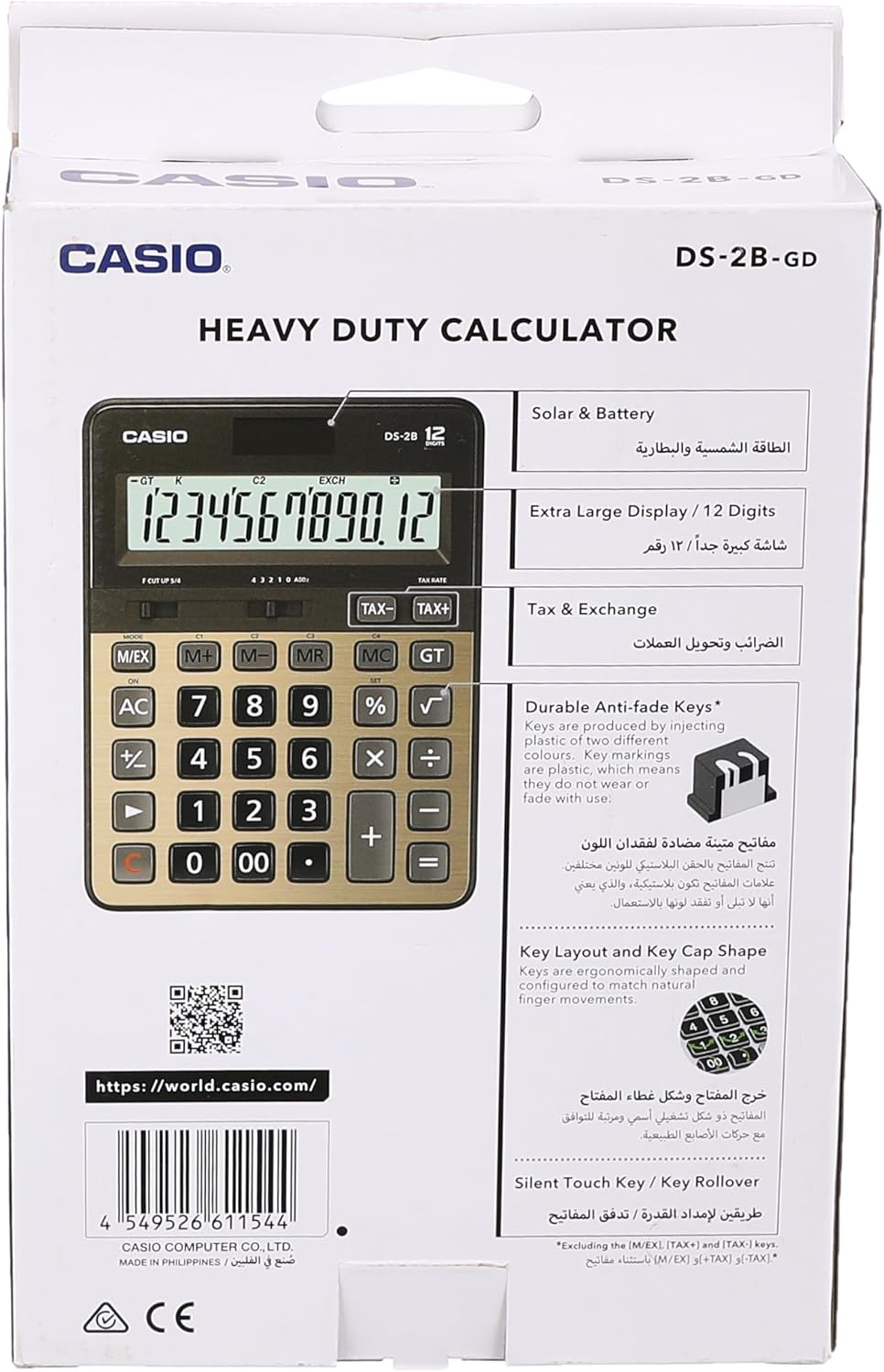
Figure 4: Product packaging highlighting key features such as solar & battery power, extra large display, and durable keys.
Záruka a podpora
For detailed warranty information and customer support, please refer to the documentation included with your purchase or visit the official Casio webmísto.
- Oficiální Casio Webmísto: https://world.casio.com
- Výrobce: Casio Computer Co., Ltd.
- Číslo modelu: DS-2B-GD-W-DP
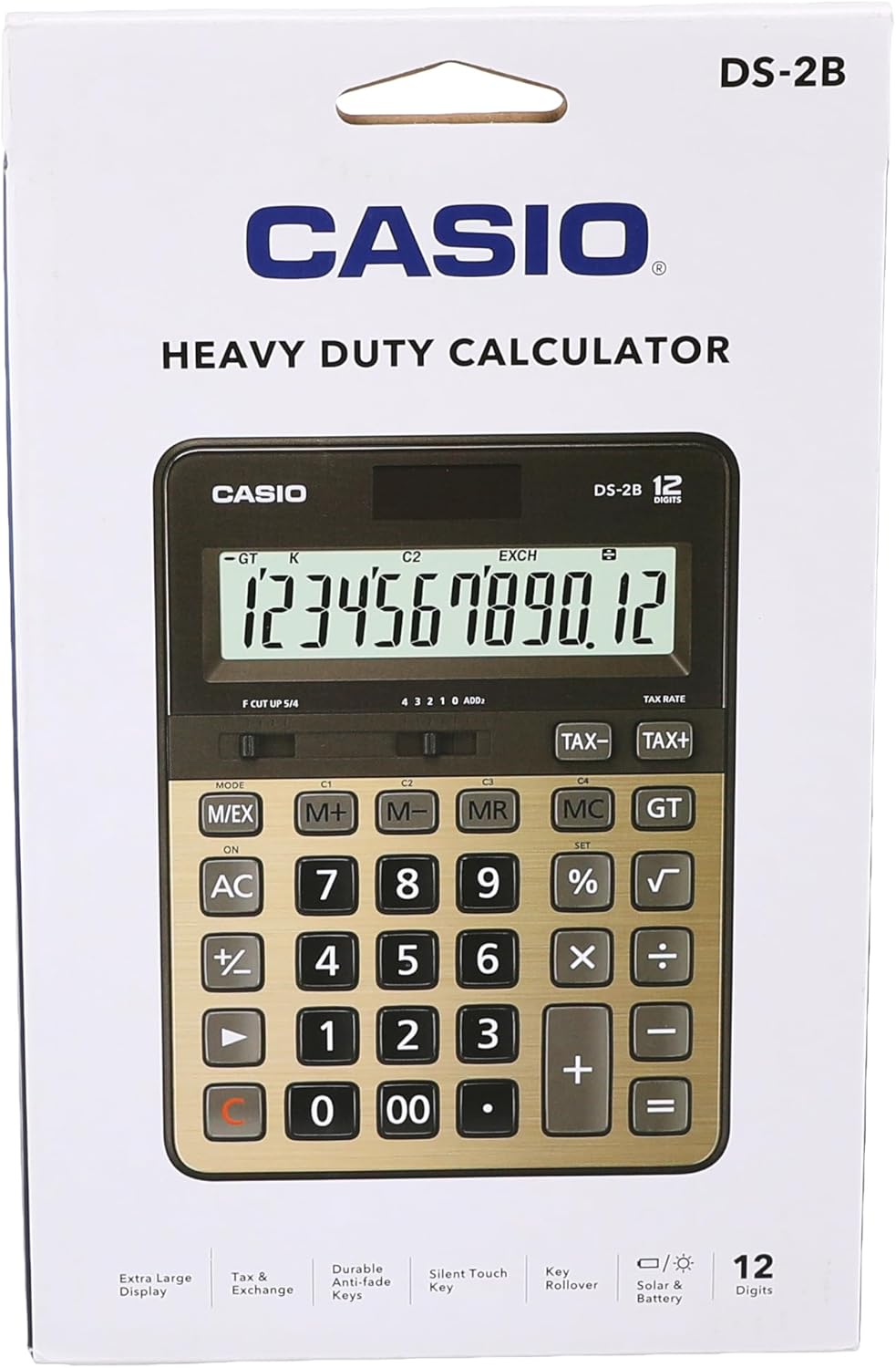
Obrázek 5: Zadní view of the product packaging, displaying the barcode and official webstránky pro další informace.