
Zavedení
Thank you for choosing the XtremeMac Wireless 5000 mAh Power Bank. This compact and powerful portable charger is designed to provide convenient wireless and wired charging for your compatible devices, especially optimized for iPhone models with MagSafe technology. Please read this manual thoroughly before using the product to ensure safe and optimal performance.
Obsah balení
- XtremeMac Wireless 5000 mAh Power Bank (Model: XWH-PMS2-13)
- Nabíjecí kabel USB-C
- Uživatelská příručka (tento dokument)
Konec produktuview
Familiarize yourself with the components of your XtremeMac Wireless Power Bank.

Obrázek 1: XtremeMac Wireless Power Bank - Front, Back, and Side Views. This image illustrates the device's compact design, the magnetic charging area on the front, the USB-C port, and the power button on the side.
- Magnetický nabíjecí povrch: Pro bezdrátové nabíjení kompatibilních zařízení.
- Port USB-C: For charging the power bank and for wired output charging.
- Vypínač: Activates wireless charging and checks battery level.
- LED indikátory: Show battery level and charging status.
Nastavení
1. První nabití powerbanky
Before first use, fully charge your XtremeMac Wireless Power Bank.
- Připojte dodaný kabel USB-C k portu USB-C na powerbankě.
- Připojte druhý konec kabelu USB-C ke kompatibilnímu napájecímu adaptéru USB (není součástí balení).
- LED indikátory se rozsvítí, aby signalizovaly průběh nabíjení. Po úplném nabití budou všechny LED diody svítit nepřetržitě.
2. Attaching to Your iPhone (MagSafe)
The power bank is designed for seamless magnetic attachment to MagSafe-compatible iPhones (iPhone 12, 13, 14, and 15 series).

Obrázek 2: Magnetic Attachment for iPhone. This image demonstrates how the power bank securely clicks onto the back of a compatible iPhone for wireless charging.
- Align the power bank with the back of your MagSafe-compatible iPhone.
- The magnets will automatically snap the power bank into place, ensuring proper alignment for wireless charging.
Návod k obsluze
1. Wireless Charging (MagSafe)
To charge your iPhone wirelessly:

Obrázek 3: Wireless Charging in Progress. This image shows an iPhone receiving a wireless charge from the power bank, indicated by the charging animation on the phone screen.
- Attach the power bank to the back of your MagSafe-compatible iPhone.
- Press the power button on the side of the power bank. Wireless charging will begin within 5 seconds.
- The LED indicators on the power bank will show its remaining charge. Your iPhone screen will also indicate charging.
- To stop charging, simply detach the power bank or press the power button again.
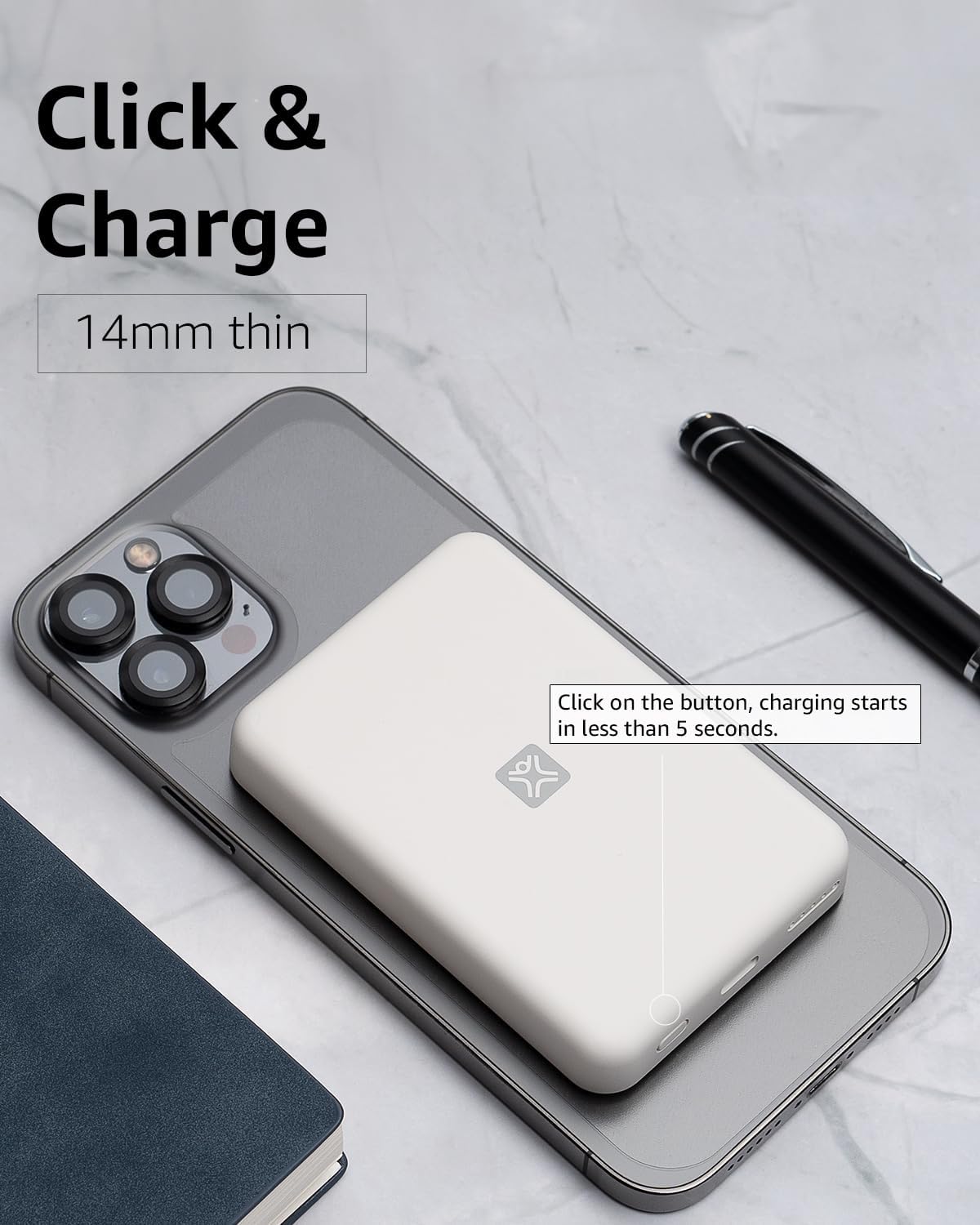
Obrázek 4: Activating Wireless Charge. This image highlights the power button and the quick activation of wireless charging.
2. Wired Charging (USB-C PD)
For faster charging or to charge non-wireless devices, use the USB-C port.

Obrázek 5: Wired Charging via USB-C. This image shows the power bank connected to a phone using a USB-C cable, demonstrating its faster wired charging capability.
- Connect one end of a USB-C cable (or a compatible cable for your device) to the USB-C port on the power bank.
- Druhý konec připojte k nabíjecímu portu vašeho zařízení.
- Charging will typically begin automatically. If not, press the power button on the power bank.
3. Kontrola úrovně baterie
Jedním stisknutím tlačítka napájení zkontrolujete zbývající úroveň nabití baterie indikovanou LED diodami.
Údržba
- Čištění: K čištění povrchu powerbanky používejte měkký, suchý hadřík. Nepoužívejte tekuté čisticí prostředky ani aerosoly.
- Skladování: Powerbanku skladujte na chladném a suchém místě mimo dosah přímého slunečního záření a extrémních teplot.
- Péče o baterie: Pro prodloužení životnosti baterie plně nabijte powerbanku alespoň jednou za tři měsíce, pokud ji nepoužíváte pravidelně.
Odstraňování problémů
| Problém | Možná příčina | Řešení |
|---|---|---|
| Powerbanka se nenabíjí. | Kabel není správně připojen; vadný kabel/adaptér; powerbanka je plně nabitá. | Ensure cable is securely connected. Try a different USB-C cable and power adapter. Check LED indicators; if all are solid, it's fully charged. |
| Zařízení se nenabíjí bezdrátově. | Device not MagSafe compatible; misaligned; power bank low on charge; power button not pressed. | Ensure your device is MagSafe compatible (iPhone 12/13/14/15 series). Realign the power bank. Recharge the power bank. Press the power button to activate. |
| Device not charging via cable. | Cable not connected properly; faulty cable/device; power bank low on charge. | Ensure cable is securely connected. Try a different cable. Recharge the power bank. |
| Pomalé nabíjení. | Using a non-PD charger/cable; device case interfering with wireless charging. | For wired charging, ensure you are using a USB-C PD compatible charger and cable. For wireless, remove thick or metallic phone cases. |
Specifikace
| Funkce | Detail |
|---|---|
| Číslo modelu | XWH-PMS2-13 |
| Kapacita baterie | 5000 XNUMX mAh |
| Bezdrátový výstup | Up to 7.5W (MagSafe compatible) |
| Wired Output/Input | USB-C (Power Delivery compatible) |
| Rozměry | Přibližně 17.1 x 8.9 x 2.2 cm (6.7 x 3.5 x 0.9 palce) |
| Hmotnost | Přibližně 85 g (3 oz) |
| Typ baterie | Lithium Ion |
| Kompatibilita | MagSafe compatible iPhones (12, 13, 14, 15 series) for wireless charging; USB-C devices for wired charging. |

Obrázek 6: 5000 mAh Capacity and Charge Estimates. This image provides an overview of the power bank's capacity and estimated number of full charges for various iPhone models.
Bezpečnostní informace
- Do not expose the power bank to extreme temperatures, direct sunlight, or high humidity.
- Zařízení nerozebírejte, neupravujte ani se nepokoušejte opravit.
- Uchovávejte mimo dosah dětí.
- Vyvarujte se pádu nebo vystavení powerbanky silným nárazům.
- Nepoužívejte, pokud je powerbanka poškozená nebo nafouklá.
- Výrobek zlikvidujte zodpovědně v souladu s místními předpisy.
Záruka a podpora
For warranty information, technical support, or customer service inquiries, please refer to the official XtremeMac webwebu nebo se obraťte přímo na jejich zákaznickou podporu. Uschovejte si účtenku jako doklad o koupi.