
1. Úvod
This manual provides essential instructions for the Re-Flix Superior Light Remote Control, specifically pre-programmed for use with Takara KDV100B-V2 DVD/BD players. This remote is designed for immediate functionality upon battery insertion, eliminating the need for complex setup codes.
2. Obsah balení
- 1 x Re-Flix Superior Light Remote Control
Poznámka: Two (2) 1.5V AAA batteries are required and are not included in the package.
3. Nastavení
3.1. Vložení baterií
- Najděte kryt prostoru pro baterie na zadní straně dálkového ovladače.
- Posuňte kryt dolů nebo stiskněte západku pro jeho otevření.
- Insert two (2) 1.5V AAA batteries, ensuring that the positive (+) and negative (-) terminals align correctly with the markings inside the compartment.
- Nasaďte zpět kryt přihrádky na baterie a ujistěte se, že bezpečně zacvakne na místo.

Image: Back of the remote control with the battery compartment. This view illustrates where to insert the AAA batteries.
3.2. První použití
The Re-Flix Superior Light Remote Control is pre-programmed for the Takara KDV100B-V2 DVD/BD player. Once batteries are correctly inserted, the remote is ready for immediate use with your device. No additional programming or code entry is required for this specific model.
4. Ovládání dálkového ovladače
Point the remote control directly at the infrared (IR) receiver of your Takara KDV100B-V2 DVD/BD player. Press the desired function button to control your device. The buttons are designed to correspond to the standard functions of your original remote control.
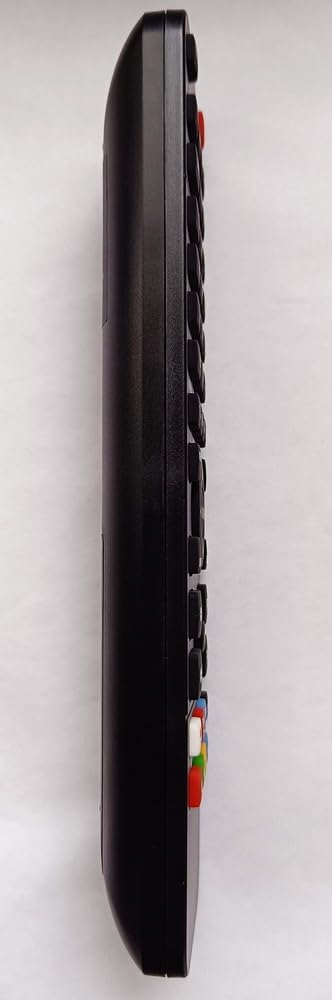
Image: Front of the remote control, displaying the various function buttons for operation.
4.1. Important Note on Programming Other Devices
This remote control is specifically pre-programmed for the Takara KDV100B-V2 DVD/BD player. If you wish to program this remote for other devices, a separate USB programming device is required. This USB programming device is not included with this product and must be acquired separately.
5. Údržba
5.1. Výměna baterie
When the remote control's performance diminishes or it ceases to function, replace both AAA batteries with new ones. Always ensure correct polarity during insertion. Old batteries should be disposed of according to local regulations.
5.2. Čištění
Clean the remote control with a soft, dry cloth. Avoid using liquid cleaners, solvents, or abrasive materials, as these can damage the remote's surface or internal components.
6. Řešení problémů
- Dálkové ovládání nereaguje:
- Zkontrolujte, zda jsou baterie vloženy správně se správnou polaritou.
- Vyměňte staré baterie za nové.
- Ensure there are no physical obstructions between the remote control and the device's IR receiver.
- Verify that the remote control is pointed directly at the device's IR receiver.
- Některé funkce nefungují podle očekávání:
- Confirm that your device is indeed the Takara KDV100B-V2 DVD/BD player. This remote is specifically pre-programmed for this model.
- If you have custom-programmed the remote for a different device, some button functions may not perfectly match the original remote's layout or capabilities.
7. Specifikace
- Číslo modelu: 747516
- Značka: Re-Flix
- Kompatibilní zařízení: Takara KDV100B-V2 DVD/BD Player
- Baterie: 2 x 1.5 V AAA (nejsou součástí balení)
- Rozměry: 21.0 x 4.7 x 2.0 cm
- Hmotnost: 89 g
- Barva: Černý
8. Záruka a podpora
For information regarding warranty coverage, technical assistance, or customer support, please refer to the documentation provided by your retailer or contact Re-Flix customer service directly through their official webweb nebo kontaktní kanály.