
1. Úvod
Welcome to the user manual for your Re-Flix Superior Light Universal Remote Control. This 4-in-1 remote is designed for ease of use and comes pre-programmed for your Sat/DTT Canal+ device, eliminating the need for complex setup codes. Simply insert batteries, and your remote is ready for immediate operation. This manual provides essential information on setup, operation, maintenance, and troubleshooting to ensure optimal performance of your remote control.
2. Konec produktuview
The Re-Flix Superior Light is a versatile 4-in-1 universal remote control. It is specifically pre-programmed to operate your Sat/DTT Canal+ device, offering a seamless out-of-the-box experience. The remote retains its programming even when batteries are removed, ensuring no data loss.
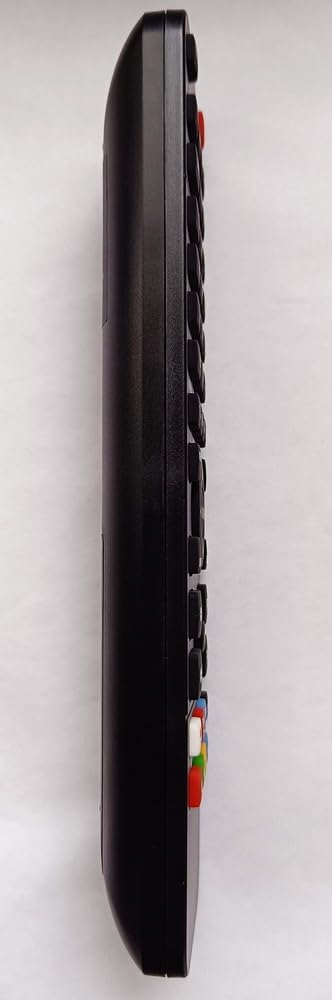

3. Nastavení: Instalace baterie
Your Re-Flix Superior Light remote control requires two AAA (1.5V) batteries for operation. Batteries are not included with the remote.
- Vyhledejte přihrádku na baterie na zadní straně dálkového ovladače (viz obrázek 2).
- Posuňte kryt přihrádky na baterie dolů nebo stiskněte západku a zvedněte jej pro otevření.
- Vložte dvě baterie typu AAA a dbejte na správnou polaritu (+ a -) vyznačenou uvnitř přihrádky.
- Nasaďte kryt přihrádky na baterie tak, že jej zasunete zpět na místo, dokud bezpečně nezacvakne.
Dálkový ovladač je nyní připraven k použití.
4. Návod k obsluze
4.1 První použití
Once batteries are installed, your Re-Flix Superior Light remote control is immediately ready to operate your pre-programmed Sat/DTT Canal+ device. No additional codes or setup steps are required for this specific device.
4.2 Základní funkce
The remote control provides standard functions for your television or set-top box, including:
- Moc: Zapíná nebo vypíná zařízení.
- Kanál nahoru/dolů: Prochází kanály.
- Zvýšení/Snížení hlasitosti: Upravuje úroveň zvuku.
- Ztlumit: Ztiší zvuk.
- Numerická klávesnice: Pro přímý vstup kanálu.
- Nabídka/Průvodce: Accesses device menus and program guides.
- Navigační tlačítka: For moving through menus and selections.
4.3 Programming Other Devices (Advanced)
While this remote is pre-programmed for your specified device, it is a 4-in-1 universal remote. To program it for other devices, a separate USB programmer is required. This USB programmer is not included with the remote control. Please refer to the instructions provided with the USB programmer for details on how to configure the remote for additional devices.
5. Údržba
5.1 Čištění
To clean your remote control, use a soft, dry cloth. Avoid using liquid cleaners, abrasive materials, or solvents, as these can damage the remote's surface or internal components.
5.2 Péče o baterii
- Pokud dálkový ovladač nebudete delší dobu používat, vyjměte baterie, abyste zabránili jejich vytečení a možnému poškození.
- Vyměňte všechny baterie najednou za nové stejného typu.
- Použité baterie zlikvidujte zodpovědně v souladu s místními předpisy.
The remote control is designed to retain its programming even when batteries are removed or depleted.
6. Řešení problémů
If you encounter issues with your Re-Flix Superior Light remote control, please refer to the following common solutions:
- Dálkové ovládání nereaguje:
- Ujistěte se, že jsou baterie vloženy správně se správnou polaritou.
- Vyměňte staré baterie za nové baterie typu AAA.
- Check for any obstructions between the remote control and your device's infrared receiver.
- Ensure your device (TV, Sat/DTT box) is powered on.
- Incorrect commands or limited functionality:
- Verify that the model designation of your device or original remote control matches the model designation (G9STEC1) for which this remote was pre-programmed. Incompatibility can lead to partial or no functionality.
- If you have attempted to program the remote for other devices using a USB programmer, ensure the correct device mode is selected (if applicable).
7. Specifikace
| Značka | Re-Flix |
| Čísla modelů | G9STEC1, 747516 |
| Typ | Univerzální dálkový ovladač 4 v 1 |
| Kompatibilita | Pre-programmed for Sat/DTT Canal+ (G9STEC1) |
| Jsou vyžadovány baterie | 2 x 1.5 V AAA (nejsou součástí balení) |
| Hmotnost | 89 g |
| Rozměry (D x Š x V) | 21 x 4.7 x 2 cm |
| Výrobce | Superior Electronics (Re-Flix) |
8. Informace o záruce
Specific warranty details for the Re-Flix Superior Light Universal Remote Control are not provided in the product information. For warranty terms and conditions, please consult your original purchase receipt, contact the retailer from whom you purchased the product, or visit the official Re-Flix / Superior Electronics webmísto.
9. Podpora
For technical assistance, troubleshooting, or further inquiries regarding your Re-Flix Superior Light Universal Remote Control, please contact:
- Maloobchodník: The store or online platform where you purchased the product.
- Výrobce: Superior Electronics (Re-Flix)
- E-mail: superior@superior-electronics.com
- Webmísto: www.superior-electronics.com
- Adresa: Largo Lanciani, 2A, 00162 Rome, Italy