
RAYSON TD-1221
Uživatelská příručka k vázacímu stroji RAYSON TD-1221
Model: TD-1221
Zavedení
This manual provides essential information for the safe and efficient operation of your RAYSON TD-1221 Wire Binding Machine. Please read these instructions thoroughly before using the machine to ensure proper function and to prevent damage or injury. Keep this manual for future reference.
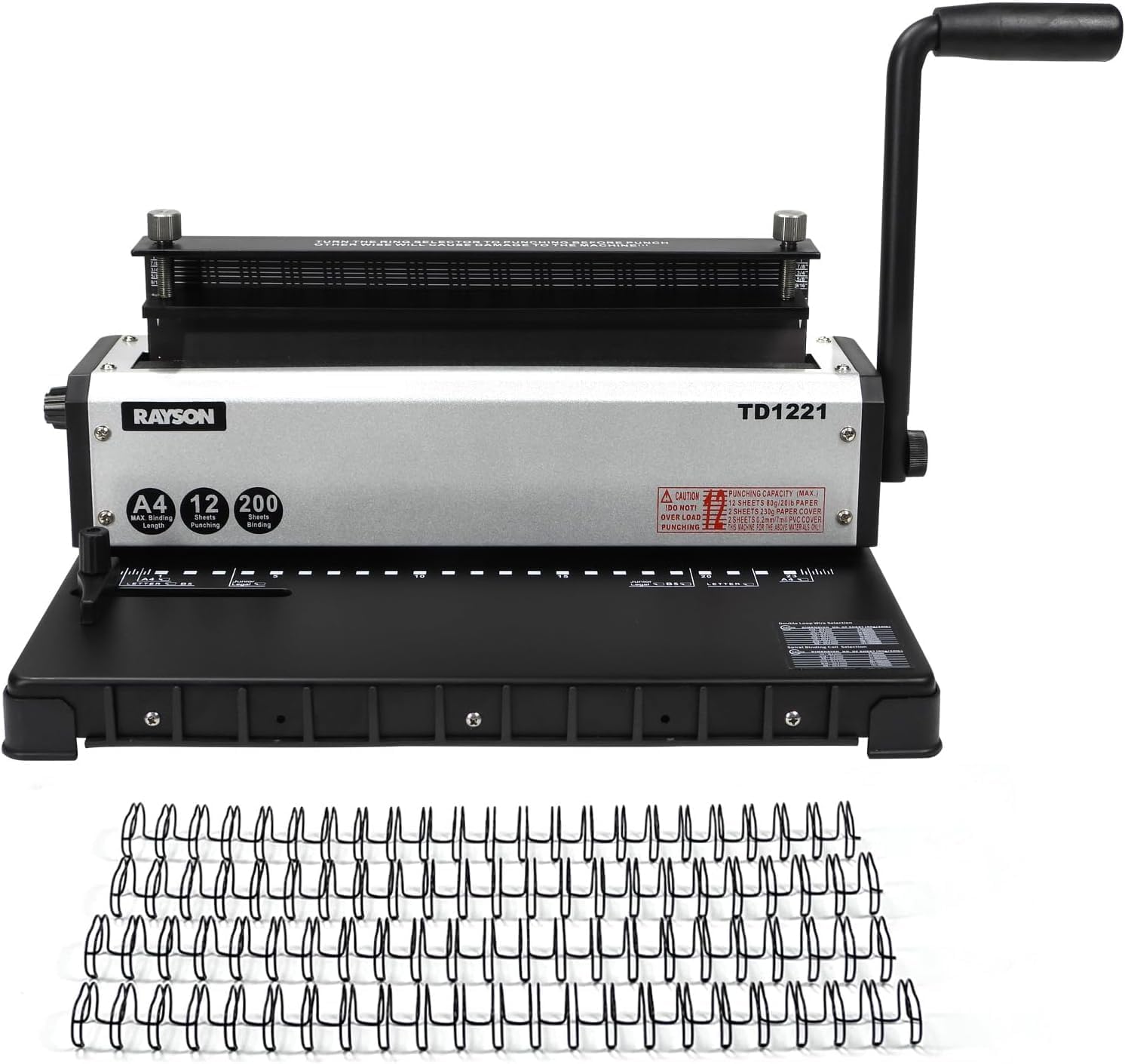
Image: The RAYSON TD-1221 Wire Binding Machine, shown with a collection of black wire binding spines.
Komponenty produktu
Familiarize yourself with the various parts of the RAYSON TD-1221 Wire Binding Machine to ensure correct operation.

Obrázek: Shora dolů view of the binding machine, highlighting the operation handle, metal binding clamp, silver metal body, stainless steel screw, anti-slip feet, paper scrap tray, and paper margin adjustment.

Obrázek: Boční view of the binding machine, indicating the operation handle, metal binding clamp, scale, anti-slip feet, black metal base, wire slot system, paper stopper, silver metal body, wire selector dial, and stainless steel screw.
Mezi klíčové komponenty patří:
- Ovládací páka: Used for punching holes in paper.
- Metal Binding Clamp: Secures the wire spine during the binding process.
- Knoflíky: Adjust the binding clamp for different spine sizes (14.3mm to 25.4mm).
- Paper Margin Adjustment: Controls the distance of the punched holes from the paper edge (2.5mm, 3.5mm, 4.5mm).
- Wire Selector Dial: Used to select the appropriate setting for punching and binding based on spine size (6.4mm to 12.7mm).
- Paper Stopper: Guides paper for consistent punching alignment.
- Paper Scrap Tray: Collects paper waste from punching.
- Protiskluzové nožičky: Zajišťuje stabilitu během provozu.
Specifikace
| Funkce | Popis |
|---|---|
| Model | TD-1221 |
| Kapacita vazby | Až 250 listů (papír 80 g/m²) |
| Kapacita děrování | Až 12 listů (papír 80 g/m²) |
| Maximální velikost listu | A4 |
| Počet děr | 23 jamek |
| Rozteč | 2:1 (2 loops per inch) |
| Konstrukce | Pevný kov |
| Paper Margin Adjustment | 2.5 mm, 3.5 mm, 4.5 mm |
Nastavení
- Rozbalení: Carefully remove the binding machine from its packaging. Retain all packaging materials for future transport or storage.
- Umístění: Place the machine on a stable, flat surface. Ensure there is sufficient space around the machine for operation and paper handling.
- Seznámení se: Review the "Product Components" section to identify all parts of the machine.
- Počáteční čištění: Wipe the machine with a dry, soft cloth to remove any dust or debris from manufacturing or transport.
Návod k obsluze
1. Adjusting Paper Margin
The paper margin adjustment controls the distance of the punched holes from the edge of your document. This is crucial for durability and aesthetics.
- Locate the paper margin adjustment knob on the side of the machine.
- Rotate the knob to select the desired margin depth: 2.5mm, 3.5mm, or 4.5mm. A deeper margin is generally recommended for thicker documents or larger binding spines.

Obrázek: Detailní záběr view of the paper margin adjustment dial, showing settings for 2.5mm, 3.5mm, and 4.5mm.
2. Punching Documents
Ensure your documents are aligned correctly before punching to achieve a professional finish.
- Připravte si papír: Gather the sheets you wish to punch. The machine can punch up to 12 sheets of 80gsm paper at a time. Do not exceed this capacity to prevent damage to the machine and ensure clean punches.
- Adjust Paper Stopper: Slide the paper stopper to the desired paper size (A4, Letter, B5, etc.) to ensure consistent hole placement.
- Vložte papír: Insert the stack of paper into the punching slot, ensuring it rests firmly against the paper stopper and the margin guide.
- Punč: Firmly pull down the operation handle. Once the holes are punched, release the handle and remove the paper.
- Opakovat: Continue punching in small batches until all pages are prepared.
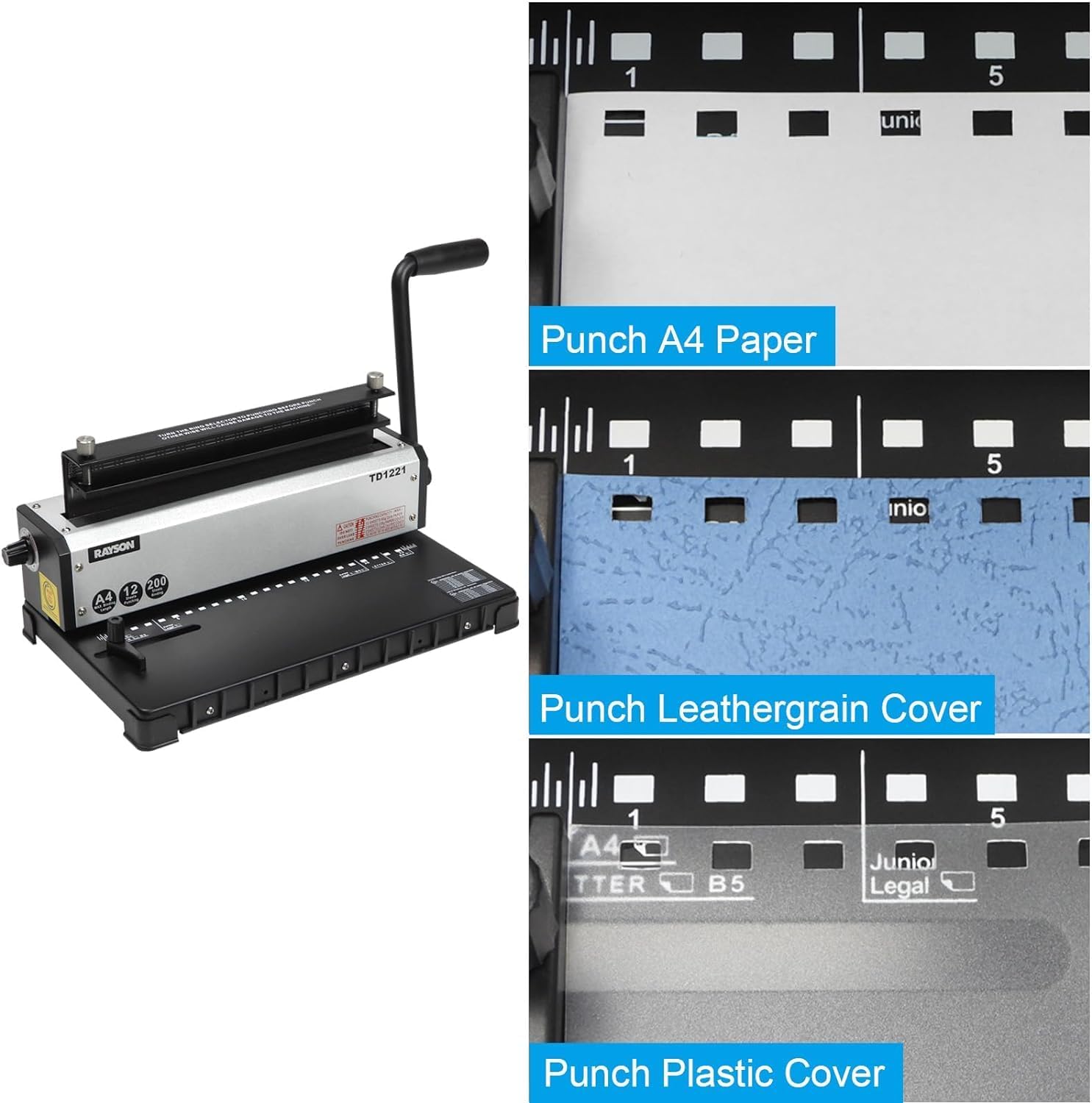
Obrázek: A view of the machine's paper guide, illustrating markings for A4, Letter, and B5 paper sizes.

Obrázek: Tři examples showing punched holes in different materials: standard A4 paper, a leathergrain cover, and a plastic cover, demonstrating the machine's versatility.
3. Binding Documents
The TD-1221 uses 2:1 pitch wire binding spines. Ensure you select the correct spine size for your document thickness.

Image: A visual comparison between 3:1 pitch (3 loops per inch) and 2:1 pitch (2 loops per inch) wire binding spines. The TD-1221 machine is compatible with 2:1 pitch spines.
- Vyberte drátěnou páteř: Choose a 2:1 pitch wire binding spine appropriate for the thickness of your document. The machine supports spines from 6.4mm to 12.7mm.
- Place Wire Spine: Open the wire binding spine and place it onto the wire slot system, ensuring the open loops face upwards.
- Load Punched Pages: Carefully thread the punched pages onto the open loops of the wire spine. Start with the back cover, then the main body of the document, and finally the front cover.
- Close Wire Spine: Once all pages are loaded, slide the document and wire spine into the metal binding clamp.
- Adjust Binding Clamp: Use the knobs to adjust the binding clamp to match the diameter of your wire spine.
- Komprimovat: Gently push the operation handle forward to close the wire spine. Ensure the spine is evenly closed and secure.
- Odebrat dokument: Opatrně vyjměte svázaný dokument ze zařízení.

Image: A close-up showing punched paper being carefully threaded onto the open loops of a wire binding spine within the machine's binding mechanism.

Image: A finished document bound with a blue wire spine, demonstrating the completed binding process.
Údržba
Regular maintenance ensures the longevity and optimal performance of your binding machine.
- Empty Paper Scrap Tray: After each use, or when full, pull out the paper scrap tray located at the bottom of the machine and empty the paper confetti. Reinsert the tray securely.
- Clean Punching Dies: Periodically, use a stiff brush or compressed air to clear any paper dust or debris from the punching dies.
- Smazat: Use a soft, dry cloth to wipe the exterior of the machine. Do not use abrasive cleaners or solvents.
- Mazání: The punching mechanism is factory-lubricated. No additional lubrication is typically required. If the handle becomes stiff, contact customer support.
Odstraňování problémů
This section addresses common issues you might encounter with your binding machine.
- Zaseknutý papír:
- Příčina: Overloading the punching capacity.
- Řešení: Reduce the number of sheets per punch. Carefully remove jammed paper by pulling it straight out. Do not force the handle.
- Incomplete Punches:
- Příčina: Insufficient force on the handle or exceeding punching capacity.
- Řešení: Ensure you apply full, firm pressure to the handle. Reduce the number of sheets.
- Uneven Hole Alignment:
- Příčina: Paper not properly aligned against the paper stopper or margin guide.
- Řešení: Always ensure paper is flush against both guides before punching.
- Wire Spine Not Closing Properly:
- Příčina: Incorrect binding clamp adjustment or incorrect spine size for document thickness.
- Řešení: Adjust the binding clamp knobs to match the wire spine diameter. Ensure the spine size is appropriate for the number of pages.
If you encounter issues not listed here or require further assistance, please contact RAYSON customer support.
Bezpečnostní informace
- Keep hands and fingers clear of the punching and binding mechanisms during operation.
- Nedovolte dětem obsluhovat stroj.
- Use the machine only for its intended purpose: punching and binding paper documents.
- Do not attempt to punch materials other than paper or thin covers suitable for binding machines.
- Always place the machine on a stable surface to prevent tipping.
- Unplug the machine if it is not in use for an extended period or during cleaning.
Záruka a podpora
For warranty information, technical support, or service inquiries, please refer to the warranty card included with your product or visit the official RAYSON website. Please have your model number (TD-1221) and purchase date available when contacting support.
Výrobce: RAYSON ELECTRICAL MFG.LTD.
Ask a question about this manual
Ask about setup, troubleshooting, compatibility, parts, safety, or missing instructions. Manuals+ will review the question and use this page’s manual context to help answer it.