
Zavedení
This manual provides essential information for the safe and effective use of your Essager USB-C 100W Fast Charging Cable with Digital Display. This high-performance cable is designed for rapid charging and efficient data transfer, featuring a convenient digital display to monitor charging status.

Image: The Essager USB-C 100W Fast Charging Cable, showcasing its braided design and the digital display on one of the connectors.
Klíčové vlastnosti
- Vysokorychlostní nabíjení: Supports up to 100W (20V/5A) Power Delivery for rapid charging of compatible USB-C devices.
- Rychlý přenos dat: Capable of data transfer speeds up to 480Mbps, suitable for syncing files a média.
- Digitální displej spotřeby: Integrated digital display shows real-time charging wattage, což umožňuje snadné monitorování.
- Široká kompatibilita: Compatible with fast charging protocols such as Quick Charge 3.0 and Samsung Fast Charge.
- Zvýšená odolnost: Constructed with a braided nylon exterior to minimize breakage and increase longevity.
- Čip E-Marker: Built-in E-Marker chip ensures safe and stable charging by regulating power delivery and protecting connected devices.

Image: The Essager cable highlighting its 100W fast charge capability and Type-C to Type-C design.

Obrázek: Detailní záběr view of the cable's connector, illustrating the internal E-Marker chip and its role in maintaining low temperatures during fast charging.
Nastavení a připojení
- Identifikace portů: Ensure both your charging adapter/power source and your device (smartphone, tablet, laptop, etc.) have compatible USB-C ports.
- Připojte ke zdroji napájení: Insert one end of the Essager USB-C cable into a compatible USB-C power adapter or port on a power bank/computer. For optimal fast charging, use a power adapter that supports Power Delivery (PD) and can output 100W or more.
- Připojit k zařízení: Insert the other end of the Essager USB-C cable into the USB-C charging port of your device.
- Ověřit připojení: Once connected, the digital display on the cable's connector will illuminate, showing the current charging wattage.
Návod k obsluze
Provoz nabíjení:
When the cable is properly connected to a power source and a device, the digital display on the cable's connector will show the real-time charging wattage (e.g., "100W"). This indicates that power is being delivered to your device. The actual wattage displayed may vary depending on your device's charging requirements and the power adapter's output capabilities.

Image: The Essager cable connected to a smartphone, illustrating 100W charging with a protective shield icon, emphasizing safe and efficient power delivery.
Data Transfer Operation:
To transfer data, connect one end of the cable to a USB-C port on your computer and the other end to your device. Ensure your device is set to "File Transfer" or "Data Transfer" mode if prompted. The cable supports data transfer speeds up to 480Mbps, suitable for transferring documents, photos, and videos.
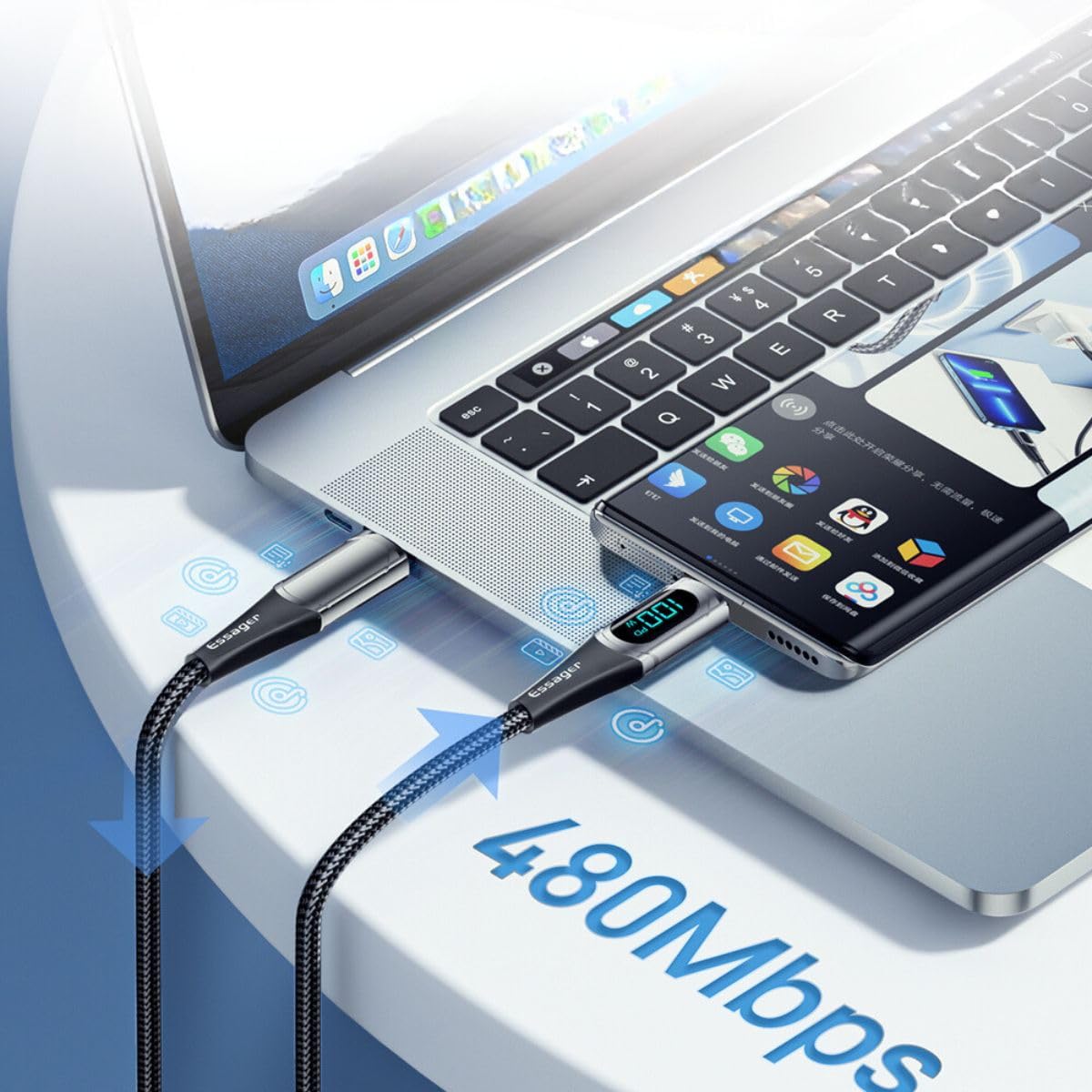
Image: The Essager cable connecting a laptop and a smartphone, demonstrating its capability for data transfer at 480Mbps.
Údržba a péče
- Skladování: Kabel skladujte na chladném a suchém místě mimo dosah přímého slunečního záření a extrémních teplot.
- Zacházení: Avoid sharp bends, kinks, or excessive pulling on the cable, especially near the connectors, to prevent internal damage.
- Čištění: V případě potřeby kabel a konektory jemně otřete měkkým, suchým hadříkem. Nepoužívejte tekuté čisticí prostředky ani abrazivní materiály.
- Inspekce: Periodically inspect the cable and connectors for any signs of wear, fraying, or damage. Discontinue use if damage is observed.
Odstraňování problémů
| Problém | Možná příčina | Řešení |
|---|---|---|
| Cable not charging device. | Loose connection; incompatible power source/device; damaged cable. | Ensure both ends are securely plugged in. Verify power adapter and device compatibility. Try a different power source or device. Inspect cable for damage. |
| Pomalá rychlost nabíjení. | Power adapter not powerful enough; device not supporting fast charge; background apps. | Use a Power Delivery (PD) compatible adapter with sufficient wattage (e.g., 100W). Ensure your device supports fast charging. Close unnecessary background applications. |
| Digital display not showing wattage. | Cable not connected or not drawing power; display malfunction. | Ensure cable is properly connected and device is actively charging. If still no display, the cable may be faulty. |
| Přenos dat nefunguje. | Device not in data transfer mode; incorrect port; driver issues. | Check device settings to enable file transfer. Ensure you are using a data-enabled USB-C port. Update computer drivers if necessary. |
Specifikace
- Značka: ESSAGER
- Číslo modelu: ES-XCTT1-YDA01
- Maximální výstupní výkon: 100W (20V/5A)
- Rychlost přenosu dat: Až 480 Mbps
- Typ konektoru: USB-C na USB-C
- Materiál kabelu: Pletený nylon
- Speciální vlastnosti: Digital Power Display, E-Marker Chip
- Rozměry balení: 15 x 8 x 3 cm
- Hmotnost položky: 0.08 gramů
Záruka a podpora
For information regarding warranty coverage, returns, or technical support, please refer to the specific terms and conditions provided by your retailer or contact Essager customer service directly. Keep your purchase receipt as proof of purchase.
Note: Availability of spare parts information is not provided by the manufacturer.